Quick wins for a faster PC:
Fix the driver behind crashes, sound loss and screen glitchesFind Drivers →Clear out junk files and repair common Windows errorsFree Scan →Download Revo Uninstaller from the official source for your device: the Windows freeware page for a Windows PC, or the Google Play listing for Android. These are separate, platform-specific products; their features are not interchangeable.
Choose the right Revo Uninstaller download
| Option | Where to get it | What to know |
|---|---|---|
| Windows Freeware | Official Windows download page | Free Windows edition. Check the download page for current system requirements. |
| Android Mobile | Google Play or the official mobile page | Android app with a separately listed free edition and paid options. Google Play says it contains ads and in-app purchases. |
| Windows Pro | Official Pro features page | Separate paid Windows edition; it is not the free download. |
| Pro Portable | Official Pro FAQ | Paid, per-user licensed edition intended for removable-drive use—not a freeware feature. |
Download Revo Uninstaller Free for Windows
- Open the official Revo Uninstaller Freeware download page.
- Review the listed system requirements and download the Windows freeware installer from that page.
- Run the downloaded installer and follow its prompts to install the application.
The official user guide describes the Windows Apps module as available on Windows 8 and newer, but that manual is not a current compatibility guarantee. Use the download page to confirm requirements for your Windows system. The Windows manual describes a post-uninstall scan; it does not establish that every leftover item will always be found or removed.
As an Amazon Associate I earn from qualifying purchases.
Download Revo Uninstaller for Android
- Open the Revo Uninstaller listing on Google Play, published under VS REVO GROUP OOD, or visit the official Revo Uninstaller Mobile page.
- On Google Play, select the install option and complete the store’s prompts.
The developer lists app uninstalling, leftover scanning, uninstall history, and batch uninstall among the mobile app’s free features, with Pro and bundle offers presented separately. Google Play labels the app as containing ads and in-app purchases. Its listing showed 500K+ downloads and a 3.7-star rating when checked in 2026; these are changeable store metrics, not independent evidence of effectiveness.
The Android listing describes scanning for leftovers after a standard app uninstall. It does not establish Windows-style scanning, registry removal, or feature parity with the Windows edition.
#1 Best Overall
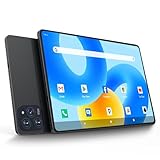
- 【Powerful Performance】This Android 15 tablet is powered by a 2.0GHz MTK8786 octa-core processor, allowing you to experience seamless multitasking and lightning-fast responsiveness. The high-performance processor ensures super-fast web searches, fast streaming media playback, and easy downloads of books, videos, games, smooth performance even during intensive use, and more!
- 【Ample Memory & Storage】This 11-inch Android 15 tablet is equipped with 16GB (8+8GB) RAM and 128GB ROM for fast app launching and silky smooth operation. Store thousands of photos, videos, or apps—or expand your creative possibilities with multitasking across multiple applications simultaneously.
- 【Vibrant 11-inch HD Display】This Android 15 tablet has an 11-inch 1280x800 HD screen that immerses you in crisp, vivid visuals. The screen is very bright, and the resolution is more than enough to display every detail to you. The 2.5D tempered glass adds durability and a sleek, edge-to-edge design, while enhancing touch sensitivity for effortless navigation and typing.
- 【Android 15 with GMS Certification】The 2025 latest tablet is equipped with the Android 15 operating system that delivers a secure, ad-free experience with enhanced privacy controls and app permissions. Pre-certified with Google Mobile Services (GMS), access your favorite apps like YouTube, Netflix, and Spotify instantly via the pre-installed Google Play Store. The system is fully adapted to Google, Chrome syncs everything for you. If you live in the world of Google, you can't miss this tablet!
- 【5G WI-FI & BLUETOOTH 5.0】Lightning-fast 5G Wi-Fi of this 11 inch Android 15 tablet delivers buffer-free 4K streaming and instant cloud saves, while Bluetooth 5.0 seamlessly connects speakers, keyboards, and game controllers simultaneously. Dual-band intelligence automatically switches frequencies to avoid congestion—perfect for video calls in busy homes or multiplayer gaming sessions.
When the paid Windows editions are relevant
Windows Pro
Revo Uninstaller Pro is a separate paid edition. Its feature page lists options including Quick Uninstall, removing a Windows app for all user accounts, and resetting Windows apps. The support page says the standard license is per computer and provides updates and support during the subscription period; previously released versions remain usable after the subscription expires. The vendor also states: “We accept order cancellations and refunds requests for any reason within 60 days from the date of purchase.” This is the vendor’s stated policy, not legal advice.
Pro Portable
The vendor’s FAQ describes Pro Portable as a paid, per-user licensed version designed to run from removable storage. A USB drive is not needed for the free Windows edition or the Android app.
Rank #2

- 【Newest Android 16 Tablet】With the latest Android 16 OS and 2.0GHz octa-core processor, this 10 inch tablet smoothly handles daily apps and games, removes bloated ads, enhances user privacy, and more features for you to explore. Please note: Android 16 is the official version, not the go version.
- 【HD IPS Touch Screen + Widevine L1】Tablets features a 10.1 inch 1280x800 HD IPS display to enhance screen clarity and immerse you in vivid visuals.10.1 inch tablet is Widevine L1 certified for Netflix, Prime Video, TikTok, Disney+ and Youtube, among other popular platforms for smooth viewing of Full HD content.
- 【20GB + 128GB + 2TB Expandable】The Android tablet comes with a memory combination of 20GB (4GB + 16GB virtual memory) RAM + 128GB ROM, which allows you to easily run a wide range of software and keep multiple applications running smoothly. It supports 2TB of expandable memory for saving tons of pictures, videos and music. The tablet is Google GMS certified and allows you to download tons of apps from the app store.
- 【5G WiFi 6 + BT5.0+ 6000mAh】Our Android 16 Tablet supports 2.4G/5G WiFi 6 and Bluetooth 5.0 for a more stable and faster connection, with a 6000 mAh high-capacity battery, it's the best companion for outing and traveling. With 2MP front camera and 8MP rear camera, you can take beautiful photos and enjoy clear video chat.
- 【Portable 2 in 1 Tablet with Keyboard】This 2-in-1 tablet comes with a Bluetooth keyboard, Bluetooth mouse, stylus, protective case, charger, and type-c cable. Easily switch between tablet and laptop modes. An ideal gift choice for birthdays, Christmas, family, children, or friends.
What to expect from uninstall scans
The Windows manual describes a Windows-specific scan after uninstalling, while the Android materials describe leftover scanning for mobile apps. The available official descriptions do not provide an independent comparison of scan effectiveness or prove that one edition removes more leftovers than another. Treat scanning as a feature offered by the product, not a guarantee that all traces will be removed.
Quick Recap
Product prices and availability are accurate as of the date/time indicated and are subject to change. Any price and availability information displayed on Amazon at the time of purchase will apply.




