Do these 3 things before closing this tab:
1Clear out junk files and repair common Windows errors2Scan for outdated or missing drivers - takes under a minute3Repair Windows errors before they cause bigger problemsPutting a message on a queue is a promise that someone will process it later. If the system has no spare capacity to keep that promise, the queue does not create capacity. It only postpones the failure, makes the backlog harder to see, and lengthens the wait for everyone behind the new item. The working rule is to check that capacity exists before accepting work, or to use a broker mechanism that pushes back on senders when capacity runs out.
What the principle means
“Don’t enqueue what you cannot reserve” is an engineering principle rather than a named standard or a quotation from a known author. It describes a design habit: decide whether a unit of work can be accepted now, and only then hand it to a queue. The principle is an inference from how message brokers document flow control, not a rule any particular product enforces for you.


As an Amazon Associate I earn from qualifying purchases.
The word “reserve” is the part that needs a definition, because it can mean several different things in practice:
- Broker-granted ingress credit, where the broker tells each sender how many messages it may send before waiting for more permission.
- A bounded worker slot, where a unit of work claims one of a fixed number of concurrent execution places.
- Durable storage capacity, where space for the message and its metadata is set aside before it is written.
- A database or API quota, where a downstream dependency allows a fixed number of calls per window.
- An application-level reservation, where your own code records a claim on a resource and releases it when the work finishes or fails.
No single reservation protocol covers all of these, and the mechanisms differ in what they guarantee. The rest of this article uses “admission” for the act of accepting work and “reservation” for whichever of these claims your system actually uses.
#1 Best Overall
Separate three stages: admission, handoff, and execution
Most confusion about queues comes from treating acceptance as if it meant completion. A work item passes through three stages, and each one has its own failure modes:
- Admission. Can this item be accepted right now? This is the stage the principle is about. The answer depends on capacity that is free at the moment of the request.
- Durable handoff. Has the queue or broker accepted responsibility for the message under its documented contract? What “accepted” means depends on the product, its persistence settings, and whether the publisher receives a confirmation.
- Execution. Can a worker process the message, and what happens on failure, retry, or acknowledgement? A message can be accepted and durably stored and still never be processed successfully.
A check made at the admission stage does not guarantee anything about the other two. It only tells you that, at that moment, there was room to take the item.
Why a queue cannot absorb sustained overload
A queue buffers messages. It does not make downstream processing capacity unlimited. RabbitMQ’s flow-control documentation frames the problem directly: when producers persistently send faster than consumers can process, the system has to do one of two things. It can constrain ingress, slowing senders, or it can let buffers and latency grow. Backpressure is the first option. Without it, receiver buffers eventually overflow, or waiting time grows without bound.
Free tools Windows power users keep installed
One-click scans. No signup required.
The arithmetic is simple even when the operations are not. If arrivals stay above what workers can complete, the backlog grows for as long as that gap persists. A deeper queue delays the moment someone notices, and it increases the age of every message already waiting. Accepting more work than capacity allows therefore moves the cost from the producer to the users who wait for results, and to the next retry loop.
Controls that limit admission
There are several ways to stop a queue from accepting more than it can serve. They act at different points and carry different trade-offs.
| Control | What it limits | Where it applies | Trade-off |
|---|---|---|---|
| Bounded queue length | The number of messages waiting | The queue itself | When the queue is full, something must give: the sender is blocked, the newest message is rejected, or the oldest is dropped. Choosing which one is a product decision, not a default to accept silently. |
| Credit-based flow control | How many messages each sender may send before it must wait for more credit | Each sender connection, as granted by the broker | RabbitMQ documents this model: a sender must use queue-granted credit and is blocked when it runs out until more credit is granted. The sender code must honor the wait. |
| Producer throttling | The rate at which callers submit work | The producer or an API gateway in front of it | It works only if the limit matches real service capacity. Bursts can exceed a fixed rate, and the limit must be revisited when workers change. |
| Retryable rejection | Whether a request is accepted at the moment it arrives | The API edge or the submission call | The caller must retry later, shed the request, or store it elsewhere. Retries are safe only if the operation is idempotent or duplicate-tolerant. |
| Consumer prefetch limit | The number of unacknowledged messages a consumer holds at once | Each consumer | RabbitMQ documents prefetch as limiting unacknowledged messages per consumer. It controls in-flight work, not the queue’s total backlog, so it does not by itself stop overload. |
The right control depends on what the caller can do. If the caller can wait, credit-based flow control or a blocking submit keeps the system honest without losing work. If the caller cannot wait but can retry, a fast rejection with a retryable response is usually clearer than a silent queue. If the work is not essential, load shedding is a legitimate choice, provided the system records what was dropped.
Rank #3
![DeskFX Free Audio Effects & Audio Enhancer Software [PC Download]](https://m.media-amazon.com/images/I/41fXbDohyuS._SL160_.jpg)
- Transform audio playing via your speakers and headphones
- Improve sound quality by adjusting it with effects
- Take control over the sound playing through audio hardware
The check-then-enqueue race
A common mistake is to check capacity and then enqueue in two separate steps. Two producers can each see one free slot, both pass the check, and both enqueue, leaving the system one item over its limit. The problem gets worse under load, which is when the check matters most.
The fix is to make admission atomic wherever the resource requires it. In practice that means one operation that both verifies and claims capacity, such as a conditional update or a script that runs as a single step in the store that holds the counter. Where a broker provides its own acceptance or flow-control mechanism, relying on it is usually simpler than building a parallel counter. The sources reviewed for this article describe flow control but do not prescribe an application-level atomic reservation design, so the pattern above is engineering guidance you should test against your own store and load.
Enqueued does not mean processed once, or in order
An accepted message is not necessarily processed exactly once, and it is not necessarily processed in the order it was sent. RabbitMQ identifies priorities, requeueing after failure, and competing consumers as factors that can change the order in which messages are observed. Assume ordering and single delivery are not free properties, and check each one against the broker’s documented contract.
Rank #4
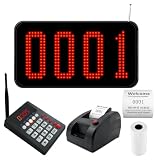
- Complete Wireless Queue System: Get 3-in-1 kit includes a 4-digit LED display, numeric calling keypad, and ticket dispenser printer. No complex wiring or software setup. Press "number+ENT" on the keypad caller, and the screen instantly shows and announces the queue number.
- Bright 4-Digit LED Display with Voice Prompt: Mount on wall or place on countertop. The large red numbers are clearly visible from far away, while the built-in speaker announces "Number XXX~" to call customers. Volume adjustable to suit noisy restaurants or quiet clinics. No more missed calls or crowded counters.
- Convenient Wireless Calling Keypad: Compact numeric keypad with responsive 0-9 buttons. Press "number + ENT" to call a specific number, or press "NEXT + ENT" to automatically advance to the next ticket. No wires, no training needed. Perfect for busy salon counters, church lecterns, or clinic workstations.
- Ticket Dispenser Printer with Customizable Text: Press the red button to print the next queue number instantly. You can edit the header/footer text on each ticket, for example: add your shop name, phone number, address, or brand logo (text format). Default standard style included, but you have full control to personalize it for your business.
- Perfect for Restaurants, Food Trucks, Salons, Clinics & More: Eliminate chaotic walk-in crowds. Let customers take a number and relax in the waiting area while your staff serves in clear order. Ideal for fast-paced dining, busy dental offices, pharmacy pickup counters, retail stores, and church. Streamlines customer flow and boosts service efficiency.
Amazon SQS standard queues are a concrete example of a weaker contract. AWS documents them as at-least-once delivery, which means duplicates can occur, and messages may arrive out of order. Applications using them need consumers that tolerate duplicates and do not depend on sequence.
Priority queues add trade-offs, not capacity
Priority is sometimes proposed as a way to keep important work moving under load. It changes which work is handled first. It does not add processing capacity, and it has costs of its own.
The Tool Desk
Outbyte Driver Updater FREEFix the driver behind crashes, sound loss and screen glitchesFind Drivers →Outbyte PC Repair FREERepair Windows errors before they cause bigger problemsFix Now →- Resource cost. RabbitMQ’s priority documentation says classic queues use more CPU and memory as the number of priority levels grows. It recommends keeping the count in the low single digits for nearly all use cases. This is configuration guidance from RabbitMQ, not a measured benchmark, and it applies to classic queues.
- In-flight work. A consumer with prefetch can already hold lower-priority messages when a higher-priority message arrives. Priority ordering then applies only to what remains in the queue.
Choosing a broker: compare admission and delivery contracts first
Choosing between a self-managed broker and a managed service should start with the admission and delivery behavior your workload needs, not with a product list. The table below compares the two examples discussed above on the axes that matter for this principle. Where the sources reviewed do not establish a value, the cell says so.
| Axis | RabbitMQ | Amazon SQS standard queues |
|---|---|---|
| Admission and backpressure | Documents credit-based flow control that blocks senders when credit runs out | Not stated in the AWS documentation reviewed for this article; check current AWS docs for any throttling behavior |
| Delivery multiplicity | Depends on acknowledgement and configuration; not compared here | At-least-once; duplicates are possible |
| Ordering | Priorities, requeueing, and competing consumers can affect observed order | Out-of-order delivery is possible |
| Bounded backlog and overflow | Depends on queue configuration; verify in current RabbitMQ documentation | Not stated in the sources reviewed; verify current AWS service limits |
| Consumer concurrency and prefetch | Prefetch limits unacknowledged messages per consumer | Not stated in the sources reviewed |
| Operational model | Broker you install, configure, and run | Managed service operated by AWS |
| Cost at expected volume | Depends on your hosting and staffing | Depends on request volume and current AWS pricing; not established here |
These two are not interchangeable. One exposes sender credit and prefetch controls you configure; the other defines a delivery contract you design around. Compare them against your own workload before deciding.
Decide what happens when capacity runs out
Work through these questions before adding a queue or a submit path. Each answer determines which control from the table above fits.
- Can the caller wait for admission, or must the request return immediately?
- If the request is refused, can the caller retry safely? Is the operation idempotent or duplicate-tolerant?
- Is the work essential, and if it is dropped, is it recorded so someone can recover it?
- Does the consumer handle duplicates and out-of-order arrival, or does it need strict ordering that the broker does not guarantee?
- Is there a durable place to hold the work when the queue refuses it, or does refusal mean loss?
Diagnosing a growing backlog
When queue depth rises and stays up, the cause is usually one of three things. Work is arriving faster than it completes, consumers are idle while messages wait, or messages are being requeued without making progress.
Recommended Free Tools
- Arrivals exceed completions. Compare the rate at which messages enter with the rate at which they are acknowledged. If arrivals stay higher, admission control or added capacity is needed; a larger queue only delays the problem.
- Consumers are idle while messages wait. Check whether prefetch is set so low that consumers are starved, or whether a flow-control limit is blocking the producer for reasons unrelated to the consumers.
- Messages cycle through requeueing. A poison message that fails and returns to the queue can consume capacity indefinitely. Limit retries and route repeated failures to a separate place for inspection.
Broker behavior depends on version and configuration. Confirm the current documentation for your broker before relying on specific settings.
The Bottom Line
Treat admission as a decision you make before enqueueing. Use a check that is atomic where your resource requires it, or use a broker’s documented flow control so senders wait instead of piling work onto a queue that cannot finish it.
Quick Recap
Product prices and availability are accurate as of the date/time indicated and are subject to change. Any price and availability information displayed on Amazon at the time of purchase will apply.




