Usually, no special adapter is needed just because a power supply is SFX. SFX describes the PSU’s physical form factor—not a universal standard for detachable cable wiring. Use the cables supplied with the exact PSU, or a replacement its manufacturer explicitly confirms is compatible with that model or cable family. A connector that fits is not proof that its wiring is safe.
What SFX does—and does not—tell you
SFX is a PSU size and form-factor designation. It does not make modular DC cables interchangeable. The cable’s PSU-side pinout can vary by manufacturer and even between product lines or models from one manufacturer. Seasonic recommends using the cables supplied with the PSU and directs owners to its cable compatibility information. ASUS likewise warns that pinouts can differ between brands and models, and that mixing cables may damage hardware in its modular cable connection guide, updated July 13, 2026.
As an Amazon Associate I earn from qualifying purchases.
The compatibility-sensitive end is the one that plugs into the PSU. A 24-pin motherboard plug, SATA plug, or GPU connector may look familiar at the component end while the PSU-side wiring is different. Never assume compatibility from connector shape, brand name alone, or the fact that a cable came from another modular PSU.
Recommended Free Tools
Do you need a different cable or an adapter?
It depends on what you mean by “different.” If you mean a shorter lead for a compact case, that is a cable-length and routing question. If you mean a different pinout or a cable from another PSU, that is an electrical compatibility question and must be checked against the exact PSU model.
#1 Best Overall

- 【Upgraded 16AWG & Soft Black-Pink Braid】Built with upgraded 16AWG conductors, this black-pink PSU cable extension achieves lower resistance—cutting heat generation and boosting connection stability. Plus, it uses exclusive nylon braid tech for ultra-soft texture, easy to route even in tight PC cases. Each cable comes with 4 combs to keep shape long-term, no sagging.
- 【Sleek Black-Pink Precision Connector】The matching black-pink precision connector solves the "hard-to-connect" issue on the market. It lets you easily plug into GPU and motherboard pins, eliminating installation troubles from small cable gaps—pairing style with practicality.
- 【Stable Heat-Resistant Performance】Crafted with UL1015 16AWG tinned copper wires (2.8mm diameter), the upgraded conductors enhance conductivity while resisting heat. No more high-temperature odor, ensuring safe, long-lasting use even under heavy load.
- 【Wide Compatibility】Perfectly works with all power supplies, including Corsair RM/RMX series (RM550x-RM1000x), HX1000 series, CX series, and more—ideal for custom PC builds.
- 【Ample Combs & Confident Purchase】Package includes 1×24 Pin ATX (Motherboard), 1×4+4 Pin EPS (CPU), 2×6+2 Pin PCI-E (GPU) cables (4 combs each). Note: For extension only, not modular cable replacements. Unsatisfied? Contact us—solution within 24 hours.
- Replacing a missing or damaged modular lead: Use the PSU’s original cable, or find a replacement explicitly documented as compatible with the exact PSU model or an officially confirmed cable family.
- Needing more reach: An extension attaches to a compatible existing cable. It can add length, but it does not make an incompatible cable plugged into the PSU safe.
- Changing a component-side connector: A specific adapter may address a connector configuration, but it does not correct or validate the PSU-side pinout of a modular cable.
- Using a fixed-cable PSU: Its cables are not detachable at the PSU end, so modular replacement cables are not an option.
There is no single “SFX adapter” that makes cables from different PSUs compatible. CORSAIR’s cable compatibility chart illustrates why even a maker-specific rule must be checked narrowly: it distinguishes Type 3, Type 4, and Type 5, and warns that Type 3 and Type 4 cables are not compatible with Type 5 PSUs. That chart applies to CORSAIR products, not to other manufacturers.
How to check a cable before installing it
- Read the PSU label. Record the full manufacturer and model name, plus any revision or generation the maker’s chart uses.
- Confirm whether the PSU is modular. Only detachable cables can be swapped at the PSU end.
- Identify the lead you need. Match the cable to its job—such as motherboard, CPU, GPU, or storage power—not just to a plug that looks right.
- Check the official compatibility source. Start with the cables included with that PSU. If one is missing or damaged, consult the manufacturer’s exact-model cable chart or support team.
- Verify the replacement listing against that source. Buy only when the manufacturer or seller explicitly documents compatibility with your exact model or a confirmed cable family. Recheck current documentation because model and cable-family support can differ.
- Keep extensions separate from PSU cable compatibility. First confirm the original PSU cable is correct; then check that the extension’s connectors, length, and electrical rating suit the documented use.
Do not force a connector, and do not test an uncertain cable by powering on the system. CORSAIR’s legacy SF450 and SF600 manual warns that other cables may be incompatible and cause serious damage; that warning is specific to those older models, but it reinforces why a cable must be checked against its own PSU documentation.
Rank #2

- 【Important Note before purchase】 Please note that this kit is designed specifically as an extension for power supply cables. It cannot be plugged directly into the power supply unit. Instead, it must be used in conjunction with the power supply’s original modular cables. This ensures compatibility and safe operation with your setup.
- 【Supports Dual CPU Motherboards】 Unlock extreme performance with the Asiahorse RGB power supply extension kit! It includes 1 x 24-pin ATX extension cable, 2 x 4+4-pin EPS cables, and 3 x 8-pin to 6+2-pin PCI-E cables, each with 4 combs for neat cable management. Plus, get 2 dual 4+4-pin CPU power cables bundled together. Perfect for dual CPU motherboards and dual-path overclocking, this kit delivers the power you need for top-tier performance. Upgrade your build today!
- 【High-Quality Gold-Plated Terminals】 Say goodbye to wear and tear! Our GPU cables feature unique gold-plated connectors that last 12 times longer than ordinary RGB cables. Tested to withstand over 15,000 bends, these connectors are built for durability. Developed based on extensive market and user feedback, our cables fit all major graphics cards and meet every need. Get the reliability you deserve!
- 【Upgraded 16AWG Cabling】 Experience superior power delivery with our white PC cable extension kit. It uses UL1015 16AWG wire, with higher copper content for higher current output. This upgrade eliminates overheating issues, ensuring smooth performance even with high-power devices. Compatible with popular power supplies like RM, RMX, and HX series, this kit is your go-to for reliable power.
- 【Supports a Wide Range of GPUs】 This power supply extension kit includes 3 x 8pin (6pin + 2pin, which can be used separately) PCI-E cables. It is compatible with a variety of popular graphics cards, including NVIDIA GTX 1070, GTX 1080, GTX 1660, RTX 2070, RTX 2070 SUPER, RTX 2080, RTX 4060 Ti, RTX 4070, RTX 5060 Ti, RTX 5090, and AMD RX 6600 XT, RX 7650 GRE, RX 7800 XT, RX 7700 XT, RX 9060 XT, RX 9070 XT, RX 9070. Whether you need an 8pin or 6pin male-to-female connector, this kit has you covere
What the cable names mean
These labels describe the cable’s component-side job; they do not establish that its PSU end works with every modular PSU.
Free tools Windows power users keep installed
One-click scans. No signup required.
- 24-pin ATX: Main motherboard power.
- CPU/EPS: Processor power. Motherboards differ in the number and type of CPU power connectors they require.
- PCIe: Graphics-card power. The GPU determines which connectors and how many are needed.
- SATA power: Commonly used for storage drives and some hubs or cooling equipment. Seasonic says SATA power is not suitable for powering risers.
- 12VHPWR: A graphics-card power lead used with some newer-generation cards. Confirm compatibility among the PSU, GPU, and cable, seat the connector correctly, and follow current manufacturer guidance for the exact hardware.
Seasonic’s cable-use guide, last updated November 1, 2022, explains common cable types. The component connector label helps identify the task; it is not a universal PSU-side pinout standard.
Rank #3

- 『24 Pin ATX Cable for Corsair SFX RMx RMi SF HX Series PSUs』18 Pin + 10 pin ports to plug into ATX Power Supply, 24 Pin port to plug into motherboard;
- 『Compatibility』Compatible with Corsair RMx/RMi/SF/HX/SFx series with 18 pin + 10 pin ports;( NOTE: Do not support AX and RM series. Plese refer to the Asin: B07ZGG1QS4 for AX series. )
- 『Compatibility』Compatible with all of 24 pin port motherboards; and compatible with the new HX1500i and HX1200i ATX 3.0 series.
- 『Parameter』Gauge: 1007-18AWG (standard tin-coating copper wire), Length(including connectors): 24.8-inch(63cm), Quantity: 1pcs, Self-adhesive tape*1pcs;
- 『Note』This cable was only designed for the brand and model as listed. If you connect it with other incompatible power supply, it will burn or damage the PSU or motherboard and we won’t take any responsibility for wrongly using or installing. Please carefully check the compatible types or contact us if you are not sure about it;
What to compare when buying a replacement
Check compatibility with the exact PSU model and cable family first. Then confirm the lead type and connector count, the length needed for your case, the published wire gauge and current rating, and whether the cable can be routed with enough bend clearance. Review the manufacturer’s documentation and warranty terms as well. Sleeving or appearance should come last: neither can make an uncertain pinout safe.
For an extension, verify the existing modular cable before shopping. Then match the extension to the component-side connectors, required length, and documented electrical rating for the intended use.
Quick Recap
Best Value
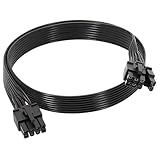
- 【Multi Functional Conversion】One end of the PCIe cable is an 8 pin male connector connected to the power supply, and the other end is an 8 pin (6+2) interface that can switch between 2/6/8 pins. It is compatible with PCIe interfaces on motherboards and graphics cards, meeting the power supply needs of different devices.
- 【Multi Brand Module PSU Compatibility】Compatible with Corsair (AX1600i (TITANIUM)/Axi, AX (TITANIUM and PlATINUM)/HXi, HX (PlATINUM and GOLD), etc.) 、Thermaltake (RGB GOLD/RGB PLATINUMAR/AGB GOLD/Toughpower TF1 GF1 PF1 GF3 SFX)、ARESGAME (AGK750/AGK850/AGT1000/AGS750/AGS850).
- 【Stable Power Supply】18AWG 41 * 0.16TS tinned copper core, equipped with U-shaped high current terminals, efficient conductivity and anti-oxidation, can stably carry 10A current, ensuring power supply for high load graphics cards.
- 【Easy to Install and Durable】60cm length suitable for most computer cases, black flat wire anti winding and easy to manage wire; Plug and play, wear-resistant and temperature resistant, with a longer service life.
- 【Important Notice】Not applicable to EVGA power supply and Corsair AX1200. Before purchasing, be sure to confirm the 8 pin layout of the power supply to avoid hardware damage.
Rank #4

- [Stable Performance] Adopting UL1015 16AWG copper tinned wire with 2.8mm diameter wire body, this white pc cable extensions is stronger energizing and heat resistance, no need to worry about high temperature odor problem. Works perfectly with all power supplies, such as RM, RMX RM550x, RM650x, RM750x, RM850x, RM1000x, HX1000 series, Corsair CX and so on.
- [Extremely Soft Material] Unlike hard and difficult to use cables on the market, asiahorse cable extension cords are made with exclusive nylon braid technology for greater softness. Easy to use even in tight places. Each cable is supplied with 4 combs, making these white psu cables easy to mold and keep their shape for a long time without worrying about sagging.
- 【Upgrade Connector】 The all white precision combination connector effectively solves the problem of difficult connection in the market. Allows you to connect GPU and motherboard pins more easily without having to worry about small cable gaps that make installation difficult.
- 【More combs】1 x 24 Pin ATX Extension Cable (for Motherboard), 1 x 4 + 4 Pin EPS Cable(for CPU), 2 x 6+2 Pin PCI-E Cable (for GPU), 4 combs of each cable. Note: These cable extension only are for extension, not to replace the modular cables.
- 【Confident Purchase】We focus on quality control of raw materials and stylish appearance design to provide the best products to all customers. If you are not satisfied with our products, please contact us by email. We will provide you with a satisfactory solution within 24 hours.
Product prices and availability are accurate as of the date/time indicated and are subject to change. Any price and availability information displayed on Amazon at the time of purchase will apply.




