Yes—if a bumper case has a raised lip around the display and a raised rim around the camera bump, it can reduce direct contact with a flat surface. That protection is limited: a case cannot prevent every crack or lens failure. Impact angle, drop height, landing surface, case construction, and the exact iPhone model all matter.
The product pages available for current examples are manufacturer descriptions, not independent head-to-head drop studies. Treat claims about raised edges or drop testing as the makers’ stated features, not as a guaranteed reduction in real-world breakage.
| # | Preview | Product | Price | |
|---|---|---|---|---|
| 1 |

|
Apple iPhone Air Bumper - Black | $25.60 | Buy on Amazon |
| 2 |
|
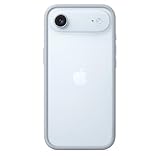
Apple iPhone Air Bumper - Light Blue | $39.00 | Buy on Amazon |
| 3 |

|
RhinoShield Mod NX Bumper Phone Case for iPhone 16 Pro Black | $23.99 | Buy on Amazon |
| 4 |
|
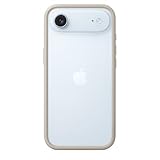
Apple iPhone Air Bumper - Tan | $39.00 | Buy on Amazon |
As an Amazon Associate I earn from qualifying purchases.
What a bumper case protects—and what it does not
“Bumper case” describes a design approach rather than a single protection level. The bumper is the material around the phone’s perimeter. It may be a narrow frame around an otherwise exposed back, or part of a full shell with a separate back panel. Two cases sold as bumpers can therefore differ substantially in thickness, corner reinforcement, grip, and coverage.
Recommended Free Tools
The most useful feature for a phone placed face down is a screen lip: the case edge extends slightly above the glass so the display does not touch a flat table. For a phone placed on its back, the equivalent feature is a raised camera rim that keeps the lenses and camera surround from resting directly on the surface. These features reduce direct abrasion and contact; they do not make the glass unbreakable.
#1 Best Overall
- The slim and lightweight Bumper is made from reinforced polycarbonate for added edge protection. A new button design provides a precise, crisp click feel and responsive feedback. The Bumper beautifully frames iPhone Air, highlighting its incredibly thin design.
- The Bumper works seamlessly with Camera Control to recognise precise finger movements like clicks and slides.
- Designed to securely attach to the Crossbody Strap, the Bumper features two connection points, allowing you to conveniently wear your iPhone Air hands free.
Why a raised screen lip helps
On a level surface, a lip can create a small clearance between the display and the table. That matters when the phone is slid across a desk, set down on a rough counter, or placed face down temporarily. The benefit depends on the lip remaining higher than the screen after the case is installed. A thin, worn, warped, or poorly fitted case may no longer provide that clearance.
Why a camera rim helps
Modern iPhones have a camera bump that protrudes from the back. A rim around that bump can prevent the lenses from touching a flat surface and can reduce scratching when the phone is placed down or dragged slightly. It cannot stop damage when a corner of the bump strikes first, when a small stone contacts a lens opening, or when the phone lands on an uneven object.
Why neither feature guarantees a crack-free phone
Glass can fail from impacts that do not involve direct contact with a flat surface. A fall onto a corner transfers force through the frame; a drop onto gravel concentrates force at one point; and a bent or previously damaged phone may be more vulnerable. The case’s fit, material, corner geometry, and condition influence the result. No independent comparative study identified for this question quantifies how much bumper cases reduce screen or camera breakage.
The Tool Desk
Outbyte PC Repair FREEClear out junk files and repair common Windows errorsFree Scan →Outbyte Driver Updater FREEScan for outdated or missing drivers - takes under a minuteDriver Scan →How bumper construction changes protection
Perimeter material
Flexible materials such as TPU are commonly used around the edge because they can absorb some impact energy and provide grip. A rigid material can help the case hold its shape and resist deformation. In one current example, Spigen describes a polycarbonate back paired with a shock-absorbing TPU bumper and its Air Cushion Technology. Spigen also says the case has raised edges intended to protect the screen and camera. Those are the manufacturer’s descriptions of that product, not an independent performance result: Spigen iPhone 17 Series Ultra Hybrid.
Corner reinforcement
Corners are frequent first-contact points in a drop, so look for visibly thicker or reinforced corners rather than a uniform, paper-thin frame. Reinforcement can add bulk and weight. A slim case may be easier to carry but leave less material between the phone and the floor; a heavier-duty case may provide more structure while taking more room in a pocket or bag.
Rank #2
- The slim and lightweight Bumper is made from reinforced polycarbonate for added edge protection. A new button design provides a precise, crisp click feel and responsive feedback. The Bumper beautifully frames iPhone Air, highlighting its incredibly thin design.
- The Bumper works seamlessly with Camera Control to recognise precise finger movements like clicks and slides.
- Designed to securely attach to the Crossbody Strap, the Bumper features two connection points, allowing you to conveniently wear your iPhone Air hands free.
Back coverage
A bumper with an open or very thin back mainly addresses edge impacts and contact around the camera and display. A case with a rigid back panel also shields the rear glass from scratches and distributes some force across a larger area. It may, however, make the phone thicker and affect the feel of MagSafe accessories, charging stands, or camera-control cutouts.
Openings and raised controls
Cutouts must be aligned with the phone’s microphones, speakers, charging port, buttons, and camera controls. A case can have a tall lip yet still be inconvenient if its openings are restrictive or its button covers are difficult to press. Protection is useful only if you will keep the case on and can operate the phone normally.
Quick wins for a faster PC:
Fix the driver behind crashes, sound loss and screen glitchesFind Drivers →Clear out junk files and repair common Windows errorsFree Scan →Scan for outdated or missing drivers - takes under a minuteDriver Scan →What current case designs claim
The following products illustrate how manufacturers describe different bumper-style approaches. The descriptions are not an apples-to-apples test; the models cover different iPhone generations and sizes.
| Example | Construction and stated protection | Testing or compatibility claim | What it does not establish |
|---|---|---|---|
| Spigen iPhone 17 Series Ultra Hybrid | Polycarbonate back, shock-absorbing TPU bumper, Air Cushion Technology, and raised edges that Spigen says protect the screen and camera. | Listed for the iPhone 17 family. | The page does not provide an independent comparison showing a percentage reduction in damage. |
| OtterBox Symmetry Series Clear for iPhone 16 | OtterBox describes a screen lip, raised camera edges, and reinforced corners in a clear, relatively slim design. | OtterBox states compatibility with its screen protectors and makes a DROP+ test claim. | OtterBox’s test language is a maker claim, not an independent comparative result, and does not show that every bumper case performs similarly. |
| OtterBox Defender Series Pro XT for iPhone 16 Plus | Heavier-duty construction with raised edges for the screen and camera and shock-absorbing edges. | OtterBox makes a drop-standard testing claim for this design. | A heavier-duty example cannot be used as proof that slim bumpers offer the same protection. |
These pages show that “bumper” covers a range from a clear, slim case to a more substantial dual-layer design. They do not supply a controlled test in which identical iPhones are dropped with and without each case under the same conditions.
Match the case to your exact iPhone model
Case compatibility is not interchangeable across the iPhone range. Camera-bump dimensions, button locations, body height, wireless-charging alignment, and the side camera-control opening can vary between generations and between standard, Plus, Pro, and other sizes. The cited products themselves target different devices: the Spigen page lists the iPhone 17 family, the Symmetry example is for iPhone 16, and the Defender example is for iPhone 16 Plus.
Rank #3
- COMPATIBILITY - Only compatible with iPhone 16 Pro. It is recommended to pair this case with the RHINOSHIELD impact Screen Protector for a more comprehensive, all-around protection against face-down falls on pointed objects or highly-uneven surfaces.
- UNPARALLELED SHOCK PROTECTION - Surpasses military-grade standards, providing impact protection of up to 11 feet / 3.5m, while being 20% thinner than other cases that offer a similar level of protection. Inner honeycomb structure greatly increases absorption of impact energy.
- DURABLE MATERIAL - Tough yet flexible, holds shape without loosening even after repeated bending or stretching. This bumper is scratch-resistant, 100% recyclable, and 100% BPA Free, making it completely safe for you and your loved ones.
- ADD A PERSONAL TOUCH - CrashGuard bumper cases are highly customizable. Changeable buttons let you mix and match to make the case truly yours!
- USER FRIENDLY - Designed with highly precise cut-outs for easy access and control of all phone buttons. Compatible with all official charging cables.
Before buying, read the compatibility line for the exact model shown in Settings > General > About > Model Name. Do not rely only on a listing title such as “iPhone 16 case,” because a case for the standard iPhone 16 may not fit an iPhone 16 Plus or a Pro model. If a listing does not name your model and size, treat fit as unconfirmed.
A practical inspection checklist
Use this sequence when comparing bumper-style cases. It focuses on observable coverage rather than a marketing label.
- Identify the phone precisely. Confirm the model name and size in Settings, then match that information to the maker’s compatibility list.
- Inspect the display lip. Look for a continuous edge above the glass, including at the top and bottom corners. Check product photos from the side, not just a front view.
- Inspect camera coverage. The rim should surround the entire camera bump and sit above the lens covers. Check for gaps at the corners of the camera island.
- Check corner structure. Look for thicker corners or a stated reinforcement feature. A perfectly uniform, very thin frame may offer less material at likely impact points.
- Evaluate back protection. Decide whether you need a full back panel for rear-glass scratches or prefer a lighter bumper with less bulk.
- Check controls and ports. Confirm that buttons, charging, speakers, microphones, and any model-specific camera control remain accessible.
- Check accessory compatibility. If you use MagSafe chargers, wallets, car mounts, or a screen protector, verify compatibility for that exact case and phone combination.
- Compare handling, not only coverage. Consider thickness, weight, grip, pocket fit, and whether the case is comfortable enough to stay on all the time.
Screen protectors are complementary, not a substitute
A case lip and a screen protector address different risks. The lip helps keep the display from contacting a surface or edge; the protector adds a sacrificial layer against scratches and some localized impacts. A protector cannot cover the phone’s frame or camera bump, and it does not turn a weakly fitting case into a protective one.
Fit matters. A protector that reaches too close to the case edge can lift, collect dust, or interfere with touch response. OtterBox states that its cited Symmetry case works with OtterBox screen protectors, but compatibility should still be checked for the exact iPhone and protector model: OtterBox Symmetry product page.
Situations in which a bumper may be the wrong choice
Frequent drops onto hard or uneven ground
If the phone is regularly exposed to concrete, stone, workshop floors, or outdoor trails, prioritize substantial corner and back coverage over the thinnest possible frame. A slim bumper may still keep a camera bump off a table, but it leaves less margin for impacts involving sharp or uneven objects.
Rank #4
- The slim and lightweight Bumper is made from reinforced polycarbonate for added edge protection. A new button design provides a precise, crisp click feel and responsive feedback. The Bumper beautifully frames iPhone Air, highlighting its incredibly thin design.
- The Bumper works seamlessly with Camera Control to recognise precise finger movements like clicks and slides.
- Designed to securely attach to the Crossbody Strap, the Bumper features two connection points, allowing you to conveniently wear your iPhone Air hands free.
Heavy pocket or bag abrasion
Keys, grit, and other objects can scratch exposed areas even when the case has a raised rim. A full back and camera cover, or a separate lens protector designed for the model, may be more appropriate if abrasion is the main concern. Check that any lens accessory does not interfere with autofocus, flash, or image quality.
Already damaged glass or a bent frame
A case can hold loose fragments in place but cannot restore structural strength. Replace cracked screen or camera glass through a qualified repair channel before relying on a case for further protection. A bent frame can also prevent a bumper from seating evenly, leaving one side of the display or camera bump lower than the case edge.
When to replace the case
- The lip has flattened, torn, or pulled away from the phone.
- A corner is split or permanently compressed after a drop.
- The case no longer stays tight around the camera bump.
- Buttons or ports have shifted out of alignment.
- The phone can move inside the case or a gap appears along the screen edge.
Clean grit from the inside of the case before reinstalling it. Small particles trapped between the case and phone can scratch the frame or rear glass. After a significant drop, remove the case and inspect the phone, camera lenses, and display rather than assuming that an intact case means the phone is undamaged.
Bottom line: protection depends on the lip, rim, fit, and trade-offs
A bumper case can protect an iPhone screen and camera from direct contact with flat surfaces when its screen lip and camera rim clearly stand above those components. Corner reinforcement, shock-absorbing material, and a secure fit improve the overall design, while a full back increases scratch coverage at the cost of more bulk. Manufacturer examples from Spigen and OtterBox demonstrate these different approaches, but their product pages do not establish a universal protection rating or independent breakage reduction. Choose the exact model first, verify the raised edges and openings, then balance coverage against the thickness and usability you will accept every day.
Quick Recap
Product prices and availability are accurate as of the date/time indicated and are subject to change. Any price and availability information displayed on Amazon at the time of purchase will apply.




