Quick wins for a faster PC:
Repair Windows errors before they cause bigger problemsFix Now →Fix the driver behind crashes, sound loss and screen glitchesFind Drivers →Clear out junk files and repair common Windows errorsFree Scan →On a Samsung microwave, the 5E code (listed alongside SE in Samsung’s microwave error-code guidance) indicates a control-panel malfunction. Samsung Canada describes SE as a “Key Short Error.” The code points to the control panel, not to a confirmed failed part. The usual first move is to clean the panel, reset the appliance, and test again. If the fault returns or the panel still does not respond, the next step is a Samsung service request.
What 5E and SE mean
Samsung’s microwave support material treats 5E and SE as the same control-panel fault. The Samsung Kazakhstan microwave error-code table lists “SE/5E” as a control-panel malfunction and recommends repair or an authorized service center. Samsung Canada’s guide to error codes labels SE a “Key Short Error,” which suggests the panel is registering a key input that should not be active, or a key that is not responding correctly. The guidance does not say which key, which part, or which fault is involved.
As an Amazon Associate I earn from qualifying purchases.
That distinction matters. A code tells you the category of problem. It does not tell you which component has failed, so it does not justify replacing a keypad, panel, or control board on its own.
Do these 3 things before closing this tab:
1Clear out junk files and repair common Windows errors2Fix the driver behind crashes, sound loss and screen glitches3Repair Windows errors before they cause bigger problemsWhere the information comes from
| Source | Date stated | What it says about 5E or SE | Scope and limits |
|---|---|---|---|
| Samsung Kazakhstan microwave error-code table | Updated 4 September 2026 | Lists SE/5E as a control-panel malfunction; recommends repair or an authorized service center | Kazakhstan market. The page could not be opened when checked, so this statement is taken from its indexed summary text. |
| Samsung Canada, “Understanding the meaning of error codes on your Samsung microwave” | Updated 7 July 2026 | Labels SE a “Key Short Error”; gives a 60-second power reset | Microwaves sold in Canada |
| Samsung US, “Samsung microwave control panel does not respond” | Not stated | Advises wiping the panel with a damp cloth, drying it, resetting for 60 seconds, and requesting service if the panel stays unresponsive | General control-panel guidance; it does not confirm that every model displays “5E” |
Because the regional sources differ in scope, check the manual for your exact model and region before relying on any model-specific wording. The sources do not establish that every Samsung microwave shows 5E rather than SE, or the reverse.
#1 Best Overall

- SENSOR COOKING: Samsung Sensor Cook automatically adjusts cooking time for optimal results. From soup to frozen dinners, you'll get great results every time.
- LARGE CAPACITY: With 1.9 cu. ft. of space, Samsung's largest capacity countertop microwave gives you plenty of room for any food you need to heat.
- CERAMIC INTERIOR: This durable ceramic enamil interior is scratch resistant, easy to clean and maintain.
- COOKING PRESETS: A variety of preset cooking options puts convenient meals with fresh ingredients at your fingertips.
- OPTIONAL TRIM KIT: Made from high-quality stainless steel, the Trim Kit accessory (sold seperately) gives you the flexibility to install the microwave oven in a wall or cabinet space.
Step-by-step: clean, reset, retest
Work through these steps in order. Stop as soon as the panel responds normally and the code clears, and check the next section if it does not.
- Note the full model number. Record it from the appliance’s rating label or the owner’s manual. You will need it for service, parts, or manual lookup.
- Wipe the control panel. Dampen a soft cloth, wipe the exterior control panel, and then dry it completely before testing. Samsung’s US guidance includes this step for panel-response problems. Do not spray liquid directly onto the panel, and do not use abrasive cleaners. Keep moisture away from the vents.
- Reset the power for 60 seconds. Either unplug the microwave from the wall, or switch off its circuit breaker. Wait 60 seconds, then restore power. Switching off a breaker also cuts power to other outlets on that circuit, so unplugging is usually the simpler choice.
- Retest the panel. Press several keys, then start and stop a short timed cycle. The code should not return, and the keys should respond only when pressed.
When to stop and request service
Stop troubleshooting and request Samsung service if any of these apply:
Rank #2

- Microwave output power 1000 watts, input power 1600 watts. External dimensions 20.6 x 14.6 x 11.8 inches (WxDxH); includes 12.4-inch glass turntable.
- Smart Sensor Technology for Optimal Cooking: Automatically adjusts cooking time and power based on food humidity, ensuring perfectly cooked meals every time. Say goodbye to overcooked or undercooked dishes.
- 6 Preset Menus: This countertop microwave features 6 preset menu options for popular foods like pizza, veggle, sensor reheat and more.
- 10 Unique Power Levels with clock and kitchen timer: Tailor your cooking power levels for greater culinary flexibility, making it an essential kitchen tool. Perfect for everything from deodorization to boiling liquids.
- Easy Defrost & One touch start: Defrost your frozen food by weight or by time. Quick access to start the microwave from 1 to 6 minutes cooking at full power.
- The 5E or SE code returns after the cleaning and reset.
- The panel activates by itself, with no one touching it.
- The panel still does not respond after you have dried it and completed the 60-second reset.
- You notice a burning smell, sparking, or visible damage to the door, casing, or panel.
Samsung’s US support guidance states: “If the panel still does not respond, visit our Support Center to request service.”
What’s actually slowing this PC down?
Pick the symptom - the matching free tool is one click away.
What not to do
Do not open the microwave or attempt any internal repair. Microwave ovens contain high-voltage components, and some can hold a dangerous charge even after the appliance has been unplugged. The official steps for this code are external cleaning, a power reset, and service. None of them involve opening the casing.
Rank #3

- Microwave output power 1000 watts, input power 1600 watts. External dimensions 20.6 x 14.6 x 11.8 inches (WxDxH); includes 12.4-inch glass turntable.
- Smart Sensor Technology for Optimal Cooking: Automatically adjusts cooking time and power based on food humidity, ensuring perfectly cooked meals every time. Say goodbye to overcooked or undercooked dishes.
- 6 Preset Menus: This countertop microwave features 6 preset menu options for popular foods like pizza, veggie, sensor reheat and more.
- 10 Unique Power Levels with clock and kitchen timer: Tailor your cooking power levels for greater culinary flexibility, making it an essential kitchen tool. Perfect for everything from deodorization to boiling liquids.
- Easy Defrost & One touch start: Defrost your frozen food by weight or by time. Quick access to start the microwave from 1 to 6 minutes cooking at full power.
Do not buy a replacement keypad, panel, or control board based only on the 5E or SE code. Parts must match the exact model, and the code alone does not identify which component is faulty. A technician who can inspect the unit is the only reliable way to confirm the cause.
Choosing a repair route
Samsung’s guidance points to its authorized service center for persistent panel faults. If you consider an independent repairer, compare the following before you agree to anything:
Rank #4
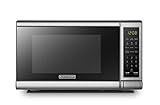
- Pre-programmed buttons for popcorn, potato, pizza, frozen vegetable, beverage and dinner plate.Voltage : 110 Volts.Rated Input Power(Microwave):1050W
- 700 Watts with 10 power settings, clock and kitchen timer, 30 Seconds Express Cooking
- Large LED digital display, easy-to-read control panel, child safety lock, interior light, removable 10” glass turntable
- Push-button door release for easy access
- Dimensions (W x D x H): 17.3” x 13” x 10.2”
- Warranty status. Repairs done outside an authorized channel can affect warranty coverage, so confirm your warranty terms first.
- Model capability. Ask whether the technician works on your exact Samsung model and region.
- Written diagnosis. A written statement of the fault should accompany any quote.
- Quoted cost. Get the repair price in writing before work starts.
Samsung’s published support material does not give repair prices or failure rates for this code, so no cost comparison can be drawn from it.
Crashes, No Sound, or Screen Glitches?
Random freezes, missing sound and display glitches usually trace back to one bad driver. Find and replace yours safely.Free scan · under a minutePC Slower Than It Used to Be?
A free scan shows the junk files, broken settings and background clutter dragging Windows down - then fixes them in one click.Free scan · Windows 10 & 11Keeping the panel working
A soft microfiber cloth is adequate for the wipe-and-dry step. Samsung does not specify a cloth type. A clean cloth will not fix an electrical fault, so if the code returns after cleaning, treat the cleaning as a test rather than a repair.
Quick Recap
Best Value
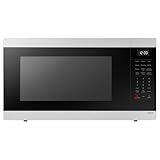
- SENSOR COOKING: Samsung Sensor Cook automatically adjusts cooking time for optimal results. From soup to frozen dinners, you'll get great results every time.
- LARGE CAPACITY: With 1.9 cu. ft. of space, Samsung's largest capacity countertop microwave gives you plenty of room for any food you need to heat.
- CERAMIC INTERIOR: This durable ceramic enamil interior is scratch resistant, easy to clean and maintain.
- COOKING PRESETS: A variety of preset cooking options puts convenient meals with fresh ingredients at your fingertips.
- OPTIONAL TRIM KIT: Made from high-quality stainless steel, the Trim Kit accessory (sold seperately) gives you the flexibility to install the microwave oven in a wall or cabinet space.
Product prices and availability are accurate as of the date/time indicated and are subject to change. Any price and availability information displayed on Amazon at the time of purchase will apply.




