Recommended Free Tools
Use the DDR5 module type your exact processor and motherboard support: UDIMM and RDIMM are not interchangeable. Most desktop platforms use UDIMMs, while some workstation and server platforms require RDIMMs. ECC is a separate feature, so an ECC UDIMM is still not an RDIMM.
UDIMM and RDIMM differ in how they handle memory signals
A UDIMM is unbuffered: command and address signals travel between the memory controller and the module’s DRAM without a register on the module. An RDIMM adds a register that buffers command and control signals. That design helps compatible platforms support larger or denser memory configurations; it does not make RDIMMs universally faster. Samsung notes that the register can add a small amount of latency, and describes RDIMMs as serving capacity, stability, and scalability needs (Samsung Semiconductor).
As an Amazon Associate I earn from qualifying purchases.
ECC and registration are different properties. ECC provides extra data bits that a compatible memory controller can use to detect and correct certain memory errors. ECC modules can be unbuffered or registered, so identify the module precisely as non-ECC UDIMM, ECC UDIMM, or ECC RDIMM. Kingston documents both ECC and unbuffered memory as distinct characteristics (Kingston Technology).
How to choose the right type for your system
- Check the exact processor specification. Find its supported memory type; do not assume that a DDR5 label means the processor supports every DDR5 module.
- Check the motherboard manual and qualified vendor list. Confirm the supported DIMM type, capacity, speed, and any ECC requirements for that specific board.
- Match ECC and registration separately. A platform may support ECC UDIMM, ECC RDIMM, or neither. Choose the exact combination its documentation specifies.
- Check your planned configuration. Memory speed can depend on how many DIMMs are installed per channel, along with rank and population. Verify the specification for the number and arrangement of modules you intend to use.
- Choose the platform for unusually large memory needs. RDIMMs are used on platforms designed for larger memory footprints, but the processor and motherboard—not the RDIMM label alone—set the supported capacity.
Do not mix UDIMMs and RDIMMs in one build. Their electrical designs and module keys differ, and Kingston states that DDR5 RDIMMs and ECC UDIMMs are not interchangeable (Kingston Technology).
#1 Best Overall
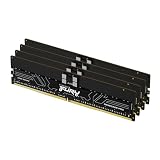
- Allow convenient and fast access to the stored information your computer is actively using for maximum efficiency
- Up to 5600 MHz speed with CL28 latency for smooth computer performance
- DIMM 128 GB of memory can produce approx. 10K MIPS and as a result, your system gets more room to run complex apps.
- With DDR5 SDRAM get efficient data transfer rate and enhanced computer's performance
- 4 x 32GB modules for enhanced memory reliability and productivity
What platform specifications show
“Desktop,” “workstation,” and “server” are not enough to identify the right module. These examples show why the exact processor and board documentation matters. The listed maximum speeds and capacities are platform specifications, not independent performance comparisons.
| Platform | Documented memory support | Important qualification |
|---|---|---|
| Intel Xeon W-3400 | Eight-channel DDR5 ECC RDIMM; up to 4 TB and 4800 MT/s | Intel’s maximum speed applies with one DIMM per channel; additional loading may affect speed. Intel support article reviewed 2025-02-20 (Intel). |
| Intel Xeon W-2400 | Four-channel DDR5 ECC RDIMM; up to 2 TB and 4800 MT/s | Intel’s maximum speed applies with one DIMM per channel; additional loading may affect speed. Intel support article reviewed 2025-02-20 (Intel). |
| Intel Xeon W-3500 | Eight-channel DDR5 ECC RDIMM; up to 4 TB and 4800 MT/s | Intel lists ECC RDIMM and 3DS RDIMM support, not ECC or non-ECC UDIMM. Intel support article reviewed 2026-02-23 (Intel). |
| Intel Xeon W-2500 | Four-channel DDR5 ECC RDIMM; up to 2 TB and 4800 MT/s | Intel lists ECC RDIMM and 3DS RDIMM support, not ECC or non-ECC UDIMM. Intel support article reviewed 2026-02-23 (Intel). |
| Intel Xeon 6 6300-series | Two-channel DDR5 ECC UDIMM; up to 128 GB and 4800 MT/s | This is a server-class example that supports ECC UDIMM rather than requiring RDIMM. Intel article reviewed 2025-05-05 (Intel). |
| Supermicro B14SBE-CPU-25G motherboard | Up to 2 TB ECC registered DDR5 RDIMM or 4 TB 3DS RDIMM; published speeds up to 6400 MT/s | These limits apply to this board model; do not generalize them to other motherboards. Supermicro documentation accessed 2026-10-07 (Supermicro). |
For a consumer desktop example, Intel’s 12th Generation Core processor matrix lists DDR5 UDIMM support and conditions supported speeds on DIMM population. Its footnotes say ECC is supported only when all installed memory supports ECC. That matrix is specific to that generation; use the documentation for your own processor and board (Intel).
Rank #2

- Overclocking with ECC
- Increased efficiency
- Intel XMP 3.0 Ceritified
- AMD EXPO
What to buy once you have confirmed compatibility
- Consumer desktop: Look for a DDR5 UDIMM kit that matches the motherboard’s supported capacity, speed, and module count. If ECC matters, confirm that both the processor and board support the required ECC UDIMM configuration.
- Workstation: First establish whether the platform requires ECC UDIMM or ECC RDIMM. For example, the listed Xeon W families use RDIMM, while Xeon 6 6300-series documentation lists ECC UDIMM support.
- High-capacity build: Check the exact maximum capacity and supported module population for both processor and motherboard. RDIMM support does not guarantee a particular capacity or speed on every board.
Search using the full module type—such as “DDR5 UDIMM,” “ECC DDR5 UDIMM,” or “DDR5 ECC RDIMM”—and compare the result with the motherboard’s qualified memory list. A listing that says only “DDR5 RAM” does not establish compatibility.
Free tools Windows power users keep installed
One-click scans. No signup required.
Quick Recap
Best Value

- EXACT-MATCH UPGRADE — 32GB (2X16GB) kit DDR5-5600 (PC5-44800), 1Rx8 Registered ECC, 1.1V, CL46, 288-pin. The precise rank, voltage, and timing your server's memory controller expects, so it's recognized at full capacity and runs at its rated speed.
- VERIFIED FITMENT — Compatible with Emerald Rapids, Xeon Scalable, PowerEdge, ProLiant, ThinkSystem, Supermicro. Spec-matched to your board's memory-population rules.
- ENTERPRISE STABILITY — Registered (buffered) architecture offloads the memory controller so every slot runs fully populated at full capacity, while ECC catches and corrects single-bit errors on the fly — stopping silent data corruption and unplanned reboots before they reach production.
- CHECK YOUR CONFIG — Server and motherboard memory support varies by model. Consult your system or motherboard manual for supported capacities, approved DIMM population order, and installation steps before purchase.
- LIFETIME SUPPORT — Backed by a lifetime replacement warranty and free US-based technical support.
Rank #4

- Overclocking with ECC
- Increased efficiency
- Intel XMP 3.0 Ceritified
- AMD EXPO
Rank #3

- Overclocking with ECC
- Increased efficiency
- Intel XMP 3.0 Ceritified
- AMD EXPO
Product prices and availability are accurate as of the date/time indicated and are subject to change. Any price and availability information displayed on Amazon at the time of purchase will apply.




