Quick wins for a faster PC:
Scan for outdated or missing drivers - takes under a minuteDriver Scan →Clear out junk files and repair common Windows errorsFree Scan →Fix the driver behind crashes, sound loss and screen glitchesFind Drivers →To get a Counter-Strike 1.6 server onto the Internet tab, you need two things working at the same time: the server must register with a master server, and players must be able to reach the server directly. The master does not host your game or repair networking problems. It returns address pairs (public IP and game port); each player’s browser then queries those addresses and displays the name, map, player count, protocol and VAC status.
Godlike.Host offers hosted CS 1.6 servers with its own game panel, SFTP access and free DDoS protection, if you would rather not host it yourself.
The practical sequence is therefore: start the server, allow its heartbeat or registration traffic to reach a master, expose the game port through your router and firewall, and verify the public endpoint from outside your network. If any stage fails, the row can be missing even when the server process appears healthy on the host machine.

As an Amazon Associate I earn from qualifying purchases.
Recommended Free Tools
How the CS 1.6 master-server path works
The legacy Steam master-server protocol is a directory service. A client sends a region and a filter expression, receives a stream of server IP/port pairs, and then contacts those servers individually for details. The browser builds its visible rows from those second-stage replies.
- Server startup: the game or dedicated process binds to a local address and game port.
- Registration and heartbeat: the process announces itself to one or more master servers. A heartbeat keeps the entry current while the server is running.
- Master query: a player’s browser asks for addresses in a region, optionally applying filters.
- Direct information query: the browser asks each returned address for hostname, map, player count, protocol, VAC state and related fields.
- Display: only addresses that survive the master response and answer the browser’s query become usable rows.
This explains an important diagnostic distinction: appearing in a master response is not the same as being reachable. A server can register and still disappear from a browser if its public port is blocked, translated incorrectly by NAT, or filtered out by the client’s settings.
#1 Best Overall

- Size & Package: The size of counter strike neon sign is 31*39cm (12*15inches). The package includes 1 sign and 1 hanging chain
- Special Design: WonderfulLife CS logo neon sign features vibrant color combinations and adds a funky vibe to your game zone and will catch the attention of anyone who enters
- Easy to Use: Two pre-drilled holes on the high-quality clear backplate for easy hanging with included hanging chain. The 150 cm (60 inches) long USB wire with an on/off switch makes it easy to use.
- Safety & Premium Quality: Made of polystyrene, safe and durable, with no noise, no heat, and no risks of glass breakage. Features 50,000 hours expected life. LED neon light is designed with 5V low voltage and is energy-saving
- Versatile Gaming Decor: This Counter Strike neon sign is suitable for decorating man caves, gaming rooms, internet bars, or bedrooms, creating an immersive gaming atmosphere with its bright LED illumination
Filters that can hide a valid server
The protocol supports filters for dedicated servers, VAC or secure status, game directory (including cstrike), map, Linux, password state, empty or full state, application ID, hostname and version. A server that does not match the current Internet-tab criteria will not be shown, even if it is registered. For troubleshooting, clear optional filters and test an unpassworded, non-full server on a known map before drawing conclusions.
Prerequisites before you try to register
Install current server files
For a standalone dedicated server, Steam Support directs operators to SteamCMD for downloading and updating the server files. Keep the installation updated before troubleshooting listing problems; an old executable or mismatched protocol can fail registration or direct queries. SteamCMD is the supported distribution route for those files, while an in-game listen server follows a different software path.
Choose a public network path
A listen server runs inside your game session and is tied to that session’s uptime. It normally sits behind a home router, so the router must forward the game port to the computer running CS 1.6. A dedicated server is intended to remain running independently and is usually placed on a host with a public address or a correctly configured firewall and NAT boundary. The master list cannot make a private address public.
Know which address players need
Players must reach the router’s public IPv4 address (or the host’s public address), not a private address such as 192.168.x.x, 10.x.x.x or 172.16.x.x. If your provider uses carrier-grade NAT, inbound forwarding may be impossible without a public address or an alternative hosting arrangement. Confirm the public address from a device outside the server’s LAN; testing only from inside can be distorted by a router that lacks NAT loopback.
Putting a listen server on the list
The concrete port-forwarding baseline in the cited community guidance is port 27015 over both TCP and UDP. The guide describes forwarding that port to the gaming computer and then starting the game; other players should be able to find the session in their browsers when the public route is working. Treat this as community guidance rather than a current Valve specification, because the page is marked removed or incompatible by Steam.
Rank #2

- track scores during board games with this compact counter, featuring a user friendly design and srong construction for seamless gameplay
- Ideal for families, educators, trainer, and gaming enthusiasts seeking a stable tool to monitor points across board games, sports, or classroom activities
- enhances game night, tournaments, or training meeting with this versatile counter that simplifies scorekeeping while maintaining focus on strategy and fun
- The lightweight, portable scorekeeper clear numeric displays and buttons, ensuring quick adjustments and accurate tallying in fast paced scenarios
- Built from recyclable, this multipurpose tabletop game accessory combines practicality with for environmentally awake users
- Give the gaming computer a stable private address, either with a DHCP reservation in the router or a static local configuration. A forwarding rule that points to a changing address will silently break later.
- In the router’s port-forwarding page, create a rule for external port 27015 to the computer’s internal address and port 27015. Select both TCP and UDP rather than only one transport.
- Allow the CS 1.6 executable and the selected port through the computer’s local firewall. If the firewall offers separate inbound rules for TCP and UDP, create or enable both.
- Start the game, create the listen server and leave the session running while testing. Closing the game terminates the server and removes its practical availability.
- From a different network, test the public address and port with a CS 1.6 server browser or an external server-information query. A successful local connection does not prove that Internet traffic is arriving.
If the server is visible only to people on the same LAN, the usual causes are a missing forward, a wrong internal destination, a host firewall rule, or a provider-level NAT restriction. Correct those before investigating master registration.
What’s actually slowing this PC down?
Pick the symptom - the matching free tool is one click away.
Registering a ReHLDS dedicated server
Dedicated ReHLDS deployments commonly use separate components for client and protocol handling and for master registration. The community setup described for this purpose names ReUnion and the rehlmaster plugin. It also lists these master variables:
sv_master1 ms.cs16.net:27010
sv_master2 master1.cs16.net:27010
The same guidance says the server sends heartbeats automatically and can be queried for reachability when verification is enabled. These hostnames, plugin versions and instructions are community-maintained and can change or disappear. Verify that the endpoints resolve and that the plugin release matches your ReHLDS build before relying on them in production.
Configuration checks
- Confirm the variables are loaded by the configuration file that your dedicated process actually executes; editing an unused file has no effect.
- Check the console or logs for heartbeat, registration or plugin-load errors immediately after startup.
- Make sure the server’s advertised game directory, protocol and version agree with the clients you expect to join.
- Do not assume that adding a master variable overrides a blocked firewall. Registration traffic and player-query traffic still need an externally reachable path.
- Keep a record of the public address and configured game port so an external tester can query the exact endpoint.
External verification: prove each stage independently
Use an outside connection, such as a phone hotspot or a friend’s network, and check the following in order. This separates local configuration mistakes from master-list behavior.
- Public address: verify that the address you give testers is the current public address of the router or host. Dynamic addresses can change after a reconnect.
- Forwarding destination: confirm that the router sends the selected port to the machine running the server, not to an old DHCP lease.
- Transport rules: verify both UDP and TCP where your setup requires them. A rule that permits only one protocol can produce inconsistent visibility or failed information queries.
- Host firewall: temporarily inspect inbound-deny logs or create an explicit allow rule for the game process and port. Re-enable a restrictive policy after testing rather than leaving the firewall disabled.
- Process binding: check the server console to ensure it is listening on the intended interface and port. A process bound only to loopback cannot answer Internet queries.
- Server-information response: use an external CS 1.6 browser or information-query tool. It should return at least the hostname, map, player count and protocol. If this direct query fails, the master list is not the immediate problem.
- Master visibility: after direct reachability works, search with broad filters and allow time for a heartbeat and browser refresh. Do not infer a guaranteed listing delay; no authoritative normal-latency figure is published for this legacy path.
Test from outside the LAN even when a local friend can join. Some routers support hairpin NAT and make an internally generated test look successful; others do not, so the result is not portable evidence.
Do these 3 things before closing this tab:
1Repair Windows errors before they cause bigger problems2Scan for outdated or missing drivers - takes under a minute3Clear out junk files and repair common Windows errorsWhy a server is missing from the Internet tab
1. NAT, firewall or provider blocking
This is the most common class of failure. The browser cannot query a server that is not externally reachable. Recheck the 27015 TCP-and-UDP forwarding baseline for a listen server, the dedicated server’s actual configured port, the forwarding destination and the host firewall. If the public address changes, update the address supplied to testers. If the provider uses carrier-grade NAT, a home-router rule may never receive unsolicited traffic.
2. Registration or protocol mismatch
A ReHLDS server may require the registration components and master variables described above. A plugin that fails to load, an obsolete endpoint, an incorrect game directory or a protocol mismatch can prevent a usable entry. Read startup logs rather than assuming that a configuration line was accepted. Because the community guide is marked removed or incompatible, confirm every endpoint and version against the software you are actually running.
3. Client-side filters
Check whether the Internet tab is filtering for secure servers, a particular map, Linux, dedicated mode, non-empty servers, a version or a hostname pattern. Passworded, full or empty servers can be excluded by the selected expression. Clear filters, choose the correct region and refresh before changing server files.
4. Master query limits and timeouts
Master queries can be rate limited and can time out. The protocol implementation documents that a large query has no resume mechanism: if an incomplete response is interrupted, the client cannot continue from the point where it stopped. A crowded region can therefore yield a partial list. Retry with a narrower region or filters, and compare results across refreshes instead of treating one incomplete response as proof that your server is unregistered.
5. Systemic list pollution or filtering
Not every missing row is caused by your network. A Valve issue opened on May 19, 2024 reported that Steam Networking listen servers using 169.254 fake IP addresses had stopped appearing in the general browser and also described more than 20,000 fake redirect servers. The reporter wrote that the master server was no longer sending those listen servers in the general list. That is a documented incident, not a permanent rule for all CS 1.6 servers.
Rank #4
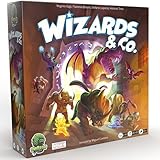
- FUN FANTASY THEME: Immerse yourself in a vibrant fantasy world with stunning monster artwork by Miguel Coimbra (7 Wonders, Small World). Captivating illustrations bring creatures to life, adding depth to every encounter.
- STRIKE & COUNTER-STRIKE: Engage in intense dungeon showdowns, deploying your creatures strategically to outmaneuver opponents. Each battle is a high-stakes test of tactics, as you anticipate strikes and counter-strikes.
- BLENDS EUROGAME MECHANISMS: Eurogame strategies with ruthless take-that action, offering a perfect balance of thoughtful planning and fierce competition. Outsmart your opponent while dealing merciless blows to secure victory.
- RANDOMIZED ENCHANTMENTS: Each game is unique with randomized enchantments, ensuring no two plays are ever the same. This mechanic adds endless replayability, keeping gameplay fresh, unpredictable, and full of surprises.
- COLLECT POWERFUL ARTIFACTS: Gather rare and powerful artifacts throughout the game, each granting unique abilities. Strategically collecting these treasures is key to gaining the advantage and securing ultimate victory.
The issue was closed in May 2025 after a follow-up said Valve had changed the issuance of game-server lists and that Steam Networking servers were appearing again. The practical lesson is to check the current platform status and test several unrelated servers before rewriting a working configuration. A temporary master-side change can affect many operators at once.
Listen server or dedicated server?
Both can be discoverable, but they solve different operational problems.
Free tools Windows power users keep installed
One-click scans. No signup required.
| Factor | Listen server | Dedicated server |
|---|---|---|
| Uptime | Runs only while the host’s game session is open. | Runs as an independent process and can remain online without an active player session. |
| Network control | Usually depends on home NAT, router forwarding and a host firewall. | Uses a hosted or otherwise managed public network path; NAT and firewall rules still matter where present. |
| Software path | Created from the CS 1.6 game and session interface. | Installed and updated as standalone files through SteamCMD; ReHLDS operators may add registration components. |
| Maintenance | Simple to start, but the owner must keep the game open and maintain forwarding on the home network. | Requires process supervision, updates, configuration and plugin compatibility checks. |
The available evidence does not establish a performance or cost advantage for either option. Choose a listen server for an occasional session when you control the router; choose a dedicated process when persistent availability and independent administration matter.
A repeatable diagnostic checklist
- Server process starts without plugin or binding errors.
- Public address is current and is not a private or carrier-grade-NAT address.
- Configured game port is known and forwarded to the correct host.
- TCP and UDP rules match the requirements of the setup; the listen-server baseline is 27015 for both.
- Local firewall permits inbound game traffic.
- An external information query returns the server’s details.
- Dedicated ReHLDS installations load their registration components and master variables.
- Internet-tab filters are cleared or intentionally matched to the server.
- Several refreshes or a narrower query are tried if the master response times out.
- Other servers are checked to distinguish a local failure from a platform-wide list incident.
What the master list can—and cannot—do
The master service can advertise an address and apply directory filters. It cannot open your router, bypass a firewall, correct a stale public IP, keep a listen session alive, or guarantee that every browser receives a complete response. Think of it as the first half of discovery. Direct server reachability is the condition that turns an advertised address into a joinable row.
Quick Recap
Product prices and availability are accurate as of the date/time indicated and are subject to change. Any price and availability information displayed on Amazon at the time of purchase will apply.




