If Contact Form 7 (CF7) submissions are not creating Trello cards, trace one test submission through the whole route: CF7 validation, the connector’s trigger, the outbound request, and Trello’s response. The failure could be at any of those stages; a successful-looking form submission alone does not show that the card-creation request ran.
Trace one submission to find where it stops
Start with a single test submission and inspect each stage in order. Use the event or request log provided by your installed integration, then compare its result with the response from Trello. The exact settings and log names depend on the connector; no single setup or error pattern applies to every CF7-to-Trello workflow.
As an Amazon Associate I earn from qualifying purchases.
- Check CF7’s submission result. Confirm the form passed validation and completed successfully. CF7 documents configuration-error and AJAX troubleshooting in its documentation. An external workflow may run only after a successful submission.
- Check whether the connector saw the event. Confirm the integration is enabled for the relevant form or site and that its selected trigger matches the connector’s instructions. As one specific example, WP Webhooks documents a CF7 integration that listens for
wpcf7_mail_sentand provides an event log with payload and delivery status. That hook is not a universal requirement for all integrations. See WP Webhooks’ CF7 documentation. - Check the outbound request. If the connector sends a webhook, inspect its URL, HTTP method, payload format, headers, and body. Compare them with what the receiver expects, and check for invalid JSON or missing required fields.
- Check Trello’s response. If a request reached Trello, record its HTTP status and response body. Verify authorization and the destination list identifier in the connector’s configuration and request. Trello’s API introduction is the authoritative starting point for API behavior.
CF7 says the form worked, but there is no integration event
First establish that the submission passed CF7 validation, rather than relying on the fact that the form appeared to submit. Then check that the correct form is active, the connector is enabled for it, and the trigger is configured as that connector requires. If the connector has an event log, look for the test submission there; an absent event points to the boundary between CF7 and the integration, not yet to a Trello card-creation error.
Quick wins for a faster PC:
Fix the driver behind crashes, sound loss and screen glitchesFind Drivers →Repair Windows errors before they cause bigger problemsFix Now →Scan for outdated or missing drivers - takes under a minuteDriver Scan →Connector behavior differs. For example, WP Webhooks documents wpcf7_mail_sent and an event log for its own CF7 integration. Consult the documentation for the plugin or service actually installed rather than applying one connector’s hook or menu path to another.
#1 Best Overall

- GAME OVERVIEW: Embark on an exciting treasure hunting adventure in Tobago, where players work together to decipher clues and race to discover buried gold chests across mystical landscapes
- VERSATILE GAMEPLAY: Features a unique three-part game board that creates 32 different possible game scenarios, ensuring high replay value and fresh challenges every time
- COOPERATIVE ELEMENTS: Players collaborate to decode treasure maps while competing to reach treasure locations first, creating an engaging mix of cooperation and competition
- IMMERSIVE DESIGN: Beautifully illustrated tropical landscapes featuring mountains, rivers, and ancient statues, complete with detailed game figures that bring the adventure to life
- STRATEGIC DEPTH: Combines deduction, map reading, and tactical movement as players piece together clues about treasure locations while navigating the island's diverse terrain
The integration event appears, but the receiver gets no request
For a webhook-based route, verify that the endpoint URL is correct and publicly reachable, and that the receiver accepts the method and content type being sent. Check required headers, custom body settings, field names, and JSON syntax. A request can be triggered successfully yet fail to reach or satisfy the receiving endpoint.
CF7 Apps’ webhook documentation describes its own options for POST or GET, JSON or form data, headers, and a custom body; it also says the URL must be valid and publicly accessible and that it sends data after successful CF7 validation. Those details are specific to CF7 Apps, so use the installed connector’s instructions and logs for other setups. See CF7 Apps webhook documentation.
Rank #2

- Relive the chaos of history with Chicago ’68, a fast-paced board game of political upheaval and street conflict.
- Play as either the Establishment or the Demonstrators, each with asymmetric decks and radically different strategies.
- Command police forces, deploy undercover agents, or rally protesters with bold tactics and unpredictable moves.
- Every round shifts power through delegate votes, exposure points, and control of Chicago’s critical locations.
- With solo, competitive, co-op, and team play, this immersive experience delivers intense strategy and historical drama.
Trello receives a request but does not create a card
Use the actual Trello response rather than guessing from the form’s behavior. Review the status code and response body, then check the configured authorization and destination list against the request. Confirm that the request contains the fields required by the card-creation route and that the connector maps the submitted CF7 values to the intended Trello fields.
What’s actually slowing this PC down?
Pick the symptom - the matching free tool is one click away.
Do not assume a board identifier and a list identifier are interchangeable. A recent secondary troubleshooting article flags that distinction as a possible diagnostic lead, but the request’s exact requirements should be verified against Trello’s official API documentation and the connector’s instructions. The topic alone does not establish whether a particular connector uses an API key and token, OAuth, or another authorization flow.
Rank #3

- Timeless Gameplay: Experience the iconic Othello strategy game loved for generations, where every move can flip the board in your favor.
- Easy to Learn, Hard to Master: Simple rules make it accessible to beginners, while deep strategy keeps even experienced players challenged.
- Head-to-Head Competition: Designed specifically for two players, Othello offers quick, competitive matches that are never the same twice.
- Portable and Practical: Designed with a compact board and convenient slide‑out storage drawers on each player’s side, making setup, cleanup, and on‑the‑go play fast and effortless. Perfect for travel, family game nights, and organized storage.
- Family-Friendly Fun: Ideal for ages 8 and up, Othello encourages critical thinking, planning ahead, and friendly competition at home or on the go.
Intermittent failures may be rate limits or object limits
If some submissions create cards and others do not, inspect the responses for rate limiting or object-limit errors. Atlassian Support’s current Trello API rate limits page, checked in 2026, states a limit of 300 requests per 10 seconds per API key and 100 requests per 10-second interval per token. It says an over-limit request returns HTTP 429. These are platform limits that may change, not a diagnosis to apply without seeing the response.
Trello also documents board and card object limits, which vary. Its limits guide says integrations should read limit values from the relevant API resources rather than rely on fixed numbers. For webhook creation on an object beyond its limit, the guide documents HTTP 500 with the message “Model exceeds limits.” Treat the returned error and current API resource as the evidence for a limit-related failure.
Rank #4
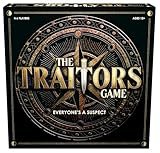
- INSPIRED BY THE SMASH-HIT TV SERIES: A world filled with secret agendas and cunning strategy is brought to life in this thrilling board game adaptation
- A HIDDEN TRAITOR LIES AMONG YOU: One player is secretly working against the group, sabotaging missions, and plotting to claim the prize for themselves
- DISCOVER SHIELDS AND REWARDS IN THE ARMORY: Use these powerful tools to protect yourself and tip the scales in your favor
- CONFRONTATION AT THE ROUND TABLE: Accuse, argue, and of course, vote! Will you banish the Traitor or unknowingly turn on an innocent Faithful?
- OUTSMART EVERYONE AND SURVIVE THE NIGHT: Only the most cunning will survive. Recommended for 4-6 players, ages 12 and up.
Only troubleshoot Trello callbacks if your setup uses Trello webhooks
A CF7-to-Trello card-creation request and a Trello webhook callback are different traffic directions. Most card-creation troubleshooting should focus on the outbound request from the form workflow to Trello. Callback checks apply only if the architecture also relies on Trello sending events to a URL you operate.
Recommended Free Tools
For that callback architecture, Trello’s webhooks guide says the callback URL must be valid when the webhook is created: Trello sends an HTTP HEAD request and expects HTTP 200. An invalid SSL certificate prevents creation. The guide also documents automatic disablement after more than 1,000 consecutive failed deliveries over 30 days, and identifies loss of token access to the watched model as another possible cause. These rules concern Trello’s callback webhook, not the initial CF7 card-creation request.
Quick Recap
Choose the right next step from the evidence
- No successful CF7 submission: resolve the form validation or configuration problem before investigating Trello.
- Successful submission, no connector event: inspect form selection, integration enablement, and the connector’s trigger configuration.
- Event logged, no successful delivery: inspect the connector’s request settings and delivery log for URL, method, headers, content type, payload, and JSON issues.
- Trello response is an error: use the returned status and body to investigate authorization, destination list, required fields, rate limits, or object limits.
- Need to change the bridge: compare whether a direct CF7 integration, a webhook plus automation service, or a custom API call offers the delivery logs, payload control, credential management, and usage constraints your workflow needs. Available documentation establishes that these approaches exist, but does not support a fair comparison of their pricing, reliability, or full feature sets.
Product prices and availability are accurate as of the date/time indicated and are subject to change. Any price and availability information displayed on Amazon at the time of purchase will apply.




