Crashes, No Sound, or Screen Glitches?
Random freezes, missing sound and display glitches usually trace back to one bad driver. Find and replace yours safely.Free scan · under a minuteWindows Errors? Fix Them Before They Spread
Repair common Windows errors and clear accumulated junk for a smoother, more stable PC - no reinstall needed.Free scan · no reinstallYes. Once Office 2024 is installed and activated, you can use its apps offline for work such as creating and editing files stored on your device. You still need internet access to download and initially activate the software, install updates, and periodically reactivate the license. Microsoft does not specify a fixed reactivation interval for Office 2024.
What works offline—and what needs internet
| Task or feature | Internet needed? | What to know |
|---|---|---|
| Install Office 2024 | To download the installer, yes; installation itself can be offline | Microsoft’s offline-installer process starts with an internet download. Once downloaded, the installer image can be used to install Office without a connection. Microsoft’s offline-installer instructions cover Office 2024 among other Office versions. |
| Initial activation | Yes | Connect to the internet and open an Office app after installation to activate. Setup may also ask you to sign in to the account associated with the product and accept the license agreement. Microsoft’s Office 2024 setup guidance describes the activation steps. |
| Use installed Office apps | No, after installation and activation | Microsoft says Office 2024 apps can be used offline once installed and activated on the device. The app’s offline use does not make cloud-stored files available automatically. |
| Open and edit a local file | No | Files saved on your device can be opened and edited offline. |
| Open a cloud-stored file | Only if it is already available on the device | A cloud file needs to be synced or otherwise made available offline before you disconnect. Without a local copy, its cloud location cannot be reached offline. |
| Install Office updates | Yes | Update Office while connected, especially before a planned period offline. |
| Reactivate the Office 2024 license | Periodically | Microsoft says periodic reactivation is required but does not give a fixed interval for Office 2024 on its Office 2024 and Microsoft 365 comparison page. A change to device components may also trigger reactivation. |
Which features depend on cloud services?
Office apps can work offline, but that does not mean every service or feature connected to them works without the internet. Microsoft’s consumer Office suite information says one-time-purchase suites do not include Microsoft 365 services such as OneDrive, Exchange Online, or SharePoint Online. It gives PowerPoint Designer and Excel Data Types as examples of cloud-backed features not included in those suites. These examples are not a complete list of every feature with an internet dependency; check the requirements for a specific service or feature if you rely on it.
As an Amazon Associate I earn from qualifying purchases.
For files, the key distinction is where the working copy is stored. A document saved locally is available without a network connection. For a document stored in OneDrive or another cloud location, make sure it has synced to the device or has been explicitly made available offline before disconnecting. Microsoft’s overview of Office suites for individuals and families describes the consumer suite and its included services.
How to prepare Office 2024 for an offline period
- Install and activate while online. Download Office and complete activation by opening an Office app with internet access.
- Install pending updates. Office needs internet access to install updates, so do this before disconnecting.
- Make sure your files are available locally. Save documents on the device, or verify that cloud files have synced and are marked available offline.
- Plan to reconnect. Office 2024 requires periodic license reactivation, but Microsoft does not state the interval. Reconnect if Office prompts you to reactivate.
Microsoft’s offline-installer workflow explains how to download the installation image while connected, then use it for offline installation. Follow the account and setup instructions for your particular Office product and license; some of the support page’s step-by-step language is written for Microsoft 365.
#1 Best Overall

- THE POWER TO STAY PRODUCTIVE – Looking to make your everyday work and home life more manageable without breaking the bank? The Lenovo V15 Gen 4 offers long-term reliability with top-of-the-line features to make you your most productive self.
- CRUSH YOUR TO-DO LIST – The AMD Ryzen CPU pairs quiet performance and enhanced operating power to crush your high-demand workday. It optimizes performance and allows for seamless multitasking.
- TRUE-TO-LIFE VISUALS – The 15.6” FHD IPS display is anti-glare with 300 nits brightness to see your best outside or in. Its 88% screen-to-body ratio makes viewing detailed applications like spreadsheets a breeze.
- SEAMLESS COLLABORATION – Lenovo Smart Appearance enhances your camera effects to protect your privacy and to make you the focus of every video conference. Intelligent noise cancelation minimizes distraction and Dolby Audio provides an elegantly sonorous experience.
- BUILT TO WITHSTAND – Built for military-grade toughness, the V15 Gen 4 is tested to withstand harsh temperatures, pressure, humidity, vibrations and more. Keep your work safe from the board room to your living room and everywhere in between.
What happens if Office cannot reactivate?
If Office cannot verify the license when reactivation is required, the apps may show an unlicensed-product error or enter reduced functionality mode. Reconnect to the internet and follow the in-app activation or sign-in prompt using the account associated with the license. If activation still fails, confirm that you installed the edition tied to your purchase or organization account and use Microsoft’s Office 2024 installation and activation guidance.
Independent reader supportYour contribution helps us test, update, and keep practical guides available for everyone.Is Office LTSC a better fit for a disconnected device?
If a computer or network is expected to remain disconnected for long periods, do not assume the consumer Office 2024 license is designed for permanent isolation. Microsoft suggests considering Office LTSC for users unable to connect to the internet. LTSC is a commercial deployment option, not simply a consumer Office 2024 setting: Microsoft says commercial LTSC security and quality updates can be hosted on-premises for disconnected networks. Licensing, activation management, deployment, and feature needs should be checked with the organization before choosing it. Microsoft’s overview of Office suites for enterprise, business, education, and government explains the commercial context.
Quick Recap
Best Value

- 【Free APP-Ophaya Pro+】 Instantly Sync,Effortlessly Captures handwritten notes and drawings with precision, synchronizing them in real-time to devices with the Ophaya Pro+ app(Suitable for iOS and Android smart phone), Never miss an idea again.【What's in the box】 1x Smart pen, 1x Pu Notebook (60 sheets), 1×Writing Board, 4x Ballpoint Refills, 2x Plastic Pen Nib, 1x USB-Cable.
- 【OCR Handwriting Recognition】Handwritten text can be converted to digital text, which can then be shared as a word document.
- 【Searchable Handwriting Note】Handwritten notes can be searched using keywords, tags, and timestamps, making it easier to find specific information.
- 【Multiple note file formats for storage and sharing】 PDF/Word/PNG/GIF/Mp4 (Note: Multiple PDF and png files can be combined before sharing).
- 【Audio Recording】 Records audio simultaneously while you write, allowing you to sync your notes with the corresponding audio for context. and Clicking on the notes allows you to locate and play back the corresponding audio content.
Rank #4

- Chromebook runs on Chrome OS - An operating system by Google that is built for the way we live today. It comes with built-in virus protection, updates automatically, boots up in seconds and continues to stay fast over time. (Internet connection is required).
- All the Google apps you know and love come standard on every Chromebook, which means you can edit, download, and convert Microsoft Office files in Google Docs, Sheets and Slides.
- Get access to more than 2 million Android apps from Google Play to learn and do more.
- Chromebooks come with built-in storage for offline access to your most important files and an additional 100GB of Google Drive space to ensure that all of your files are backed up automatically.
- Qualcomm Snapdragon 7c Compute Platform - Qualcomm Kryo 468 Octa-core CPU (Up to 2.4 GHz) Qualcomm Adreno 618 GPU 8GB LPDDR4X On-Board Memory and 64GB eMMC
Rank #3
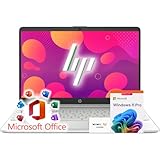
- 🚀 Ready for Productivity Out of the Box – Comes with Microsoft Office and Windows 11 Pro pre-installed, giving you professional-grade tools, advanced security, and AI Copilot readiness for smarter workflows.
- ⚙️ Fast, Reliable Performance Anywhere – Powered by the efficient Intel N4120 quad-core processor with Intel UHD Graphics, this laptop handles everyday work, study, and entertainment smoothly—whether you’re at home, in the office, or on the go.
- 🖥 Crisp Full HD Display for Work & Play – The 15.6″ Full HD IPS screen with narrow bezels, anti-glare coating, and 250-nit brightness delivers sharp, comfortable viewing—perfect for spreadsheets, streaming, or online classes.
- ⚡ Flexible Memory & Storage for Every Need – Configure up to 16GB DDR4 RAM and up to 1TB M.2 SSD for lightning-fast load times, smooth multitasking, and ample space for documents, media, and large projects.
- 🔋 All-Day Battery Life & Full Connectivity – Stay powered through long workdays or school sessions with all-day battery support, plus modern connectivity including Wi-Fi 5, Bluetooth 5, USB-C, HDMI, and SD card reader.
Rank #2

- 【Ultra-Silent with ISO Certified】Here comes the 2024 upgraded version. With a hardcore ultra-silent motor inside, Vaydeer mouse jiggler only makes soft sound lower than 45dB while working, way more quiet than any other competitors on the market. And it passed the ISO/IEC27001:2013 security certification. Safe and trustworthy. Great Christmas gift for colleagues.
- 【100% Undetectable by IT Dep】No need plug into computer laptop.With 5V/2A power adapter and a cable. You can power the mouse jiggler either by an external power adapter or by the USB port of your computer. Both won’t be detected by IT department at all. No need software installation,simulates physical mouse movement,not detectable by hardware scans and company IT. Ideal gift for your colleagues.
- 【With ON/OFF Switch】You don’t need to waste time plugging and unplugging over and over again. Just a single press, the mouse jiggler will be turned on or off. Please make sure the sensor area of your mouse is casting on the spinning wheel of the mouse mover before turning it on, then it’s ready to go.
- 【6-Year R&D】As one of few top-level manufacturers in this industry, we are professional not only in product design but also in customer service. Your suggestions and opinions are the key to improving our product. Any questions are welcomed and we'll offer you a satisfying solution within 24H/7D.
- 【A THOUGHTFUL GIFT FOR LOVED ONES】Our Undetectable Mouse Mover makes an excellent gift for anyone who spends long hours at their computer. Whether it's for a hardworking professional, a dedicated student, or anyone who values convenience and efficiency, this mouse jiggler is a practical and thoughtful present. Show your appreciation and care with a gift that helps them stay productive and stress-free.
Product prices and availability are accurate as of the date/time indicated and are subject to change. Any price and availability information displayed on Amazon at the time of purchase will apply.
Recommended Free Tools




