No—the documented Galaxy A51 5G variants do not support Qi wireless charging natively. A wireless charging pad alone will not make them charge wirelessly. Samsung community guidance says a USB-C adapter may enable it, but no specific adapter is verified for every A51 variant.
Does the Galaxy A51 charge on a Qi wireless pad?
Not without an additional receiver. Samsung’s Korean specification page for the Galaxy A51 5G model SM-A516N marks wireless charging as unsupported (Samsung specifications, 2023-06-19). NTT Docomo likewise lists Qi wireless charging as unavailable for its Galaxy A51 5G model SC-54A (NTT Docomo specifications).
As an Amazon Associate I earn from qualifying purchases.
These references cover those specific regional model codes; they do not establish the specification for every A51 variant. Check the model number in your phone’s settings or on its packaging before relying on a compatibility claim. A Qi pad sends power wirelessly, but a phone needs compatible receiving hardware to use it.
Recommended Free Tools
Can an adapter add wireless charging?
Possibly. In a Samsung Members discussion, an accepted moderator response says the A51 does not support wireless charging natively but that an adapter might enable it. A user reply identifies a Type-C adapter. This is community guidance, not a formal specification or a test of a particular product (Samsung Members discussion, 2023-06-06).
#1 Best Overall

- Type C Wireless Charging Receiver - Designed for phones without a built-in wireless charging function. Simply install it to enable wireless charging on your device, effectively upgrading your phone with this convenient feature. Note: Trickle current charging for daily use (unable to perform fast charging)
- Easy to Use - Plug the receiver into your phone’s USB-C port, stick it onto the back of your phone, and put your phone case back on. Note: For best results, use a case with a thickness of less than 3mm or stick it directly to the back of the phone case
- Wide Compatibility - Works seamlessly with most USB-C phones, including Google Pixel 3a XL, Samsung Galaxy A13/A14/A15/A42, Moto G Series, and other Android Type C devices. For optimal performance, it’s recommended to use with a QC 3.0 or PD adapter
- Stable and Durable - Made with high-absorption materials that offer excellent heat, moisture, and corrosion resistance. The bright, gold-plated plug is scratch-resistant and durable for long-term use
- Low Heat Emission - The TI smart chip reduces heat during charging, ensuring safe and stable power delivery. With a slim 0.16cm thickness, it maximizes space on your device in a compact and portable design
The accessory category to look for is a USB-C Qi receiver: a thin receiver connects to the phone’s USB-C port and sits against the back so a Qi pad can transfer power to it. Compatibility and charging behavior depend on the receiver and setup; the cited discussion does not validate any specific model.
- Confirm the receiver’s USB-C connector fits your exact A51 model and can be positioned as instructed.
- Check that your case leaves enough clearance and does not prevent the receiver from sitting flat against the phone.
- Verify the receiver’s documented charging behavior and follow its orientation instructions.
- Check the seller’s return policy in case the receiver does not fit or charge reliably with your phone and pad.
What charging specification does Samsung list?
For the Galaxy A51 5G SM-A516N, Samsung lists 15 W wired fast charging. That figure describes charging through a cable; it is not a wireless charging rate and does not indicate that the phone has built-in wireless charging support (Samsung specifications, 2023-06-19).
Quick Recap
Best Value
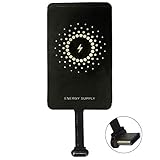
- ✅【The Fastest Qi Receiver】- With 5V/1300mA high current output, MyMAX M1300 has been approved as the fastest qi wireless charging receiver you can get from the market, while most claimed 1000mA but only actual 500 - 800mA. 【Note】: This type C qi receiver can't work for smartphones with type A or B charging port, pls do confirm your charging port before purchase.
- ✅【More Excellent Charge Efficiency】- The larger copper coil with smart intelligent chipset will help you to obtain excellent charge efficiency more than 73% and increase +30% charging speed, even keeps working under a normal temperature 45℃ (others could be heated over 60℃)!
- ✅【Low Heat Emission】- Adopt intelligent control charging IC and WPC Ferrite of TI, to prevent your phone from overheating during charging, make your phone get charging safer and more stable.
- ✅【Absorbing Materials】- It has high absorption rate and heat resistance, moisture resistance, corrosion resistance and UV protection.
- ✅【Enjoy Wireless Charge Life with Qi Receivers】- No cables No connectors, get rid of the shackle of charging cables, forget cables and prolong the life of your charging port.
Rank #4

- Wireless Charging Receiver Adapter for Samsung Galaxy A20/A30s/A40/A50s/A60/A70/A80/A90 5G/M20/M30s/M40/Moto Z4 G7 One/LG Q70 Stylo5 and All Android Device USB Type-C
- Ultrathin design, compact and lightweight for this wireless charger receiver, without increasing additional weight of the phone, wireless charging receiver and you will never have to untangle a charger wire or look for the nearest plug ever again!
- High Efficient Fast Speed Low Hot Qi wireless receiver charging,Charging efficiency is more that 72% with protective built-in IC chip, low radiation
- Super easy installation as you can just insert it into lightning charging port. Convenient to answer calls when charging your Phone without any cable interference. Prolong the life of your lightning port without plugging or unplugging any cables. New improved design, Ultra-thin and Durable Design, Can be Used with most soft Phone cases, Please don't use any metallic or thick cases as the wireless Signal can't Get Through Metal and the Case Thickness Must be Less Than 5mm
- If meet any problems, please don’t jump into the conclusion that item junk or something, feel free to contact via Amazon Email System first,7/24 timely services from us is always available for you
Rank #3
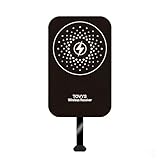
- This Type-C charging receiver sticker is specially designed for Samsung Galaxy A71/A70/A60/A51/A50/A40/A30, LG, Google Pixel XL/2 XL, and all other non phones with a Type-C charging port.
- Please insert the Type-C wireless charging receiver into the phone's USB-C port, then fix the receiver on the back of the phone, and then put on the phone case. Note: Please use a phone case with a thickness of less than 3 mm, or directly attach the receiver to the back of the phone.
- PC labels are more wear-resistant, less likely to fade, and stain-resistant compared to ordinary paper labels.
- Built-in multiple safety protection mechanisms, including overvoltage, overcurrent, overheating, and foreign object detection. It intelligently monitors the charging status throughout, ensuring the safety of you and your device.
- With a simple sticker, instantly upgrade your device to wireless charging. No need for frequent plugging and unplugging—say goodbye to a messy desk and enjoy a minimalist tech lifestyle.
Rank #2

- 【7.5W output】Good wireless charging resolution to help your phone charge wirelessly,although 7.5 watts is not strong in power output
- 【Safe Charging】Some heat will be generated when wireless charging started,especially in Summer. It is normal and no harm to your phone
- 【Wide Compatibility】Compatible for Samsung Galaxy A51, A71, A41, A31, A21, A21S, or A11 on a Qi-enabled wireless charger and it will start charging automatically. Does not support other smartphones with micro-USB charging port
- 【Simple Case Friendly】Wireless charging can only support no case or simple case. This external wireless receiver needs simple case to hide inside the case to work;
- 【Easy to use】Easy to plug into your phone's charging port and easy to get off by your fingernail. Simply connect the external Type-C adapter to your device, place it on a Qi wireless charger, and charging will start automatically. The user-friendly design makes it easy to integrate wireless charging into your daily routine.
Product prices and availability are accurate as of the date/time indicated and are subject to change. Any price and availability information displayed on Amazon at the time of purchase will apply.
What’s actually slowing this PC down?
Pick the symptom - the matching free tool is one click away.




