Yes, TikTok can estimate your approximate location, even when its device Location Services permission is off. TikTok says it may use information such as your SIM-card region, IP address, and device settings. That is different from another person seeing your live or precise location: the cited TikTok guidance describes location estimation and local content recommendations, not a feature that gives arbitrary viewers your live coordinates.
What TikTok can know when Location Services is off
Turning off TikTok’s device Location Services permission limits one source of location data, but does not stop all location estimation. TikTok says it may continue estimating an approximate location from device or network information, including SIM-card region, IP address, and device system settings. Depending on the region, its estimate may include a country, region, city, or partial or full postal code. TikTok’s location information help page explains these inputs.
As an Amazon Associate I earn from qualifying purchases.
This means TikTok may infer a broad location; it does not mean someone viewing your profile can see where you are in real time. The cited TikTok guidance does not describe a feature that reveals a user’s live coordinates to arbitrary viewers.
What device Location Services adds
For users aged 18 or older, where the feature is available, enabling Location Services can let TikTok receive approximate location from the device. The device may use GPS to provide it. TikTok describes this estimate as covering at least 3 square kilometers (1.16 square miles); it may cover a larger area depending on the operating-system type and version. The help page says precise location may be available in some regions, while the feature may be unavailable in others, including Australia and the United States, and for users who have indicated they are under 18.
#1 Best Overall

- [3 Pack] This product includes 3 pack privacy screen protectors.WORKS FOR iPhone 16/iPhone 15/iPhone 15 Pro 6.1 Inch tempered glass screen protector. Due to the rounded edge design of the iPhone 16/iPhone 15/iPhone 15 Pro and to enhance compatibility with most cases,the tempered glass screen protectors will be slightly smaller than the phone screen.[Not for iPhone 16e 6.1 inch, iPhone 15 Plus/iPhone 15 Pro Max/iPhone 16 Plus 6.7 inch,iPhone 16 Pro 6.3 inch,iPhone 16 Pro Max 6.9 inch]
- Specialty: HD rounded glass for iPhone 16/iPhone 15/iPhone 15 Pro 6.1 Inch is 99.99% touch-screen accurate.
- 99.99% High-definition hydrophobic and oleophobic screen coating protects against sweat and oil residue from fingerprints. Featuring maximum protection from scratches, scrapes, and bumps.
- High Privacy: Keeps your personal, private, and sensitive information hidden from strangers,screen is only visible to persons directly in front of screen.Good choose when you are in the bus,elevator,metro or other public occasions.(Note: Due to this privacy cover will darken the image to prevent the peeking eyes near you, you might need to turn your device display brightness up a bit when use it.)
- Online video installation instruction: Easiest Installation - removing dust and aligning it properly before actual installation,enjoy your screen as if it wasn't there.
Permission prompts can be confusing: TikTok says that in some Android cases, even if the device requests precise permission in a region where only approximate data is available, TikTok will continue to collect only approximate location. Availability and behavior depend on region, OS, and version.
Can people see where you are from your TikTok posts?
Location tags
If you add a place to a post, TikTok says it collects that location and displays the tagged place on the post. Suggested locations may be based on popularity, proximity, video content, description, and hashtags. Some places may not be available or may be restricted to protect users. Avoid adding a location when it is not needed. See TikTok’s guidance on adding a location to a video.
Rank #2
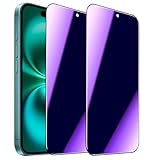
- [Distinctive Tempered Glass Screen Protector]: This SOOPUR screen protector has 2 functions in 1 which are privacy protection and anti-blue light eye protection. And the amazing bluish purple tint is quite aesthetically pleasing and eye-catching.
- [Highly Efficient Privacy Protection]: This privacy tempered glass screen protector is only visible to the user directly in front of the screen, invisible to people on the left an right, efficiently protects your personal private information from strangers around and doesn’t effect your view of the screen.
- [Anti-Blue Light Eyes Protection]: This Anti blue light tempered glass screen protector can filter out the harmful blue light from the screen, effectively protect your eyes from ocular damage and visual fatigue, keeps your eyes healthier from staring at the screen for long periods of time.
- [Ultra-Clear, Sensitive Face ID & Touch Response]: Made of ultra-thin High-transparency tempered glass to provide amazing clarity for viewing experience and highly respond sensitivity of touch. And this privacy anti blue tempered glass protector won’t blur your front camera, so it does not interfere with Face ID, your Face ID will work well like there's no film.
- [Well Protect Your Phone Screen and Provide Comfortable Touch Experience]: Made of superior 9H super strong hardness tempered glass which is scratch resistant and shatterproof to protect your screen from scratches to high impact drops. The oleophobic anti-fingerprint coating keeps your screen free of fingerprints and oily smudges, it's very easy to clean and very smooth and comfortable to touch.
Nearby recommendations
A location tag is not required for local content to reach nearby viewers. TikTok says its Nearby feed may recommend local posts based on interests and engagement, including posts from creators who publish local content or tag a nearby place or service. TikTok may use approximate location derived from SIM and IP information, or device GPS when Location Services are available and turned on. It also says a post about local services may appear in Nearby without a location tag, based on network, device information, or Location Services settings. Details are in TikTok’s Nearby feed help page.
Crashes, No Sound, or Screen Glitches?
Random freezes, missing sound and display glitches usually trace back to one bad driver. Find and replace yours safely.Free scan · under a minutePC Slower Than It Used to Be?
A free scan shows the junk files, broken settings and background clutter dragging Windows down - then fixes them in one click.Free scan · Windows 10 & 11TikTok’s stated Nearby exclusions are users under 18, private accounts, posts set to Friends or Only you, and posts more than 90 days old. These are feed eligibility rules, not a guarantee that TikTok stops estimating your location. Because features can vary or change, check the current controls in your app.
Rank #3
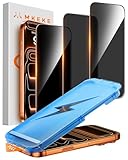
- 【Perfect Fit for iPhone 17 Pro Max】Only compatible with iPhone 17 Pro Max 6.9" Screen 2025
- 【25° Privacy Protection】Utilizing precision optical micro-grating technology, the iPhone 17 Pro Max screen protector privacy automatically blocks content when viewed from angles exceeding 25°. This effectively eliminates the risk of screen peeping by individuals seated nearby or behind you in public spaces
- 【Military-Grade Protection】Ultra-tough 9H+ hardness screen protector defends against keys, coins, and daily scratches. Military-grade shatterproof glass absorbs 110 lb impact force, preventing cracks from drops. AGC tempered glass utilizes Japanese standard materials to ensure long-lasting screen safety
- 【Face Unlocking Compatible】0-lag Face ID recognition enabled by laser-etched micro-holes and ultra-thin 0.3mm design. AGAR anti-reflective coating pro max privacy screen protector prevents light interference, ensuring <0.9s unlock speed even in low light or direct sunlight
- 【Easy Installation】Simply align the Dust-Free frame with your iPhone 17 Pro Max privacy screen protector, press and pull. No bubbles, no dust. Installation can be finished successfully in seconds
Privacy controls and what each one does
| Control or exposure | What it changes | What it does not establish |
|---|---|---|
| Device Location Services permission | Whether TikTok receives location from device Location Services where supported. | That TikTok cannot estimate a broad location from SIM, IP, or device settings. |
| Location tag on a post | Whether you supply a place that is displayed with the post. | That untagged local content cannot be recommended in Nearby. |
| Private account or Friends/Only you audience | Whether a post is eligible for Nearby under TikTok’s stated rules. | That TikTok itself stops processing approximate location. |
| Delete certain location data | Removes certain location data received directly from Location Services, according to TikTok. | That previously inferred city-level information is necessarily removed. |
How to limit location exposure
- Review TikTok’s permission: In TikTok, go to Profile > Menu > Settings and privacy > Privacy > Location Services, then choose the available permission. The menu may not appear in every region. TikTok also directs users to their device’s location controls; exact steps depend on device and OS version. See TikTok’s Location Services instructions.
- Choose post audiences deliberately: Use a private account or set individual posts to Friends or Only you if you do not want them eligible for Nearby under TikTok’s stated rules.
- Leave out unnecessary place tags: A tag is shown with the post, so only add one when sharing that place is intentional.
- Use the deletion control if available: TikTok lists a Delete certain location data option under Location Services. It says less-specific information inferred earlier from Location Services data or an IP address, such as a city, may remain after deletion. TikTok’s location page describes the limitation.
A VPN may change the IP address presented to a service, but TikTok lists other location inputs too. The cited guidance does not establish that a VPN blocks those inputs or removes a location tag, so it should not be treated as a complete location-privacy solution.
Quick Recap
Best Value

- [Automatic Dust Removal Tech] Just cover and pull, the screen protector automatically aligns and takes away the dust. No more worrying about bubbles and dust. Watch our Installation Video to see how easy it is to use our Dust-Elimination Installation Screen Protector.
- [28° Privacy Protection] Privacy tempered glass screen protector for Samsung Galaxy S24 Plus. Keep your information to yourself. Good choose when you are in the public occasions.
- [9H Hardness] Galaxy S24 Plus screen protectors are created from 9H hardness material to protect your screen from daily wear, such as dust, oil and fingerprint smudges, and can offer some protection in the event of a drop!
- [Screen Protector Compatible with Samsung Galaxy S24 Plus 6.7 inch] Specially designed ONLY for Samsung Galaxy S24 Plus, 100% touch accurate. Not compatible with any other models.
- [Anti-Fingerprint] MAGIC JOHN privacy glass screen protector for Samsung Galaxy S24 Plus 6.7 inch is finished with oleophobic coating to against oil residue from fingerprints from long-term use.
Rank #4
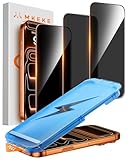
- 【Perfect Fit for iphone 17 Pro】Only compatible with iphone 17 Pro 6.3" Screen 2025.
- 【25° Privacy Protection】Utilizing precision optical micro-grating technology, the iphone 17 pro screen protector privacy automatically blocks content when viewed from angles exceeding 25°. This effectively eliminates the risk of screen peeping by individuals seated nearby or behind you in public spaces.
- 【9H+ Military-Grade Protection】Ultra-tough 9H+ hardness iphone 17 pro screen protector defends against keys, coins, and daily scratches. Military-grade shatterproof glass absorbs 110 lb impact force, preventing cracks from drops. AGC tempered glass utilizes Japanese standard materials to ensure long-lasting screen safety.
- 【Face Unlocking Compatible】0-lag Face ID recognition enabled by laser-etched micro-holes and ultra-thin 0.3mm design. AGAR anti-reflective coating iphone 17 pro privacy screen protector prevents light interference, ensuring <0.9s unlock speed even in low light or direct sunlight.
- 【Easy Installation】Simply align the Dust-Free frame with your iphone 17 Pro screen protector privacy, press and pull. No bubbles, no dust. Installation can be finished successfully in seconds.
Product prices and availability are accurate as of the date/time indicated and are subject to change. Any price and availability information displayed on Amazon at the time of purchase will apply.




