Do these 3 things before closing this tab:
1Repair Windows errors before they cause bigger problems2Scan for outdated or missing drivers - takes under a minute3Clear out junk files and repair common Windows errorsIf camera-based detection becomes unreliable, first establish whether the acquired image and its physical setup have changed. Check the acquisition path and power, then inspect focus, lighting, exposure, and calibration. These are diagnostic directions—not a universal repair sequence: the right checks depend on the camera, interface, scene, and symptom.
Start with a reliable picture of the problem
Before changing settings or moving hardware, record the system as it is now. Note the camera and frame-grabber models, operating system, vision software and driver versions, cable and bus connections, accessories, any error message, when the problem occurs, and whether other software is using the camera. Also note whether the environment may be electrically noisy. These details help distinguish an acquisition problem from a change in image quality; National Instruments’ troubleshooting guide recommends collecting this context before choosing a troubleshooting path (NI troubleshooting guide).
As an Amazon Associate I earn from qualifying purchases.
- Save representative images from the times detection works and fails, if available.
- Record current acquisition and camera settings before adjusting them.
- Compare the actual acquired image, not just its appearance on a monitor.
Check power, connections, and acquisition
Inspect connectors and cables for poor seating or visible damage, then confirm that the camera is receiving the power and data connections specified for its model. Check whether acquisition software reports a connection or initialization error, and whether the camera is being accessed by another application.
What’s actually slowing this PC down?
Pick the symptom - the matching free tool is one click away.
Indicator lights and connector advice are model-specific. For example, Zebra’s CV60 documentation says an amber power/trigger LED can indicate incomplete initialization due to insufficient power and recommends checking that model’s 6-pin power cable and Ethernet connection (Zebra CV60 troubleshooting). Do not apply that LED interpretation or connector advice to a different camera.
#1 Best Overall

- Easily Maneuver Your View: Tired of struggling with hard-to-reach areas during inspections? This two-way articulating borescope effortlessly navigates tight and complex spaces with its flexible and maneuverable probe. Enjoy crystal-clear visual feedback that saves you both time and money. Whether for automotive maintenance or household inspections, this tool transforms your inspection journey, making the process faster and easier than ever.
- See Every Detail in Vivid Clarity: Experience the exceptional image quality of our 4.5-inch IPS LCD color screen, delivering sharp, high-resolution visuals. Whether you’re in bright sunlight or dim conditions, this display ensures you won’t miss a thing. Plus, with no app required, it's ready to go whenever you are!
- Master the Most Challenging Inspections: Equipped with a 5FT semi-rigid gooseneck cable, this borescope provides the ideal combination of flexibility and stability, allowing you to navigate tight, intricate spaces with ease. The cable retains its shape as you guide it, giving you precise control for thorough inspections. Designed for versatility, it adapts effortlessly to various environments, ensuring no detail goes unnoticed.
- Light Up the Darkest Corners: Equipped with built-in high-brightness LED lights on the camera probe, you’ll have the visibility you need even in the darkest environments. The adjustable illumination allows you to customize the brightness for every inspection, ensuring that no detail goes unnoticed in tight or confined spaces.
- Ergonomics Meet Efficiency: This borescope is thoughtfully designed for maximum comfort and usability. The centrally located articulating joystick allows for effortless one-handed operation with either hand. The photo button is conveniently positioned on the back, making it easy to capture images or videos during inspections. Lightweight and compact, this borescope ensures prolonged use without fatigue, perfect for on-the-go inspections.
Confirm the acquired image, not only the display
A monitor can make image gradations look different from the data the vision system processes. Zebra explains that monitor light output is nonlinear and that gamma correction can make the display closer to linear (Zebra imaging guidance). If the image looks wrong on screen, inspect the saved or acquired image and the processing path before treating the display alone as proof of a detection failure.
Camera operations can also have state requirements. Zebra notes that its camera cannot save user-memory settings while it is acquiring; stop acquisition before attempting that operation. Follow the instructions for the specific camera rather than assuming the same restriction applies to other models.
Rank #2

- 5" HD SCREEN & DUAL-LENS FLEXIBILITY – This endoscope camera with light features a 5-inch HD screen with a 170° wide-angle view, delivering vivid real-time visuals. The dual-lens borescope camera with light allows instant switching between front and side views, making it a versatile inspection camera for automotive, plumbing, and HVAC diagnostics. Note: The endoscope cannot take pictures and videos!
- 1080P CLARITY & PRECISION FOCUS – As a high-performance boroscope, this snake camera with light delivers 1080P resolution with a 1.2-4 inches focus range for crisp close-ups. Whether used as a pipe camera or drain inspection camera, it captures fine details like cracks and corrosion, functioning as a reliable industrial endoscope for professional results.
- FLEXIBLE PROBE & WATERPROOF ILLUMINATION – The 16.4ft semi-rigid camera snake bends and holds shape to navigate tight pipes and ducts. Equipped with eight adjustable LEDs and IP67 waterproofing, this flexible camera probe with light excels as a sewer inspection camera, drain camera, or bore camera for underwater and harsh environment tasks.
- PLUG-AND-PLAY HANDHELD CONVENIENCE – No apps or Wi-Fi required—simply power on this bore scope camera with light for instant operation. The ergonomic camera scope snake with light enables one-handed use, while the 2000mAh battery provides 3–4 hours of runtime, ideal for extended plumbing camera snake with light or pipe camera with light inspections.
- BUILT FOR MULTI-INDUSTRY USE – Durable and portable, this scope camera with light serves as a inspection camera with light for mechanics, plumbers, and DIYers. From engine borescopes to plumbing camera tasks, it delivers reliable performance in harsh environments like drains, ducts, and submerged areas.
Check lens, focus, and working distance together
A target can be out of focus because the lens, distance, or scene depth does not suit the installation. Check whether the target is within the lens’s focus range, whether the field of view includes the required area, and whether the important features stay sharp across the target’s depth.
Recommended Free Tools
- Working distance: the distance between the lens and the target affects framing and focus.
- Field of view: confirm that the complete inspection area—and the features the system needs—fits in the image.
- Depth of field: check whether objects at different heights or distances remain acceptably sharp.
- Resolution and distortion: verify that features are captured with enough detail and without problematic geometric distortion.
- Close focus and mount: confirm that the lens can focus at the installed distance and physically fits the camera.
National Instruments describes focal length in relation to working distance and explains depth of field as the range of object heights or distances that remain in focus (NI lens-selection guidance). Teledyne lists field of view, focal length, working distance, resolution, distortion, and close-focus capability among the properties to consider when selecting a lens (Teledyne lens guidance). Without the camera sensor, mount, target dimensions, and distance, there is no sound basis for naming a replacement lens.
Rank #3

- High Quality Display: The endoscope camera with light adopts a 4.3-inch IPS screen, which can provide a horizontal viewing angle of approximately 170°, and a highly sensitive chip that captures 1920x1080P HD images in real time. With colour flip and brightness shift functions, you get vivid, saturated and natural images from any angle. Note: This endoscope cannot take or store photos.
- Powerful Features Camera : Borescope delicate camera probe is equipped with 8 LED lights, which can adjust the brightness according to the button, so you don't need to worry about the dark environment. Inspection camera is also IP67 waterproof, so it is suitable for harsh and wet environments, and the optimal focusing distance (2cm-10cm) allows you to inspect the pipe wall carefully and clearly.
- Freely Bend 16.6FT Cable: The 1.29in short lens for narrow pipe inspection is half the length of conventional lenses, making it easier to manoeuvre at difficult angles. The 7.9mm camera probe and semi-rigid cable allow the snake camera to be bent at will, making it easy to reach a wide range of confined areas.
- Simple Operation: Just turn on the power and use it. There is no need to connect to WIFI with your smartphone or download any driver software. The ergonomic handle allows you to quickly pick up this lightweight sewer camera and use it comfortably without fatigue. You also do not need to worry about dirtying your expensive phone while working.
- Package Includes: Borescope Camera with Light*1, Hook*1, Magnet*1, Side Mirror*1, Type-c Data Cable*1, Manual*1. We provide 24-hour professional and attentive after-sales service. If you have any questions, please contact us.
Stabilize illumination and exposure
Lighting is part of the measurement setup: changing ambient light, glare, or shadows can alter the contrast that image processing sees. NI warns that improper lighting can create shadows and glare that degrade image processing (NI lighting considerations). Check whether light direction and intensity reveal the feature against its background, and whether the scene changes between successful and failed detections.
For moving objects, a strobe can limit sensor exposure to a short flash; NI describes strobes emitting light for microseconds to produce crisp images (NI lens and imaging guidance). Strobing is one possible motion-control approach, not a guaranteed fix. The suitable angle and intensity depend on the part’s shape and reflectivity, and exposure settings must suit the camera and application.
Rank #4
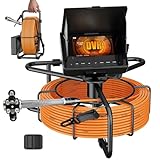
- 🔍 Crystal Clear AHD 1080P Inspection & Night Vision: This sewer camera boasts an AHD 1080P high-definition camera with 12 adjustable LED lights. The IP68 waterproof stainless steel probe and 145° wide-angle lens provide a crystal clear view inside dark pipes, making it the ideal drain inspection camera for identifying clogs, cracks, and damage with ease.
- 📹 Built-in DVR with 32GB TF Card for Record & Playback: Document every finding effortlessly! This pipe camera with DVR comes with a pre-installed 32GB card. Instantly record video and capture photos of your findings directly on the device. Review evidence on the spot or playback on your PC for detailed analysis, perfect for plumbing inspection reports and insurance claims.
- 🛡️ Rugged, Professional-Grade Cable & Depth Marker: A sewer inspection camera to conquer the toughest blockages. The 30M (100FT) fiberglass cable is anti-corrosion, cold-resistant, and highly tensile. With clear depth markers (Arabic numerals), you can accurately locate pipe problems like clogs or leaks without guesswork. The 23mm camera head navigates standard drain pipes with ease.
- ☀️ 4.3" HD Monitor with Sun Visor & Marathon Battery: Professional plumbing camera is designed for all-day use. The large 4.3" IPS monitor with a built-in sun visor ensures perfect visibility even outdoors. Powered by a high-capacity 8500mAh rechargeable battery, this sewer inspection system supports up to 10 hours of continuous work, outperforming many competitors.
- 💪 2 Protective Heads & Versatile Applications: Comes with TWO different camera protective covers (with wheels) to fit a wider range of pipe diameters and inspection scenarios. This versatile pipe inspection kit is a must-have for homeowners, plumbers, and contractors to diagnose issues in drain pipes, HVAC systems, and wall cavities, saving you thousands on unnecessary repairs.
Recheck calibration after a setup change
Calibration describes a relationship between the camera image and the physical scene. If the camera moves or acquisition settings change, the old relationship may no longer apply. Cognex says its calibration and runtime must use the same system and lens setup and physical sensor-to-scene relationship. It specifically notes that moving the sensor or changing the acquisition format, such as resolution, invalidates its computed 2D pixel-to-real-world transformation (Cognex calibration guidance).
Free tools Windows power users keep installed
One-click scans. No signup required.
For the cited Cognex In-Sight workflow, the calibration grid should cover at least 10 rows and 7 columns of dots or indices, or contain at least 100 feature inputs (Cognex In-Sight calibration guidance). Those dimensions are specific to that workflow, not a general requirement for every vision system. If the method calls for a physical target, use the target and procedure specified for that method.
Best Value
![[ChoosePRO®] HD1080P Sewer Camera 7'' w/1s Twist-Unlock System, DVR-32GB, 0.64'' Thicker Reel, 5000mAh 100FT Marked Cable, Plumbing Pipe Inspection Camera for Drain & Sewer Inspection](https://m.media-amazon.com/images/I/51huA5MyryL._SL160_.jpg)
- 【2026 Upgraded Cable Reel Unlock System】:Unlock & lock in just 1s with a simple twist. No more stuck cables or sore hands—coil or release with ease! Unlike market designs sewer camera that leave you struggling with two tiny, hard-to-turn screws—difficult to adjust and tighten properly—one wrong move could lead to cable jams or even permanent damage. Ours comes with all-around upgrades (stability, compatibility, flexibility, security, durability), overcoming many common Weaknesses on the market.
- 【Faster Identify Issues – HD 1080P Camera with 7" IPS Screen】:The sewer camera has a true HD 1080P lens and a bright 7" IPS screen, helping you identify issues faster with a clear view inside pipes. The 16× zoom lets you see small details like cracks, clogs, and rust. Unlike older 1000TVL pipe camera with dark TFT/LCD screen, it shows clear, bright images that make spotting problems easy. Checking your pipes often helps you find leaks early and reduce costly damage to walls, floors, or ceilings.
- 【Record More Videos-DVR with 32GB Card】:This sewer pipe camera lets you view and record in real time with instant playback—no extra devices needed, it helps you quickly identify pipe issues.The 32GB memory card offers more storage than typical 8GB cards. so you can record more videos with your sewer inspection camera, allowing for thorough and accurate analysis.MORE,Easily transfer videos via SD card or USB-C. Save records, share findings, and review footage on your PC with ease.
- 【So Easy, Anyone Can Use It — 8H+ on a Single Charge】:This sewer camera is easy to use—Unlock and lock the cable reel in just 1 second with a simple twist, making it easy to coil or release the cable. Just plug& play the display, and you’re ready to go — no complex setup required.The cable is marked in feet, so you know exactly how deep the issue is—no guesswork. The built-in 5000mAh battery lasts over 8 hours. Need more time? Plug into a power bank (not included) via USB-C, even while in use.
- 【For Most Pipeline Environments—IP68 Waterproof HD Camera】:① The IP68-rated camera head works in wet, dirty, or flooded pipes.② Six adjustable LED lights (3 levels) let you see clearly in dark, deep pipes—so you can spot cracks or blockages fast.③ Comes with 25mm (0.98 in) and 84mm (3.31 in) sleeves to handle small or large pipes.④ A flexible stainless steel spring tip helps navigate bends and corners without getting stuck.
When lens distortion is part of the problem
Cognex’s AlignSight checkerboard guidance recommends checkerboard calibration for noticeable lens distortion, commonly with wide-angle lenses. Its procedure requires the specified calibration plate and an L-shaped fiducial fully inside the field of view (Cognex AlignSight checkerboard guidance). This is a product- and method-specific procedure, not a universal instruction for all wide-angle cameras.
Look for causes that appear only intermittently
If the failure comes and goes, record what changes at the same time. Note whether communication drops, ambient lighting changes, focus or framing shifts while machinery runs, or the issue appears only during a particular operating state. Vibration, working distance, exposure, and lighting may all be relevant, but their significance depends on the camera and application. National Instruments also recommends noting when the issue occurs and whether the environment is electrically noisy (NI troubleshooting guide).
Know when the problem has moved beyond hardware
If the acquired image is sharp, consistently lit, and repeatable—and the acquisition path and calibration still match the installation—then the remaining failure may be in image processing or the detection algorithm rather than the physical layer. Preserve the images, errors, settings, software and driver versions, and a record of physical or configuration changes before investigating that next layer. The checks here do not establish a particular algorithmic cause.
Quick wins for a faster PC:
Scan for outdated or missing drivers - takes under a minuteDriver Scan →Repair Windows errors before they cause bigger problemsFix Now →Quick Recap
Product prices and availability are accurate as of the date/time indicated and are subject to change. Any price and availability information displayed on Amazon at the time of purchase will apply.




