Build the dashboard as an odds display first: keep provider credentials and upstream requests on the server, send only the fields the interface needs to the browser, and show when each quote was updated and whether the feed is connected. In Next.js App Router, a Server Component or Route Handler can make the provider request; Client Components can handle filters and live browser updates. For active events, use the provider’s documented stream and recovery rules only if your deployment runtime supports persistent connections.
Decide what the first release does
A useful first version helps readers compare displayed prices; it does not need to accept wagers or recommend bets. Start with event cards or a table, sport and league filters, bookmaker and market selectors, a last-updated time, and a visible feed state. Treat bet placement, personalized picks, and accounts as separate product scope: they bring additional security and jurisdiction-specific legal questions that this guide cannot resolve for a particular market.
As an Amazon Associate I earn from qualifying purchases.
Keep provider access on the server
Next.js App Router pages and layouts are Server Components by default. Server Components are a suitable place to use API keys and fetch data that should not be exposed to the browser. A variable prefixed with NEXT_PUBLIC_ is included in the client bundle, so do not give a provider credential that prefix.
Use a Route Handler as a deliberate boundary between the browser and the upstream odds service. Put it at app/api/odds/route.ts; it can read a server-only environment variable, call a provider-specific adapter, and return a small normalized response. The provider’s authentication header, endpoint paths, response shape, and permitted use vary, so implement those details from the chosen API’s current documentation rather than assuming a universal odds API format.
#1 Best Overall

- 【Smart Display Screen & Touch】AMOVAN Smart ring with led display which allows you to access steps, battery level and time data in real time with a touch, allowing you to easily monitor your health, all at your fingertips, without a phone. With just a touch, you can quickly switch between fitness tracking and smart counting functions. Perfect for fitness enthusiasts and busy lifestyles
- 【100+ Sports Modes & Free APP】Smart rings health tracker accurately monitor and track sports data, such as calorie consumption, steps, exercise distance, exercise time, and body temperature. Smart ring cycle tracker for women supports more than 100 sports modes. You can easily view all health data on the QRing app and analyze daily, weekly, and monthly reports to optimize your lifestyle and improve your overall health. No subscription is required to enjoy all features
- 【Advanced Chip & Dual Sensor】Smart rings for women men is equipped with Bluetooth 5.2 dual-mode RTL8762ESF chip, VC30F-S sensor and ST LIS2DOCTR six-degree-of-freedom motion sensor, achieving high-speed connection, accurate monitoring, intelligent identification, wearing detection and privacy protection. Making it 40% more stable, pairing only takes 0.8s, Smaller errors, and can accurately identify 15 preset actions, such as running, swimming, cycling, etc. Data transmission is fully encrypted to protect user privacy, without worrying about personal data leakage
- 【Sleep Monitoring & AI Analytics】Sleep tracker ring provides accurate sleep tracking and monitors your sleep quality with detailed charts and data.Track your sleep data and sleep patterns throughout the night. With these detailed sleep data, it can also analyze daily, weekly and monthly reports to optimize your lifestyle and improve overall sleep
- 【5AMT Waterproof】Smart rings for men has a 5AMT waterproof rating and can withstand static water pressure of 50 meters deep. Whether you wash your hands, shower, or swim in shallow water in your daily life, you don't need to take off the ring, and there is no need to worry about the ring being damaged. And it is made of epoxy resin and stainless steel, which is comfortable and light to wear, comfortable to wear all day, and durable
import { NextResponse } from "next/server";
import { getOddsSnapshot } from "@/lib/odds-provider";

export async function GET() {
  try {
    const snapshot = await getOddsSnapshot();

    return NextResponse.json({
      updatedAt: snapshot.updatedAt,
      events: snapshot.events,
    });
  } catch {
    return NextResponse.json(
      { error: "Odds are temporarily unavailable." },
      { status: 502 },
    );
  }
}
getOddsSnapshot is your server-side adapter, not a built-in Next.js function. Keep the provider key and provider-specific request inside it. Normalize the response there so the UI receives only what it needs, such as event identity, market and selection labels, displayed price, suspension state, and the provider’s update time when available. Do not return credentials, raw sensitive upstream responses, or stack traces in client-facing errors.
Route Handlers live in the app/ directory and support standard request and response handling. GET caching is not automatic in the cited Next.js Route Handler guidance: make the caching policy explicit. A cache that is useful for a static preview could make a live-event screen misleading. Choose freshness and cache duration based on the provider’s update behavior and quota rules, and make clear in the interface when displayed data is old.
Choose how updates reach the browser
The right transport depends on whether the screen needs one-way server-to-browser updates or two-way messages, what the provider supports, and what the host can keep open. A stream can reduce repeated snapshot requests for active events when both provider and runtime support it; that is an architectural trade-off, not a latency benchmark or a guarantee of fresher bookmaker prices.
Rank #2

- 24/7 Health Tracking: Watch 3 Pro can monitor heart rate, blood oxygen (SpO₂), stress levels in real time with an advanced 4-channel sensor for improved accuracy during activity and rest. This health tracker smartwatch can offer advanced sleep tracking helps analyze naps, recovery, and sleep quality for better daily wellness insights.
- 130+ Sports Modes: The sports smartwatch supports 130+ exercise modes with GOMORE-powered performance analysis, 7-type motion recognition, and precision activity tracking to help monitor workouts, training load, recovery, and daily movement more accurately. Active Score (MET-based fitness tracking), precision step counting, and smart health guidance help support a healthier lifestyle.
- Smart Everyday Convenience: Stay connected with the bluetooth smartwatch featuring dual high-performance MEMS microphones, a built-in speaker, and AI-based noise reduction trained on over 100,000 voice samples for clearer calls. Make and receive calls directly from your wrist, sync up to 30 contacts for quick access, control music playback, and send quick replies while working, commuting, cooking, or exercising without constantly checking your phone.
- 13-Day Battery Life: Enjoy up to 13 days of battery life on the smartwatch with just 2.5 hours charging time for daily use. Designed for work, workouts, travel, and busy schedules, CMF Watch 3 Pro delivers reliable power for music playback, quick replies, calls, and everyday activity tracking without frequent charging interruptions.
- AMOLED Display & Smart Lifestyle Sync: Featuring a vibrant AMOLED display, this smartwatch for Android and iPhone delivers clear visibility for health data, messages, and workouts indoors or outdoors. Seamlessly sync with Apple Health, Google Fit, and Strava to manage fitness tracking, wellness insights, and daily activity data in one connected ecosystem.
| Transport | Useful when | Check before choosing |
|---|---|---|
| Polling | A preview updates infrequently, or the provider offers no suitable stream. | Provider quota, polling interval, stale-data display, and backoff behavior. |
| Server-Sent Events (SSE) | The provider supports one-way event updates and the deployment can sustain the connection. | Resume behavior, heartbeat handling, reconnect rules, and host connection limits. |
| WebSockets | The provider supports a persistent, potentially bidirectional connection and the application needs it. | Resume semantics, connection lifecycle, host timeouts, and whether bidirectional messaging is actually needed. |
For a basic polling client, call your own Route Handler rather than the provider directly. This keeps the provider credential server-side and centralizes normalization. The following pattern refreshes the displayed snapshot; use an interval that respects the provider’s quota and product freshness needs.
"use client";

import { useEffect, useState } from "react";

export function OddsPanel() {
  const [snapshot, setSnapshot] = useState(null);
  const [status, setStatus] = useState("loading");

  useEffect(() => {
    let active = true;

    async function refresh() {
      try {
        const response = await fetch("/api/odds", { cache: "no-store" });
        if (!response.ok) throw new Error("Odds request failed");
        const next = await response.json();
        if (active) {
          setSnapshot(next);
          setStatus("connected");
        }
      } catch {
        if (active) setStatus("disconnected");
      }
    }

    refresh();
    const timer = setInterval(refresh, 15000);
    return () => {
      active = false;
      clearInterval(timer);
    };
  }, []);

  return (
    <section>
      <p>Feed: {status}</p>
      {snapshot ? <OddsEvents events={snapshot.events} /> : <p>Loading odds…</p>}
    </section>
  );
}
The 15-second interval in this example is only an illustrative client setting, not a recommended universal cadence or a provider guarantee. Replace it with a rate and refresh policy appropriate to the selected API. A production client should also avoid overlapping refreshes when a request takes longer than the chosen interval.
Use snapshot-plus-stream recovery for live events
For an API that documents both snapshots and streaming, its contract should drive the sequence. One documented pattern is to fetch an initial snapshot, subscribe to the stream, apply deltas idempotently, retain the latest resume token, and reconnect using that token. A heartbeat can indicate that the connection is alive; it does not establish that every displayed price is current at the bookmaker.
Rank #3

- ❗❗❗【Note】The remote control does not operate on an independent signal. Using multiple devices at the same time may cause interference. We recommend avoiding the simultaneous use of multiple scoreboards in the same environment.
- 【Large Digital Display】The size is 15.2 x 4 x 1.5 inches, with 2.7-inch large digits. The score spacing is noticeable for clear reading from a distance. It features 5 levels of adjustable brightness to meet various indoor gaming needs.
- 【Variable LED Colors】The scoreboard mode offers 6 sets of LED colors instead of a single fixed color. You can choose the best color scheme for both teams, making the score display more intuitive and personalized.
- 【Easy to Use】Record scores for both teams (0-99), wins or fouls (0-9). Easily controlled from a long distance (40 feet) with the remote control. Scoring can be reset quickly. Supports mobile power supply, so you can take it anywhere and use it.
- 【Switch Sides】When the teams switch sides, the scoreboard features a one-button score position swap. Scores, foul counts, and LED colors can all switch together, which is very helpful for accurately indicating the scores for both teams.
- Load the initial event and odds snapshot using the provider’s documented API calls. Preserve its update timestamp and any time-to-live metadata the API supplies.
- Open the documented SSE or WebSocket stream for the events or markets the screen needs. Follow its authentication and subscription format exactly.
- Apply each delta according to the provider’s identity and ordering rules. Make processing idempotent so a repeated message does not duplicate or corrupt a selection.
- Persist the most recent resume token in the connection manager and use it when reconnecting, if the provider supports resumption.
- If the provider rejects the resume point or signals that a resync is required, fetch a fresh snapshot and rebuild local state before resuming delta application.
Do not invent a generic delta schema or assume every provider offers resumable streams. The field names, token rules, and resync signals are API-specific; bind the UI state model to the actual contract you choose.
Recommended Free Tools
Check whether your deployment can hold a connection
A Route Handler is a convenient server-side boundary, but it is not automatically a suitable home for a permanent WebSocket connection. Some hosting platforms run handlers as serverless functions: requests can time out and a WebSocket may close when the request ends. Check the target runtime’s current connection and duration limits before designing around a long-lived connection.
If the host cannot sustain the provider connection, use an available provider-supported SSE or polling option where it fits, or run the persistent connection in infrastructure that explicitly supports it and relay normalized updates to the application. AWS’s reference architecture illustrates streaming pipelines and WebSockets, but it is an example rather than a requirement: a dashboard does not inherently need Kafka or a particular cloud.
Rank #4

- BRING THE STADIUM HOME Transform your space with the TronVision Sidekick—a sleek companion display designed to elevate your sports, gaming, and entertainment setup.
- SECOND SCREEN EXPERIENCE Run multiple games, track stats, stream content, or use as a live ticker (third-party software required, not included) alongside your main TV—never miss a moment of action.
- PERFECT FOR GOLF SIMULATOR SETUPS Enhance your golf simulator experience with a dedicated display for shot data, course visuals, or swing analysis—ideal for garage, basement, or indoor sim builds.
- LED BACKLIT FRAME Stand out with a LED backlit frame that adds a premium, stadium-style look to any room.
- MULTI-USE DISPLAY Perfect as a: Sports companion screen Gaming display Golf simulator monitor Streaming dashboard
Represent missing, stale, and suspended odds honestly
Real-time transport only describes delivery; it does not guarantee that a bookmaker has published a price at that instant. Provider specifications warn about stale prices and operational constraints. Show the source update time where available, and avoid presenting an old quote as actionable. Do not turn an absent value into zero.
- Loading: The first snapshot has not arrived; distinguish this from an empty event list.
- No events: The request succeeded but the selected sport, league, or time range has no events.
- Suspended: Mark a suspended market or selection as unavailable instead of leaving its last numeric price looking active.
- Stale: Show the last update time and a stale indicator when the provider timestamp or your freshness policy says the quote is old.
- Reconnecting: Keep the connection state visible and do not imply that missed updates were received until the stream is resynchronized.
- Provider error: Explain that odds could not be refreshed without exposing provider credentials, stack traces, or sensitive response details.
Plan for empty arrays, 429 rate-limit responses, quota exhaustion, and stream-resume failure. When the provider supplies Retry-After, honor it; otherwise use jittered exponential backoff rather than hammering the API. Keep any provider-specific usage or limits endpoint in server-side monitoring or operational tooling if the service documents one.
The Tool Desk
Outbyte Driver Updater FREEScan for outdated or missing drivers - takes under a minuteDriver Scan →Outbyte PC Repair FREERepair Windows errors before they cause bigger problemsFix Now →Displayed odds are subject to execution risk, stale prices, bookmaker limits, voids, delays, and jurisdictional availability. A stream update is not proof a price remains available, and the API specification’s responsible-gambling guidance states: “Do not present betting outcomes as risk-free.”
Best Value
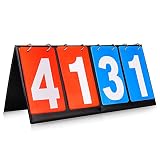
- Material: PU+ membrane paper; Color: red and blue
- Size: 14.2inch*6.1inch.
- Function: Scoreboard with number cards that can keep scores from 1 to 99. Different color of red and blue make it easy to distinguish the scores of different groups.
- Suitable for: Suitable for indoor and outdoor games, such as volleyball, basketball, table tennis and any competitive sport.
- Easy to use: The flip design easy to use. No need to write numbers on the scoreboards, just flip the number card will be OK.,its very convenience.
Select a data provider against the product’s needs
Compare providers on the properties that determine whether the dashboard can serve its intended audience, not on an unsupported promise of being “real time.” Verify:
- Sports, leagues, bookmakers, and markets covered for the geography you intend to serve.
- Whether update timestamps, history, and results are available and how freshness is described.
- Snapshot and stream transports, reconnect or resume behavior, and documented resync conditions.
- Rate limits, quotas, error responses, and rules for concurrent subscriptions.
- Licensing and redistribution rights for displaying the data in your product.
Coverage, routes, plans, and API behavior can change. Confirm them with the selected provider before implementation; no particular provider, latency, uptime, or price is established here.
Keep legal and product scope explicit
Rules for sports betting depend on jurisdiction. This guide does not establish legal, age, licensing, or geolocation requirements for a specific country or state, and a display-only odds dashboard is not the same product as one that accepts wagers. Before adding wagering or serving a defined market, obtain authoritative, jurisdiction-specific guidance on the obligations that apply.
What’s actually slowing this PC down?
Pick the symptom - the matching free tool is one click away.
Quick Recap
Product prices and availability are accurate as of the date/time indicated and are subject to change. Any price and availability information displayed on Amazon at the time of purchase will apply.




