Free tools Windows power users keep installed
One-click scans. No signup required.
A black shadow on an LCD TV can come from the video source, a connection, a surface mark, or an issue within the TV. The quickest way to narrow it down is to check whether the mark remains in the TV’s own menu and built-in picture test, then compare other inputs. A fixed shadow visible everywhere needs model-specific support; the appearance alone cannot identify a failed part.
First, check whether the shadow is on the TV or in the picture
- Open the TV’s Home or Settings menu. Look at the area where the shadow appears while the menu is visible. Then check a few different programs, apps, and inputs. If the mark appears only in one video, app, channel, or connected device, investigate that source before assuming the screen is damaged. See TCL’s troubleshooting guidance and Sony’s picture troubleshooting guidance.
- Run the TV’s built-in Picture Test or self-diagnostics, if available. The exact menu path and test options vary by model and software. If the shadow is visible on the test screen or TV menu as well as on external content, the issue is more consistent with the TV itself than with a single source. That does not identify which component is responsible. Samsung explains its menu and Picture Test checks in its black-screen troubleshooting guide.
- Restart the TV. TCL advises unplugging the set for at least 60 seconds before reconnecting it. Recheck the menu and test screen after it starts.
A symptom limited to one input deserves a connection check. Reseat the HDMI cable, try another HDMI port, and test a different device if available. Samsung’s HDMI cable test is model-dependent and its guidance is intended for cables under 2 m; do not assume the test is available on every TV.
As an Amazon Associate I earn from qualifying purchases.
What the appearance can—and cannot—tell you
“Black shadow” describes a symptom, not a diagnosis. Manufacturer guidance identifies several possible categories: content or app behavior, an external device or connection, a surface mark, a persistent pixel or screen concern, and uneven LCD brightness. Similar-looking marks can have different causes, so appearance alone is not enough to prescribe a repair.
Recommended Free Tools
- Only one source or program: The issue may be in that content, app, channel, device, or connection. Compare another source and the TV menu.
- A mark on the surface: Debris or a surface mark may look like a screen defect. Inspect gently with the TV off before drawing conclusions.
- A fixed mark on menus, tests, and multiple inputs: This points toward a TV-integrated concern and is a reason to contact the manufacturer or authorized service channel. It does not prove a specific panel, backlight, or board failure.
- Clouding or uneven brightness mainly in a dark room or on a blank screen: Sony says some LCD sets can show this effect, described in its guidance as cloudy white shadows or bright spots, and that it can be normal for the model. This is not a general explanation for every dark patch. See Sony UK’s guidance on cloudy shadows and bright spots.
Clean only if it may be a surface mark
Turn the TV off and gently wipe the affected area with a soft, dry microfiber cloth. Do not press, rub, tap, or massage the screen, and avoid solvents, alcohol, paper towels, and harsh cleaners. TCL warns that pressure can damage the display; its cleaning and pixel guidance is a reason to keep this check gentle. A cloth can remove surface debris; it cannot repair an internal display problem.
#1 Best Overall
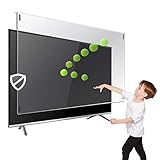
- Extremely strong made from nearly undestroyable optical-grade acrylic. 10 times stronger than 1/4 inch thick glass
- Maintains the sharp and vivid HDTV picture quality. Extensively tested; will deflect any thrown remote control or a toy
- Stylish appearance. Easy to install, ready to attach and keeps the gorgeous look of you flat-screen TV. Easily detachable for cleaning
- Prevents damage, scratches, fingerprints. Heavy Duty. Must have for Families with Children and Nintendo Wii owners
- Fits all 54 and 55 inch LCD, LED or Plasma TV including: Sony, Samsung, LG, Sharp, Sanyo, Vizio, Panasonic, Philips, RCA, Toshiba, Mitsubishi, Emerson, Insignia, Magnavox, Element, Haier, Sylvania etc.
If it appears only on one input
- Switch to another input or a built-in app and check the same screen area.
- Reseat the cable at both ends, then try a different port or a known-working cable if available.
- Test another connected device. If the shadow follows the original device or source rather than staying in the same screen position across the TV, troubleshoot that device, source, or connection.
- If the TV offers an HDMI cable test, follow the model’s own instructions. Samsung notes that availability varies and its test guidance is for cables under 2 m.
If the shadow persists across menus and sources
A fixed mark that remains in the same place on the TV menu, built-in test, and multiple inputs after a restart warrants model-specific support. Samsung’s guidance distinguishes a black area that cuts into the TV menu from cases where the menu displays fully: if the menu itself is affected, it directs customers to support; if not, it proceeds to source and Picture Test checks. Follow the instructions for your model rather than applying another model’s service threshold.
Before contacting the manufacturer or an authorized service provider, gather:
Rank #2

- LCD panel Replacement;Non touch;
- 1366*768;11.6 inch;30 pin;LCD model:B116XTN02.3
- For Samsung ChromeBook 2 3 4 XE310XBA XE500C12 XE500C13 XE501C13 Series;
- Mounting brackets: Right & Left brakets;Standard TN (NON IPS)
- Test twice before shipping;Check laptop model to avoid buying wrong;
- The TV’s model and serial number.
- When you first noticed the shadow.
- Whether it appears on menus, built-in tests, apps, and each input you checked.
- Photos of the screen on several backgrounds, captured without pressing on the panel.
- Warranty or purchase details, if available.
These details help support teams assess the symptom. The reviewed manufacturer guidance does not establish that a particular black shadow means failed LEDs, a diffuser, or a specific circuit board. Do not buy replacement parts or attempt an internal repair based only on the mark’s appearance.
Outdated Drivers Are Slowing You Down
One free scan finds every outdated or missing driver and matches the right update for your exact hardware.Free scan · exact hardware matchWindows Errors? Fix Them Before They Spread
Repair common Windows errors and clear accumulated junk for a smoother, more stable PC - no reinstall needed.Free scan · no reinstallWhen a dark-room shadow may be uneven brightness
If what you see is closer to cloudy brightness than a sharply defined black spot, and it is most noticeable in a dark room or on a blank screen, check the viewing conditions before treating it as a fault. For applicable LCD models, Sony UK suggests reducing the backlight, enabling the light sensor, or changing power-saving settings if the effect is bothersome. Settings and labels vary by model; consult the TV’s own picture menu and model-specific support. These adjustments are for the clouding or bright-spot effect Sony describes, not a fix for a persistent black area.
Rank #3
- Replaces the original part number: Compatible with Cadillac Escalade GMC Yukon Chevy Tahoe Suburban 12.6-in Headrest Back Seat DVD player LCD display panel. The TsuperU uses upgraded materials, offering superior sensitivity, high definition. With this part, you won't need to go to the dealer for a replacement, as they often recommend replacing the entire car dvd player, which could cost thousands of dollars, but is completely unnecessary. Please watch the replacement video on YT's
- EASY PROBLEM SOLVED: If your LCD display touch screen is cracked, delaminating, bubbles, White, fogging, air holes, unresponsive, has garbled, phantom, ghosted, ghosting, dead pixels, unresponsive, or looks bad, simply replace the TsuperU 12.6-inch Rear seat headrest TV player LCD screen panel and it will return to its original functionality without the need for a trip to the dealership for costly repairs. One replacement is all it takes to fix the problem
- COMPATIBLE VEHICLE MODELS: TV screen fits Cadillac Escalade ESV DVD digitizer screen 2021-2024 Headrest Back Seat TV display screen. for CHEVY Suburban Tahoe 2021- 2023, for GMC Yukon XL 2021-2023 please check the OEM number and size carefully before purchasing, compare with your original parts to make sure that this touch screen fits your car. This 12.6-inch TV touchscreen is compatible with both the driver's and passenger's sides and can be used on either side
- EASY TO INSTALL: The product comes with adhesive, you only need to tear off the protective film to use it, easy to install. for Cadillac Escalade ESV Suburban RST car dvd player panel is an exact fit for the original vehicle. For display only 85100044 84824745 86786028 85585741 87866825 85157877 85100043 85157661 84981266 85157878 85100042 86779015 857721794 85720894 86786027 85023929 84981265. This is just the LCD display panel; it does not include the entire unit
- TOUCH RESPONSIVE: Rear seat headrests DVD display screen meets OEM system, high light transmission, high visibility, responsive, high touch accuracy. touch screen monitor is made of new upgraded material with high resolution, high clarity, more stable performance, faster response time, and has been rigorously tested to ensure a long service life, TV LCD display panel screen replacement
Do pixel figures determine whether your TV should be repaired?
No single figure in the available manufacturer guidance establishes a universal allowance or warranty rule for LCD TVs. LG USA states that “Sometimes, approximately 1PPM (one in a million) of inactive pixels may be displayed as fine dots, but they do not affect the performance and reliability of the product.” That is LG’s general support statement about inactive pixels, published on its TV pixel-support page; it should not be treated as a TV-wide pixel allowance or as a warranty determination for another model or manufacturer.
Quick Recap
Best Value

- Direct Replacement for OE Numbers 85100044, 84824745, 86786028, and More: This 12.6" headrest screen replaces OEM part numbers including 85100044, 84824745, 85100043, 85157661, 8510044, 58157877, 86786028, 85585741, 87866825, 85157877, 84981266, 85157878, and 85100042.
- Replacement for 2021-2024 GMC Yukon / Yukon XL, Chevy Suburban / Tahoe, and for Cadillac Escalade: Designed specifically for 2021-2023 GMC Yukon & Yukon XL, 2021-2023 Chevy Tahoe, 2021-2023 Chevy Suburban, and for 2021-2024 Cadillac Escalade. Please verify your vehicle model before ordering.
- Stable Performance & Easy Installation: Every unit is strictly inspected before shipment. No tools or installation manual included. Engineered for consistent rear seat entertainment performance.
- LCD Touchscreen – Scratch-Resistant & Highly Responsive: Built with durable LCD material and a wear-resistant surface to prevent minor scratches. Meets OEM standards for high resolution, smooth touch sensitivity, and long-lasting performance in daily use.
- Restore Touch Response & Fix Display Glitches Easily: Solves common issues like ghost touch, dead pixels, black screen, signal loss, cracks, peeling, and unresponsive touch. Just replace the screen and digitizer to bring back full factory functionality.
Rank #4
- Prevents damage, scratches, fingerprints. Heavy Duty. Must have for Families with Children and Nintendo Wii owners
- Maintains the sharp and vivid HDTV picture quality. Extensively tested; will deflect any thrown remote control or a toy
- Fits all 32 inch diagonal LCD, LED or Plasma TVs including: Sony, Samsung, LG, Sharp, Sanyo, Vizio, Panasonic, Philips, RCA, Toshiba, Mitsubishi, Emerson, Insignia, Magnavox, Element, Haier, Sylvania etc.
- Extremely strong made from nearly undestroyable optical-grade acrylic. 10 times stronger than 1/4 inch thick glass
- Stylish appearance. Easy to install, ready to attach and keeps the gorgeous look of you flat-screen TV. Easily detachable for cleaning
Product prices and availability are accurate as of the date/time indicated and are subject to change. Any price and availability information displayed on Amazon at the time of purchase will apply.




