There is no single best VPN for every Netgear router. The right choice depends on the exact model and whether you want to connect back to your home network or route household internet traffic through a commercial VPN. Netgear’s built-in VPN Service is for remote access into your home network; it does not, by itself, make the router a VPN client for a provider such as NordVPN.
For most owners, the practical options are to keep the stock firmware and use the router’s remote-access feature for its intended purpose, investigate third-party firmware only after confirming exact-model support, or choose a router that explicitly supports VPN-client connections. The key is to verify the model, firmware, protocol, and security-update status before changing anything.
As an Amazon Associate I earn from qualifying purchases.
First decide what you want the VPN to do
“VPN on a router” can mean two different things. A VPN server lets you connect from outside your home to devices or resources on your home network. A VPN client connects the router to a commercial VPN service so that some or all devices in the home send their internet traffic through that service.
NETGEAR’s Nighthawk VPN Service documentation covers remote access: individual Windows devices use OpenVPN software to connect back to the router. It is not a documented way to route the household’s outbound traffic through a commercial VPN. See NETGEAR’s Nighthawk VPN Service instructions.
#1 Best Overall

- Coverage up to 2,000 sq. ft. for up to 25 devices
- Ultrafast AX3000 speeds up to 3Gbps with WiFi 6 technology for uninterrupted streaming, HD video gaming, and web conferencing
- This router does not include a built-in cable modem. A separate cable modem (with coax inputs) is required for internet service.
- Connects to your existing cable modem and replaces your WiFi router. Compatible with any internet service provider up to 1Gbps including cable, satellite, fiber, and DSL
- Plug in computers, game consoles, streaming players, and more with 4 x 1G Ethernet ports
NETGEAR’s support article, last updated July 7, 2025, says its routers work with OpenVPN version 2.7.1 or earlier for this service. That version requirement applies to the documented remote-access setup, not to commercial VPN-client compatibility.
Which Netgear VPN approach fits your situation?
| Approach | What it does | Main trade-off |
|---|---|---|
| Stock Netgear firmware and VPN Service | Enables supported remote-access connections back to the home network using OpenVPN clients on individual Windows devices. | Does not establish that the router can run a commercial VPN client. NETGEAR instructions. |
| Third-party firmware such as DD-WRT | May provide a VPN-client path on some Netgear models when the precise hardware is supported. | Compatibility varies, and flashing can damage the router or void its warranty. NordVPN’s Netgear guidance advises checking the exact model against DD-WRT support. |
| ExpressVPN router firmware for a listed Netgear model | ExpressVPN documents installation for R6300v2, R6400v2, R6700v3, Nighthawk R7000, and R7000P. | ExpressVPN says security updates for all these supported Netgear models have ended. Installation replaces existing settings, including Wi-Fi name and password. ExpressVPN’s Netgear setup guide. |
| VPN-client-capable or preconfigured replacement router | Can provide a more direct route to connecting a router to a commercial VPN, subject to the exact product’s specifications and provider setup instructions. | Confirm the exact model, supported client protocol, provider instructions, availability, and security support. NordVPN lists multiple router setup paths and identifies a preconfigured-router partner; these references do not guarantee every model or current availability. NordVPN’s router setup guide. |
The reviewed official sources do not provide comparable measured throughput figures for these Netgear approaches, so there is no evidence-based performance ranking here. Actual speed and coverage depend on the router, its configuration, the VPN service, and the connection.
Rank #2

- 【Five Gigabit Ports】1 Gigabit WAN Port plus 2 Gigabit WAN/LAN Ports plus 2 Gigabit LAN Port. Up to 3 WAN ports optimize bandwidth usage through one device.
- 【One USB WAN Port】Mobile broadband via 4G/3G modem is supported for WAN backup by connecting to the USB port. For complete list of compatible 4G/3G modems, please visit TP-Link website.
- 【Abundant Security Features】Advanced firewall policies, DoS defense, IP/MAC/URL filtering, speed test and more security functions protect your network and data.
- 【Highly Secure VPN】Supports up to 20× LAN-to-LAN IPsec, 16× OpenVPN, 16× L2TP, and 16× PPTP VPN connections.
- Security - SPI Firewall, VPN Pass through, FTP/H.323/PPTP/SIP/IPsec ALG, DoS Defence, Ping of Death and Local Management. Standards and Protocols IEEE 802.3, 802.3u, 802.3ab, IEEE 802.3x, IEEE 802.1q
Can you set up a Netgear router with NordVPN?
Not as a VPN client on ordinary stock Netgear firmware, according to NordVPN’s support guidance. NordVPN says native Netgear routers cannot serve as OpenVPN clients. It notes that some models may be configured through third-party firmware, but that depends on support for the exact model. This is a vendor compatibility statement about its supported setup, not proof that no firmware modification could work on any Netgear hardware.
- Identify the exact model and hardware revision. Read the label on the router or check its administration interface. A model name alone may not settle firmware compatibility.
- Check DD-WRT’s official supported-device information. NordVPN advises verifying support for the precise Netgear model before attempting a flash.
- Read the firmware and VPN-provider instructions for that exact device. Confirm the supported VPN-client protocol and setup requirements rather than assuming that a general router guide applies.
- Weigh the risk before changing firmware. NordVPN warns that flashing is at the user’s risk and may damage the router or void its warranty. Do not treat it as a routine setting change.
NordVPN’s guidance is available at Can I set up Netgear router with NordVPN?
Rank #3

- Wired VPN with 8-port 10/100 Mbps switch
- Business-class security includes SPI firewall and an Intrusion Detection System
- Eight dedicated VPN tunnels to protect links between locations
- Backed by 3-Year warranty
- Device measures 7.1 x 1.4 x 9.95 inches (WxHxD)
What to know about ExpressVPN firmware on older Netgear routers
ExpressVPN provides a router-firmware guide for five Netgear models: R6300v2, R6400v2, R6700v3, Nighthawk R7000, and R7000P. The important limitation is security support: ExpressVPN says security updates for all the supported Netgear models have ended. A setup guide is not a sign that the underlying router is still receiving security fixes.
Installing the firmware replaces existing router settings, including the Wi-Fi network name and password. ExpressVPN says reverting to the default Netgear firmware is possible, but changing firmware still requires preparation and can disrupt the existing network configuration. Check the current model-specific details in ExpressVPN’s Netgear router setup guide and its router FAQs.
Rank #4
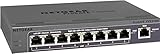
- 5 VPN Tunnels for Secure Remote Access
- Provides both secure IPsec site-to-site tunnels and IPsec secure access for remote clients
- Includes denial-of-service (DoS) protection, stateful packet inspection (SPI), URL keyword filtering, logging, reporting, and real-time alerts
When a replacement router is the better choice
If your goal is to route multiple devices through a commercial VPN, a router with explicitly documented VPN-client support is often a clearer path than trying to turn an unsupported Netgear model into one. A preconfigured router is another option for people who prefer a supported setup route over installing firmware themselves.
NordVPN’s setup material lists several router platforms, including GL.iNet, and identifies FlashRouters as a preconfigured-router partner. Neither fact means every model supports every protocol or that a particular product is currently available. Before buying, confirm the exact router model, VPN-client protocol, provider compatibility, firmware support, and any per-device controls you need. See NordVPN’s router setup options.
Quick Recap
Best Value

- High performance hardware with one 10G/Multi-Gig configurable LAN/WAN port, one 2.5G WAN port, three 2.5G LAN ports and one 10G SFP+ port for long-distance backhaul
- Dual WAN Ports with failover and load balancing for reliable, seamless connectivity. Optimize network performance and security with up to 32 VLANs
- Secure remote network access via IPSec Site-to-Site and Client-to-Site VPN, Open VPN and WireGuard, with up to 100 client device connections and 30 VPN tunnels
- Integrates with NETGEAR Pro WiFi Access Points and select Smart switches as part of NETGEAR’s Enterprise Network Solution, designed for easy SME management
- NETGEAR Insight for remote network management anytime, from anywhere. Includes 1-year subscription
How to choose without guessing
- For remote access to home: Check whether your model supports NETGEAR VPN Service and follow NETGEAR’s client and version requirements.
- For whole-home commercial VPN use: Do not assume the built-in VPN Service is the right feature. Confirm explicit VPN-client support on the exact router and firmware.
- For an older Netgear model: Treat third-party firmware as a model-specific, higher-risk option. For ExpressVPN’s listed models, account for the stated end of security updates.
- For a new purchase: Verify current specifications and provider setup instructions before ordering; the available evidence does not establish a currently sold Netgear model that meets all VPN-client and security-support requirements.
- For speed or Wi-Fi coverage: Compare current specifications and independent testing for the exact products under consideration. The cited vendor material does not establish comparable real-world throughput for these approaches.
Product prices and availability are accurate as of the date/time indicated and are subject to change. Any price and availability information displayed on Amazon at the time of purchase will apply.




