Do these 3 things before closing this tab:
1Clear out junk files and repair common Windows errors2Scan for outdated or missing drivers - takes under a minute3Repair Windows errors before they cause bigger problemsThe best time-tracking software depends on what you need after the timer stops. For straightforward client and project tracking with billable-hour reports, compare Toggl Track and Clockify. If you want logged hours to flow into client invoices, consider FreshBooks. Choose by capture habits, billing workflow and plan limits—not by a universal “best” label.
How to choose a time tracker for freelance work
A timer is useful for billing only if you use it consistently and assign each entry to the right client or project. Before comparing features, decide how you record time and what you need to do with those records.
As an Amazon Associate I earn from qualifying purchases.
- Capture: Do you reliably start and stop a timer, or do you need to enter missed hours later? Calendar-derived entries, offline access and automatic activity capture may matter, but feature descriptions alone do not establish which tool will record your work most accurately.
- Organization: Check that you can attribute time to the clients, projects and tasks you use, and distinguish billable from non-billable work.
- Billing: Decide whether client-ready reports are enough, or whether you need hours to transfer into invoices. Check whether rates can vary by client, project or task.
- Project control: If you work on retainers or fixed-fee engagements, look for estimates-versus-actuals, budget alerts and profitability reporting.
- Platforms and integrations: Confirm support for your devices and the specific apps in your workflow. Verify offline and sync behavior directly if it is essential.
- Plan and privacy: Compare current plan limits, billing cadence, per-user or per-seat rules, and data practices. A solo freelancer may not need employee-monitoring features.
Which tools fit which freelance workflow?
Toggl Track: tracking and client-ready reports
Toggl describes support for web, mobile, desktop and browser extensions, with billable and non-billable hours, rates assigned to tasks or projects, billable-income totals and reports on its freelancer page. Its consultant page also describes calendar-derived entries, desktop keyword rules and a private activity timeline, budget alerts, rates at multiple levels, client-ready reports, and estimates-versus-actuals. These are vendor-described functions, not independent comparisons of accuracy or ease of use.
Recommended Free Tools
Toggl’s consultant page displays a customer testimonial from Greg Martel, COO and co-founder of Newlogic: “It’s extremely easy and intuitive, as well as non-invasive. That’s why there was no resistance when we introduced the tool to our team.” Treat it as a testimonial published by the vendor, not as independent evidence.
#1 Best Overall

- ✔This daily plan pad features detailed hourly schedule timelines from 12 AM to 11 PM, perfectly segment your morning, afternoon and evening hours. Track meetings, appointments and fixed tasks hour by hour to eliminate procrastination and boost your daily time management efficiency.
- ✔ 1.Put an end to the time black hole: Every hour of activity is recorded, so you always know where your time goes and bid farewell to "being busy yet achieving nothing". 2.Cure procrastination: Visual time grids have an inherent sense of supervision; blank time slots serve as a direct reminder, with more binding power than phone alerts. 3.Gain instant a sense of accomplishment: Check off completed tasks with a simple tick. A filled time axis page by page delivers physical feedback that digital tools cannot match, making it easier to keep going the more you use it.
- ✔ 1.Students & Exam Takers: Plan class, review and practice time; allocate study hours for each subject precisely for targeted exam preparation. 2.Professionals: Schedule meetings, work projects and commute time; prioritize tasks clearly and bid farewell to chaotic overtime. 3.Freelancers & Stay-at-Home Parents: Clearly divide work/childcare/personal time to avoid blurring the boundaries between life and work. 4.Self-Discipline Enthusiasts: Check in on fitness, reading and learning; develop regular routines with hourly scales to build good habits effortlessly.
Clockify: timer, manual entries and reports
Clockify’s freelancer page describes a one-click timer as well as manual entry for missed time. It says users can organize entries by clients, projects and tasks, set billable rates, and share or export summary and weekly reports as links, PDF, CSV or Excel. The page also mentions desktop and mobile apps, reminders and idle detection. Confirm which functions are available on the plan you are considering.
FreshBooks: time tracking connected to invoices
FreshBooks describes starting a timer or logging completed hours on mobile and web, as well as using a Chrome timer to track time against projects and clients. Its FAQ says logged hours can be automatically pulled onto a client invoice. That workflow may suit you if invoice creation is part of the same system you want to use; it is a different need from simply producing a report for billing elsewhere.
Rank #2

- BOOST YOUR PRODUCTIVITY - This undated weekly productivity planner notepad focus on the important work and get organized. Weekly to do list notepad allowing you to categorize and prioritize your tasks effectively. Whether you're a small business owner, project manager, freelancer, academicians or master multitasker, the weekly to do list pad will be your new favorite daily office productivity tool.
- UNDATED WEEKLY PLANNER - This weekly planner start any time with 54 weeks, Weekly planner notebook has plenty of space to write your goal plan, work plan, student plan or personal schedule, keep track of priorities, and write notes on the back. This versatile planner allows you to stay organized in 2026, 2027, or even as far ahead as 2028!
- FEATURES - Weekly Theme and Highlights for at-a-glance planning Top 3 Priorities for the week 6 Focus Areas to segment and list tasks for goals, projects, or clients Daily Tracker for healthy habit-tracking and routine-tracking.
- HIGH QUALITY - This weekly desk planner size of 8.5" x 11", it offers ample space for writing and planning your tasks, just the perfectly size to fit in your backpack. Is used to high quality 100gsm pure white paper, elastic band and a back pocket for extra space.
- FUNDTIONAL DESIGN - This weekly deskpad planner will completely change how you structure your work: by segmenting your tasks by area and tracking the most important details, you'll feel less scattered and more organized.We believe in helping you be fulfilled with your life and productive at the same time by using a weekly to do list notepad.
Harvest and other candidates
A FreshBooks comparison marked 2026 characterizes Harvest as a paid option for small freelance teams seeking time tracking and invoicing. Toggl’s consultant comparison also lists Hubstaff, TimeCamp, My Hours, Timely, Time Analytics, DeskTime and Apploye. These vendor-authored roundups can help you find candidates, but check each competitor’s current capabilities directly before relying on comparative claims.
Compare plans and prices carefully
Published prices are snapshots, not a harmonized live comparison. A FreshBooks comparison marked 2026 lists starting paid-plan prices of $9/month per user for Toggl Track, $3.99/month per seat for Clockify and $9/month per seat for Harvest. Upwork’s 2026 comparison lists Clockify as Free, then $3.99, $5.49, $7.99 and $11.99 per seat/month for tiers billed annually; for Toggl, it lists Free, $9 and $18 per user/month for plans billed annually.
Rank #3

- 【Value Pack】You will receive 2 pieces of time tracker notebook,50 sheets for each notebook,100 pages in total,measures about 9 x 6.1inch/23 x 15.5cm.Time tracking notebook is a necessary addition to any attorney’s office,small business or freelance assignment.Enough size and quantity to meet your daily needs,which will bring much convenience to your work.
- 【Practical Design】For business or personal use,time tracker log is shown across a 2-page spread,on the left side,you have days and each hour,where you can write quick details about who you worked for. On the right side of the page you can keep more detailed track of the specific tasks you worked on and what client it was for,as well as the specific amount of time you spent on each task.Understand exactly where your time goes and start making the most of every minute with this task planner pad.
- 【Easy to Use】The timesheet log book is designed with a spiral to make it easier to turn pages,do not worry about the crease,and if you tear out a single page,the rest of the paper won't fall apart.Break free from clunky blocks of time in your work planner,a simple and easy way track your billable hours.
- 【Effectively Track Time】Take charge of your time and start organizing your life with these to do list notepad.Essential for those who need to track time, this time tracker log helps you keep an accurate account of your time,achieve maximum office productivity.These notebook offer deeper insight into your time management,know what's next on your agenda at a glance,and add some strategic structure to your day.either way,this notebook will be a help to you.
- 【Quality Material】Our time management logbook are made of quality paper,reliable and sturdy,not easy to break.With nice printing,the words and colors are not easy to fade,can be applied for a long time and provide you with a smooth writing experience.
The figures come from separate comparison pages, and may differ by currency, geography, taxes, billing cadence, minimum users, plan names and feature eligibility. Check the vendor’s current pricing page and plan details before purchasing; the cited comparisons do not establish what offer will be available to you.
| Tool | What the cited comparison lists | Billing qualification |
|---|---|---|
| Toggl Track | Starting paid price of $9/month per user (FreshBooks, 2026); Upwork lists Free, $9 and $18 per user/month. | Upwork’s listed tiers are for annual billing. FreshBooks’ comparison does not establish the billing cadence in the cited price summary. |
| Clockify | Starting paid price of $3.99/month per seat (FreshBooks, 2026); Upwork lists Free, then $3.99, $5.49, $7.99 and $11.99 per seat/month. | Upwork’s listed tiers are for annual billing. FreshBooks’ comparison does not establish the billing cadence in the cited price summary. |
| Harvest | Starting paid price of $9/month per seat (FreshBooks, 2026). | The cited FreshBooks price summary does not establish the billing cadence. |
Both comparison pages were accessed on October 4, 2026. Their figures should not be treated as guaranteed current prices or as proof that similarly priced plans include the same features.
Rank #4
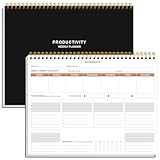
- BOOST YOUR PRODUCTIVITY - This undated weekly productivity planner notepad focus on the important work and get organized. Weekly to do list notepad allowing you to categorize and prioritize your tasks effectively. Whether you're a small business owner, project manager, freelancer, academicians or master multitasker, the weekly to do list pad will be your new favorite daily office productivity tool.
- UNDATED WEEKLY PLANNER - This weekly planner start any time with 54 weeks, Weekly planner notebook has plenty of space to write your goal plan, work plan, student plan or personal schedule, keep track of priorities, and write notes on the back. This versatile planner allows you to stay organized in 2026, 2027, or even as far ahead as 2028!
- FEATURES - Weekly Theme and Highlights for at-a-glance planning Top 3 Priorities for the week 6 Focus Areas to segment and list tasks for goals, projects, or clients Daily Tracker for healthy habit-tracking and routine-tracking.
- HIGH QUALITY - This weekly desk planner size of 8.5" x 11", it offers ample space for writing and planning your tasks, just the perfectly size to fit in your backpack. Is used to high quality 100gsm pure white paper, elastic band and a back pocket for extra space.
- FUNDTIONAL DESIGN - This weekly deskpad planner will completely change how you structure your work: by segmenting your tasks by area and tracking the most important details, you'll feel less scattered and more organized.We believe in helping you be fulfilled with your life and productive at the same time by using a weekly to do list notepad.
A practical way to make the decision
- Write down your workflow. Note how you capture time now, how many clients and projects you track, whether rates vary, and whether you invoice inside a separate accounting tool.
- Shortlist by the job you need done. Start with Toggl Track or Clockify if timer and manual capture plus reports are the priority. Include FreshBooks if pulling tracked hours into invoices is central to your workflow.
- Check the exact plan. Verify current prices, billing cadence, user rules, limits and the features you need on each vendor’s own plan page.
- Try representative work before committing. Enter a typical week, including missed-time corrections, billable and non-billable tasks, and any differing client rates. Check whether the resulting report or invoice handoff fits your actual process.
- Review the output. Confirm that entries land under the right client and project, totals make sense, and you can export, share or invoice the information in the format you need.
Bottom line: choose for the handoff, not just the timer
For a simple tracking-and-reporting workflow, compare Toggl Track and Clockify against the client, project and report structure you need. If your priority is getting logged hours onto invoices, evaluate FreshBooks’ documented workflow. No cited evidence establishes one tool as the most accurate or easiest for every freelancer, so test your own routine and confirm current plan terms before choosing.
Quick Recap
Best Value

- PLAN YOUR WEEK BY THE HOUR Map out your week clearly with an hourly schedule layout designed to help you organise appointments, tasks, deadlines, routines and daily priorities.
- TIME BLOCKING MADE SIMPLE Use the hourly planner format to block out work, study, meetings, errands, workouts, school runs, home admin and focused time throughout the week.
- WEEKLY TO DO LIST & NOTES SPACE Keep your schedule and task list together with dedicated space for weekly priorities, reminders, notes and things you do not want to forget.
- 50 UNDATED TEAR-OFF SHEETS Includes 50 undated weekly planning sheets, so you can start any week of the year, skip weeks when needed and tear off each page once complete.
- COLOURFUL RAINBOW DESK PAD A bright, practical weekly planner notepad for desks, home offices, students, teachers, professionals, busy parents and anyone who likes visual weekly organisation.
Product prices and availability are accurate as of the date/time indicated and are subject to change. Any price and availability information displayed on Amazon at the time of purchase will apply.




