
Zoho Calendar
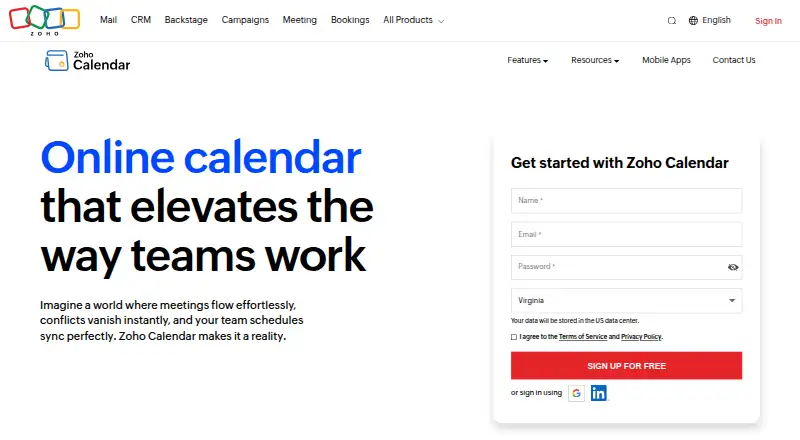
What Zoho Calendar is
Zoho Calendar is a calendar service for arranging appointments, team events, and other commitments. Users can create a personalized booking page with adjustable duration, availability, limits, and branding; the free plan allows one booking link. Teams can schedule events and reserve resources such as meeting rooms. Views include day, week, month, and agenda, with custom reminders, color-coded events, and simultaneous display of two time zones. Smart Add can turn natural-language text into event details. Calendar sync works both ways with Google Calendar and Outlook, and CalDAV sync is available for Apple Calendar. Listed conferencing integrations include Zoho Meeting, Zoho Cliq, Microsoft Teams, Zoom, Webex, and Google Meet. Zoho Calendar also lists workflow connections including Zapier, Microsoft Power Automate, Make, Workato, and n8n. It offers web access and Android and iOS apps. The Free plan costs nothing. Technical assistance is available around the clock by chat, phone, and email.
Who it suits
It suits individuals and teams who need shared calendars, appointment booking, and resource scheduling. It may also fit users who want to sync calendars or connect scheduling with conferencing and workflow tools.
What it does well
- Free plan includes one booking link.
- Teams can reserve meeting rooms.
- Syncs with Google Calendar and Outlook.
- Offers day, week, month, and agenda views.
- Support is available around the clock.
What to know first
- Free users are limited to one booking link.
- HIPAA controls do not mean Zoho handles PHI for its own purposes.
Limits
The Free plan costs nothing and allows up to one appointment booking link per free user.
Plans
| Plan | Billed and limits | Price |
|---|---|---|
| Free | Free online calendar for individuals and teams · Free users can create up to 1 appointment booking link | Free |
As zoho.com lists them, read 11 Oct 2026. The maker's own page has the final word.
Getting started
- Visit https://www.zoho.com/calendar/.
- Use the Free plan, listed as free.
- Access Zoho Calendar on the web or install its Android or iOS app.
- Create a calendar, appointment booking page, or team event.
- Connect a supported calendar, conferencing service, or workflow integration as needed.
Zoho Calendar brings personal scheduling, appointment booking, and shared team and resource calendars into one service for web, Android, and iOS. It is a strong fit for individuals and teams that need booking pages and calendar synchronization together, while users who require several separate booking links should consider another option.
Overview
Zoho Calendar covers routine commitments as well as coordinated work. Teams can publish events, reserve shared resources such as meeting rooms, and connect calendars they already use. Individuals can present a controlled appointment schedule instead of exposing every open slot. Its free entry plan makes the core service accessible, but the single booking-link limit narrows its usefulness for people offering multiple appointment types.
Key features
Appointment and team scheduling
A personalized booking page can define appointment length, availability, booking limits, and branding. Those controls suit consultants, support desks, and small teams that need predictable appointment intake. Free users can create only one booking link, so separate pages for different services, staff, or availability patterns require a higher tier or a different product.
Shared calendars let teams coordinate events and book resources, including meeting rooms. Day, week, month, and agenda views, custom reminders, color-coded events, and simultaneous display of two time zones provide the practical controls needed for busy schedules spanning locations. Time blocking is supported for protecting portions of the day.
Entry and synchronization
Smart Add extracts event information from natural-language text such as “Meeting with John tomorrow at 2pm,” reducing the amount of form filling needed for quick entries. Two-way synchronization with Google Calendar and Outlook keeps changes aligned in both systems, while CalDAV synchronization connects Apple Calendar.
Meetings, automation, and controls
Conferencing connections cover Zoho Meeting, Zoho Cliq, Microsoft Teams, Zoom, Webex, and Google Meet, giving teams several ways to attach online meetings to scheduling workflows. Automation services include Zapier, Microsoft Power Automate, Make, Workato, and n8n.
For organizations addressing HIPAA-related controls, Zoho Calendar lists multi-factor authentication, password policies, administrator controls, IP restrictions, encryption in transit and at rest, and audit logs retained for one year. Zoho says it does not collect, use, store, or maintain HIPAA-protected health information for its own purposes; the controls are intended to help customers operate in a HIPAA-compliant manner. Technical assistance is offered around the clock by chat, phone, and email.
Pricing
| Plan | Price | What you get |
|---|---|---|
| Free | free | Free online calendar for individuals and teams; up to one appointment booking link per free user |
The free plan is suitable for a personal calendar, a small team, or a service with one consistent booking page. Its clear trade-off is the one-link ceiling: anyone separating consultations, classes, or departments into multiple booking pages will outgrow it. No other plan terms or prices are provided, so organizations needing expanded booking capacity should request a quote from Zoho.
Platforms
Zoho Calendar runs on the web and has mobile apps for Android and iOS. Two-way Google and Outlook synchronization and CalDAV support for Apple Calendar help users keep it in a mixed-device setup.
Who it's for
Choose Zoho Calendar for personal scheduling, appointment-led work, or teams that need shared event and room calendars in the same system. It is particularly well suited to organizations already using Zoho or the listed conferencing and automation services. It is less suitable for a free-plan user who needs several distinct booking links.
Pros and cons
- Pros: Booking pages offer duration, availability, limits, and branding controls.
- Pros: Shared team calendars include resource booking for meeting rooms.
- Pros: Two-way Google and Outlook sync plus Apple CalDAV support reduce calendar duplication.
- Pros: Broad conferencing and workflow integrations support varied workplace setups.
- Cons: Free users are limited to one appointment booking link.
- Cons: Published pricing covers only the free plan, making paid capacity harder to assess upfront.
Alternatives
For a fully free, open-source calendar with email and contacts and support for multiple accounts, consider Mozilla Thunderbird. Microsoft Outlook Calendar is a better fit if you want Microsoft 365 integration across Android, iOS, macOS, and the web, with a one-month trial on listed Microsoft 365 plans. Choose Tuta Calendar when a privacy-focused service with a free tier and one calendar is the priority. Lark suits teams seeking a broader collaboration platform with a starter allowance of 20 users, 100 GB storage, and 1,000 automations per month. EGroupware is an open-source option with web and desktop coverage and a free trial. Proton Calendar is for users wanting a free Proton account with three calendars on Android and iOS. Teamup fits small groups needing five sub-calendars, five users, and one year of history on its free plan. Cozi is aimed at families wanting a shared calendar alongside grocery and to-do lists.
Verdict
Zoho Calendar is a sensible choice for individuals and teams that need appointment booking, shared resources, synchronization, and conferencing connections in one calendar service. The free plan makes that combination easy to start, but the one-booking-link cap is the central reason to look elsewhere if you run multiple appointment offerings.
Verdict
Zoho Calendar combines scheduling, shared team calendars, and appointment booking with a free entry plan. Check the one-link limit if you need multiple booking pages.
Questions
Is Zoho Calendar free?
Yes. The Free plan is listed as free.
Which platforms does it support?
Zoho Calendar is available on web, Android, and iOS.
Can it sync with other calendars?
It supports two-way sync with Google Calendar and Outlook, and CalDAV sync with Apple Calendar.
Which video meeting services are integrated?
Listed integrations include Zoho Meeting, Zoho Cliq, Microsoft Teams, Zoom, Webex, and Google Meet.
How many booking links can free users create?
Free users can create up to one appointment booking link.
Who makes Zoho Calendar?
Zoho Calendar is made by Zoho. The company was founded as AdventNet Inc. in 1996 and renamed Zoho Corporation in 2009.
Facts from Zoho Calendar's own pages
- Appointment booking
- Users can create a personalized booking page with configurable duration, availability, limits, and branding; free users can create up to one booking link. · zoho.com, 11 Oct 2026
- Calendar sync
- two_way · zoho.com, 20 Sept 2026
- Calendar syncing
- Zoho Calendar supports two-way sync with Google Calendar and Outlook, and CalDAV sync with Apple Calendar. · zoho.com, 11 Oct 2026
- Calendar views and reminders
- Calendar features include day, week, month, and agenda views, custom reminders, color-coded events, and simultaneous display of two time zones. · zoho.com, 11 Oct 2026
- Company history
- Zoho’s company timeline says it was founded as AdventNet Inc. in 1996 and renamed Zoho Corporation in 2009. · zoho.com, 11 Oct 2026
- Compliance qualification
- Zoho says it does not collect, use, store, or maintain HIPAA-protected health information for its own purposes and describes Calendar controls to help customers use the service in a HIPAA-compliant manner. · zoho.com, 11 Oct 2026
- Conferencing integrations
- Zoho Calendar lists integrations with Zoho Meeting, Zoho Cliq, Microsoft Teams, Zoom, Webex, and Google Meet. · zoho.com, 11 Oct 2026
- Founded
- 1996 · zoho.com, 28 Sept 2026
- Free plan
- Yes · zoho.com, 20 Sept 2026
- Headquarters
- Zoho identifies Chennai, India, as its global headquarters. · zoho.com, 11 Oct 2026
- Mobile apps
- Zoho Calendar has mobile apps for iOS and Android, where users can manage events and receive notifications and reminders. · zoho.com, 11 Oct 2026
- Scheduling
- Zoho Calendar provides scheduling tools for appointments, team events, and other commitments. · zoho.com, 11 Oct 2026
- Scheduling links
- Yes · zoho.com, 20 Sept 2026
- Security controls
- For HIPAA-related organizational controls, Zoho Calendar lists MFA, password policies, administrator controls, IP-based restrictions, encryption at rest and in transit, and audit logs retained for one year. · zoho.com, 11 Oct 2026
- Shared calendars
- Yes · zoho.com, 20 Sept 2026
- Smart Add
- Smart Add extracts event details from natural-language text, such as “Meeting with John tomorrow at 2pm.” · zoho.com, 11 Oct 2026
- Support
- The product page says technical assistance is available around the clock by chat, phone, and email. · zoho.com, 11 Oct 2026
- Team and resource calendars
- Teams can schedule events and book resources, including meeting rooms, through the calendar. · zoho.com, 11 Oct 2026
- Time blocking
- Yes · zoho.com, 20 Sept 2026
- Video meeting support
- Yes · zoho.com, 20 Sept 2026
- Workflow integrations
- The integrations page lists Zapier, Microsoft Power Automate, Make, Workato, and n8n for automating scheduling workflows. · zoho.com, 11 Oct 2026
Where Zoho Calendar stands on Freedom251
- Calendar apps#13 of 194