
Tuta Calendar
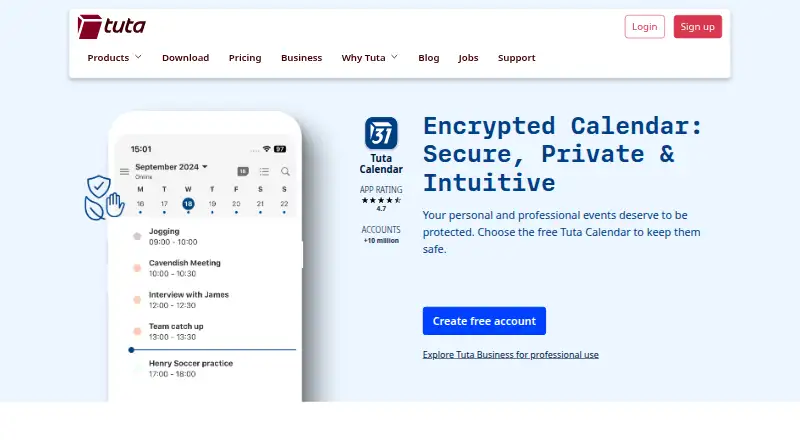
What Tuta Calendar is
Tuta Calendar is a calendar service with mobile apps for iOS and Android. It supports shared calendars, so users can share calendar information, and its calendar synchronization is one-way. The Free plan costs nothing and includes 1 GB of storage, 1 calendar, and 3 labels. For buyers who need more capacity, Revolutionary costs €3 a month, billed monthly, and provides 20 GB of storage, unlimited calendars, 15 extra email addresses, and 3 custom domains. Legend costs €8 a month, billed monthly, and includes 500 GB of storage, unlimited calendars, 30 extra email addresses, and 10 custom domains. The plans state allowances for storage, calendars, extra email addresses, and custom domains. The maker is Tuta Calendar, headquartered in Hannover, Germany, and founded in 2011. The listed mobile platforms and shared-calendar support make the service relevant to people choosing a calendar for phone use and coordination with others. Its one-way sync behavior is also a useful consideration when deciding whether its calendar arrangement matches a buyer's needs.
Who it suits
Tuta Calendar suits people looking for a calendar service with iOS and Android apps and shared calendars. Its three plans give individuals or groups different stated amounts of storage, calendars, extra email addresses, and custom domains to choose from.
What it does well
- Mobile apps are available for iOS and Android.
- Supports shared calendars.
- Free plan includes 1 GB of storage, 1 calendar, and 3 labels.
- Revolutionary and Legend both include unlimited calendars.
- Legend includes 500 GB of storage and 10 custom domains.
What to know first
- Calendar sync is one-way.
- The Free plan is limited to 1 calendar and 3 labels.
Limits
The Free plan includes 1 GB of storage, 1 calendar, and 3 labels. Revolutionary costs €3 a month, billed monthly, and includes 20 GB of storage, unlimited calendars, 15 extra email addresses, and 3 custom domains; Legend costs €8 a month, billed monthly, and includes 500 GB, unlimited calendars, 30 extra email addresses, and 10 custom domains.
Plans
| Plan | Billed and limits | Price |
|---|---|---|
| Free | 1 GB storage · 1 calendar · 3 labels | Free |
| Revolutionary | Paid yearly; price not visible in the opened page text · 20 GB storage · Unlimited calendars · 15 extra email addresses · 3 custom domains · Email support | On request |
| Legend | Paid yearly; price not visible in the opened page text · 500 GB storage · Unlimited calendars · 30 extra email addresses · 10 custom domains · Priority email support | On request |
As tuta.com lists them, read 11 Oct 2026. The maker's own page has the final word.
Getting started
- Open the Tuta Calendar website.
- Choose the Free, Revolutionary, or Legend plan.
- Download the iOS or Android app.
- Set up calendars within the allowance for the selected plan.
Overview
Tuta Calendar organizes appointments, business meetings and recurring tasks across mobile, desktop and web. It is a strong fit for privacy-minded users, especially those already using Tuta email and contacts. Its encrypted collaboration and generous paid storage stand out, while one-way sync limits how flexibly it works with other calendars.
Key features
Tuta says calendar events, invitations, sharing and push reminders are end-to-end encrypted. Shared calendars support read-only, read-and-write, and write-and-manage-sharing access, giving owners useful control over what collaborators can do. Invitations to people outside Tuta can be encrypted with a shared password.
Users can import calendars through settings, and imports then sync automatically across devices. Sync is one-way, a significant constraint for anyone who expects edits to travel in both directions between services. Reminders are hidden from the phone operating system and can arrive offline, which suits people who want to keep event details out of system notifications.
Integration with Tuta email and contacts keeps scheduling alongside related communication. Tuta also says its clients are open source, the calendar uses zero-knowledge architecture, and data is held on its own servers in ISO 27001-certified data centers in Germany. Two-factor authentication adds an account security control. The company describes its business products as end-to-end encrypted and aligned with GDPR requirements.
Pricing
Tuta uses a freemium model. The Free plan costs nothing and includes 1 GB of storage, one calendar and three labels. It is a reasonable starting point for an individual with modest storage needs, but the single-calendar ceiling makes it less suitable for separating personal, work or shared schedules.
Revolutionary costs €3 a month, billed monthly. It raises storage to 20 GB, removes the calendar limit, and includes 15 extra email addresses and three custom domains. This is the practical step up for people who need multiple calendars or use Tuta email more broadly, though its storage allowance is much smaller than Legend's.
Legend costs €8 a month, billed monthly, and includes 500 GB of storage, unlimited calendars, 30 extra email addresses and 10 custom domains. It fits users who expect substantial storage needs or need more addresses and domains. Both paid plans include email support; Legend adds priority email support with a one-business-day reply target. The free plan's storage and calendar limits are the clearest trade-offs, while paid tiers bundle email capacity and custom domains alongside calendar features.
Platforms
Tuta Calendar is available on Android, iOS, Linux, macOS, Windows and the web. Mobile apps are available for both Android and iOS, so it can suit users moving between phones and computers.
Who it's for
Tuta Calendar makes the most sense for people who value encrypted scheduling and sharing, want reminders concealed from the phone operating system, or already use Tuta email and contacts. Its permission levels can also suit groups that need to share a calendar without giving every participant the same control. It is a weaker fit for anyone who depends on two-way calendar sync or needs several calendars without upgrading from Free.
Pros and cons
- Pro: End-to-end encrypted events, invitations, sharing and reminders support privacy across the core calendar workflow.
- Pro: Three sharing permission levels let owners tailor collaborator access, including control over sharing itself.
- Pro: The paid plans scale from 20 GB to 500 GB and allow unlimited calendars.
- Con: One-way sync can frustrate users who need calendar changes to flow both ways.
- Con: Free includes only one calendar and 1 GB of storage, which may be restrictive for people with several distinct schedules.
Alternatives
Compare calendar apps if you want to weigh Tuta against a broader set of options. Mozilla Thunderbird is a free, open-source choice for people who want email, calendar and contacts with multiple-account support across desktop platforms and Android. Microsoft Outlook Calendar may suit users looking for a freemium option across Android, iOS, macOS and web; Microsoft 365 Personal offers a one-month free trial.
Lark is another freemium option, with a Starter plan that includes 20 users, 100 GB of storage, 18 months of message history and 1,000 automations per month. EGroupware is worth considering for people seeking open-source software with web and desktop platform support. Zoho Calendar offers a free calendar for individuals and teams, including one appointment booking link for free users.
Proton Calendar is a freemium alternative for Android and iOS users; its free plan includes three calendars. Teamup may fit small groups that want a free plan with five sub-calendars and five users. Cozi is a family-focused alternative with a free shared calendar, notifications, grocery and to-do lists, and a recipe library.
Verdict
Choose Tuta Calendar if encrypted scheduling and controlled calendar sharing matter more to you than two-way sync, particularly if Tuta email and contacts are already part of your routine. Its free plan is useful for a single calendar, while the paid tiers lift that limit and offer substantial storage. Look elsewhere if bidirectional syncing is essential or the Free plan's calendar and storage caps do not fit your needs.
Verdict
Choose Tuta Calendar if you want a mobile calendar with sharing and plan allowances that scale from 1 to 500 GB of storage. Check that one-way sync works for your needs, and compare paid tiers if the Free plan's single calendar or storage allowance is too limited.
Questions
Is Tuta Calendar free?
Yes. The Free plan costs nothing and includes 1 GB of storage, 1 calendar, and 3 labels.
How much do the paid plans cost?
Revolutionary is €3 a month, billed monthly. Legend is €8 a month, billed monthly.
What do the paid plans include?
Revolutionary includes 20 GB of storage, unlimited calendars, 15 extra email addresses, and 3 custom domains. Legend includes 500 GB, unlimited calendars, 30 extra email addresses, and 10 custom domains.
Which platforms are supported?
Tuta Calendar has mobile apps for iOS and Android.
Can I share calendars, and how does sync work?
Shared calendars are supported. Calendar sync is one-way.
Who makes Tuta Calendar?
Its maker is Tuta Calendar, headquartered in Hannover, Germany, and founded in 2011.
Facts from Tuta Calendar's own pages
- Business and GDPR
- Tuta describes its business products as end-to-end encrypted and aligned with GDPR data protection requirements. · tuta.com, 11 Oct 2026
- Calendar purpose
- Tuta Calendar lets users organize appointments, business meetings, and repeating tasks. · tuta.com, 11 Oct 2026
- Calendar sharing
- Shared calendars can grant read-only, read-and-write, or write-and-manage-sharing access. · tuta.com, 11 Oct 2026
- Calendar sync
- one_way · tuta.com, 20 Sept 2026
- Company
- The company is Tutao GmbH, located in Hanover, Germany; Tuta says its secure email service started in 2011. · tuta.com, 11 Oct 2026
- Data location
- Tuta says its data is stored on its own servers in ISO 27001 certified data centers in Germany. · tuta.com, 11 Oct 2026
- Encryption
- Tuta says events, invitations, calendar sharing, and push reminders are end-to-end encrypted. · tuta.com, 11 Oct 2026
- Founded
- 2011 · tuta.com, 28 Sept 2026
- Free plan
- Yes · tuta.com, 20 Sept 2026
- Free tier limit
- The Free plan includes one calendar, while the Revolutionary and Legend plans include unlimited calendars. · tuta.com, 11 Oct 2026
- Headquarters
- Hannover, Germany · tuta.com, 28 Sept 2026
- Import and sync
- Users can import calendars through settings, after which they sync automatically across devices. · tuta.com, 11 Oct 2026
- Integrated products
- Tuta Calendar is integrated with Tuta email and contacts so users can handle communications in one place. · tuta.com, 11 Oct 2026
- Intended audience
- Tuta presents its service for personal use, businesses, journalists, activists, and organizations seeking privacy-focused communication. · tuta.com, 11 Oct 2026
- Invitations
- Users can send and receive calendar invitations, with an option to encrypt invitations to external users using a shared password. · tuta.com, 11 Oct 2026
- Mobile apps
- ios and android · tuta.com, 20 Sept 2026
- Reminders
- Tuta says reminders are hidden from the phone operating system and can arrive even when offline. · tuta.com, 11 Oct 2026
- Security controls
- Tuta Calendar supports two-factor authentication, and Tuta says its clients are open source and its calendar uses zero-knowledge architecture. · tuta.com, 11 Oct 2026
- Shared calendars
- Yes · tuta.com, 20 Sept 2026
- Support
- The pricing page lists email support for Revolutionary and priority email support for Legend, with a one-business-day reply target for priority requests. · tuta.com, 11 Oct 2026
Where Tuta Calendar stands on Freedom251
- Calendar apps#5 of 194