Twake Calendar
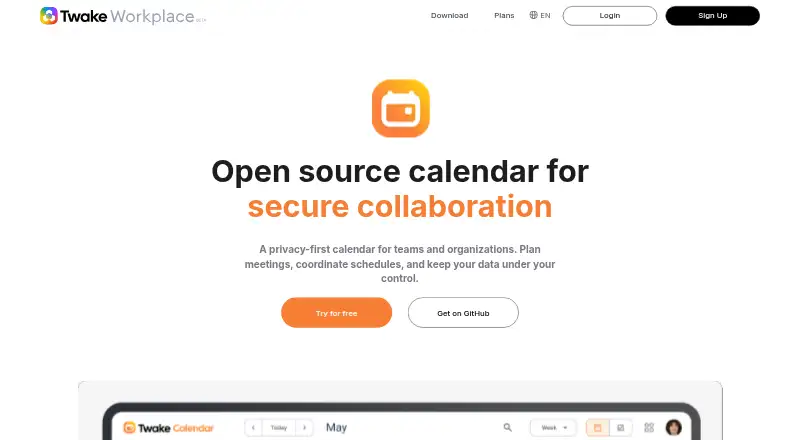
What Twake Calendar is
Twake Calendar is an open-source calendar for teams and organizations that want to coordinate meetings while keeping control of their data. Users can create events, invite participants, share video conferences, and manage schedules in one place. Shared calendars, delegation to trusted teammates, and availability grids let people coordinate booking and planning. It supports CalDAV and iCalendar (.ics) import and export. Connections with Twake Mail, Chat, Drive, and Visio support invitations, event sharing, meetings, and attachments. The calendar can run as a standalone application or within Twake Workplace, hosted as SaaS or self-hosted. It is available on Android, iOS, Linux, macOS, Windows, and the web. Discover is free; Standard is €4 a month; Premium is €12 a month. A For companies offer has no listed price.
Who it suits
It suits teams and organizations needing shared scheduling, booking links, delegation, and video meetings. Self-hosting can suit organizations that want to inspect code and retain infrastructure control.
What it does well
- Open-source and self-hosted deployment options
- Shared calendars and delegated calendar management
- Availability grids for reserving time slots
- CalDAV and iCalendar import and export
- Integrates with Twake Mail, Chat, Drive, and Visio
What to know first
- No official technical support for self-hosting
- Some encryption details refer specifically to Twake Chat
Limits
The Discover plan is free and includes 5 GB cloud storage, 1 GB plus 100 emails per day, and unlimited authorized devices. Standard costs €4.00 per month with 50 GB cloud storage and 15 GB plus unlimited mail per day; Premium costs €12.00 per month with 1000 GB cloud storage and 500 GB plus unlimited mail per day.
Plans
| Plan | Billed and limits | Price |
|---|---|---|
| Standard | monthly · 50 GB cloud storage · 15 GB + unlimited mail/day · instant chat messaging · advanced support · Office documents editor · collaborative notes · unlimited authorized devices | €4 a month |
| Premium | monthly · 1000 GB cloud storage · 500 GB + unlimited mail/day · instant chat messaging · advanced support · Office documents editor · collaborative notes · unlimited authorized devices | €12 a month |
| Starter | €9 / user / month · Mail, Drive, Chat, Calendar · team workspaces and shared folders · standard admin controls · basic security settings · community support | €9 a month |
| Discover | monthly · 5 GB cloud storage · 1 GB + 100 emails/day · instant chat messaging · advanced support · collaborative notes · unlimited authorized devices | On request |
| For companies | Enterprise offer · contact sales | On request |
As twake.app lists them, read 14 Oct 2026. The maker's own page has the final word.
Getting started
- Open the Twake Calendar website
- Choose SaaS, standalone open-source, or self-hosted deployment
- Install the app on Windows, macOS, GNU/Linux, Android, or iOS, or use the web version
- Select the Discover free plan or a paid plan
- Connect calendars through CalDAV or import an iCalendar file
Verdict
Twake Calendar combines shared scheduling, delegation, booking availability, and meeting integrations across desktop, mobile, and web platforms. A free Discover plan is available, with paid plans starting at €4 a month.
Questions
Is Twake Calendar free?
Yes. The Discover plan is free. Paid plans start at €4.00 per month.
Which platforms are supported?
Twake Calendar is available on Android, iOS, Linux, macOS, Windows, the web, and self-hosted installations.
Can organizations self-host it?
Yes. It is available as a standalone open-source application or through Twake Workplace with self-hosted deployment.
Does it support video meetings?
Yes. Users can share video conferences, and the calendar integrates with Twake Visio.
Can teammates manage another user's calendar?
Yes. Trusted teammates can be delegated permission to manage a user's calendar.
Is technical support provided for self-hosting?
Twake does not provide official technical support for self-hosting setups and directs users to its community.
Facts from Twake Calendar's own pages
- Availability booking
- Users can publish availability slots so others can reserve meetings through a booking grid. · twake.app, 14 Oct 2026
- CalDAV and iCalendar
- Twake Calendar supports CalDAV synchronization plus importing and exporting iCalendar .ics files. · twake.app, 14 Oct 2026
- Calendar codebase
- The public calendar frontend is a React and TypeScript monorepo with private and public applications and CalDAV/CardDAV integration. · github.com, 14 Oct 2026
- Calendar licence
- The Twake Calendar frontend repository is published under the GNU Affero General Public License 3.0. · github.com, 14 Oct 2026
- Calendar sync
- Twake Calendar supports CalDAV and importing or exporting calendars in iCalendar (.ics) format. · twake.app, 11 Oct 2026
- Delegation
- Calendar owners can authorize trusted colleagues to manage calendars on their behalf. · twake.app, 14 Oct 2026
- Deployment
- The product is offered as SaaS and as software that organizations can self-host. · twake.app, 14 Oct 2026
- Desktop and mobile
- Twake's download page lists Windows, Intel Mac, Apple Silicon Mac, GNU/Linux, Google Play, and the App Store downloads. · twake.app, 11 Oct 2026
- Developer API
- Twake documentation describes an API for creating applications, authenticating with Postman, sending messages and triggering commands. · doc.twake.app, 14 Oct 2026
- Documentation and support
- The help center contains calendar guides for creating, editing, deleting, recurring and duplicating events, plus mobile synchronization help. · support.twake.app, 14 Oct 2026
- Encryption statement
- Twake states that Workplace messages and attachments use zero-access encryption, with decryption keys kept on user devices. · twake.app, 14 Oct 2026
- Events and meetings
- Users can create events, invite participants, share video conferences, and manage their schedule in one place. · twake.app, 11 Oct 2026
- Files and notes
- Calendar events can access Twake Drive documents and Twake notes. · twake.app, 14 Oct 2026
- Founded
- 2000 · twake.app, 28 Sept 2026
- Free plan
- Yes · twake.app, 22 Sept 2026
- Google Play app
- Twake Sync ICS synchronizes Webcal and iCalendar feeds with Twake Workplace and Android Calendar, and reports no third-party data sharing and encryption in transit. · play.google.com, 14 Oct 2026
- Headquarters
- Issy-les-Moulineaux, France · twake.app, 28 Sept 2026
- Independent review limit
- It's FOSS reported slower login performance and said the hosted free plan then limited users to one workspace and excluded guest collaborators. · itsfoss.com, 14 Oct 2026
- Independent review praise
- It's FOSS highlighted document storage, Kanban tasks, shared calendars, video conferencing, collaborative Office editing and cross-platform clients. · itsfoss.com, 14 Oct 2026
- Independent security criticism
- It's FOSS said free and standard users lacked two-factor authentication in its 2021 review. · itsfoss.com, 14 Oct 2026
- Integrations
- The calendar integrates with Twake Mail, Chat, Drive, and Visio for invitations, event sharing, video meetings, and file attachments. · twake.app, 11 Oct 2026
- Limit: iOS reliability
- Apple reviewers reported black screens, incomplete functionality and problems with mail access on iOS. · apps.apple.com, 14 Oct 2026
- Limit: mobile uploads
- Apple reviewers complained that the mobile app limits photo uploads and cannot upload folders. · apps.apple.com, 14 Oct 2026
- Limit: pricing and updates
- A G2 reviewer identified price and update frequency as drawbacks. · g2.com, 14 Oct 2026
Where Twake Calendar stands on Freedom251
- Calendar apps#2 of 194