Freedom251 › Trucking Accounting

Zoho Books
by Zoho Books
What Zoho Books is
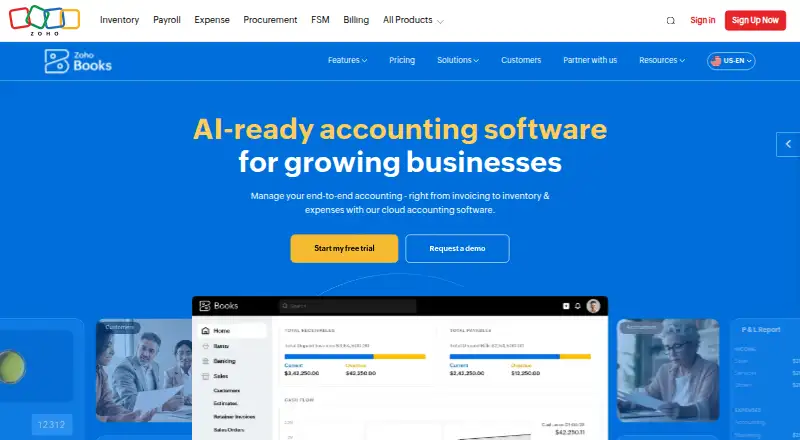
Zoho Books is an accounting service for invoices, bills, banking, inventory, expenses, projects, reporting, and online payments. It supports bank feeds, automated reconciliation, receipt capture, and accountant access, with dedicated iOS and Android apps. Inventory tools cover stock tracking, reorder alerts, warehouses, serial numbers, batch tracking, and bin locations. Foreign transactions are supported, with exchange rates applied in real time. Changes made on one device sync to others, and the service provides automatic cloud backup. Transactions use two-factor authentication and SSL encryption; Zoho Books says it does not store credit card information. The free plan includes one user and one accountant and remains available while annual revenue is at or below $50K. It also allows five scheduled reports. A 14-day free trial is available. Standard costs $15 a month with annual billing. Subscriptions are pay-as-you-go with no contract commitment and can be canceled. Support is available Monday to Friday, 9 am to 9 pm ET, with channels varying by plan.
Who it suits
It suits solopreneurs and micro businesses within the free plan’s revenue limit, as well as businesses managing accounting and inventory. Dedicated mobile apps and accountant access may suit users who need to work across devices or include an accountant.
What it does well
- Handles invoices, banking, expenses, and online payments
- Inventory tools include stock tracking and reorder alerts
- Foreign transactions receive real-time exchange rates
- Changes sync across devices with cloud backup
- Subscriptions can be canceled without a contract commitment
What to know first
- Free plan requires annual revenue at or below $50K
- Free plan includes only one user and one accountant
- Free plan allows five scheduled reports
- Support channels vary by plan
Limits
The Free plan requires annual revenue at or below $50,000 and includes one user plus one accountant, 1,000 invoices and 1,000 expenses annually, 50 receipt autoscans per month, and five scheduled reports. Paid plans start at $15 per month with annual billing.
Plans
| Plan | Billed and limits | Price |
|---|---|---|
| Free | billed monthly · 1 user + 1 accountant · 1,000 invoices annually · 1,000 expenses annually · 50 receipt autoscans per month | Free |
| Standard | billed monthly · 3 users · 5,000 invoices annually · 5,000 expenses annually · 200 receipt autoscans per month | $15 a month |
| Professional | billed monthly · 5 users · 10,000 invoices annually · 10,000 bills/expenses annually · 200 receipt autoscans per month | $40 a month |
| Premium | billed monthly · 10 users · 25,000 invoices annually · 25,000 bills/expenses annually · 1,000 receipt autoscans per month | $60 a month |
| Elite | billed monthly · 10 users · 100,000 invoices annually · 100,000 bills/expenses annually · 1,000 receipt autoscans per month | $120 a month |
| Ultimate | billed monthly · 15 users · 100,000 invoices annually · 100,000 bills/expenses annually · 3 million records/rows | $240 a month |
As zoho.com lists them, read 27 Sept 2026. The maker's own page has the final word.
Getting started
- Visit the Zoho Books website.
- Choose the Free plan or start the 14-day free trial.
- Use the iOS or Android app to access Zoho Books on a mobile device.
- Select a paid plan if you need allowances beyond the Free plan.
Overview
Zoho Books is accounting software that brings invoicing, expense management and inventory controls into one service. It suits solo businesses and growing teams that need those workflows together, particularly businesses handling physical stock.
Its strongest case is breadth: bank feeds, automated reconciliation, mobile apps and accountant access sit alongside core accounting. The main constraint is scale at the entry level: the free plan is limited to businesses with annual revenue at or below $50K and caps users, invoices, expenses and receipt scans.
Key features
The accounting toolkit covers invoices, bills, banking, expenses, projects, reporting and online payments. Bank feeds and automated reconciliation can reduce manual transaction handling, while receipt capture helps record expenses. This combination is useful for businesses that want day-to-day bookkeeping and project accounting in one place rather than handling those tasks separately.
Inventory management goes beyond basic stock counts: Zoho Books supports reorder alerts, warehouses, serial numbers, batch tracking and bin locations. That makes it a stronger fit for businesses managing goods than for those that only need simple invoicing. Foreign transactions are supported with exchange rates applied automatically in real time.
Dedicated iOS and Android apps sync changes between devices and include automatic cloud backup. Transactions are protected with two-factor authentication and SSL encryption, and Zoho Books does not store credit card information. Accountant access is supported, which gives businesses a way to include an outside accounting professional in their workflow.
Support is available Monday to Friday, 9 am to 9 pm ET, through channels that vary by plan and include email, voice and chat. Professional and higher plans add chat, voice, video and screen sharing for team collaboration. App integrations are available, and Elite adds online sales channels.
Pricing
Zoho Books offers a 14-day free trial and a free plan that can continue indefinitely while annual revenue stays at or below $50K. Subscriptions are pay-as-you-go, carry no contract commitment and can be cancelled. Annual billing lowers the monthly price shown for paid plans, so the advertised lower rate requires paying on that basis.
| Plan | Price | Included limits | Best fit |
|---|---|---|---|
| Free | free | 1 user and 1 accountant; 1,000 invoices and 1,000 expenses annually; 50 receipt autoscans per month | Solopreneurs and micro businesses under the revenue cap |
| Standard | $15 a month with annual billing; monthly price shown is $20 | 3 users; 5,000 invoices and 5,000 expenses annually; 200 receipt autoscans per month | Small teams moving beyond the free plan's user and volume limits |
| Professional | $40 a month with annual billing; monthly price shown is $50 | 5 users; 10,000 invoices and 10,000 bills/expenses annually; 200 receipt autoscans per month | Teams needing more capacity and expanded collaboration |
| Premium | $60 a month with annual billing; monthly price shown is $70 | 10 users; 25,000 invoices and 25,000 bills/expenses annually; 1,000 receipt autoscans per month | Businesses with higher transaction and receipt volumes |
| Elite | $120 a month with annual billing; monthly price shown is $150 | 10 users; 100,000 invoices and 100,000 bills/expenses annually; 1,000 receipt autoscans per month | High-volume businesses that also need online sales channels |
| Ultimate | $240 a month with annual billing; monthly price shown is $275 | 15 users; 100,000 invoices and 100,000 bills/expenses annually; 3 million records/rows | Larger teams needing the highest stated record capacity |
The free tier is genuinely ongoing, but its revenue threshold and single-user allowance make it a narrow fit as a business grows. Standard raises the user ceiling to three and provides 5,000 annual invoices and expenses, though receipt autoscans remain capped at 200 per month. Higher plans increase users and quotas, but the stated invoice ceiling stays at 100,000 from Elite to Ultimate; Ultimate instead raises the user limit and specifies 3 million records/rows.
Platforms
Zoho Books has dedicated apps for Android and iOS, with changes syncing across devices and automatic cloud backup. The mobile offering is useful for businesses that need access beyond a desktop workflow, while the listed platform coverage is limited to those two mobile systems.
Who it's for
Zoho Books is a sensible choice for solo operators starting below the free plan's revenue cap, as well as growing businesses that need accounting, inventory and accountant access together. Businesses handling stocked goods can make particular use of its warehouse, serial, batch and bin-location controls. It is less compelling for a business that expects to exceed the free revenue threshold but has little need for the paid plans' broader capacity, or for a team needing more than 15 users under the stated tiers.
Pros and cons
- Pros: Accounting, projects, online payments and inventory controls are combined, including serial and batch tracking for goods-heavy businesses.
- Pros: The free plan has no stated end date for eligible businesses and includes an accountant seat alongside one user.
- Pros: Paid plans scale invoice and expense quotas substantially, with up to 15 users and 3 million records/rows on Ultimate.
- Cons: Free access ends as an option once annual revenue exceeds $50K, and its 1,000 annual invoice and expense limits may also constrain a growing operation.
- Cons: Receipt scanning is capped monthly on every tier, including 200 scans on Standard and Professional.
- Cons: Support channels depend on the plan, so buyers should not assume every tier includes the same assistance.
Alternatives
Choose Odoo Accounting if its free plan or broader listed platform coverage, including self-hosted and web, better suits your setup.
Wave is worth considering when a free plan with unlimited estimates, invoices, bills and bookkeeping records is the priority; online card payments carry a 2.9% + $0.60 per transaction fee.
FreeAgent offers a free plan and paid options priced in GBP, including Sole trader at £10 a month and Partnership or LLP at £19 a month.
BUSY is another free-plan option, with its Express tier described as a free billing and accounting plan.
Clear Books may suit a sole trader seeking a free MTD-ready bookkeeping plan with no transaction limits.
NolaPro has a free single-user plan and a paid Starter option at $6 a month.
QuickFile may fit businesses with up to 200 ledger entries that want its free XS plan; larger account sizes are priced at £60 a year.
Pilot is an alternative for web users, with an Essentials plan at $99 a month for up to $100,000 in monthly expenses.
Browse Bookkeeping Software, SaaS Accounting Software, AI Accounting Software, Salon Accounting Software, Gym Accounting Software and Time Billing Software for more options.
Verdict
Choose Zoho Books if you want accounting and meaningful inventory controls in one service, with mobile access and a path from a capped free plan to higher-volume tiers. Look elsewhere if your business will outgrow the free revenue ceiling but does not need the paid plans' expanding quotas, or if the user limits do not match your team.
Verdict
Zoho Books covers core accounting alongside inventory, mobile apps, and accountant access. The free plan has revenue and usage limits, while Standard is listed at $15 a month with annual billing.
Questions
Is Zoho Books free?
Yes. Its Free plan is available indefinitely while annual revenue stays at or below $50,000.
How much do paid plans cost?
Standard starts at $15 per month with annual billing. Other listed annual prices are $40 for Professional, $60 for Premium, $120 for Elite, and $240 for Ultimate.
Is there a free trial?
Yes, Zoho Books offers a 14-day free trial.
Which mobile platforms does it support?
Zoho Books has dedicated apps for iOS and Android.
Can a subscription be cancelled?
Yes. The service is pay-as-you-go with no contract commitment, and subscriptions can be cancelled.
What support channels are available?
Support is available Monday to Friday, 9 am to 9 pm ET. Channels vary by plan and include email, voice, and chat.
Facts from Zoho Books's own pages
- Accountant access
- Yes · zoho.com, 20 Sept 2026
- Accounting features
- Features include invoicing, bills, banking, inventory, expenses, projects, reporting, and online payments. · zoho.com, 27 Sept 2026
- Automated reconciliation
- Yes · zoho.com, 20 Sept 2026
- Bank feeds
- Yes · zoho.com, 20 Sept 2026
- Cloud synchronization
- Changes made on one device instantly sync with other devices, with automatic cloud backup. · zoho.com, 27 Sept 2026
- Card storage
- Zoho Books does not store credit card information. · zoho.com, 27 Sept 2026
- Founded
- 2011 · zoho.com, 23 Sept 2026
- Free plan
- Yes · zoho.com, 20 Sept 2026
- Free plan limit
- The free plan is available indefinitely while annual revenue remains at or below $50K. · zoho.com, 27 Sept 2026
- Free report limit
- The free plan allows scheduling 5 reports. · zoho.com, 27 Sept 2026
- Free plan users
- The free plan includes 1 user and 1 accountant. · zoho.com, 27 Sept 2026
- Headquarters
- Pleasanton, California, USA · zoho.com, 23 Sept 2026
- App integrations
- Zoho Books connects with apps through its integrations offering and online sales channels on Elite. · zoho.com, 27 Sept 2026
- Inventory capabilities
- Inventory features include stock tracking, reorder alerts, warehouses, serial numbers, batch tracking, and bin locations. · zoho.com, 27 Sept 2026
- Inventory tracking
- Yes · zoho.com, 20 Sept 2026
- Invoice creation
- Yes · zoho.com, 20 Sept 2026
- Mobile apps
- Dedicated iOS and Android applications are available. · zoho.com, 27 Sept 2026
- Mobile platforms
- ios and android · zoho.com, 20 Sept 2026
- Multi-currency support
- Foreign transactions are supported, with exchange rates automatically applied in real time. · zoho.com, 27 Sept 2026
- Receipt capture
- Yes · zoho.com, 20 Sept 2026
- Cancellation terms
- It is a pay-as-you-go service with no contract commitment, and subscriptions can be cancelled. · zoho.com, 27 Sept 2026
- Security controls
- Transactions are secured with two-factor authentication and SSL encryption. · zoho.com, 27 Sept 2026
- Paid from
- 15 · zoho.com, 20 Sept 2026
- Support channels
- Support channels vary by plan, including email, voice, and chat support. · zoho.com, 27 Sept 2026
Where Zoho Books stands on Freedom251
- Trucking Accounting#2 of 21
- Bookkeeping Software#11 of 75
- SaaS Accounting Software#5 of 25
- AI Accounting Software#8 of 32
- Accounting & Finance Software#9 of 26
- Financial Management#12 of 29
- Core Financial Management#12 of 28
- Accounting APIs#12 of 27
- Bookkeeper Software#13 of 26
- Gym Accounting Software#16 of 31
- Time Billing Software#17 of 31
- Salon Accounting Software#16 of 29
- GST software#9 of 14