Freedom251 › WordPress page builders

Zion Builder
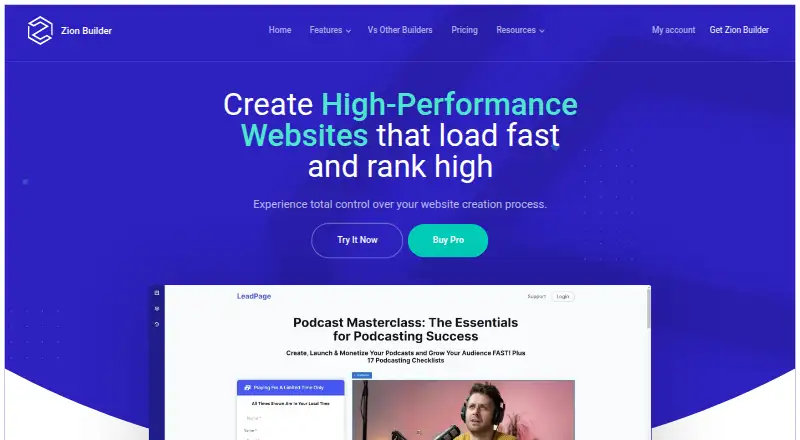
What Zion Builder is
Zion Builder is a WordPress plugin for building websites with a visual drag-and-drop editor, without coding knowledge. It works with any WordPress theme and includes responsive controls for setting element sizes, colors, and positions at different breakpoints. The free plan provides a visual editor, 50+ core elements, 50+ free blocks, and 10+ templates; the product advertises 300 templates across its free and Pro libraries. Pro tools include theme building, popups, dynamic content, and WooCommerce templates for products, archives, carts, checkout, and thank-you pages. The site lists 25+ WooCommerce elements and integrations with Advanced Custom Fields and Meta Box. Zion says its code-generation approach, which uses tools such as lazy loading and code splitting, aims to reduce markup and improve loading times. Plans include a free option, annual subscriptions at $39, $79, or $169 per year, and a $249 one-time Lifetime option. The plugin keeps working after a license expires, but support and updates stop.
Who it suits
It suits WordPress users who want to build and adapt sites visually, including those creating WooCommerce templates or using ACF and Meta Box. The free tier offers core editing tools, while paid licenses cover one, three, or unlimited websites.
What it does well
- Works with any WordPress theme.
- Free tier includes 50+ elements and 50+ blocks.
- Responsive editing controls for different breakpoints.
- Builds WooCommerce product, cart, and checkout templates.
- Supports Advanced Custom Fields and Meta Box.
What to know first
- Paid plans start at $39 per year.
- License expiry ends support and updates.
- Pro licenses restrict use in themes, SaaS, and commercial projects.
Limits
The free tier includes the visual editor, 50+ core elements, 50+ free blocks, and 10+ free library templates. Paid licenses cover one website for $39 per year, three for $79 per year, unlimited websites for $169 per year, or unlimited websites for life for $249 once; after license expiry, support and updates stop.
Plans
| Plan | Billed and limits | Price |
|---|---|---|
| Free | Visual Editor · 50+ Core Elements · 50+ Free Blocks · 10+ Free Library Templates · Unlimited Downloads | Free |
| Personal | 1 Website / Year · 1 website | $39 a year |
| Pro | 3 Websites / Year · 3 websites | $79 a year |
| Extended | Unlimited Websites / Year · Unlimited websites | $169 a year |
| Lifetime | Unlimited Websites / Life · Unlimited websites | $249, paid once |
| FREE | Visual editor · 50+ core elements · 50+ free blocks · 10+ free library templates · Unlimited downloads | Free |
| extended | Billed once per year until cancelled · Unlimited websites · Pro features · Support & updates | $169 a year |
| lifetime | One-time purchase · Unlimited websites · Pro features · Support & updates | $249, paid once |
The first 8 of 10 plans, as zionbuilder.io lists them, read 28 Sept 2026. The maker's own page has the final word. Every plan
Getting started
- Open zionbuilder.io and choose the free tier or a paid license.
- Install the WordPress plugin on a site that meets the documented requirements.
- Use the visual editor to build pages with elements, blocks, or templates.
- Set element sizes, colors, and positions for responsive breakpoints.
- For WooCommerce layouts or custom fields, use the WooCommerce tools, ACF, or Meta Box integration.
Overview
Zion Builder is a visual drag-and-drop plugin for building WordPress sites without coding. It is best suited to site owners and freelancers who want responsive layout controls or custom WooCommerce templates. The free tier covers basic building; paid plans unlock Pro features, with website limits and license terms to weigh before upgrading.
Key features
Zion Builder works with any WordPress theme, making it an option for people who want to add visual editing without changing their existing theme. Responsive controls let users adjust element size, color, and position at different breakpoints, which is useful when layouts need different treatment across screen sizes.
The builder includes theme building, dynamic content, and integrations with Advanced Custom Fields and Meta Box. Its native ACF integration supports fields and repeater fields. For online stores, the WooCommerce Builder can create product, archive, cart, checkout, and thank-you page templates, and includes more than 25 WooCommerce elements. That makes it a good fit for merchants who need to shape storefront pages rather than rely only on standard layouts.
Zion Builder emphasizes lean output, using Vue.js, lazy loading, code splitting, Containers, and Flexbox while aiming to reduce markup and load only necessary code. These are relevant performance priorities, but they do not by themselves ensure a fast site. The template library advertises 300 pre-designed blocks and templates across free and Pro libraries; the free tier includes more than 50 blocks and 10 templates. Paid customers can get support by chat or support issues, while documentation and forums are also provided.
Pricing
The free plan costs nothing and includes the visual editor, more than 50 core elements, more than 50 free blocks, and more than 10 free library templates. It is a practical starting point for basic page building, and the free version can be used commercially. Paid plans add Pro features:
- Personal: $39 a year for 1 website. A fit for a single site, but it does not cover multiple client sites.
- Pro: $79 a year for 3 websites. It suits users maintaining a small portfolio of sites.
- Extended: $169 a year for unlimited websites. This is the scalable subscription choice for users handling many sites.
- Lifetime: $249, paid once for unlimited websites for life. It avoids annual renewal, but the Pro/LTD usage restrictions still apply.
Subscriptions renew annually unless canceled; cancellation is available through My Account at any time. The plugin continues working after a license expires, but updates and support stop. Refunds are allowed within 30 days of purchase. Payments are accepted by major credit cards and PayPal.
There is an important restriction for agencies and product makers: Pro and LTD licenses cannot be used in WordPress themes, SaaS services, or commercial projects. Custom client websites are allowed, as is commercial use of the Free version. Check that distinction against your business model before paying.
Platforms
Zion Builder is a self-hosted WordPress plugin with a web platform listing. Its requirements are WordPress 4.9.8 or higher, PHP 7 or higher, MySQL 5.6 or MariaDB 10.1 or higher, at least 64M memory, and Zip and GD extensions.
Who it's for
Choose Zion Builder if you want visual WordPress editing with responsive controls, dynamic content, and WooCommerce template tools, especially when you need custom product or checkout layouts. It is less suitable if you need to embed the Pro product in a theme or SaaS offering, or want a paid license without annual renewal and its restrictions.
Pros and cons
- Pro: Works with any WordPress theme, so adopting it does not require replacing an existing theme.
- Pro: WooCommerce templates cover the product journey from product pages through checkout and thank-you pages.
- Pro: Free includes substantial building basics, including 50+ elements, 50+ blocks, and 10+ templates.
- Con: Paid website quotas range from one site to unlimited, so the cheapest license is unsuitable for multi-site use.
- Con: Expired licenses lose updates and support even though the plugin keeps working.
- Con: Pro and LTD licensing bars use in themes, SaaS services, and other commercial projects, limiting some professional deployment models.
Alternatives
Consider WordPress page builders to compare more options. Choose Breakdance if you want a free plan for unlimited websites with 80 elements and basic WooCommerce, form, popup, and dynamic features. Visual Composer is another freemium option, with a $49 a year Single plan for one website and 300+ content elements. Themify Builder offers a free standalone plugin that works with third-party themes. Pagelayer has a Personal plan at $39 a month for one site. Elementor, Brizy AI, BoldGrid Post and Page Builder, and SiteOrigin Page Builder are also alternatives to consider.
Verdict
Zion Builder is a strong fit for WordPress site owners and freelancers who want responsive editing and detailed WooCommerce templates without giving up their current theme. Its free tier makes basic building accessible, and paid licenses scale by site count. Look elsewhere if your deployment depends on using Pro in a theme or SaaS product, or if losing updates and support after license expiry is unacceptable.
Verdict
Zion Builder combines visual WordPress editing with responsive controls, WooCommerce tools, and custom-field integrations. Check the website limits and Pro license restrictions against your intended use before choosing a paid plan.
Questions
Is Zion Builder free?
Yes. Its free tier includes a visual editor, 50+ core elements, 50+ free blocks, and 10+ templates.
What do the paid plans cost?
Personal costs $39 per year, Pro costs $79 per year, Extended costs $169 per year, and Lifetime costs $249 once.
How many websites do paid licenses cover?
Personal covers one website, Pro covers three, and Extended and Lifetime cover unlimited websites.
Does Zion Builder support WooCommerce?
Yes. It can build product, archive, cart, checkout, and thank-you page templates, and lists 25+ WooCommerce elements.
What happens when a license expires?
The plugin continues working, but support and updates stop.
Who makes Zion Builder?
Zion Builder is powered by Zion Builder and made by Hogash.
Facts from Zion Builder's own pages
- Company owner
- The product is powered by Zion Builder and made by Hogash. · zionbuilder.io, 28 Sept 2026
- Dynamic content
- Dynamic data can populate fields such as featured image, post link, and post description. · zionbuilder.io, 28 Sept 2026
- Free plan
- Yes · zionbuilder.io, 22 Sept 2026
- Free tier limits
- The free tier includes a visual editor, 50+ core elements, 50+ free blocks, and 10+ templates. · zionbuilder.io, 28 Sept 2026
- Integrations
- Zion Builder supports ACF and Meta Box, and its native ACF integration includes ACF fields and ACF repeater fields as repeater providers. · zionbuilder.io, 28 Sept 2026
- License expiry
- The plugin continues working after license expiry, but support and updates stop. · zionbuilder.io, 28 Sept 2026
- License limits
- The terms prohibit using Zion Builder Pro or LTD in WordPress themes, SaaS services or commercial projects, while allowing custom client websites and commercial use of the Free version. · zionbuilder.io, 28 Sept 2026
- Payment methods
- Accepted payment methods include major credit cards and PayPal. · zionbuilder.io, 28 Sept 2026
- Payments and refunds
- Subscriptions automatically renew annually unless cancelled, payments use PayPal or Stripe, and the refund policy allows refunds within 30 days of purchase. · zionbuilder.io, 28 Sept 2026
- Performance
- The builder uses Vue.js, lazy loading, code splitting, Containers and Flexbox, and generates only necessary code to reduce markup and improve loading times. · zionbuilder.io, 28 Sept 2026
- Performance focus
- It generates only necessary code and minimizes markup to improve loading times. · zionbuilder.io, 28 Sept 2026
- Popup builder
- Modal popups can contain custom content and trigger on page load, scroll, or exit intent. · zionbuilder.io, 28 Sept 2026
- Annual pricing
- Paid plans cost $39, $79, or $169 per year; Lifetime costs $249 once. · zionbuilder.io, 28 Sept 2026
- Product type
- Zion Builder is a WordPress plugin with a visual drag-and-drop interface for building websites without coding knowledge. · docs.zionbuilder.io, 28 Sept 2026
- Renewal consequence
- The plugin continues working after a license expires, but support and updates stop. · zionbuilder.io, 28 Sept 2026
- Responsive controls
- The editor provides live responsive control for element sizes and positioning. · zionbuilder.io, 28 Sept 2026
- Responsive editing
- Users can visually set element sizes, colors and positioning for different responsive breakpoints. · zionbuilder.io, 28 Sept 2026
- Security
- Zionbuilder.io says it has technology and security policies and takes reasonable steps to protect personal information from misuse, loss and unauthorized access, modification or disclosure. · zionbuilder.io, 28 Sept 2026
- Sharing and roles
- Pro includes white labeling, local library sharing, and additional user or role permissions. · zionbuilder.io, 28 Sept 2026
- Paid from
- 39 · zionbuilder.io, 22 Sept 2026
- Subscription cancellation
- Subscriptions can be canceled from My Account at any time. · zionbuilder.io, 28 Sept 2026
- Support
- Paid customers can receive support through chat or by opening support issues, while documentation and support forums are also provided. · zionbuilder.io, 28 Sept 2026
- System requirements
- The documentation lists WordPress 4.9.8 or higher, PHP 7 or higher, MySQL 5.6 or MariaDB 10.1 or higher, at least 64M memory, and Zip and GD extensions. · zionbuilder.io, 28 Sept 2026
- Template library
- The homepage advertises more than 300 pre-designed blocks and templates. · zionbuilder.io, 28 Sept 2026
Where Zion Builder stands on Freedom251
- WordPress page builders#14 of 32