Freedom251 › WordPress page builders
SiteOrigin Page Builder
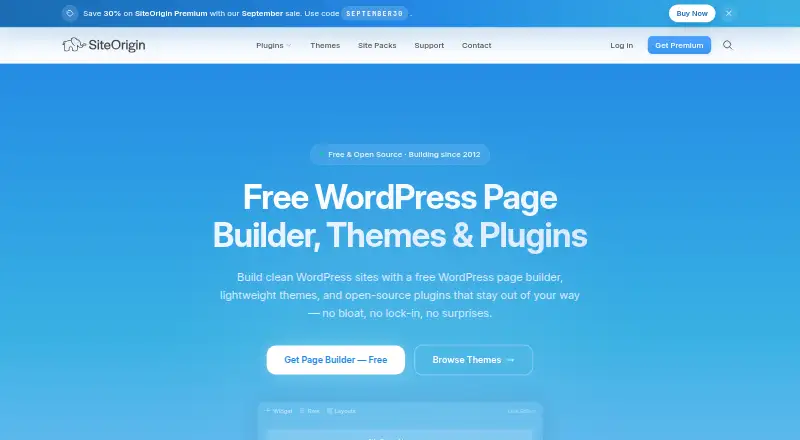
What SiteOrigin Page Builder is
SiteOrigin Page Builder is a WordPress plugin for creating custom page layouts from widgets. Arrange them in responsive rows and columns, with columns stacking on mobile, and use the Live Editor to make frontend changes while seeing them instantly. The History Browser lets you move backward and forward through edits, and the SiteOrigin Layout Block places complete layouts inside the WordPress Block Editor. Styling options include backgrounds, spacing, borders, full-width sections, parallax backgrounds, and custom CSS classes. The builder works within a theme’s content loop; SiteOrigin says it works with most WordPress themes without changes. Its Widgets Bundle adds 28 free widgets, including maps, contact forms, sliders, carousels, and price tables. SiteOrigin says the plugin generates minimal HTML and loads CSS and JavaScript only for widgets in use. Listed requirements are WordPress 5.0 or later and PHP 7.4 or later. The free plugin has no page limits and uses GNU GPL version 2.0. Paid annual plans start at $29 a year; Business is $49 a year and Developer is $99 a year.
Who it suits
It suits WordPress users building landing pages, portfolios, or client sites, including freelancers, agencies, and small businesses. The free plugin can be used on any number of websites; paid plans offer premium addons and support.
What it does well
- Responsive rows and columns stack on mobile.
- Live frontend editing with instant changes.
- History Browser supports moving through edits.
- Includes 28 free widgets in the Widgets Bundle.
- Free plugin has no page limits.
What to know first
- Requires WordPress 5.0 or later and PHP 7.4 or later.
- Premium addons stop receiving updates after subscription expiration.
- Email support is included with Premium subscriptions, not the free plan.
Limits
The free Page Builder plan is listed as free, with no page limits and GPLv2 licensing. Paid plans start at $29 a year for one site; Business allows up to five sites, and Developer allows unlimited sites.
Plans
| Plan | Billed and limits | Price |
|---|---|---|
| Personal | Billed once per year. · 1 site · all 45 premium addons · email support | $29 a year |
| Business | Billed once per year. · Up to 5 sites · all 45 premium addons · priority email support · multisite compatible | $49 a year |
| Developer | Billed once per year. · Unlimited sites · all 45 premium addons · client-friendly licensing | $99 a year |
| Free Page Builder | Free WordPress plugin · no page limits · GPLv2 | Free |
As siteorigin.com lists them, read 4 Oct 2026. The maker's own page has the final word.
Getting started
- Visit the SiteOrigin website.
- Use the free Page Builder plugin with WordPress 5.0 or later and PHP 7.4 or later.
- Arrange widgets into rows and columns, then adjust row styling.
- Use the Live Editor to make and view frontend changes.
- Choose Personal, Business, or Developer for premium addons and plan-specific support.
Verdict
SiteOrigin Page Builder offers layout editing, styling controls, and WordPress Block Editor integration, with a free option and paid annual plans. Check the listed WordPress and PHP requirements and whether the free features or a premium plan fit your site needs.
Questions
Is SiteOrigin Page Builder free?
Yes. The Free Page Builder plan costs nothing and has no page limits. Paid plans start at $29 a year.
What does each paid plan cost?
Personal costs $29 a year for one site. Business is $49 a year for up to five sites, and Developer is $99 a year for unlimited sites.
Which platforms does it support?
It is listed for self-hosted and web use. The listed requirements are WordPress 5.0 or later and PHP 7.4 or later.
Is the free plugin open source?
SiteOrigin’s free plugins are released under GNU GPL version 2.0 and can be used on any number of websites.
What support comes with the plans?
Free users can use the community support forum. Personal includes email support, Business includes priority email support, and Developer includes client-friendly licensing.
What happens when Premium expires?
Installed addons continue functioning but stop receiving updates and security patches. Free plugins remain unaffected.
Facts from SiteOrigin Page Builder's own pages
- Block Editor
- The SiteOrigin Layout Block embeds full Page Builder layouts inside the WordPress Block Editor. · siteorigin.com, 4 Oct 2026
- Founded
- 2012 · siteorigin.com, 28 Sept 2026
- Free plan
- Yes · siteorigin.com, 22 Sept 2026
- History
- The History Browser lets users move backward and forward through edits. · siteorigin.com, 4 Oct 2026
- Layout editing
- It builds pages by arranging widgets in responsive rows and columns, with columns stacking on mobile. · siteorigin.com, 4 Oct 2026
- Licensing
- SiteOrigin's free plugins are released under GNU GPL version 2.0 and can be used on any number of websites. · siteorigin.com, 4 Oct 2026
- Live editing
- The Live Editor lets users edit on the frontend and see changes instantly. · siteorigin.com, 4 Oct 2026
- Performance
- SiteOrigin says Page Builder generates minimal HTML and loads CSS and JavaScript only for widgets in use. · siteorigin.com, 4 Oct 2026
- Premium expiration
- When a Premium subscription expires, installed addons continue functioning but stop receiving updates and security patches, while free plugins remain unaffected. · siteorigin.com, 4 Oct 2026
- Purpose
- SiteOrigin Page Builder is a free WordPress plugin for building custom layouts. · siteorigin.com, 4 Oct 2026
- Responsive controls
- Yes · siteorigin.com, 22 Sept 2026
- Security feature
- The Premium Embed Blocker addon controls third-party embeds, which SiteOrigin describes as a GDPR compliance feature. · siteorigin.com, 4 Oct 2026
- Paid from
- 60 · siteorigin.com, 22 Sept 2026
- Styling
- Users can set row backgrounds, padding, margins, borders, full-width sections, parallax backgrounds, and custom CSS classes. · siteorigin.com, 4 Oct 2026
- Support
- SiteOrigin says all free users can use its community support forum and Premium subscriptions include email support, with priority email support on Business and Developer. · siteorigin.com, 4 Oct 2026
- Technical requirements
- The product page lists WordPress 5.0 or later and PHP 7.4 or later. · siteorigin.com, 4 Oct 2026
- Theme builder
- Yes · siteorigin.com, 22 Sept 2026
- Theme compatibility
- Page Builder works within any theme's content loop, and its documentation says it works with most WordPress themes without changes. · siteorigin.com, 4 Oct 2026
- Who it serves
- SiteOrigin describes Premium Page Builder addons as tools used by freelancers, agencies, and small businesses for landing pages, portfolios, and client sites. · siteorigin.com, 4 Oct 2026
- Widgets integration
- The SiteOrigin Widgets Bundle adds 28 free widgets, including maps, contact forms, sliders, carousels, and price tables. · siteorigin.com, 4 Oct 2026
- WooCommerce tools
- Yes · siteorigin.com, 22 Sept 2026
Where SiteOrigin Page Builder stands on Freedom251
- WordPress page builders#19 of 32