Freedom251 › Bootable USB Software

YUMI
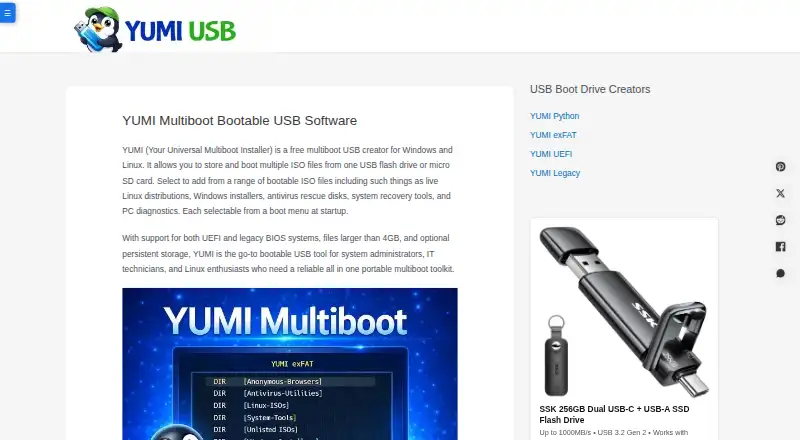
What YUMI is
YUMI creates multiboot USB drives that can hold operating systems, installers, rescue disks, antivirus tools, and diagnostics. It supports both UEFI and legacy BIOS systems, and supported Linux distributions can retain files, settings, and installed packages across reboots. ISO files can be added or removed without reformatting the entire drive. YUMI Py is a Python rewrite that runs natively on Windows and Linux; it can test installed images with portable QEMU and complete USB drives with VirtualBox. Its LAN Share feature streams an installed ISO to another device on the local network through a browser. That feature has no login or access code and is intended only for trusted networks. YUMI exFAT is described as free and open source, and supports persistent storage up to 40GB for supported distributions. YUMI is free. YUMI Py requires Windows 10 or 11 or a modern 64-bit Linux distribution, an exFAT-capable USB drive, and administrator or root privileges. Preparing a drive can erase existing data, so back up files first.
Who it suits
YUMI may suit home users, students, educators, repair technicians, system administrators, IT professionals, Linux enthusiasts, developers, and businesses that need multiboot USB drives. YUMI Py’s image-testing options may also be useful to people preparing or checking bootable media.
What it does well
- Supports UEFI and legacy BIOS systems.
- Supported Linux distributions can retain data across reboots.
- ISO files can be changed without reformatting the drive.
- YUMI Py includes QEMU and VirtualBox testing options.
- YUMI is free; YUMI exFAT is described as open source.
What to know first
- Preparing a drive can erase its existing data.
- LAN Share has no login or access code.
- YUMI Py requires administrator or root privileges.
- YUMI Py requires an exFAT-capable USB drive.
Limits
YUMI exFAT supports persistent storage up to 40GB for supported distributions. LAN Share has no login or access code and is intended only for trusted networks.
Plans
| Plan | Billed and limits | Price |
|---|---|---|
| YUMI | Windows and Linux · USB flash drive or microSD · supported ISO/IMG files | Free |
As yumiusb.com lists them, read 1 Oct 2026. The maker's own page has the final word.
Getting started
- Visit yumiusb.com.
- Use a Windows or Linux system; YUMI Py requires Windows 10 or 11 or a modern 64-bit Linux distribution.
- Prepare an exFAT-capable USB drive or microSD card and back up its files before preparing it.
- Run YUMI Py with administrator or root privileges.
- Add supported ISO or IMG files to the drive.
Verdict
YUMI offers a free way to build a multiboot USB drive, with persistence for supported Linux distributions. Back up the drive before preparing it, and restrict LAN Share to networks you trust.
Questions
How much does YUMI cost?
YUMI is free; its listed plan is free.
Which platforms does YUMI support?
YUMI is available for Windows and Linux.
Is YUMI open source?
YUMI exFAT is described as free and open source, and released versions include source code.
Can YUMI keep data between Linux sessions?
Supported Linux distributions can retain files, settings, and installed packages across reboots. YUMI exFAT supports persistent storage up to 40GB for supported distributions.
What does YUMI Py require?
It requires Windows 10 or 11 or a modern 64-bit Linux distribution, an exFAT-capable USB drive, and administrator or root privileges.
Can YUMI share an ISO over a network?
YUMI Py can stream an installed ISO to another device on the local network through a browser. LAN Share has no login or access code and is intended only for trusted networks.
Facts from YUMI's own pages
- Audience
- Pendrive Linux says its software serves home users, students, educators, repair technicians, system administrators, IT professionals, Linux enthusiasts, developers, and businesses. · pendrivelinux.com, 1 Oct 2026
- Boot support
- YUMI supports both UEFI and legacy BIOS systems. · yumiusb.com, 1 Oct 2026
- Data warning
- Preparing a drive can erase existing data, so the site instructs users to back up files first. · yumiusb.com, 1 Oct 2026
- Drive management
- Users can add or remove ISO files without reformatting the entire drive. · yumiusb.com, 1 Oct 2026
- Founded
- 2011 · yumiusb.com, 28 Sept 2026
- LAN security
- LAN Share has no login or access code and is intended only for trusted networks. · yumiusb.com, 1 Oct 2026
- LAN Share
- YUMI Py can stream an installed ISO to another device on the local network through a browser. · yumiusb.com, 1 Oct 2026
- Maker history
- Pendrive Linux began in 2006 as a personal project focused on making Linux booting from USB easier. · pendrivelinux.com, 1 Oct 2026
- Open source
- YUMI exFAT is described as free and open source, and released versions include source code. · yumiusb.com, 1 Oct 2026
- Persistence
- Supported Linux distributions can save files, settings, and installed packages across reboots. · yumiusb.com, 1 Oct 2026
- Persistence limit
- YUMI exFAT supports persistent storage up to 40GB for supported distributions. · yumiusb.com, 1 Oct 2026
- Privacy
- Information submitted through the contact form is intended for communication and is not sold or used for other purposes. · yumiusb.com, 1 Oct 2026
- Purpose
- YUMI creates multiboot USB drives containing multiple operating systems, installers, rescue disks, antivirus tools, and diagnostics. · yumiusb.com, 1 Oct 2026
- Support
- The maker provides a contact form for questions, suggestions, and constructive comments. · yumiusb.com, 1 Oct 2026
- System requirements
- YUMI Py requires Windows 10 or 11 or a modern 64-bit Linux distribution, an exFAT-capable USB drive, and administrator or root privileges. · yumiusb.com, 1 Oct 2026
- Ventoy compatibility
- YUMI Py detects existing Ventoy installations and works alongside them without recreating the drive. · yumiusb.com, 1 Oct 2026
- Virtualization
- YUMI Py can test installed images with portable QEMU and test complete USB drives with VirtualBox. · yumiusb.com, 1 Oct 2026
- YUMI Py
- YUMI Py is a Python rewrite that runs natively on Windows and Linux. · yumiusb.com, 1 Oct 2026
Where YUMI stands on Freedom251
- Bootable USB Software#28 of 38