Freedom251 › Bootable USB Software
Wingman
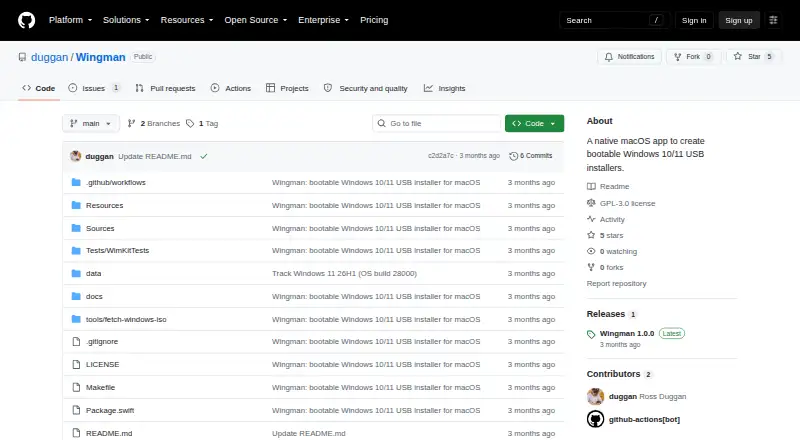
What Wingman is
Wingman is a free macOS application that creates bootable Windows 10 or 11 installer USB drives from a user-supplied ISO. It is a native SwiftUI app distributed as a signed and notarized DMG, requiring macOS 13 Ventura or later on Apple Silicon or Intel Macs. Wingman detects the Windows release and editions in the ISO and splits a standard install.wim into FAT32-sized parts using a pure-Swift process. An optional Windows 11 setting bypasses TPM, Secure Boot, RAM, and CPU checks while keeping Setup interactive. A USB drive of at least 8 GB is required, and creating the installer erases the selected drive. The ISO must contain standard install.wim; consumer ISOs using solid-compressed install.esd are unsupported. The resulting USB boots PCs, not Windows installers on Macs. External-drive filtering and target revalidation help avoid selecting the internal disk.
Who it suits
Wingman suits Mac users who need a Windows 10 or 11 installer USB for PCs. It requires macOS 13 or later, a compatible ISO, and an 8 GB-or-larger USB drive.
What it does well
- Free macOS app
- Runs on Apple Silicon and Intel
- Built-in WIM splitting
- Optional Windows 11 checks bypass
- External-drive safety filtering
What to know first
- Requires macOS 13 Ventura or later
- USB creation erases the selected drive
- install.esd consumer ISOs unsupported
- Cannot boot Windows installer on Macs
Limits
The free plan requires macOS 13 or newer, a Windows 10 or 11 ISO with standard install.wim, and an 8 GB-or-larger USB drive. Creating media erases the chosen drive, and install.esd-based consumer ISOs are unsupported.
Plans
| Plan | Billed and limits | Price |
|---|---|---|
| Free | macOS 13+ · Windows 10/11 ISO with standard install.wim · USB drive 8 GB or larger | Free |
As github.com lists them, read 10 Oct 2026. The maker's own page has the final word.
Getting started
- Open the Wingman project website
- Use a Mac running macOS 13 Ventura or later
- Provide a Windows 10 or 11 ISO containing standard install.wim
- Connect a USB stick with at least 8 GB
- Select the removable drive and create the installer
- Optionally enable the Windows 11 hardware-check bypass
Verdict
Wingman provides a focused way to create Windows installer media from macOS. Its ISO requirements, erased target drive, and PC-only boot result should be checked before use.
Questions
Is Wingman free?
Yes. The listed Free plan costs nothing.
Which Macs can run it?
It runs on Apple Silicon and Intel Macs with macOS 13 Ventura or later.
Does Wingman provide Windows ISOs?
No. Users provide their own ISO; Wingman does not distribute, bundle, or host Microsoft software.
What USB size is required?
A USB stick of at least 8 GB is required, and creating the installer erases the selected drive.
Can the USB boot a Mac?
The resulting USB boots PCs. The maker says it cannot boot a Windows installer on an Apple Silicon or Intel Mac.
What license does Wingman use?
The project is licensed under GPL-3.0 and provided as is without warranty.
Facts from Wingman's own pages
- Boot target
- The resulting USB boots PCs; the maker states it cannot boot a Windows installer on an Apple Silicon or Intel Mac. · github.com, 10 Oct 2026
- ISO limitation
- The ISO must contain a standard install.wim; consumer ISOs using solid-compressed install.esd are unsupported. · github.com, 10 Oct 2026
- License and warranty
- The project is GPL-3.0 and is provided as is without warranty. · github.com, 10 Oct 2026
- Maker
- The repository owner is Ross Duggan, who describes himself as a software developer from Dublin. · github.com, 10 Oct 2026
- Native app
- It is a native SwiftUI app distributed as a signed and notarized DMG. · github.com, 10 Oct 2026
- Platform requirements
- Wingman requires macOS 13 Ventura or later and runs on Apple Silicon and Intel Macs. · github.com, 10 Oct 2026
- Privilege design
- Only disk partitioning and formatting run with root privileges; device enumeration, ISO mounting, copying, and WIM splitting run unprivileged. · github.com, 10 Oct 2026
- Purpose
- Wingman creates bootable Windows 10 or 11 USB installers from an ISO on macOS. · github.com, 10 Oct 2026
- Safety controls
- Wingman lists external removable drives and excludes the internal or startup disk, with the helper revalidating the target before erasing. · github.com, 10 Oct 2026
- USB requirement
- A USB stick of at least 8 GB is required, and creating the installer erases the selected drive. · github.com, 10 Oct 2026
- WIM splitting
- Its pure-Swift splitter divides install.wim into parts that fit FAT32, without external libraries or codecs. · github.com, 10 Oct 2026
- Windows 11 option
- An optional Windows 11 toggle bypasses TPM, Secure Boot, RAM, and CPU checks while leaving Setup interactive. · github.com, 10 Oct 2026
- Windows detection
- Wingman identifies the Windows release and editions from the selected ISO. · github.com, 10 Oct 2026
- Windows media
- Users provide their own Windows ISO; Wingman says it does not distribute, bundle, or host Microsoft software. · github.com, 10 Oct 2026
Where Wingman stands on Freedom251
- Bootable USB Software#29 of 38