Freedom251 › Bootable USB Software
MajUSB Bootable Creator
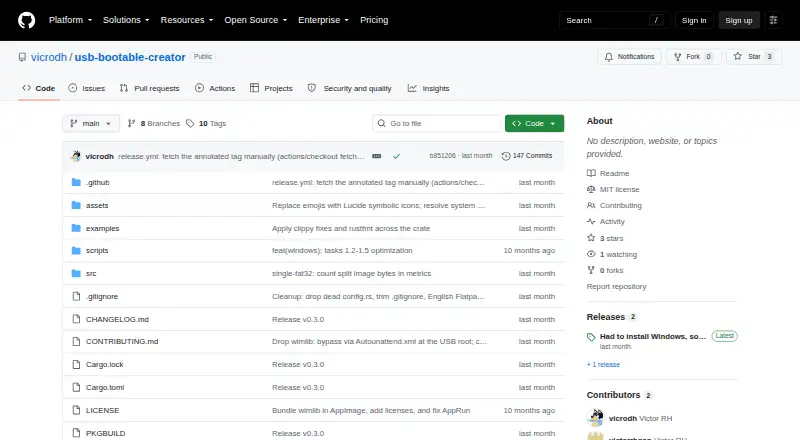
What MajUSB Bootable Creator is
MajUSB Bootable Creator is a free, open-source Linux application for writing local Linux or Windows ISO images to USB drives. Its Rust codebase provides a GTK4 graphical interface where you choose an ISO and USB device, optionally select a Windows cluster size, and follow progress and logs. Windows creation makes a FAT32 BOOT partition and an NTFS ESD-USB partition, with optional flags to bypass TPM, Secure Boot, and RAM checks. Linux ISO writing is supported. Read-back verification is enabled by default and compares written data with the ISO; the command-line option --skip-verify disables it. USB writing uses a pkexec helper and may request your password. Linux packages include a recommended AppImage, an AUR package named majusb, and an untested DEB release. Native Windows support is planned but unavailable. Persistence setup exists, but persistence at boot does not work. Direct dd mode is off by default and may fail on modern UEFI systems or with files over 4 GB.
Who it suits
It suits Linux users creating bootable USB media from local Windows or Linux ISO files. It is also relevant to users who need optional Windows requirement bypass flags and verification during writing.
What it does well
- Free and open-source under the MIT License
- Creates Windows FAT32 and NTFS partitions
- Supports Linux ISO writing
- Read-back verification enabled by default
- GTK4 graphical interface with progress and logs
What to know first
- Native Windows support is not implemented
- Boot-time persistence is non-functional
- Direct dd mode may fail on modern UEFI
- DEB release is described as untested
Verdict
MajUSB Bootable Creator focuses on Linux-based USB creation with separate Windows partition handling, verification, and optional requirement bypasses. Its missing native Windows app, non-working boot persistence, and cautions around direct dd mode matter when choosing it.
Facts from MajUSB Bootable Creator's own pages
- Advanced mode limitation
- Direct dd mode is off by default and the README warns it may fail on modern UEFI systems or with files larger than 4 GB. · github.com, 11 Oct 2026
- Contributions and support
- The project welcomes pull requests and asks users to open an issue for bugs or feature requests. · github.com, 11 Oct 2026
- Direct write limitation
- Optional dd mode is off by default and may fail to boot on modern Windows 10/11 UEFI systems or with files larger than 4 GB. · github.com, 11 Oct 2026
- Downloads
- The README lists an AppImage as recommended, an AUR package named majusb, and a DEB release described as untested. · github.com, 11 Oct 2026
- Intended users
- The README describes selecting an ISO and USB device, optionally choosing a cluster size for Windows ISOs, then writing the drive while viewing progress and logs. · github.com, 11 Oct 2026
- Interface
- The application is written in Rust and uses a GTK4 graphical interface. · github.com, 11 Oct 2026
- License
- The project is distributed under the MIT License, which grants permission to use, copy, modify, and distribute the software subject to its terms. · github.com, 11 Oct 2026
- Linux USB creation
- The project lists Linux ISO writing as supported. · github.com, 11 Oct 2026
- Native Windows platform
- The README says native Windows support is planned but not implemented, and advises using the app on Linux for now. · github.com, 11 Oct 2026
- Native Windows support
- The README says native Windows support is planned but not yet implemented and recommends using the app on Linux. · github.com, 11 Oct 2026
- Packages
- The README lists an AppImage, an AUR package, and a DEB release that it describes as untested. · github.com, 11 Oct 2026
- Persistence limitation
- The README says persistence detection and partition creation work, but boot-time persistence is non-functional. · github.com, 11 Oct 2026
- Privilege handling
- Writing to USB devices uses a helper binary with pkexec and may prompt for the user's password. · github.com, 11 Oct 2026
- Purpose
- MajUSB Bootable Creator writes Linux or Windows ISO images to USB drives. · github.com, 11 Oct 2026
- Requirements
- The README lists GTK4 and system packages including util-linux, dosfstools, ntfs-3g, parted, rsync, and polkit among the prerequisites. · github.com, 11 Oct 2026
- Support and contributions
- The project invites bug reports and feature requests through GitHub issues and welcomes pull requests. · github.com, 11 Oct 2026
- Verification
- Read-back verification is on by default and compares written files against the ISO; the CLI can disable it with --skip-verify. · github.com, 11 Oct 2026
- Windows USB creation
- Its Windows flow creates a FAT32 BOOT partition and an NTFS ESD-USB partition, with optional TPM, Secure Boot, and RAM bypass flags. · github.com, 11 Oct 2026
- Write verification
- Read-back verification is enabled by default and compares written data with the ISO; the CLI can disable it with --skip-verify. · github.com, 11 Oct 2026
Where MajUSB Bootable Creator stands on Freedom251
- Bootable USB Software#27 of 38