Freedom251 › Bootable USB Software
Ubuntu Startup Disk Creator
What Ubuntu Startup Disk Creator is
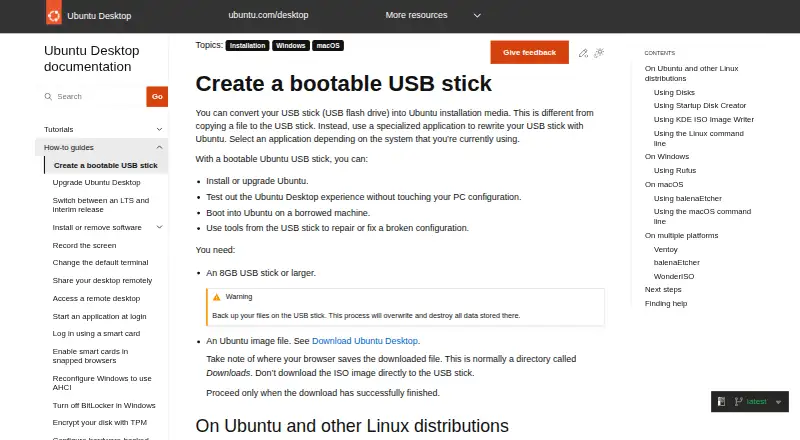
Ubuntu Startup Disk Creator writes an Ubuntu image to a USB stick to make bootable installation media. The stick can install or upgrade Ubuntu, let someone try Ubuntu Desktop without changing a computer’s configuration, start Ubuntu on a borrowed machine, or provide access to repair tools. The app is part of the extended Ubuntu Desktop installation and is available through App Center or with `sudo apt install usb-creator-gtk`. It may detect the image and USB device automatically; otherwise, users can locate an image and choose a device from the available list. A progress bar appears during writing, followed by an “Installation Complete” notice. The guide recommends a USB stick of at least 8 GB. Writing the image destroys data stored on the selected device, so users should select one whose contents can be erased. The tool is intended for Ubuntu and Ubuntu-based distribution images and may not work correctly with other systems or Linux distributions. It is free for Linux. Ubuntu links to Canonical support, the Ubuntu Discourse forum, and an online Matrix chat.
Who it suits
It suits Linux users who want bootable USB media for Ubuntu installation, upgrades, trials, or repairs. Ubuntu Desktop is described as suitable for home users, developers, and enterprise users.
What it does well
- Free as part of the extended Ubuntu Desktop installation.
- Supports Ubuntu and Ubuntu-based images.
- Can detect the image and USB device automatically.
- Provides a progress bar and completion notice.
What to know first
- Writing an image erases the selected USB device.
- A USB stick of at least 8 GB is advised.
- May not work correctly with other systems or distributions.
- No Windows or macOS app is listed.
Limits
The selected USB must provide at least 8 GB, and writing the image erases its existing data. The utility may not work correctly with non-Ubuntu operating systems or Linux distributions.
Plans
| Plan | Billed and limits | Price |
|---|---|---|
| Free | Part of the extended Ubuntu Desktop installation · writes Ubuntu and Ubuntu-based images to USB | Free |
As ubuntu.com lists them, read 10 Oct 2026. The maker's own page has the final word.
Getting started
- Use a Linux system with Ubuntu Desktop’s extended installation
- Open Startup Disk Creator from App Center or install it with `sudo apt install usb-creator-gtk`
- Prepare a USB stick of at least 8 GB
- Let the app detect the image and device, or select both manually
- Start writing and wait for the “Installation Complete” message
Verdict
Startup Disk Creator is a focused option for making bootable Ubuntu USB media on Linux. Check image compatibility and ensure the selected stick’s data can be erased before writing.
Questions
What does Startup Disk Creator do?
It writes an Ubuntu image to a USB stick to create bootable installation media.
How much does it cost?
It is free on Linux and included in the extended Ubuntu Desktop installation.
Which platforms have the app?
Startup Disk Creator is available on Linux. Windows and macOS apps are not provided.
What USB size is required?
The guide says to use a USB stick of at least 8 GB.
Will existing USB data remain?
No. Writing the image destroys all data currently stored on the selected USB device.
Which images are supported?
It is intended for Ubuntu images and images of Ubuntu-based distributions.
Facts from Ubuntu Startup Disk Creator's own pages
- Availability
- Startup Disk Creator is part of the extended Ubuntu Desktop installation and can be installed from App Center or with `sudo apt install usb-creator-gtk`. · ubuntu.com, 10 Oct 2026
- Completion
- A progress bar appears during writing, and the application announces “Installation Complete” when it finishes. · ubuntu.com, 10 Oct 2026
- Data loss
- Writing the image destroys data currently stored on the selected USB device. · ubuntu.com, 10 Oct 2026
- Free use
- The Ubuntu project says users can download and use Ubuntu free of charge. · ubuntu.com, 10 Oct 2026
- Image compatibility
- The tool is intended for Ubuntu images and distributions based on Ubuntu; it might not work correctly with other Linux distributions or operating systems. · ubuntu.com, 10 Oct 2026
- Image selection
- The app may detect the Ubuntu image and USB device automatically; otherwise, users can locate the image and select a device from the available list. · ubuntu.com, 9 Oct 2026
- Intended users
- Ubuntu Desktop is described as suitable for home users, developers, and enterprise users. · ubuntu.com, 10 Oct 2026
- Maker
- Canonical is the publisher of Ubuntu. · ubuntu.com, 10 Oct 2026
- Progress
- The app shows a progress bar while writing and announces “Installation Complete” when finished. · ubuntu.com, 9 Oct 2026
- Purpose
- Startup Disk Creator writes an Ubuntu image to a USB stick to create bootable installation media. · ubuntu.com, 10 Oct 2026
- Security
- Ubuntu’s platform security page says its pre-built boot binaries, except the initrd, are signed with Canonical’s UEFI certificate. · ubuntu.com, 10 Oct 2026
- Selection
- The application can detect the Ubuntu image and USB device, or users can locate an image and choose a device from the available list. · ubuntu.com, 10 Oct 2026
- Support
- Ubuntu’s older Startup Disk Creator tutorial points users who need help to Ubuntu Discourse, Ask Ubuntu, and IRC-based support. · ubuntu.com, 10 Oct 2026
- USB requirement
- The guide requires a USB stick with at least 8 GB of storage. · ubuntu.com, 10 Oct 2026
- Use cases
- A bootable Ubuntu USB can be used to install or upgrade Ubuntu, try Ubuntu Desktop without changing the PC configuration, boot Ubuntu on a borrowed machine, or run repair tools. · ubuntu.com, 9 Oct 2026
- Uses
- A bootable USB can install or upgrade Ubuntu, try Ubuntu without changing PC configuration, boot Ubuntu on a borrowed machine, or help repair a broken configuration. · ubuntu.com, 10 Oct 2026
Where Ubuntu Startup Disk Creator stands on Freedom251
- Bootable USB Software#24 of 38