Freedom251 › Achievement trackers
TINU
What TINU is
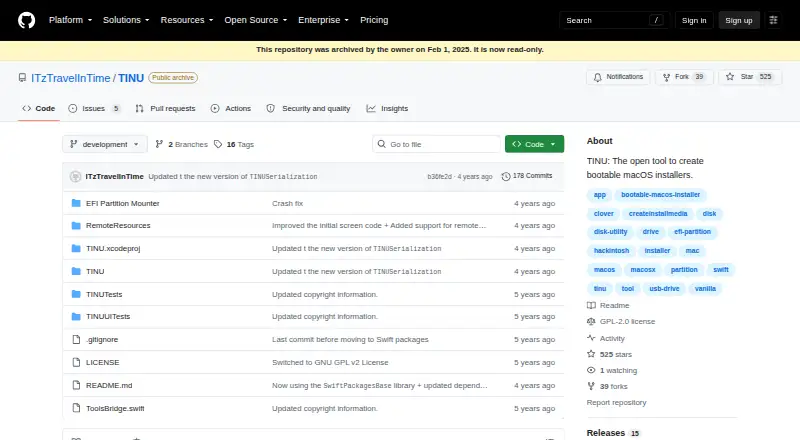
TINU is a free, open-source macOS utility for creating bootable macOS installers through a graphical interface for Apple’s createinstallmedia utility. It checks for common errors during installer creation and works with installer apps containing createinstallmedia, including beta and newly released installers. TINU can format the destination drive or partition when needed, and offers integrated downloads from Apple for many macOS and OS X installer apps. It also includes an EFI partition mounter and automatic installation of Clover and OpenCore EFI folders. The project says it uses Apple’s official createinstallmedia method and describes the resulting installers as clean vanilla installers. Requirements include Mac OS X Yosemite or later, an installer app from Mavericks or newer, and a target drive or partition of at least 8 GB, with larger minimums for some installers. English and Italian are the listed languages. The Free plan costs nothing under GNU GPL v2 or later; support is not guaranteed. The repository has been archived and read-only since February 1, 2025. Its latest listed release is version 3.0.1, described as tested to work with macOS 13 Ventura. The project describes TINU as educational and demonstrative software, not intended for commercial purposes.
Who it suits
TINU suits macOS users creating bootable installers for educational or demonstrative use. Users need a compatible macOS installer app and a target drive or partition with sufficient space.
What it does well
- Graphical interface for Apple's createinstallmedia utility.
- Can format the destination drive or partition.
- Offers Apple downloads for many macOS and OS X installers.
- Includes an EFI partition mounter and Clover and OpenCore folder installation.
What to know first
- Repository has been archived and is read-only.
- Project does not guarantee support.
- Requires a target drive or partition of at least 8 GB.
- Not intended for commercial purposes.
Limits
TINU is free under GNU GPL v2 or later. The project does not guarantee support, and some installers require a target drive larger than the stated 8 GB minimum.
Plans
| Plan | Billed and limits | Price |
|---|---|---|
| Free | Open source under GNU GPL v2 or later · support not guaranteed | Free |
As github.com lists them, read 8 Oct 2026. The maker's own page has the final word.
Getting started
- Open the TINU GitHub project page.
- Use a Mac running Mac OS X Yosemite or later.
- Have a macOS installer app from Mavericks or newer.
- Connect a target drive or partition of at least 8 GB; some installers need more space.
- Use TINU's graphical interface to create the installer.
Verdict
TINU provides a graphical route to creating bootable macOS installers, with formatting and EFI tools included. Its archived repository, support disclaimer, and stated system requirements are important considerations.
Questions
How much does TINU cost?
The listed Free plan costs nothing.
Which operating system does TINU support?
TINU is available for macOS. Its stated requirement is Mac OS X Yosemite or later.
What do I need to create an installer?
You need a macOS installer app from Mavericks or newer and a target drive or partition of at least 8 GB. Some installers require more space.
Is TINU open source?
Yes. It is provided under GNU GPL v2 or later.
Is the project repository active?
GitHub marks the repository archived and read-only since February 1, 2025.
Does TINU guarantee support?
No. The project says support is not guaranteed.
Facts from TINU's own pages
- Apple installer downloads
- The app offers integrated downloads from Apple for many macOS and OS X installer apps. · github.com, 8 Oct 2026
- Availability status
- GitHub marks the repository archived and read-only since February 1, 2025. · github.com, 8 Oct 2026
- Drive formatting
- TINU can format the target drive or partition when needed, so Disk Utility is not required first. · github.com, 8 Oct 2026
- EFI tools
- TINU includes an EFI partition mounter and automatic Clover and OpenCore EFI folder installation. · github.com, 8 Oct 2026
- Error prevention
- The app detects and prevents common errors when creating bootable vanilla macOS installers. · github.com, 8 Oct 2026
- Founded
- 2017 · github.com, 28 Sept 2026
- Installer compatibility
- It works with macOS installer apps that contain createinstallmedia, including beta and newly released installers. · github.com, 8 Oct 2026
- Intended use
- The project describes TINU as educational and demonstrative software and says it is not intended for commercial purposes. · github.com, 8 Oct 2026
- Languages
- The README lists English and Italian as the currently supported languages. · github.com, 8 Oct 2026
- Latest listed release
- The releases page lists version 3.0.1 as the latest release and says it was tested to work with macOS 13 Ventura. · github.com, 8 Oct 2026
- Purpose
- TINU is an open tool for creating bootable macOS installers through a graphical interface for Apple’s createinstallmedia utility. · github.com, 8 Oct 2026
- Requirements
- The README specifies Mac OS X Yosemite or later, a macOS installer app from Mavericks or newer, and a target drive or partition of at least 8 GB, with larger minimums for some installers. · github.com, 8 Oct 2026
- Security and method
- The project says installers are created using Apple's official createinstallmedia method and describes the results as clean vanilla installers. · github.com, 8 Oct 2026
- Support
- The project says it does not guarantee support because it is an open source project maintained in free time. · github.com, 8 Oct 2026
Where TINU stands on Freedom251
- Achievement trackers#22 of 38
- Bootable USB Software#22 of 38
- Game Achievement Trackers#29 of 38
- AI Code Generators#45 of 54