Freedom251 › Video Downloaders

yt-dlp app
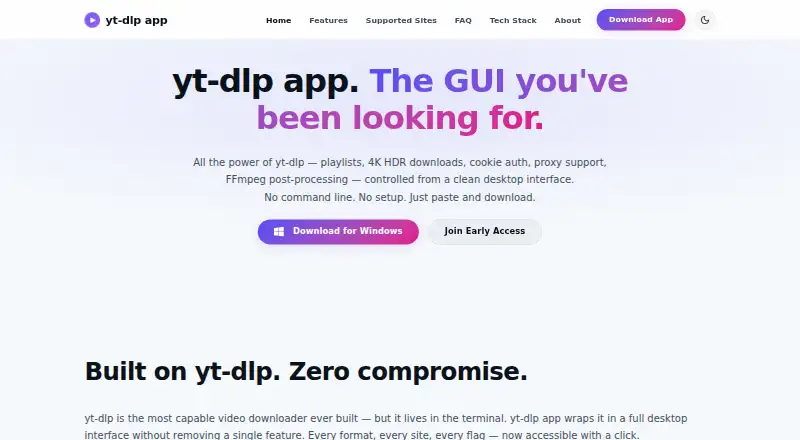
What yt-dlp app is
yt-dlp app is a desktop downloader for video and other media from a broad range of online sources. It runs on Windows, macOS and Linux, and lists YouTube, TikTok, Instagram, Facebook, Twitter/X, Twitch, Bilibili, Vimeo, Reddit, SoundCloud and more than 1,500 additional sources. Downloads can reach up to 8K quality. The app also supports playlist, subtitle and batch downloads, so users can work with more than one item or preserve related material together. Its Free plan costs nothing and is described as open source. The plan specifies that the desktop app has no telemetry or tracking. With three desktop platforms and several download options, yt-dlp app can serve people who want to save media from varied services using one app. The listed plan is free, with no other plan details provided here.
Who it suits
yt-dlp app suits people who want to download media from a wide range of online sources on Windows, macOS or Linux. Playlist, subtitle and batch support may be useful for people saving related or multiple items.
What it does well
- Supports Windows, macOS and Linux
- Lists more than 1,500 additional sources
- Downloads can reach up to 8K quality
- Supports playlists, subtitles and batch downloads
What to know first
- Only desktop platforms are listed
- No mobile platform is listed
Plans
| Plan | Billed and limits | Price |
|---|---|---|
| Free | Open source · Windows, macOS, and Linux desktop app · No telemetry or tracking | Free |
As yt-dlp.app lists them, read 20 Sept 2026. The maker's own page has the final word.
Getting started
- Visit the yt-dlp app website.
- Choose the app for Windows, macOS, or Linux.
- Use the Free plan, which costs nothing.
- Download from a supported source, with options for playlists, subtitles, or batches.
yt-dlp app is an open-source desktop video downloader for Windows, macOS and Linux. It suits people who want to save videos from a wide range of services, including playlists, subtitles and batches, without paying for the app. Its breadth is compelling, though it is a desktop-only option.
Overview
Support spans YouTube, TikTok, Instagram, Facebook, Twitter/X, Twitch, Bilibili, Vimeo, Reddit, SoundCloud and more than 1,500 additional sources. That range makes yt-dlp app useful for people who collect media from several services rather than relying on one platform. It supports downloads up to 8K, but that ceiling does not guarantee every source provides a video at that quality.
Key features
- Playlist downloads: Save a collection rather than handling each video individually, a practical advantage for series and other grouped media.
- Batch downloads: Queue multiple items together, reducing repetitive work when building a local library.
- Subtitle downloads: Keep subtitles with saved videos, useful for viewers who need captions or want to retain accompanying text.
- Broad source coverage: The stated support for more than 1,500 sources is a strong fit for people who download from varied services, although support across that many sites does not establish that every item or format will be available.
Pricing
The Free plan costs nothing. It is open source and includes the Windows, macOS and Linux desktop app, with no telemetry or tracking. There is no paid plan or download cap stated for this offering, so it is a straightforward choice for personal use without a subscription commitment. Its main trade-off is platform: people who need a browser-based or mobile app should look elsewhere.
Platforms
yt-dlp app runs on Linux, macOS and Windows desktops. That gives it broad coverage across the major desktop operating systems, but it does not extend to Android, iOS or the web as an app.
Who it's for
Choose yt-dlp app if you want a free desktop tool with playlist, subtitle and batch downloads, support for many video services, and no telemetry or tracking. It is less suitable if you need a web or mobile workflow, or if your choice depends on particular controls or guarantees beyond the stated features.
Pros and cons
Pros
- Wide source coverage: More than 1,500 additional sources alongside named services makes it relevant to users with varied download needs.
- Useful collection tools: Playlists, subtitles and batch downloads cover workflows that go beyond saving a single video at a time.
- Free and open source: The app costs nothing, with no telemetry or tracking.
Cons
- Desktop only: There is no stated web or mobile app, limiting use to Linux, macOS and Windows computers.
- 8K is a maximum, not a promise: The quality ceiling does not mean every source offers an 8K version.
Alternatives
Video Downloaders is the broader category to browse if none of these options fits.
- 4K Video Downloader+ is worth considering if you want a freemium alternative with Android support as well as desktop platforms; its Starter plan is free for basic features.
- OmniGet is another free option for desktop users who also want an extension; its Free plan specifies no ads, no account and no paid plan.
- yt-dlp online may suit users who want web access alongside desktop platforms; its Free plan states no download limits and no premium tier.
- MeowLoad is a freemium alternative for people who want browser-extension or web access in addition to desktop apps; its Premium plan includes playlist, channel and bulk downloads.
- Catalyst is a free, open-source desktop alternative that specifies no account requirement and local processing.
- Star Video Downloader may fit users who only need a limited free allowance: its Free plan caps downloads at five per day and quality at 1080p.
- Turbo Downloader offers a free plan capped at 10 downloads per day and 1080p, with an annual plan priced at $19 a year for users who want more.
- aTube Catcher is another freemium desktop option; its Community plan caps single-video downloads at 1080p.
Verdict
yt-dlp app is a strong choice for desktop users who want wide source coverage and playlist, subtitle and batch downloads without paying or accepting telemetry and tracking. Its main reason to choose something else is the lack of a web or mobile option; if downloads need to happen outside a Linux, macOS or Windows desktop, consider an alternative with broader platform support.
Verdict
yt-dlp app combines broad source coverage with playlist, subtitle and batch downloads across three desktop operating systems. Its listed Free plan costs nothing and specifies no telemetry or tracking.
Questions
Is yt-dlp app free?
Yes. Its Free plan costs nothing.
Is the app open source?
Yes. The Free plan describes it as open source.
Which platforms does it support?
The desktop app runs on Windows, macOS, and Linux.
Which sources are supported?
Listed sources include YouTube, TikTok, Instagram, Facebook, Twitter/X, Twitch, Bilibili, Vimeo, Reddit, SoundCloud, and more than 1,500 others.
Can it download playlists and subtitles?
Yes. Playlist, subtitle, and batch downloads are supported.
What is its maximum video quality?
Downloads can reach up to 8K quality.
Facts from yt-dlp app's own pages
- Accounts
- The maker says no account, password, or cloud sign-in is required. · yt-dlp.app, 11 Oct 2026
- Authentication
- Users can import cookies from Chrome, Firefox, Safari, Edge, or Brave to access private, age-restricted, or members-only content. · yt-dlp.app, 11 Oct 2026
- Batch downloads
- Yes · yt-dlp.app, 20 Sept 2026
- Device platforms
- Windows,macOS,Linux · yt-dlp.app, 20 Sept 2026
- Download concurrency
- The app allows up to five concurrent downloads, with three as the default. · yt-dlp.app, 11 Oct 2026
- Free plan
- Yes · yt-dlp.app, 20 Sept 2026
- Integrations
- The app is built on yt-dlp and uses FFmpeg for media processing; its architecture page also credits aria2 as a foundation. · yt-dlp.app, 11 Oct 2026
- Intended audience
- The about page describes the app as intended to make media preservation accessible to educators, filmmakers, archivists, and everyday users. · yt-dlp.app, 11 Oct 2026
- Maximum video quality
- 8k · yt-dlp.app, 20 Sept 2026
- Notable limit
- The FAQ says aggressive simultaneous downloading can trigger temporary IP rate limits. · yt-dlp.app, 11 Oct 2026
- Playlists
- Users can preview playlists and channels, select entries, and bulk download them. · yt-dlp.app, 11 Oct 2026
- Playlist downloads
- Yes · yt-dlp.app, 20 Sept 2026
- Post-processing
- FFmpeg can merge separate audio and video streams, extract audio, and embed subtitles, thumbnails, metadata, and chapters. · yt-dlp.app, 11 Oct 2026
- Privacy
- The maker says the app has no telemetry and stores settings and download history locally without cloud sync. · yt-dlp.app, 11 Oct 2026
- Proxy support
- The app supports HTTP and HTTPS proxies configured in Settings. · yt-dlp.app, 11 Oct 2026
- Purpose
- yt-dlp app provides a desktop graphical interface for yt-dlp video downloads, so users can paste a URL and download without using terminal commands. · yt-dlp.app, 11 Oct 2026
- Release status
- The download page says the official public release is launching soon while signed binaries are being finalized. · yt-dlp.app, 11 Oct 2026
- Subtitle downloads
- Yes · yt-dlp.app, 20 Sept 2026
- Support
- The maker offers support by email and GitHub Issues and says formal inquiries are answered within 48 business hours. · yt-dlp.app, 11 Oct 2026
- Supported sites
- The app says it supports more than 1,510 sites through yt-dlp, including YouTube, TikTok, Instagram, Twitch, Vimeo, and Reddit. · yt-dlp.app, 11 Oct 2026
- Supported sources
- YouTube,TikTok,Instagram,Facebook,Twitter/X,Twitch,Bilibili,Vimeo,Reddit,SoundCloud,and 1,500+ more · yt-dlp.app, 20 Sept 2026
- Video quality
- The app displays available stream quality and details and supports downloads up to 4K HDR and 8K when available. · yt-dlp.app, 11 Oct 2026
Where yt-dlp app stands on Freedom251
- Video Downloaders#14 of 135