Freedom251 › Screen Time Management Apps
YourHour
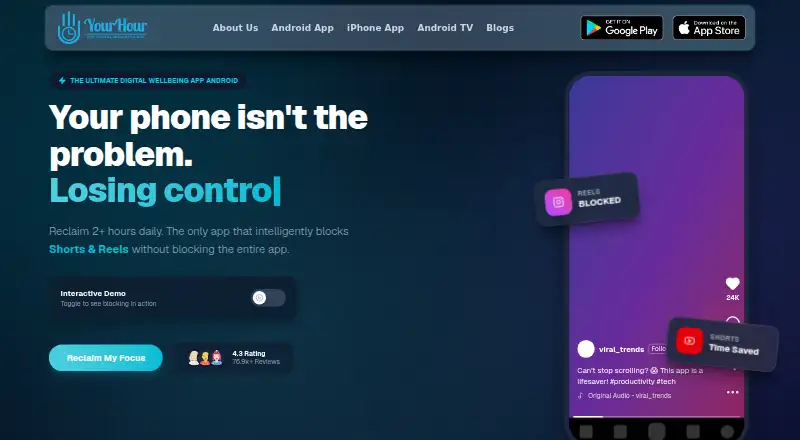
What YourHour is
YourHour is a screen-time app for Android and iOS that tracks device use, blocks apps and offers tools for building digital habits. Its dashboard shows usage time, unlock counts, top apps and daily trends, with daily, weekly and monthly reports. Blocking features cover Reels and endless scrolling; the Android listing names Instagram Reels, YouTube Shorts and Facebook Reels. Mindful Pause can show a breathing exercise or reflection prompt before selected apps open. YourHour also supports Android TV, where users can set app limits, view usage and remotely lock TV apps from a phone. Parents can approve temporary TV-limit extensions of 5 minutes, 15 minutes or 1 hour. Core usage tracking can work offline. Device usage data is processed locally, though some features may request a name, email, date of birth and country. On Android, Reel Blocker and Focus use AccessibilityService, with accessibility data processed locally on-device. The free download contains ads and in-app purchases; Pro costs $1.99 per month or $12.99 per year. The iPhone app requires iOS 18.0 or later.
Who it suits
YourHour may suit students, professionals and parents who want to monitor app use or set limits. Android TV controls and parent-approved extensions may be relevant to families managing TV app time.
What it does well
- Dashboard tracks usage, unlocks and top apps.
- Includes daily, weekly and monthly reports.
- Core usage tracking can work offline.
- Android TV apps can be locked remotely.
What to know first
- Free download contains ads and in-app purchases.
- iPhone requires iOS 18.0 or later.
- Android blocking features use AccessibilityService.
- Report exports are Premium features.
Limits
The free download contains ads and in-app purchases. PDF and XLSX report exports are Premium features; the listed Pro prices are $1.99 per month and $12.99 per year.
Plans
| Plan | Billed and limits | Price |
|---|---|---|
| Free | Free download; contains ads and in-app purchases | Free |
| YourHour Pro Yearly | Pro subscription; exact included limits not stated | $12.99 a year |
| YourHour Pro Monthly | Pro subscription; exact included limits not stated | $1.99 a month |
As yourhourapp.com lists them, read 3 Oct 2026. The maker's own page has the final word.
Getting started
- Visit https://www.yourhourapp.com/
- Download YourHour for Android or iOS.
- On iPhone, use iOS 18.0 or later.
- Choose the free download or a Pro subscription.
- Review usage and set application, scheduled, or focus limits.
YourHour is a screen-time app that combines usage tracking with app blocking and prompts to interrupt habitual scrolling. It is best suited to Android users and households managing Android TV use; iPhone users need iOS 18.0 or later. Its tracking and intervention tools make it more than a passive log, though the Pro plans’ exact inclusions are unclear.
Overview
YourHour is designed to help people understand and change how they use devices. Its dashboard records time spent in apps, unlocks, top apps and daily trends, while limits, focus sessions and prompts provide ways to respond to those patterns. Core usage tracking can work offline, a useful feature for people who want it to keep operating without a connection.
The app is available for Android, iOS and Android TV. The iPhone version requires iOS 18.0 or later, which rules out older devices. YourHour is a personal-use tool rather than a shared team platform: its appeal lies in individual habit management and parent controls for Android TV.
Key features
Tracking, reports and limits
Daily, weekly and monthly reports give users more than a real-time usage tally, and application limits, scheduled limits and focus sessions offer several ways to change routines. PDF and XLSX report exports are Premium features, so anyone who needs downloadable records should budget for a subscription. Usage history is retained for 90 days.
Blocking and prompts
YourHour can block Reels and endless scrolling, including Instagram Reels, YouTube Shorts and Facebook Reels. Mindful Pause can show a breathing exercise or reflection prompt before selected apps open. These features target habitual scrolling directly; they are less relevant to someone who only wants a usage log.
Android TV controls
From a phone, users can set Android TV app limits, check usage and remotely lock TV apps. Parents can approve temporary extensions of 5 minutes, 15 minutes or 1 hour. That combination gives YourHour a useful household role beyond phone tracking, particularly when managing a child’s TV time.
Privacy and permissions
YourHour says device usage data is processed locally and that it does not sell personal information; some features may request a name, email, date of birth and country. The Android version uses AccessibilityService for Reel Blocker and Focus features, processing accessibility data locally on the device. Users should weigh that permission against the value of those blocking tools. Account deletion has a 30-day grace period.
Pricing
YourHour has a free plan and two Pro subscriptions. Free costs nothing, is a free download, and contains ads and in-app purchases. The Pro Monthly plan costs $1.99 a month; Pro Yearly costs $12.99 a year. The annual option has the lower stated cost over a year, while monthly billing avoids committing to a full year.
The free plan is the sensible starting point for users who want to assess the tracking and habit tools without a subscription. Those who need PDF or XLSX exports must choose Premium, but the Pro plans’ precise feature boundaries are unclear.
Platforms
YourHour supports Android, iOS and Android TV. iPhone support requires iOS 18.0 or later. Core tracking can function offline, though the app’s Android blocking features require AccessibilityService permission.
Who it's for
YourHour is a strong fit for students and professionals who want to track usage and curb distracting apps, and for parents who want phone-based controls over Android TV apps. It is less suitable for iPhone owners with older operating systems or anyone who needs clearly defined subscription limits before choosing a plan.
Pros and cons
- Pros: Combines usage dashboards, reports, limits and focus sessions, so users can move from observing habits to setting boundaries.
- Pros: Reels blocking and Mindful Pause address specific patterns of habitual scrolling.
- Pros: Android TV limits, remote locks and parent-approved extensions support household controls from a phone.
- Pros: Core tracking can work offline, and usage data is processed locally.
- Cons: The iPhone app requires iOS 18.0 or later, excluding older iPhones.
- Cons: Android Reel Blocker and Focus features use AccessibilityService, a permission some users may not want to grant.
- Cons: Exact Pro plan inclusions are unclear, making it difficult to judge what the subscriptions add beyond Premium exports.
- Cons: The free download contains ads and in-app purchases.
Alternatives
Screen Time Management Apps is the directory’s broader category for comparing tools of this kind.
- Freedom is a better fit for people who want app, website or internet blocking with multi-device sync and custom blocklists across Android, iOS, Linux, macOS, web and Windows; it also offers a free trial.
- StayFree suits users looking for free cross-device screen-time tracking and usage control across a wider range of platforms, including desktop operating systems and browsers.
- Opal is worth considering for users who want app blocking and basic timers on iOS, Android and Mac, with a free plan limited to one rule and today’s Opal Score.
- ScreenZen is a free alternative for people who want a core app across Android, iOS, macOS and Windows, with optional donations supporting the project.
- AppBlock is another freemium option for Android, iOS and browser users.
- Apple Screen Time is the built-in choice for Apple users who want family-group child controls through Family Sharing and individual Apple Accounts.
- Focusly is a free, offline, account-free option for macOS, Windows and browser users who prefer MIT-licensed software.
- Jomo is an iOS and macOS alternative with a free plan limited to one session, one action or limit, and one screen-time budget.
Verdict
Choose YourHour if you want screen-time reports, scrolling blocks and Android TV controls in one app, especially as an Android user or parent. Its offline-capable tracking and focused interventions are persuasive strengths. Look elsewhere if you need older-iPhone support or a clear account of what a paid plan unlocks before subscribing.
Verdict
YourHour combines usage tracking, app blocking and Android TV controls, with reports and prompts intended to support more mindful use. Note the iOS requirement, Android accessibility permission and Premium-only report exports, alongside the listed subscription prices.
Questions
Is YourHour free?
Yes. The free download contains ads and in-app purchases.
What do Pro subscriptions cost?
YourHour Pro costs $1.99 per month or $12.99 per year.
Which platforms are supported?
YourHour is listed for iOS, Android, and Android TV.
What reports does it provide?
It lists daily, weekly, and monthly reports and detailed analytics. PDF and XLSX exports are Premium features.
Does it work offline?
Core usage tracking can work without an internet connection.
What iOS version does it require?
The iPhone app requires iOS 18.0 or later.
Facts from YourHour's own pages
- Accessibility permission
- Google Play says YourHour uses Android AccessibilityService for Reel Blocker and Focus features, processing accessibility data locally on the device. · play.google.com, 3 Oct 2026
- Android accessibility permission
- The Android listing says YourHour uses Android AccessibilityService for its Reel Blocker and Focus features, with accessibility data processed locally on the device. · play.google.com, 3 Oct 2026
- Android TV
- YourHour says users can set Android TV app limits, view usage and remotely lock TV apps from a phone. · yourhourapp.com, 3 Oct 2026
- Audience
- The Google Play listing names students, professionals and parents among the people YourHour is for. · play.google.com, 3 Oct 2026
- Blocking
- Features include blocking Reels and endless scrolling, and the Android listing describes blocking Instagram Reels, YouTube Shorts and Facebook Reels. · play.google.com, 3 Oct 2026
- Data retention
- The privacy policy says daily usage logs are retained for 90 days and account deletion has a 30-day grace period. · yourhourapp.com, 3 Oct 2026
- Exports
- Google Play lists PDF and XLSX report exports as Premium features. · play.google.com, 3 Oct 2026
- Headquarters
- Indore, Madhya Pradesh, India · yourhourapp.com, 28 Sept 2026
- iOS compatibility
- The App Store listing requires iOS 18.0 or later for iPhone. · apps.apple.com, 3 Oct 2026
- Mindful Pause
- Mindful Pause can show a breathing exercise or reflection prompt before selected apps open. · play.google.com, 3 Oct 2026
- Offline use
- Google Play says core usage tracking can work without an internet connection. · play.google.com, 3 Oct 2026
- Privacy
- The app privacy policy says device usage data is locally processed and that some features may request a name, email, date of birth and country. · yourhourapp.com, 3 Oct 2026
- Privacy controls
- The maker says it does not sell personal information and describes internal security reviews of data practices. · yourhourapp.com, 3 Oct 2026
- Privacy processing
- The privacy policy says the app locally processes device usage data; some features may request a name, email, date of birth and country. · yourhourapp.com, 3 Oct 2026
- Purpose
- YourHour offers screen time tracking, app blocking and tools for building healthier digital habits. · yourhourapp.com, 3 Oct 2026
- Reel blocking
- The app says it can block Reels and endless scrolling. · yourhourapp.com, 3 Oct 2026
- Reports
- The app lists daily, weekly and monthly reports and detailed analytics. · yourhourapp.com, 3 Oct 2026
- Support
- The Google Play listing gives [email protected] and +919096126060 for app support. · play.google.com, 3 Oct 2026
- TV parental controls
- The TV page describes parent-approved temporary extensions of 5 minutes, 15 minutes or 1 hour. · yourhourapp.com, 3 Oct 2026
- Usage dashboard
- Its dashboard tracks usage time, unlock count, top apps and daily trends. · yourhourapp.com, 3 Oct 2026
Where YourHour stands on Freedom251
- Screen Time Management Apps#26 of 36