Freedom251 › Pomodoro Timer Apps
YAPA 2
What YAPA 2 is
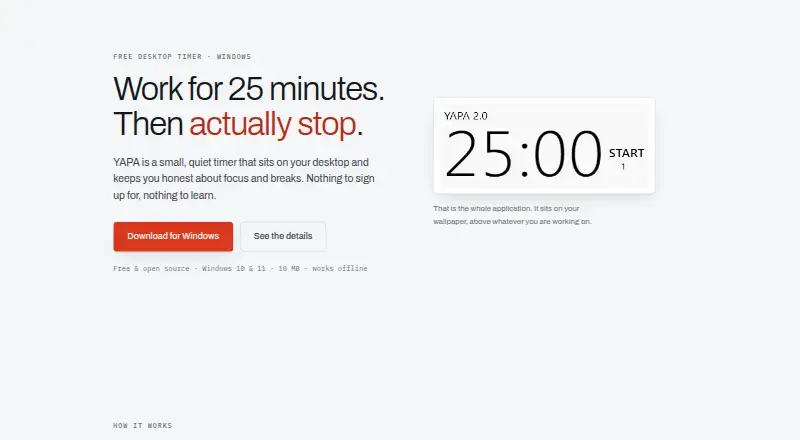
YAPA 2 is a free Windows desktop timer for people using the Pomodoro Technique. Its standard routine runs 25-minute work sessions, five-minute short breaks, and a longer break after four rounds. You can change work and break durations, choose automatic or manual interval starts, enable automatic breaks, add custom sounds, and minimize the timer to the system tray. Appearance controls cover timer size, number color, shadow, opacity, and fonts. A dashboard shows a year grid of focus activity and a chart for the last 60 days. YAPA 2 works offline, with settings and Pomodoro history stored locally on the PC; the site says nothing is uploaded. The app is open source under the MIT license. It is free with no paid tier, listed for Windows 10 and 11. Mac and Linux are not supported yet.
Who it suits
YAPA 2 suits Windows users who want a customizable, offline Pomodoro timer with local focus statistics. It is aimed at people who prefer a minimal desktop app rather than a network-based service.
What it does well
- Free with no paid tier
- Works offline without a network connection
- Custom work and break intervals
- Focus history includes year and 60-day views
- Open source under the MIT license
What to know first
- Windows only
- Mac and Linux are not supported
- No free trial because it is already free
Plans
| Plan | Billed and limits | Price |
|---|---|---|
| Free | Windows 10 & 11 · no paid tier | Free |
As yapa2.app lists them, read 9 Oct 2026. The maker's own page has the final word.
Verdict
YAPA 2 provides a focused Pomodoro timer with extensive interval, appearance, sound, and statistics settings. Its Windows-only availability and local-storage approach make it best for users comfortable keeping focus data on one PC.
Facts from YAPA 2's own pages
- Additional settings
- Settings include custom work and break lengths, automatic or manual interval starts, custom sounds, and system tray minimization. · yapa2.app, 9 Oct 2026
- Customization
- Users can customize timer size, number color, shadow, opacity, and fonts. · yapa2.app, 9 Oct 2026
- Data storage
- Settings and Pomodoro history are stored locally on the user's PC, and the site says nothing is uploaded. · yapa2.app, 9 Oct 2026
- Focus history
- The dashboard shows a year grid of focus and a chart of the last 60 days. · yapa2.app, 9 Oct 2026
- Integrations
- The maker's page describes no integrations and lists no network requirement. · yapa2.app, 9 Oct 2026
- Intended users
- The project describes itself as a minimal desktop timer app for Pomodoro Technique users. · github.com, 9 Oct 2026
- License
- YAPA 2 is open source under the MIT license. · yapa2.app, 9 Oct 2026
- Offline use
- The app works offline and does not require a network connection. · yapa2.app, 9 Oct 2026
- Platform limit
- YAPA 2 is a Windows application; the site says Mac and Linux are not supported yet. · yapa2.app, 9 Oct 2026
- Purpose
- YAPA is a desktop timer for focusing with the Pomodoro Technique. · yapa2.app, 9 Oct 2026
- Timer cycles
- The site describes 25-minute work sessions, 5-minute short breaks, and a longer break after four rounds. · yapa2.app, 9 Oct 2026
Where YAPA 2 stands on Freedom251
- Pomodoro Timer Apps#27 of 28