Freedom251 › Panorama Stitching Software
Xpano
What Xpano is
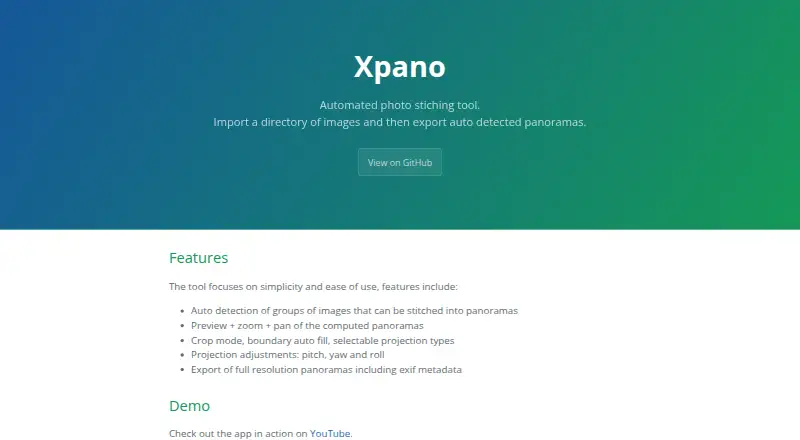
Xpano is a free, open-source application for creating panoramas from image directories. It automatically identifies groups of images that can be stitched, then lets users preview results, zoom, and pan before exporting. Editing options include cropping, boundary auto fill, selectable projection types, and pitch, yaw, and roll adjustments. Exports are full-resolution panoramas with EXIF metadata.
The app uses OpenCV and its stitching module for image processing, and it supports automatic command-line runs. Adding the `--gui` flag launches its graphical interface. The maximum panorama size is selectable and defaults to 100 MPx. Xpano is available for Linux, macOS, and Windows under the GPL-3.0-or-later license. Tomas Krupka is named as maintainer and contact. The release page says build logs can be used to verify the source commit hash and SHA-256 checksum. Its listed plan costs nothing, with no price or usage limits stated.
Who it suits
Xpano suits people who want to assemble panoramas from image folders on Linux, macOS, or Windows, whether through a graphical interface or automated command-line processing. Its editing and preview controls support reviewing results before export.
What it does well
- Automatically groups images for panorama stitching
- Preview, zoom, and pan computed panoramas
- Offers crop, boundary fill, projection, and orientation controls
- Exports full-resolution images with EXIF metadata
- Open-source under GPL-3.0-or-later
What to know first
- Maximum panorama size defaults to 100 MPx
- Available only for Linux, macOS, and Windows
Limits
The maximum panorama size is user selectable and defaults to 100 MPx. No price or usage limits are stated for the free plan.
Plans
| Plan | Billed and limits | Price |
|---|---|---|
| Xpano | No price or usage limits stated | Free |
As krupkat.github.io lists them, read 4 Oct 2026. The maker's own page has the final word.
Getting started
- Open the Xpano project website.
- Choose the release for Linux, macOS, or Windows.
- Import a directory of images to find groups for panoramas.
- Preview and adjust a computed panorama, then export it.
- For command-line processing, use its automatic processing support; add `--gui` to launch the graphical interface.
Xpano is a desktop panorama tool that turns image folders into stitched views. It is best for photographers who want an open-source workflow on Linux, macOS, or Windows, with both GUI adjustments and command-line processing. Its focused toolset is a strength for panorama work, but it is not a general photo editor.
Overview
Xpano brings image grouping, panorama preview, adjustments, and export into one workflow. Automatic detection can spare users from sorting candidate frames manually, while the preview and editing controls leave room to refine the result. That combination makes it a practical fit for dedicated panorama tasks rather than broader photo-library work.
Key features
Grouping, preview, and adjustment
Import a directory and Xpano automatically identifies groups of images that can be stitched. This is useful when a folder contains multiple sequences, though the tool’s scope remains the panorama rather than managing a wider image collection.
Computed panoramas can be zoomed and panned before export. Crop mode, boundary auto fill, selectable projection types, and pitch, yaw, and roll adjustments provide meaningful control over framing and alignment. These are focused refinements, not a substitute for general image-editing features.
Export and processing
Xpano exports full-resolution panoramas with EXIF metadata, preserving image detail and capture information. It uses OpenCV and its stitching module to compute panoramas. The maximum panorama size is selectable and defaults to 100 MPx, giving users a defined starting point that they can change.
Automatic command-line processing suits repeatable workflows, and the --gui flag launches the graphical interface. Users who prefer visual adjustment can work in the GUI; those automating processing can use the command line.
Pricing
Xpano is free and open source under the GPL-3.0-or-later license. The Xpano plan costs nothing, with no usage limits stated. There is no paid tier to weigh against the free version, making it an appealing option for users who want panorama tools without a software charge.
The project page names Tomas Krupka as maintainer and contact. The release page says build logs can be used to verify the source commit hash and SHA-256 checksum, a useful transparency measure for users who want to check a release against its source.
Platforms
Xpano supports Linux, macOS, and Windows. The available desktop coverage is broad, though it does not include a listed mobile or web version.
Who it's for
Choose Xpano if you want automatic grouping, adjustable panorama output, full-resolution export with EXIF metadata, and the option to process from a command line. Its open-source license and free plan also suit users who value a no-cost, inspectable tool. Look elsewhere if you need an all-purpose photo editor or a broader image-management workflow.
Pros and cons
- Pros: Automatic grouping reduces manual sorting before stitching.
- Pros: Preview, crop, projection, and orientation controls allow focused refinement before export.
- Pros: Full-resolution export retains EXIF metadata, and command-line processing supports automation.
- Pros: Free, open-source distribution covers Linux, macOS, and Windows.
- Cons: Its feature set centers on panoramas, so it is not a replacement for general photo editing or library management.
- Cons: The default maximum panorama size is 100 MPx; users with different needs must change the selectable maximum.
Alternatives
Panorama Stitching Software is a useful starting point for comparing options in the category.
Choose Hugin for another free, open-source panorama option on Linux, macOS, and Windows. OpenPano is another free option for those considering MIT-licensed software. If a Python package, CLI, or Docker image better fits your environment, stitching is free and open source for Linux and self-hosted use.
Panorama Stitcher has a free macOS plan capped at five images, so it may fit smaller stitching jobs. PhotoPad is a freemium alternative spanning desktop, mobile, web, and extension platforms. Adobe Lightroom is another freemium option. Panoweaver is a paid alternative with a free trial and support across Android, iOS, macOS, and Windows. MikuMikuDance is a freemium option for Android, iOS, and Windows.
Verdict
Xpano is a strong choice for photographers who want a free, open-source panorama workflow with automatic image grouping, useful adjustment controls, and command-line processing across three desktop platforms. Its main limitation is its narrow purpose: choose another tool if you need broader photo editing or image management.
Verdict
Xpano combines automatic image grouping with preview, editing, and command-line processing on three desktop platforms. Its default maximum panorama size is 100 MPx, though users can select a different maximum.
Questions
Is Xpano free?
Yes. Its listed plan costs nothing, with no price or usage limits stated.
Is Xpano open source?
Yes. It is distributed under the GPL-3.0-or-later license.
Which platforms does Xpano support?
Xpano is listed for Linux, macOS, and Windows.
Can Xpano run from the command line?
Yes. It supports automatic command-line processing. The `--gui` flag launches its graphical interface.
Who maintains Xpano?
The project names Tomas Krupka as its maintainer and contact.
What is the maximum panorama size?
The maximum size is user selectable and defaults to 100 MPx.
Facts from Xpano's own pages
- Command line
- Xpano supports automatic command-line processing and can launch its GUI with the --gui flag. · krupkat.github.io, 4 Oct 2026
- Developer
- The project page names Tomas Krupka as its maintainer and contact. · krupkat.github.io, 4 Oct 2026
- Editing
- Xpano includes crop mode, boundary auto fill, selectable projection types, and pitch, yaw, and roll adjustments. · krupkat.github.io, 4 Oct 2026
- Export
- Xpano exports full resolution panoramas with EXIF metadata. · krupkat.github.io, 4 Oct 2026
- Image grouping
- The tool automatically detects groups of images that can be stitched into panoramas. · krupkat.github.io, 4 Oct 2026
- Image processing
- The app uses OpenCV and its stitching module to compute panoramas. · krupkat.github.io, 4 Oct 2026
- License
- Xpano is distributed under the GPL-3.0-or-later license. · krupkat.github.io, 4 Oct 2026
- Maximum size
- The release notes state that the maximum panorama size is user selectable and defaults to 100 MPx. · github.com, 4 Oct 2026
- Platforms
- The maker lists Windows and macOS executables, Ubuntu packages, Nix packages, Flathub, and the Microsoft Store. · krupkat.github.io, 4 Oct 2026
- Preview
- Computed panoramas can be previewed, zoomed, and panned. · krupkat.github.io, 4 Oct 2026
- Purpose
- Xpano imports a directory of images and exports automatically detected panoramas. · krupkat.github.io, 4 Oct 2026
- Source verification
- The release page says build logs can be used to verify the source commit hash and SHA-256 checksum. · github.com, 4 Oct 2026
Where Xpano stands on Freedom251
- Panorama Stitching Software#9 of 23