Freedom251 › Panorama Stitching Software
stitching
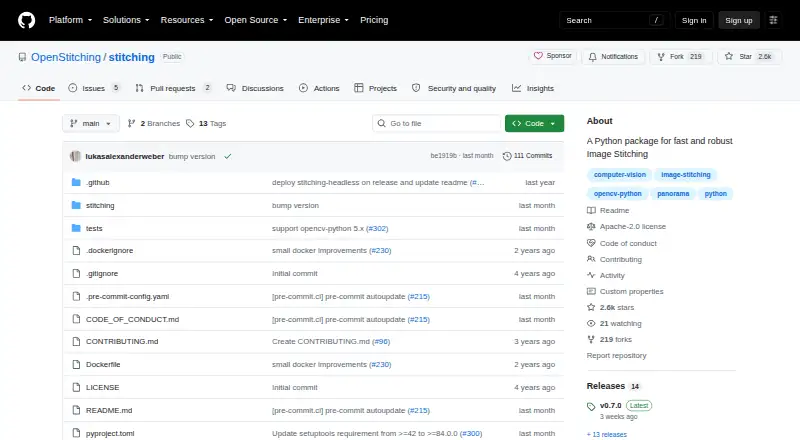
What stitching is
stitching is a free Python package for creating wide panoramas from image files or images already loaded in a program. Built on OpenCV’s stitching module, it can run from a command line or inside Python scripts using its Stitcher and AffineStitcher classes. The command-line tool can process every JPG in a directory, files selected with a wildcard, or images named individually. For troubleshooting, verbose mode saves intermediate results, and included utilities help inspect stitching details such as RANSAC matches and seam lines. The maker documents pip installation and provides a Docker image called openstitching/stitch; it recommends stitching-headless for server and cloud environments. The package supports Python 3 and is distributed under the Apache License 2.0. Its development and use included research on automatically assembling fragmented construction plans of hydraulic structures. Questions are directed to GitHub Discussions, rather than the project’s issue section. PyPI lists version 0.7.0, released September 5, 2026.
Who it suits
It suits Python users who need to assemble image panoramas from files or loaded images, including command-line and server or cloud workflows. Its inspection utilities may also help users examining stitching results.
What it does well
- Creates panoramas from files or loaded images
- CLI supports directories, wildcards and named files
- Python scripts can use two stitcher classes
- Verbose mode saves intermediate results
- Docker image and pip installation are documented
What to know first
- Python 3 only
- No free trial is listed
- Questions should go to Discussions, not issues
Limits
The package is classified for Python 3 only. The maker recommends stitching-headless for server and cloud environments.
Plans
| Plan | Billed and limits | Price |
|---|---|---|
| Free / open source | Python package · CLI · Docker image · Apache-2.0 license | Free |
As github.com lists them, read 9 Oct 2026. The maker's own page has the final word.
Getting started
- Open the project website on GitHub.
- Install the package with pip, or use the openstitching/stitch Docker image.
- For server or cloud environments, use the maker-recommended stitching-headless package.
- Run the CLI on directory JPGs, wildcard-matched files, or a chosen image list, or use Stitcher or AffineStitcher in a Python script.
- Use GitHub Discussions for questions.
Stitching is a focused toolkit for developers, researchers, and technical teams that need panorama generation in scripts, batch jobs, or a command-line pipeline. It is a strong fit when configurable OpenCV-based processing and inspectable intermediate results matter more than a graphical editing workspace.
Overview
Stitching is a Python package built on OpenCV’s stitching module, inspired by the stitching_detailed.py command-line tool. It creates wide panoramas from image files or images already loaded in memory. The project grew from research on automatically joining fragmented construction plans for hydraulic structures, which helps explain its engineering-oriented design rather than a consumer photo-editor focus.
The Apache License 2.0 permits use, modification, and redistribution. PyPI lists version 0.7.0, released September 5, 2026, as Python 3 software with a universal py3-none-any wheel.
Key features
CLI and Python workflows
The installed CLI can process every JPG in a directory, files selected by a wildcard, or an explicitly named set of images. That makes it practical for repeatable batch jobs without building a user interface. In Python, Stitcher accepts filenames, wildcard patterns, or already loaded images, while AffineStitcher provides the affine workflow exposed by the CLI’s --affine option. The two entry points suit teams that need either a quick command or integration into a larger application.
Control and diagnostics
Custom settings include examples such as the feature detector and confidence threshold. This is useful when default behavior does not match a particular image set, but it assumes comfort with Python configuration rather than point-and-click controls. Verbose mode saves intermediate outputs, and accompanying utilities plus a Jupyter Notebook tutorial let users inspect RANSAC matches and blended seam lines. Those diagnostics can make failed or imperfect joins easier to investigate instead of leaving users with only a final panorama.
Deployment options
Installation is documented through pip, and the project supplies the openstitching/stitch Docker image. The maintainers recommend stitching-headless for server, Docker, and cloud environments. The image reads source files from a mounted /data directory and writes its default output as result.jpg, providing a straightforward container convention for automated jobs.
Pricing
Free / open source — free: The Python package, CLI, and Docker image are included under the Apache-2.0 license. There is no free trial because the software is free, and no paid tier, seat charge, renewal, or stated usage quota is attached to this plan. It is the natural choice for developers and research groups that can operate their own Python or container workflow. It does not provide the convenience of a commercial editor or a vendor-managed service.
Platforms
Stitching is available as an API for Python 3, on Linux, and as self-hosted software. Pip installation supports a Python workflow, while Docker supports a containerized deployment. The published platform scope favors servers, development machines, and controlled infrastructure rather than mobile or desktop photo-editing use.
Who it's for
Choose stitching if you are building panorama creation into a Python application, automating directory-based jobs, or studying why individual joins succeed or fail. Its configurable classes and saved intermediate results are particularly relevant to research and image-processing teams that need repeatability and diagnostics. It is a poor match for casual photographers who expect a visual editor, broad retouching tools, or a managed cloud workspace.
Pros and cons
- Pro: two practical automation paths. The CLI handles directories, wildcards, and named files, while Python classes accept both paths and loaded images.
- Pro: useful failure analysis. Verbose outputs, RANSAC-match utilities, seam-line inspection, and a notebook tutorial expose steps behind the final panorama.
- Pro: permissive distribution. Apache 2.0 licensing, pip installation, and a Docker image make self-hosted integration straightforward.
- Con: technical operating model. Configuration and deployment assume Python, Linux, or containers, so it is not aimed at users who want a graphical workflow.
- Con: narrow scope. It concentrates on stitching and does not serve as a general photo editor or broader media-management application.
Alternatives
For a broader, cross-platform editor with freemium access, consider PhotoPad; its listed plans include desktop and mobile platforms, unlike this self-hosted package. Pick Hugin if you want a free, open-source panorama application for Linux, macOS, or Windows. OpenPano and Xpano are also free panorama tools for those desktop operating systems. On macOS, Panorama Stitcher offers a free Mini plan that stitches up to five images. Choose Adobe Lightroom or Adobe Photoshop when panorama work belongs inside a larger Adobe photography and editing workflow. MikuMikuDance is a freemium, multi-platform alternative for a different kind of creative workflow.
See the full Panorama Stitching Software list for more options.
Verdict
Stitching is a compelling choice for developers and research teams that want free, self-hosted panorama generation with Python access, command-line batching, and meaningful diagnostics. Look elsewhere if you need a graphical editor, consumer-oriented workflow, or tools beyond panorama creation.
Verdict
stitching offers both command-line and Python routes to panorama creation, with tools for inspecting intermediate stitching details. It is a focused package rather than a general image editor.
Questions
How much does stitching cost?
It is free, with a free plan.
Is there a free trial?
No. The package is free to use.
How can I use stitching?
It provides a command-line interface and Python classes, and the maker documents pip installation and a Docker image.
What images can the command line process?
It can stitch all JPG files in a directory, files matched by a wildcard, or explicitly listed images.
What license does it use?
The project is distributed under the Apache License 2.0.
Where can I ask questions?
The project directs questions to GitHub Discussions and says not to use its issue section for questions.
Facts from stitching's own pages
- Affine mode
- The package provides an AffineStitcher class corresponding to the CLI’s --affine parameter. · github.com, 9 Oct 2026
- Analysis tutorial
- The project provides utility functions and a Jupyter Notebook tutorial for analyzing stitching, including RANSAC matches and blended seam lines. · github.com, 9 Oct 2026
- CLI
- The installed command-line interface can stitch matching files in a directory or explicitly named images. · github.com, 9 Oct 2026
- Command line
- Its CLI can stitch all JPG files in a directory, files matched by a wildcard, or explicitly listed images. · github.com, 4 Oct 2026
- Configuration
- The Stitcher accepts custom settings, with detector and confidence_threshold shown as examples. · github.com, 9 Oct 2026
- Debugging
- Verbose mode saves intermediate results, and the package includes utilities for examining stitching, including RANSAC matches and seam lines. · github.com, 4 Oct 2026
- Diagnostics
- Verbose mode stores intermediate results to help investigate image stitching problems. · github.com, 9 Oct 2026
- Distribution
- The package can be installed with pip or run using the project’s Docker image. · github.com, 9 Oct 2026
- Docker behavior
- The Docker image reads images from a mounted /data directory and stores its default result there as result.jpg. · hub.docker.com, 9 Oct 2026
- Headless use
- The README recommends installing stitching-headless for server environments such as Docker and cloud environments. · github.com, 9 Oct 2026
- Install options
- The maker documents installation with pip and provides a Docker image; it recommends stitching-headless for server environments such as Docker and cloud environments. · github.com, 4 Oct 2026
- Integrations
- The project is based on OpenCV and provides a Docker image named openstitching/stitch. · github.com, 4 Oct 2026
- Intended use
- The package was developed and used for a research paper about automatic stitching of fragmented construction plans of hydraulic structures. · github.com, 4 Oct 2026
- Latest release
- PyPI lists version 0.7.0, released September 5, 2026. · pypi.org, 4 Oct 2026
- License
- The repository is licensed under Apache License 2.0. · github.com, 9 Oct 2026
- Output
- The package creates panoramas from image files or already loaded images. · github.com, 4 Oct 2026
- Package compatibility
- PyPI classifies the package as Python 3 only and lists a universal py3-none-any wheel. · pypi.org, 4 Oct 2026
- Purpose
- Stitching is a Python package for fast and robust image stitching. · github.com, 9 Oct 2026
- Python API
- The Stitcher class can create panoramas from filenames, wildcard patterns, or already loaded images. · github.com, 9 Oct 2026
- Python use
- The package exposes Stitcher and AffineStitcher classes for use in Python scripts. · github.com, 4 Oct 2026
- Research use
- The package was developed and used for a paper about automatically stitching fragmented construction plans of hydraulic structures. · github.com, 9 Oct 2026
- Support
- The project directs questions to GitHub Discussions and asks users not to use the issue section for questions. · github.com, 9 Oct 2026
- Underlying technology
- The package is based on OpenCV’s stitching module and inspired by its stitching_detailed.py command-line tool. · github.com, 9 Oct 2026
Where stitching stands on Freedom251
- Panorama Stitching Software#8 of 23