Freedom251 › Panorama Stitching Software

Panorama Stitcher
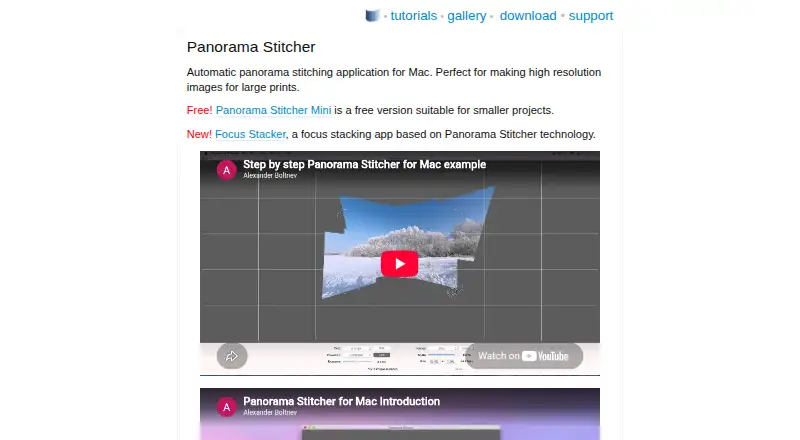
What Panorama Stitcher is
Panorama Stitcher combines multiple photographs into a higher-resolution composite image. It automatically aligns photos by matching similarities in overlapping areas, with spherical alignment for rotating-camera panoramas and planar alignment for scans, microscope images, and aerial maps. Its algorithm also levels exposure and corrects lens shading. Spherical panoramas can use rectilinear or equirectilinear projection, while planar images have a rotation control. Before export, users can straighten or rotate a panorama, adjust exposure, and set cropping. The app imports image formats supported by macOS, including Apple RAW formats, and exports JPEG, 16-bit TIFF, or PNG. It can merge EXIF tags from the source files, and equirectangular panoramas can use Photosphere tags. Panorama Stitcher Mini is a free Mac edition for smaller projects and stitches up to five images; its listed plan costs nothing. The app accesses only user-selected files, does not collect data or send images to the maker or third parties, and has no Internet access. Release notes state that version 1.11 requires macOS 10.14 or later and added native Apple M1 support.
Who it suits
It suits Mac users assembling panoramas from photographs, or creating composites from scans, microscope images, or aerial maps. The free Mini edition is intended for smaller projects of up to five images.
What it does well
- Supports both spherical and planar alignment
- Automatically levels exposure and corrects lens shading
- Imports macOS-supported formats, including Apple RAW
- Exports JPEG, 16-bit TIFF, or PNG
- Mini edition stitches up to five images
What to know first
- Mini is limited to five images per stitch
- Requires macOS 10.14 or later according to version 1.11 release notes
- Available on macOS only
Limits
Panorama Stitcher Mini is free and can stitch up to five images. Version 1.11 requires macOS 10.14 or later.
Plans
| Plan | Billed and limits | Price |
|---|---|---|
| Panorama Stitcher Mini | Stitches up to five images | Free |
As panoramastitcher.com lists them, read 5 Oct 2026. The maker's own page has the final word.
Getting started
- Visit the Panorama Stitcher website.
- Use a Mac running macOS 10.14 or later for version 1.11.
- Start with Panorama Stitcher Mini, the free edition for up to five images.
- Select source images from the files available on macOS.
- Choose an alignment type, set projection, exposure, rotation, and cropping, then export in a supported format.
Overview
Panorama Stitcher is a macOS app for assembling overlapping images into a single composite. It is a strong fit for Mac users who need both conventional panoramas and stitched flat imagery, but the free Mini edition is only practical for small jobs.
Key features
Automatic alignment detects similarities in overlapping areas, while automatic exposure leveling and lens-shading correction help even out a composite. You can straighten or rotate panoramas, adjust exposure and set the crop before exporting, giving you some say over the finish without requiring manual alignment.
The spherical workflow offers rectilinear and equirectilinear projections. Planar alignment, with a rotation control, is intended for material such as scans, microscope images and aerial maps. That flexibility is a meaningful advantage for users whose stitching needs extend beyond landscape photography.
Panorama Stitcher imports image formats supported by macOS, including Apple RAW formats, and exports JPEG, 16-bit TIFF or PNG. It merges EXIF tags from the source files and supports Photosphere tags for equirectangular panoramas. This makes it useful when retaining metadata or producing a higher-bit-depth TIFF matters.
The app accesses only files you select, collects no user data, sends no images to the maker or third parties, and has no Internet access. Bug reports and feature requests can be sent to [email protected]; help is also available from the app's Help menu.
Pricing
Panorama Stitcher Mini costs nothing and stitches up to five images. It is a sensible starting point for short panoramas or small planar projects, but the image cap rules it out for larger composites. The pricing model is freemium; no paid plan price or terms are stated, so larger-project buyers should confirm the available option before committing.
Platforms
Panorama Stitcher runs on macOS. Release notes state that version 1.11 requires macOS 10.14 or later and added native Apple M1 support.
Who it's for
Choose it if you use a Mac and want automatic stitching for both spherical panoramas and flat image sets, with export and metadata controls. It is less suitable if you need a free workflow for projects exceeding five images or need an app for another platform.
Pros and cons
- Pro: Spherical and planar alignment cover both rotating-camera panoramas and flat source material.
- Pro: RAW import, 16-bit TIFF export and merged EXIF tags support more deliberate image workflows.
- Pro: Selected-file access and no Internet connection keep images on the user's device.
- Con: Mini's five-image ceiling limits its usefulness for larger projects.
- Con: It is macOS-only, so it will not fit users working on other platforms.
Alternatives
Hugin is a free, open-source option for users who want software they can modify and share, and it runs on Linux, macOS and Windows. OpenPano is another free choice for users seeking a Linux, macOS or Windows option with no usage limits stated. Xpano is a free alternative for users on Linux, macOS or Windows.
stitching suits users who want a free, open-source Python package with CLI and Docker options for Linux or self-hosted use. PhotoPad is worth considering if you need broader platform coverage, including mobile, web and Windows as well as macOS. Adobe Lightroom may suit users who want a photo app across mobile, web and desktop platforms. Adobe Photoshop is an alternative for users seeking a paid app across mobile, web and desktop platforms. MikuMikuDance is another freemium option for users on Android, iOS or Windows.
For more options, browse Panorama Stitching Software.
Verdict
Panorama Stitcher is a good choice for Mac users who want one automatic workflow for panoramas and planar image sets, particularly when metadata retention and privacy matter. Its free Mini version is useful for small projects, but the five-image limit makes it a poor fit for larger work unless a suitable paid option meets your needs.
Verdict
Panorama Stitcher provides automatic alignment for both photographic panoramas and planar image sets, with editing and export controls. The free Mini edition is a limited option for projects of up to five images.
Questions
Is Panorama Stitcher free?
Panorama Stitcher Mini is listed as free and is described as a free edition.
How many images can the free edition stitch?
Panorama Stitcher Mini can stitch up to five images.
Which platforms does it support?
The listed platform is macOS. Version 1.11 requires macOS 10.14 or later.
Can it import RAW images?
Yes. It imports image formats supported by macOS, including Apple RAW formats.
What formats can it export?
It exports JPEG, 16-bit TIFF, or PNG.
How does the app handle privacy?
It accesses only files selected by the user, collects no user data, does not send images to the maker or third parties, and has no Internet access.
Facts from Panorama Stitcher's own pages
- Alignment
- It supports spherical alignment for rotating-camera panoramas and planar alignment for scans, microscope images, and aerial maps. · panoramastitcher.com, 5 Oct 2026
- Automatic stitching
- The app automatically aligns source photos by finding similarities in overlapping regions. · panoramastitcher.com, 5 Oct 2026
- Compatibility
- Release notes state that version 1.11 requires macOS 10.14 or later and added native Apple M1 support. · panoramastitcher.com, 5 Oct 2026
- Editing
- Users can straighten and rotate panoramas, adjust exposure, and control cropping before export. · panoramastitcher.com, 5 Oct 2026
- Exposure and lens correction
- Its algorithm automatically levels exposure and corrects lens shading. · panoramastitcher.com, 5 Oct 2026
- Free edition
- Panorama Stitcher Mini is a free Mac version intended for smaller projects and can stitch up to five images. · panoramastitcher.com, 5 Oct 2026
- Import and export
- It imports image formats supported by macOS, including Apple RAW formats, and exports JPEG, 16-bit TIFF, or PNG. · panoramastitcher.com, 5 Oct 2026
- Metadata
- The app merges EXIF tags from the source files into the output and supports Photosphere tags for equirectangular panoramas. · panoramastitcher.com, 5 Oct 2026
- Privacy
- The application only accesses files selected by the user, does not collect user data, does not send images to the maker or third parties, and does not have Internet access. · panoramastitcher.com, 5 Oct 2026
- Projections
- Spherical panoramas can use rectilinear or equirectilinear projection, while planar images have a rotation control. · panoramastitcher.com, 5 Oct 2026
- Purpose
- Panorama Stitcher automatically combines multiple photographic images into one higher resolution composite image. · panoramastitcher.com, 5 Oct 2026
- Support
- Bug reports and feature requests can be sent to [email protected], and the help page is also available from the application's Help menu. · panoramastitcher.com, 5 Oct 2026
Where Panorama Stitcher stands on Freedom251
- Panorama Stitching Software#7 of 23