xNVSE
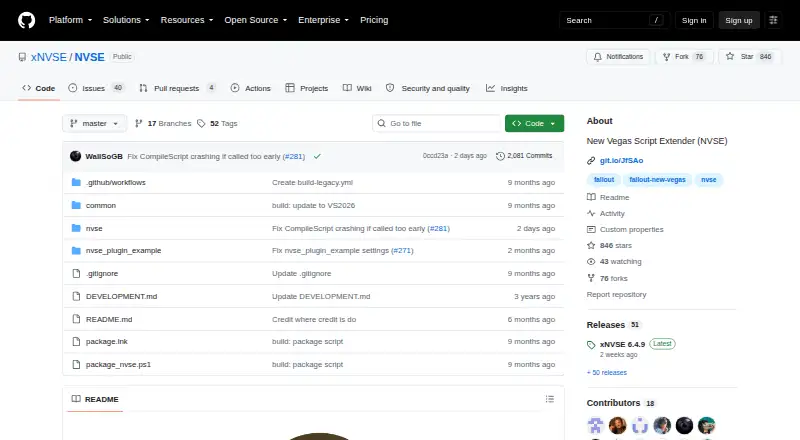
What xNVSE is
xNVSE is a free Windows resource for Fallout: New Vegas modders and script authors. It expands the game engine and scripting capabilities without changing executable files stored on disk, and the project says this leaves no permanent side effects. The tool supports Steam and GOG releases of Fallout: New Vegas. German No Gore, Xbox Game Pass, and Bethesda.net editions are not supported; Epic Games Store players can use the linked Epic Games Patcher. Download links provide releases and changelogs, with additional releases on Nexus Mods, while the project warns against installing the source-code ZIP. Installation means copying the DLL and EXE files into the game directory, rather than the Data folder, and not adding xNVSE to Mod Organizer 2 as a normal mod. Start the game through nvse_loader.exe, or through FalloutNV.exe after applying the linked FNV 4GB Patcher. Script documentation is available through the GECK Wiki. Support uses Discord, and bug reports go to GitHub issues. The latest release recommends the Viva New Vegas guide for stability.
Who it suits
It suits Fallout: New Vegas modders and script authors using supported Windows game editions. Users of unsupported editions or those wanting a conventional Data-folder mod should look elsewhere.
What it does well
- Free Windows tool
- Expands engine and scripting capabilities
- Supports Steam and GOG editions
- No permanent executable side effects
- Provides releases and changelogs
What to know first
- Several game editions are unsupported
- Files must not go in Data folder
- Not installed as a normal MO2 mod
- Antivirus may delete loader files
Limits
xNVSE supports Steam and GOG versions of Fallout: New Vegas, while German No Gore, Xbox Game Pass, and Bethesda.net versions are unsupported. Epic Games Store users need the linked Epic Games Patcher.
Getting started
- Download a release and changelog from the project links or Nexus Mods
- Copy the DLL and EXE files into the Fallout: New Vegas game directory
- Do not place the files in the Data folder or install xNVSE as a normal MO2 mod
- Launch with nvse_loader.exe
- Apply the linked FNV 4GB Patcher if you want to launch with FalloutNV.exe
- Consult the GECK Wiki when writing scripts that use NVSE
Verdict
xNVSE provides expanded scripting for supported Windows editions of Fallout: New Vegas without permanent executable changes. Installation and game-version restrictions require careful attention.
Questions
What does xNVSE do?
It expands Fallout: New Vegas engine and scripting capabilities without modifying executable files on disk.
Is xNVSE free?
Yes. The project lists a free plan.
Which game versions are supported?
Steam and GOG versions of Fallout: New Vegas are supported on Windows.
How is xNVSE installed?
Copy its DLL and EXE files into the game directory, not the Data folder, and do not install it in MO2 as a normal mod.
How do I launch the game after installation?
Use nvse_loader.exe, or use FalloutNV.exe after applying the linked FNV 4GB Patcher.
Where can script authors get help?
The project points to the GECK Wiki for script documentation, Discord for support, and GitHub issues for bug reports and other problems.
Facts from xNVSE's own pages
- Developers
- The repository credits xNVSE development to korri123 (Kormákur), cnf13 (Confused), jazzisparis, and Demorome. · github.com, 7 Oct 2026
- Distribution
- The project links to the latest release and says releases are also available on Nexus Mods. · github.com, 7 Oct 2026
- Documentation
- The project directs script authors to the GECK Wiki for documentation on writing scripts that use NVSE. · github.com, 7 Oct 2026
- Downloads
- The project links to its releases for downloads and changelogs and warns against installing the source code ZIP. · github.com, 7 Oct 2026
- Engine changes
- It expands the game’s engine and scripting capabilities without modifying executable files on disk, so it has no permanent side effects. · github.com, 7 Oct 2026
- Installation
- The project instructs users to copy the DLL and EXE files into the Fallout: New Vegas game directory, not the Data folder. · github.com, 7 Oct 2026
- Launch options
- The game can be launched with nvse_loader.exe or, after applying the linked FNV 4GB Patcher, FalloutNV.exe. · github.com, 7 Oct 2026
- Modder resource
- NVSE expands Fallout: New Vegas scripting without modifying executable files on disk. · github.com, 7 Oct 2026
- Mod installation limit
- The project says not to put the files in the Data folder or install xNVSE with MO2 as a normal mod. · github.com, 7 Oct 2026
- Purpose
- xNVSE expands the engine and scripting capabilities of Fallout: New Vegas. · github.com, 7 Oct 2026
- Release guidance
- The latest release recommends following the Viva New Vegas mod guide for a stable experience. · github.com, 7 Oct 2026
- Script documentation
- The project directs script authors to the GECK Wiki for documentation on writing scripts that use NVSE. · github.com, 7 Oct 2026
- Security notice
- The latest release notice says antivirus software may delete nvse_loader.exe or nvse_steam_loader.dll and suggests temporarily disabling antivirus or using older versions of those files. · github.com, 7 Oct 2026
- Stability guidance
- The release page recommends the Viva New Vegas mod guide for a stable experience. · github.com, 7 Oct 2026
- Support
- The project directs users to its Discord server for support and GitHub issues for bug reports and other problems. · github.com, 7 Oct 2026
- Supported game versions
- xNVSE is compatible with the Steam and GOG versions of Fallout: New Vegas. · github.com, 7 Oct 2026
- Supported versions
- xNVSE is compatible with the Steam and GOG versions of Fallout: New Vegas. · github.com, 7 Oct 2026
- Unsupported versions
- German No Gore, Xbox Game Pass, and Bethesda.net versions are not supported; Epic Games Store users can use the linked Epic Games Patcher. · github.com, 7 Oct 2026
Where xNVSE stands on Freedom251
- Game Mod Loaders#22 of 26
- Runtime Version Managers#28 of 30
- Development Environment Managers#50 of 50