Ultimate ASI Loader
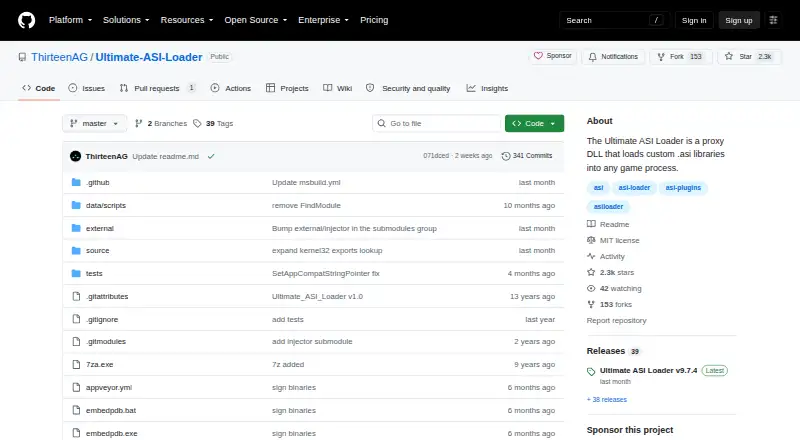
What Ultimate ASI Loader is
Ultimate ASI Loader is a Windows proxy DLL for adding ASI plugin loading to supported games. It loads custom .asi libraries into a game process that uses supported Win32 or Win64 DLLs, including Direct3D, DirectInput, audio, and XInput libraries. To install it, place the loader in the game directory, commonly named dinput8.dll, or give it another supported DLL name. Put ASI files in the game root or in a scripts, plugins, or update folder. When configuration is needed, use global.ini in the scripts or plugins folder; the selected DLL name can also be used as the INI filename.
The update folder can supply replacement game files while leaving the originals in place; removing the folder restores the original files. For many supported DLL names, the loader can also pass calls to the original DLL if it is renamed to a Hooked.dll filename. Other documented options include d3d8to9 support when the loader is named d3d8.dll, and crash minidumps and logs when a CrashDumps folder is placed beside it. The 32-bit build includes a legacy windowed-mode feature configured through wndmode.ini, with settings that may need adjustment for each game. Win32 and Win64 builds are described, and the repository lists an MIT license.
Who it suits
Ultimate ASI Loader suits game modders who want to load ASI plugins in supported Windows games. It is aimed at games using supported Win32 or Win64 DLLs and supports plugin loading without load-order control, mod profiles, or dependency handling.
What it does well
- Free plan costs nothing.
- Supports Win32 and Win64 builds.
- ASI files can be placed in several game folders.
- Can provide replacement files through the update folder.
- Can generate crash minidumps and logs.
- Repository lists an MIT license.
What to know first
- Windows is the only listed platform.
- Load-order control is unavailable.
- Mod profiles are unavailable.
- Dependency handling is unavailable.
Limits
The free plan provides ASI plugin loading for supported Windows game DLLs, with no load-order control, mod profiles, or dependency handling.
Plans
| Plan | Billed and limits | Price |
|---|---|---|
| Ultimate ASI Loader | ASI plugin loading for supported Windows game DLLs | Free |
As github.com lists them, read 5 Oct 2026. The maker's own page has the final word.
Getting started
- Download a Win32 or Win64 build from the project website.
- Place the DLL in the game directory, commonly named dinput8.dll, or rename it to another supported DLL name.
- Place ASI files in the game root or a scripts, plugins, or update folder.
- If configuration is needed, put global.ini in scripts or plugins, or use the selected DLL name for the INI filename.
Verdict
Choose Ultimate ASI Loader if you want a free way to load ASI plugins into a supported Windows game. Look elsewhere if you need load-order control, mod profiles, or dependency handling.
Questions
How much does Ultimate ASI Loader cost?
The listed plan is free.
Is there a free plan or trial?
A free plan is listed. There is no free trial.
Which platforms does it support?
Windows, with Win32 and Win64 builds.
Is Ultimate ASI Loader open source?
The repository lists an MIT license.
How are ASI plugins loaded?
Place the loader DLL in the game directory and ASI files in the game root or a scripts, plugins, or update folder.
Does it manage load order or dependencies?
It has no load-order control, mod profiles, or dependency handling.
Facts from Ultimate ASI Loader's own pages
- Configuration
- When configuration is needed, global.ini can be placed in the scripts or plugins folder, and the selected DLL name can also be used for the INI filename. · github.com, 5 Oct 2026
- Crash diagnostics
- It can generate crash minidumps and logs when a CrashDumps folder is created beside the loader DLL, and this can be disabled with an INI option. · github.com, 5 Oct 2026
- Direct3D compatibility
- The loader includes d3d8to9 support, enabled through global.ini, when the loader is named d3d8.dll. · github.com, 5 Oct 2026
- Download builds
- The release instructions describe Win32 and Win64 builds and note that NoPDB archives are smaller binaries without debug symbols. · github.com, 5 Oct 2026
- File overrides
- The update folder can provide replacement game files while allowing the original files to remain untouched; removing the folder reverts the change. · github.com, 5 Oct 2026
- Installation
- Installation consists of placing the DLL in the game directory, usually as dinput8.dll, or renaming it to another supported DLL name. · github.com, 5 Oct 2026
- Intended users
- The documented use is for game modders who want to load ASI plugins into supported Windows games. · github.com, 5 Oct 2026
- Legacy feature
- The 32-bit build has a legacy windowed-mode feature that uses a wndmode.ini file and settings that may need adjustment for each game. · github.com, 5 Oct 2026
- License
- The repository lists an MIT license. · github.com, 5 Oct 2026
- Original DLL forwarding
- For many supported DLL names, the original DLL can be loaded after renaming it to a Hooked.dll filename; the README says this is optional for binkw32.dll and vorbisFile.dll. · github.com, 5 Oct 2026
- Plugin locations
- ASI files can be placed in the game root directory or in the scripts, plugins, or update folder. · github.com, 5 Oct 2026
- Purpose
- Ultimate ASI Loader is a proxy DLL that loads custom .asi libraries into a game process. · github.com, 5 Oct 2026
- Supported games
- It adds ASI plugin loading to games that use supported Win32 or Win64 libraries, including Direct3D, DirectInput, audio, and XInput DLLs. · github.com, 5 Oct 2026
- Total conversions
- Since version 7.9.0, multiple existing overload folders can be configured for a total conversion selector dialog. · github.com, 5 Oct 2026
Where Ultimate ASI Loader stands on Freedom251
- Game Mod Loaders#20 of 26