Starfield Script Extender
What Starfield Script Extender is
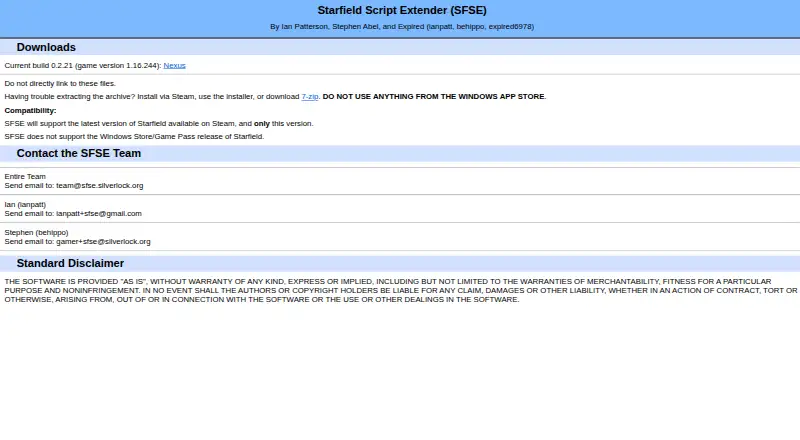
Starfield Script Extender (SFSE) adds scripting capabilities to Starfield and supports plugins through an injection-based mod loading method. It is a free Windows tool for the Steam release of the game, supporting only the latest Starfield version available on Steam. The official site lists build 0.2.21 for game version 1.16.244. Windows Store and Game Pass editions are not supported.
The changelog includes a plugin manager, a Scaleform menu plugin interface, and preliminary support for custom Papyrus native functions. Some Starfield updates have meant plugins needed recompilation or updated compatibility data. SFSE components use a code signature intended to reduce virus scanner false positives. To install, use Steam or the installer and place the DLL and EXE files in the Starfield folder, not its Data folder; start the game with sfse_loader.exe. The installation instructions warn against using anything from the Windows App Store. The SFSE site provides a team email address and an as-is disclaimer that disclaims express and implied warranties. The Nexus Mods listing prohibits uploading the file to other sites.
Who it suits
SFSE suits Windows players who want to add scripting capabilities or use plugins with the Steam version of Starfield. It is not suitable for players using the Windows Store or Game Pass release, or a Steam version other than the latest one.
What it does well
- Free plan costs nothing.
- Adds scripting capabilities and supports plugins.
- Includes a plugin manager and Scaleform menu plugin interface.
- Offers preliminary support for custom Papyrus native functions.
- Components use a code signature to reduce scanner false positives.
What to know first
- Supports only the latest Steam version of Starfield.
- Does not support Windows Store or Game Pass editions.
- Some game updates have required plugins to be recompiled or updated.
Limits
The free plan supports only the latest Starfield version available on Steam. Windows Store and Game Pass releases are unsupported.
Plans
| Plan | Billed and limits | Price |
|---|---|---|
| Starfield Script Extender (SFSE) | Supports the latest Steam version of Starfield only · Windows Store/Game Pass release not supported | Free |
As sfse.silverlock.org lists them, read 8 Oct 2026. The maker's own page has the final word.
Getting started
- Use Steam or the installer to install SFSE.
- Copy the DLL and EXE files into the Starfield folder, not its Data folder.
- Launch Starfield using sfse_loader.exe.
Verdict
Pick SFSE if you play Starfield on Windows through Steam and need additional scripting capabilities or plugin support. Look elsewhere if you use the Windows Store or Game Pass edition, since those releases are unsupported.
Questions
How much does SFSE cost?
SFSE is free, with a listed plan price of $0.
Which Starfield versions does SFSE support?
It supports only the latest version of Starfield available on Steam. The official site lists build 0.2.21 for game version 1.16.244.
Does SFSE work with Windows Store or Game Pass?
No. Those releases of Starfield are not supported.
What platforms and games does SFSE support?
It supports Starfield on Windows.
How do I launch Starfield with SFSE?
After installation, launch the game using sfse_loader.exe.
Can I upload SFSE to another site?
The Nexus Mods listing says uploading the file to other sites is not allowed.
Facts from Starfield Script Extender's own pages
- Code signature
- The changelog says SFSE components use a code signature to reduce virus scanner false positives. · nexusmods.com, 8 Oct 2026
- Current build
- The official site lists build 0.2.21 for Starfield game version 1.16.244. · sfse.silverlock.org, 8 Oct 2026
- Distribution restriction
- The Nexus Mods listing says uploading the file to other sites is not allowed. · nexusmods.com, 8 Oct 2026
- Installation
- The official site says to install via Steam or use the installer, and warns against using anything from the Windows App Store. · sfse.silverlock.org, 8 Oct 2026
- Installation location
- The installation instructions say to copy the DLL and EXE files into the Starfield folder, not its Data folder. · nexusmods.com, 8 Oct 2026
- Launch requirement
- After installation, the game must be launched using sfse_loader.exe. · nexusmods.com, 8 Oct 2026
- Plugin compatibility
- The changelog says some game updates have required plugins to be recompiled or to update their compatibility data. · nexusmods.com, 8 Oct 2026
- Plugin features
- The changelog lists a plugin manager, a Scaleform menu plugin interface, and preliminary support for custom Papyrus native functions. · nexusmods.com, 8 Oct 2026
- Purpose
- SFSE adds additional scripting capabilities and functionality to Starfield. · nexusmods.com, 8 Oct 2026
- Support contact
- The SFSE site provides a team email address at [email protected]. · sfse.silverlock.org, 8 Oct 2026
- Supported game version
- SFSE supports the latest version of Starfield available on Steam, and only that version. · sfse.silverlock.org, 8 Oct 2026
- Unsupported editions
- SFSE does not support the Windows Store or Game Pass release of Starfield. · sfse.silverlock.org, 8 Oct 2026
- Warranty
- The official site provides an as-is disclaimer and disclaims express and implied warranties. · sfse.silverlock.org, 8 Oct 2026
Where Starfield Script Extender stands on Freedom251
- Game Mod Loaders#19 of 26