Freedom251 › Data Preparation Software
Wrangell Data
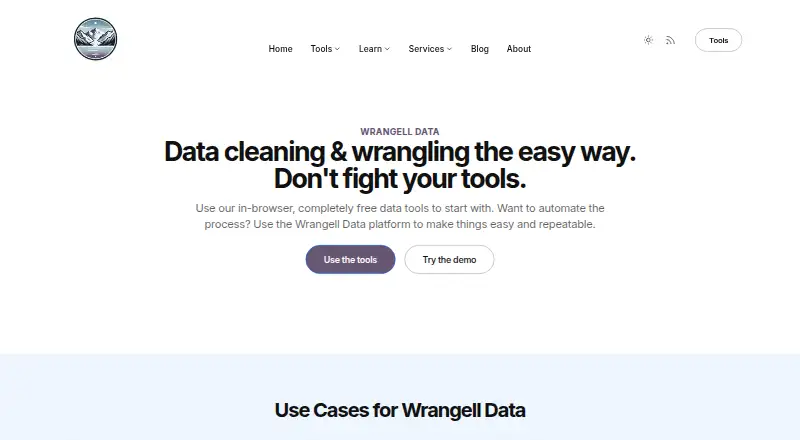
What Wrangell Data is
Wrangell Data is a no-code tool in the browser for transforming and cleaning data. Its standalone tools are free, and processing takes place on the user's computer. The site supports Excel (XLSX), CSV, and JSON files. For CSV-to-JSON work, upload a CSV or XLSX file, choose columns, preview the output, and download it. The Missing Data tool generates a report and allows filtering before preview and download. Data Merger combines two spreadsheets using a chosen column from each, while CSV Splitter divides spreadsheets into smaller sections by row or column. These tools can support work such as combining customer sales or support information and preparing data for reporting or machine learning. The maker says data stays in the browser during the merge tutorial workflow, and its example workflow does not require an account. Wrangell also offers a one-time Starter Data Transformation Package for $300, paid once, covering up to 5 input files and 10,000 rows per file. Its deliverables include conversion, cleaning, duplicate removal, a cleaning log, and a mapped process; delivery is stated as within 5 business days after files are provided, with possible clarification delays.
Who it suits
Wrangell Data suits people who need browser-based spreadsheet cleaning, conversion, merging, or splitting. The paid service may suit those wanting preprocessing and a documented cleaning process for several input files.
What it does well
- Standalone browser tools are free.
- Supports Excel (XLSX), CSV, and JSON.
- Merge and missing-data tools offer previews.
- Example workflow requires no account.
- Processing happens locally in the browser.
What to know first
- Starter package costs $300, paid once.
- Package covers up to 5 input files.
- Package limits each file to 10,000 rows.
- Service delivery may be delayed for clarification.
Limits
The Starter Data Transformation Package covers up to 5 input files and up to 10,000 rows per file. Deliverables are stated to arrive within 5 business days after data is provided, with possible delays for clarification.
Plans
| Plan | Billed and limits | Price |
|---|---|---|
| Starter Data Transformation Package | One-time service · Up to 5 input files · Up to 10,000 rows per file | $300, paid once |
As wrangelldata.com lists them, read 4 Oct 2026. The maker's own page has the final word.
Getting started
- Open the Wrangell Data website in a browser.
- Choose a standalone tool and provide a supported XLSX, CSV or JSON file as applicable.
- Select columns or filtering options when using the relevant tool.
- Preview the result when using the CSV to JSON or Missing Data tool, then download it.
- For the one-time service, provide data for the Starter Data Transformation Package.
Verdict
Wrangell Data offers free browser tools for common file-cleaning and transformation tasks, with local processing described by its maker. A separate one-time service adds preprocessing and documentation within stated file and row limits.
Questions
Is Wrangell Data free?
Its standalone browser-based tools are free. The Starter Data Transformation Package is a separate one-time service priced at $300, paid once.
Which file types does it support?
The site says Wrangell supports Excel (XLSX), CSV and JSON files.
Do I need an account?
The maker's tutorial says no account is required for its example workflow.
Where is file processing performed?
The maker says the standalone tools process data locally in the browser. In the tutorial's merge workflow, none of the data leaves the browser.
What does the Starter Data Transformation Package include?
It includes conversion and preprocessing, duplicate removal, merging, cleaning, a cleaning log and a mapped process. It covers up to 5 input files and up to 10,000 rows per file.
Who created Wrangell Data?
The About page identifies Jeff Linwood as the creator and says he has been a professional software developer for 25 years.
Facts from Wrangell Data's own pages
- Account requirement
- The maker's tutorial says no account is required to use the tools in its example workflow. · wrangelldata.com, 4 Oct 2026
- Creator
- The About page identifies Jeff Linwood as Wrangell Data's creator and says he has been a professional software developer for 25 years. · wrangelldata.com, 4 Oct 2026
- CSV to JSON
- The CSV to JSON tool lets users upload a CSV or XLSX file, select columns, preview the result, and download it. · wrangelldata.com, 4 Oct 2026
- Files
- The site says Wrangell supports Excel (XLSX), CSV, and JSON files. · wrangelldata.com, 4 Oct 2026
- Free tools
- The standalone browser-based tools are free, and processing happens on the user's computer. · wrangelldata.com, 4 Oct 2026
- Merge data
- The Data Merger joins two spreadsheets using a selected column from each source. · wrangelldata.com, 4 Oct 2026
- Missing data
- The Missing Data tool provides a report and lets users filter data before previewing and downloading it. · wrangelldata.com, 4 Oct 2026
- Privacy
- The maker says data processing happens locally in the browser and none of the data leaves the browser during the tutorial's merge workflow. · wrangelldata.com, 4 Oct 2026
- Product
- Wrangell Data is a no-code, browser-based tool for data transformation and cleaning. · wrangelldata.com, 4 Oct 2026
- Service delivery
- The maker says the Starter Package deliverables arrive within 5 business days after the data is provided, subject to possible delays for clarification. · wrangelldata.com, 4 Oct 2026
- Split spreadsheets
- The CSV Splitter splits spreadsheets by row or column into smaller chunks. · wrangelldata.com, 4 Oct 2026
- Starter service
- The one-time data transformation service includes conversion and preprocessing, duplicate removal, merging, cleaning, a cleaning log, and a mapped process. · wrangelldata.com, 4 Oct 2026
- Use cases
- The site describes customer sales data merging, data cleaning for machine learning or reporting, and combining customer support information as use cases. · wrangelldata.com, 4 Oct 2026
Where Wrangell Data stands on Freedom251
- Data Preparation Software#17 of 28