Freedom251 › Presentation software

WPS Office
by WPS Office
What WPS Office is
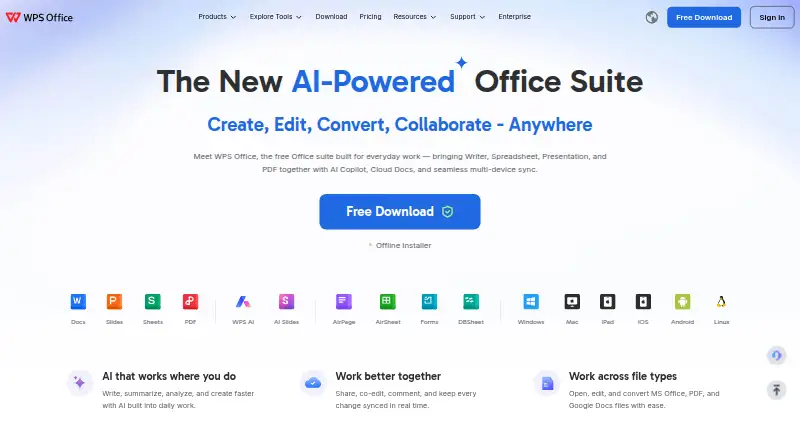
WPS Office is an office suite for documents and presentations, with apps for Windows, macOS, Linux, iOS, and Android, plus a web version. It supports offline access, real-time collaboration, PowerPoint import and export, presenter mode, and AI assistance. The free WPS Standard plan includes 1 GB of cloud storage, 47 file formats, and 46 languages. WPS Pro+ costs $69.99 a year and includes 20 GB of cloud storage; its pricing page also displays $5.83/month. For multiple users, WPS Pro+ Sharing Plan costs $41.99 a year per user and includes 20 GB of cloud storage per user. That plan lists a three-day free trial. WPS Office has a freemium model and a free plan. Its maker, WPS Office, was founded in 1988 and is headquartered in Singapore.
Who it suits
WPS Office suits people who need office tools across desktop, mobile, or web, including users who want offline access or real-time collaboration. The Sharing Plan is an option for multiple users.
What it does well
- Works across Windows, macOS, Linux, iOS, Android, and web
- Includes offline access and real-time collaboration
- Imports and exports PowerPoint files
- Free Standard plan includes 1 GB cloud storage
What to know first
- WPS Pro+ costs $69.99 a year
- Sharing Plan costs $41.99 a year per user
Limits
WPS Standard includes 1 GB of cloud storage. WPS Pro+ includes 20 GB, while WPS Pro+ Sharing Plan includes 20 GB per user.
Plans
| Plan | Billed and limits | Price |
|---|---|---|
| WPS Pro+ Sharing Plan | $41.99/Year/user · 2-user minimum · Pro+ benefits · 20 GB private cloud per member · add/remove members | $41.99 a year |
| WPS Standard | basic PDF features · free PDF reader · limited templates · 1 GB cloud · 47 formats · 46 languages | Free |
| WPS Pro+ | $69.99/Year · full PDF editing/conversion · unlimited templates · OCR · e-signatures · 20 GB cloud · no ads · usage-limited AI | $5.83 a month |
As wps.com lists them, read 14 Oct 2026. The maker's own page has the final word.
Getting started
- Visit https://www.wps.com/.
- Choose a platform: Windows, macOS, Linux, iOS, Android, or web.
- Start with the free plan, or review WPS Pro+ and WPS Pro+ Sharing Plan.
- Use the three-day free trial listed for WPS Pro+ Sharing Plan if it fits your needs.
Overview
WPS Office is an office suite for working with documents and presentations. It is best suited to people who need offline access and want to move between desktop, mobile, and web platforms; its support for PowerPoint files also helps when presentation work must fit an existing workflow. The broad platform range is a clear strength, but readers who need substantial cloud storage should compare the paid plans closely.
Key features
WPS Office combines AI assistance, real-time collaboration, and offline access. That combination can serve work that shifts between connected and disconnected settings, although the feature set does not establish what AI tasks are available or how collaboration is limited. For presentation work, PowerPoint import and export plus presenter mode make it more than a document editor, and potentially useful for preparing and delivering presentations.
WPS Standard includes 47 file formats and 46 languages, useful for people handling varied file types or languages. Its 1 GB of cloud storage is comparatively modest, however, so users who keep many files online may need a higher-storage plan.
Pricing
WPS Office uses a freemium model with a free plan and paid options. The plans chiefly differ in cloud storage and whether they are priced for an individual or multiple users.
- WPS Standard: Custom pricing. It includes 1 GB of cloud storage, 47 file formats, and 46 languages. It is the entry option for users who can work within that storage allowance.
- WPS Pro+: $69.99 a year, billed annually; the plan also displays $5.83 a month. It includes 20 GB of cloud storage, making it the individual option for someone who needs more online space than Standard provides.
- WPS Pro+ Sharing Plan: $41.99 a year per user, billed annually, with a 3-day free trial. It provides 20 GB of cloud storage per user and supports multiple users. This is the relevant paid option for a group, though the per-user charge means the total rises with each seat.
The free plan offers a way to start without a paid commitment, while the paid plans provide a defined increase in storage. The trial is short, so anyone evaluating the Sharing Plan should assess it promptly.
Platforms
WPS Office supports Windows, macOS, Linux, iOS, Android, and the web. That breadth makes it a plausible fit for people who use different kinds of devices, and offline access helps when a connection is unavailable. Users focused on one platform can still benefit, but cross-platform reach is a more distinctive reason to consider it.
Who it's for
WPS Office is a good fit for individuals or teams who want document and presentation tools across desktop, mobile, and browser environments, particularly when offline work or PowerPoint compatibility matters. It is less compelling for people whose priority is generous cloud storage on the entry plan, or who require clearly defined AI and collaboration capabilities before choosing a suite.
Pros and cons
- Pro: Windows, macOS, Linux, iOS, Android, and web support offers flexibility for mixed-device use.
- Pro: Offline access, PowerPoint import and export, and presenter mode cover both disconnected work and presentation workflows.
- Pro: Standard includes 47 file formats and 46 languages, supporting varied file and language needs.
- Con: Standard has only 1 GB of cloud storage, which may constrain users who keep substantial files online.
- Con: Pro+ Sharing is charged per user, so its annual cost grows with the size of a team.
- Con: The 3-day trial for Sharing Plan leaves little time for evaluation.
Alternatives
For a broader look at office suite software, word processing software, or presentation software, compare the category options against the mix of offline use, PowerPoint compatibility, and platform coverage you need.
- Zoho Workplace is worth considering if a free plan for up to five users and one custom email domain is useful alongside its office suite.
- Collabora Online is an option for readers interested in self-hosted or on-premise office software; its free Development Edition is positioned for testing and home use.
- Hancom Office offers a free plan with 2 GB of storage and viewer access on Windows and Mac, plus web and mobile office apps.
- ONLYOFFICE Docs may suit readers seeking a community edition for up to 20 recommended users under the GNU AGPL v.3, or those considering a self-hosted option.
- Apple iWork is a free alternative with Pages, Numbers, and Keynote, including real-time collaboration.
- Nextcloud Office is another alternative to consider.
- Google Workspace is a paid alternative with no free plan.
- Polaris Viewer Plus is another alternative to consider.
Verdict
Choose WPS Office if you want an office suite that spans desktop, mobile, and web, works offline, and handles PowerPoint files as well as document and presentation work. Its main advantage is that broad, flexible workflow; its main drawback is the limited 1 GB Standard storage and the per-user cost of the team plan. Look elsewhere if either storage headroom or a different pricing structure matters more.
Verdict
WPS Office combines document and presentation capabilities with offline use, collaboration, and broad platform support. A free plan is available, while paid options include additional cloud storage and a plan for multiple users.
Questions
Is WPS Office free?
Yes. WPS Office has a free plan, and its pricing model is freemium.
How much do the paid plans cost?
WPS Pro+ costs $69.99 a year. WPS Pro+ Sharing Plan costs $41.99 a year per user.
Is there a free trial?
A three-day free trial is listed for WPS Pro+ Sharing Plan.
Which platforms does WPS Office support?
It is available on Windows, macOS, Linux, iOS, Android, and the web.
Can it work with PowerPoint files?
Yes. It supports PowerPoint import and export.
Who makes WPS Office?
The maker is WPS Office, headquartered in Singapore and founded in 1988.
Facts from WPS Office's own pages
- AI assistance
- Yes · wps.com, 20 Sept 2026
- AI features
- WPS AI provides drafting, summarization, chart generation, slide assistance and rewriting tools, with usage limits on Pro+ plans. · wps.com, 14 Oct 2026
- App privacy disclosure
- Apple's listing says the developer may use identifiers to track users and may link device identifiers to advertising, marketing and analytics. · apps.apple.com, 14 Oct 2026
- Changelog
- The Mac version history lists WPS Office V12.1.29181 released September 23, 2026 and earlier 2026 builds with bug-fix and experience improvements. · tl.wps.com, 14 Oct 2026
- Cloud and integrations
- The mobile app says WPS syncs across mobile, PC and Mac and supports Google Drive, Dropbox and OneDrive. · play.google.com, 14 Oct 2026
- Collaboration
- Official materials describe real-time co-editing, comments, sharing and version history. · wps.com, 14 Oct 2026
- Company facts
- LinkedIn lists Kingsoft Office Software Inc. as a public Beijing-headquartered company founded in 1988 with a 5,001–10,000 employee company-size band. · linkedin.com, 14 Oct 2026
- Documentation and support
- WPS provides a Help Center, installation guides, Academy tutorials, online tools, email support and in-app support. · help.wps.com, 14 Oct 2026
- File compatibility
- WPS opens and saves DOCX, XLSX and PPTX while aiming to preserve Microsoft Office layouts. · wps.com, 14 Oct 2026
- Founded
- 1988 · wps.com, 28 Sept 2026
- Free plan
- Yes · wps.com, 20 Sept 2026
- Headquarters
- Singapore · wps.com, 28 Sept 2026
- Hosting restriction
- The EULA prohibits making the software available to multiple users through hosting, application-service-provider or SaaS arrangements without written permission. · wps.com, 14 Oct 2026
- Independent review
- TechRadar describes WPS as a strong free Microsoft Office alternative with excellent file-format support, but notes ads in the free edition and premium gating for advanced features. · techradar.com, 14 Oct 2026
- Legal-name listing
- Crunchbase lists the legal name as Kingsoft Office Corporation and describes the company as an active for-profit software business. · crunchbase.com, 14 Oct 2026
- Licence
- The EULA grants a revocable, non-exclusive, non-transferable licence and identifies source code and module design as proprietary trade secrets. · wps.com, 14 Oct 2026
- Limit: advertising and paywalls
- G2 reviewers complain that free-version advertisements and upgrade prompts interrupt work, while advanced functions can be less polished than Microsoft Office. · g2.com, 14 Oct 2026
- Limit: mobile complaints
- Google Play reviews include complaints that the free mode became largely view-only, displayed frequent pop-ups and auto-renewed after a three-day trial. · play.google.com, 14 Oct 2026
- Limit: subscription complaints
- Trustpilot reviewers frequently report unexpected renewals, sudden read-only restrictions, aggressive pop-ups and charges for plans they say they did not choose. · trustpilot.com, 14 Oct 2026
- Limit: synchronization and spreadsheet bugs
- Capterra reviewers report delayed cloud synchronization and occasional formula alignment problems after reopening large spreadsheets. · capterra.com, 14 Oct 2026
- Offline access
- Yes · wps.com, 20 Sept 2026
- PDF tools
- WPS can read, annotate, edit, sign, merge, split and convert PDF files. · play.google.com, 14 Oct 2026
- PowerPoint export
- Yes · wps.com, 20 Sept 2026
- PowerPoint import
- Yes · wps.com, 20 Sept 2026
Where WPS Office stands on Freedom251
- Presentation software#8 of 93
- Office Suite Software#6 of 16
- Word Processing Software#22 of 45