Freedom251 › Game Remote Play Software
Wolf
What Wolf is
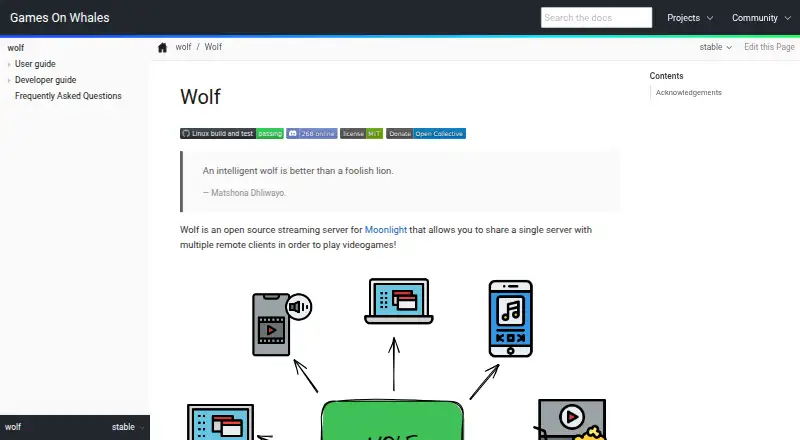
Wolf is an open-source streaming server for Moonlight that lets multiple remote clients share one Linux host for gaming. It runs in containers and can start additional containers when needed, with Docker and Podman setup instructions. Wolf can create virtual desktops on demand at different resolutions and frame rates without a monitor or dummy plug. It aims to provide low-latency video and audio streaming with gamepad support, including virtual gamepad and DualSense emulation that requires Linux access to /dev/uinput and /dev/uhid. Multiple GPUs can handle separate jobs, such as encoding on an integrated GPU while another GPU runs a game, although load balancing across GPUs is planned for a future release. Wolf UI supports profiles, application browsing and launching, image downloads, and shared-session lobbies. Configuration uses TOML, optional environment variables, and profiles with separate application lists. After pairing, API requests require a valid client certificate; the REST API uses a Unix socket, and TCP exposure is warned against because it can enable pairing and command execution.
Who it suits
Wolf suits Linux users who want Moonlight streaming for multiple remote clients, shared sessions, and containerized game applications. It is aimed at this specific streaming setup rather than general-purpose streaming.
What it does well
- Open-source and MIT licensed
- Multiple remote clients can share one host
- On-demand virtual desktops without a monitor
- Docker and Podman container deployment
- Moonlight gamepad and local co-op support
What to know first
- Linux host required
- Virtual gamepad setup needs specific device access
- Multi-GPU load balancing is planned, not available
- Exposing the API over TCP is dangerous
Limits
The project identifies multi-GPU load balancing as planned for a future release. Virtual gamepad and DualSense emulation setup requires Linux access to /dev/uinput and /dev/uhid.
Getting started
- Visit https://games-on-whales.github.io/wolf/stable/
- Prepare a Linux host with access to /dev/uinput and /dev/uhid for virtual gamepads and DualSense emulation
- Follow the quickstart for a Docker or Podman setup
- Configure Wolf with a TOML file, optional environment variables, and profiles as needed
- Connect using the documented Moonlight client
Verdict
Wolf provides a Linux- and container-focused Moonlight server with multi-user sessions, virtual desktops, and flexible application profiles. Setup requires host device access and careful API security, while planned GPU load balancing remains a limitation.
Questions
How much does Wolf cost?
Wolf is listed as free and open source. No price or paid tier is listed.
What client does Wolf use?
The documented streaming client is Moonlight.
Which platforms does it support?
Wolf runs on Linux and is listed for self-hosted use. Its deployment uses containers, with Docker and Podman quickstarts.
Can multiple people use the same server?
Wolf lets multiple remote clients share one server, and aims to let users stream different content using the same host hardware. Wolf UI can create lobbies for shared sessions.
How does Wolf secure API access?
After pairing, API requests require a valid client certificate. The REST API uses a Unix socket, and the documentation warns against exposing it over TCP.
What is needed for virtual gamepads?
The documented setup requires Linux access to /dev/uinput and /dev/uhid for virtual gamepads and DualSense emulation.
Facts from Wolf's own pages
- API
- Wolf exposes a REST API through a Unix socket; its documentation warns that exposing it over TCP is dangerous because it can pair clients and execute commands. · games-on-whales.github.io, 4 Oct 2026
- Client
- The documented streaming client is Moonlight. · games-on-whales.github.io, 9 Oct 2026
- Configuration
- Its configuration file can be edited to change encoding pipelines, GPU settings, and low-level Docker or Podman details. · games-on-whales.github.io, 9 Oct 2026
- Containers
- Wolf is Linux- and Docker-first and runs games in containers with low privileges. · games-on-whales.github.io, 9 Oct 2026
- Deployment
- Wolf runs as a container and starts additional containers on demand; the quickstart documents Docker and Podman setups. · games-on-whales.github.io, 4 Oct 2026
- GPU use
- It can use multiple GPUs at once for different jobs, such as encoding on an integrated GPU while gaming on another GPU. · games-on-whales.github.io, 9 Oct 2026
- Host requirements
- The documented setup requires Linux device access including /dev/uinput and /dev/uhid for virtual gamepads and DualSense emulation. · games-on-whales.github.io, 4 Oct 2026
- Intended use
- The project describes Wolf as a tool for a specific need and points people seeking general-purpose streaming to Sunshine. · games-on-whales.github.io, 9 Oct 2026
- License
- The project page displays an MIT license badge. · games-on-whales.github.io, 9 Oct 2026
- Multi-GPU
- Wolf can use multiple GPUs for different jobs, such as encoding on an integrated GPU while gaming on another GPU. · games-on-whales.github.io, 4 Oct 2026
- Multiple users
- Wolf aims to let multiple users stream different content using the same remote host hardware. · games-on-whales.github.io, 9 Oct 2026
- Notable limitation
- The configuration documentation says multi-GPU load balancing is planned for future releases. · games-on-whales.github.io, 4 Oct 2026
- Product
- Wolf is an open source streaming server for Moonlight that lets multiple remote clients share one server to play videogames. · games-on-whales.github.io, 9 Oct 2026
- Purpose
- Wolf is an open-source streaming server for Moonlight that lets multiple remote clients share one server to play games. · games-on-whales.github.io, 4 Oct 2026
- Security
- After pairing, Wolf checks HTTPS requests for a valid client certificate and allows only successfully paired clients to call the APIs. · games-on-whales.github.io, 4 Oct 2026
- Streaming
- The project lists low-latency video and audio streaming with gamepad support as a primary goal. · games-on-whales.github.io, 9 Oct 2026
- Support
- The project page links to a Discord badge and acknowledges help from the Moonlight Discord community. · games-on-whales.github.io, 9 Oct 2026
- Virtual desktops
- It creates virtual desktops on demand and supports any resolution and frame rate without a monitor or dummy plug. · games-on-whales.github.io, 9 Oct 2026
- Wolf UI
- Wolf UI lets users select profiles, browse and launch applications, download application images, and create lobbies for shared sessions. · games-on-whales.github.io, 4 Oct 2026
Where Wolf stands on Freedom251
- Game Remote Play Software#20 of 27
- Photo Vault Apps#28 of 32