Freedom251 › Game Remote Play Software
Big Remote Play
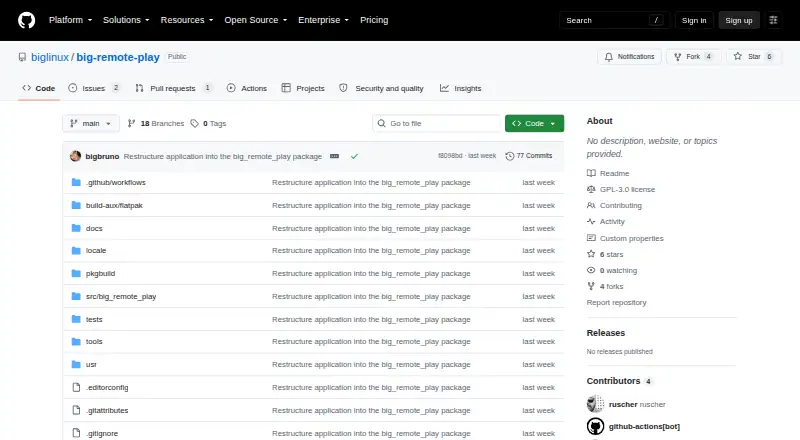
What Big Remote Play is
Big Remote Play is a free-software GTK application for Linux that helps organize remote play using Sunshine, Moonlight and private-network tools. It guides users through sharing a game or the entire desktop with Sunshine, then connecting from another computer with Moonlight. For computers on separate networks, it provides setup guidance for Tailscale, Headscale or ZeroTier. The project says the application leaves existing game libraries, paired devices and network profiles intact.
Its adaptive GTK 4/libadwaita interface is designed for keyboard and touch input, compact windows, high contrast, large text, right-to-left layouts and CJK layouts. Supported passwords and tokens can be stored in the desktop keyring through Secret Service. The project advises using the interface as a normal user and pairing only trusted computers; sharing the full desktop may reveal notifications and other open windows. It does not silently install components, expose Sunshine’s administration panel, open internet ports or change system audio output when a page is opened. The application is GPL-3.0-or-later licensed. The repository recommends the BigLinux/Manjaro package when available, and says the Python wheel alone is not a complete desktop installation.
Who it suits
Big Remote Play suits Linux users who want guided setup for streaming games or a desktop they already have, with Moonlight clients on Linux, Android, iOS or compatible TVs. It may also suit people using separate networks who need guidance for Tailscale, Headscale or ZeroTier.
What it does well
- Guides Sunshine game or desktop sharing and Moonlight connections.
- Provides setup guidance for three private-network options.
- Preserves existing game libraries, paired devices and network profiles.
- Interface is designed for keyboard, touch and accessible display layouts.
- Supports storing passwords and tokens in the desktop keyring.
- GPL-3.0-or-later licensed, with contributions welcomed in English or Portuguese.
What to know first
- Linux is the only supported host platform.
- The Python wheel alone is not a complete desktop installation.
- Stable release still requires validation across several target-machine areas.
- Whole-desktop sharing can expose notifications and other open windows.
Getting started
- Visit the project repository at https://github.com/biglinux/big-remote-play.
- Use the BigLinux/Manjaro package when available; the Python wheel alone is not a complete desktop installation.
- Run the interface as a normal user.
- Follow its Sunshine guidance to share a game or desktop, then connect with Moonlight.
- For computers on different networks, follow setup guidance for Tailscale, Headscale or ZeroTier.
- Pair only trusted computers and protect backups that may contain private certificates.
Verdict
Choose Big Remote Play if you use Linux and want one task-oriented interface to guide Sunshine, Moonlight and private-network setup while retaining existing configurations. Look elsewhere if you need a supported host outside Linux or a fully validated stable release.
Questions
How much does Big Remote Play cost?
It is free, with a free plan.
Which host platform does it support?
Linux is the supported host platform. Moonlight client platforms listed include Linux, Android, iOS and Moonlight-compatible TV devices.
What does it help set up?
It guides Sunshine game or desktop sharing, Moonlight connections and private-network setup using Tailscale, Headscale or ZeroTier.
Does it replace existing game libraries or network profiles?
The project says it preserves existing game libraries, paired devices and network profiles.
Is Big Remote Play open source?
It is free software licensed under GPL-3.0-or-later.
How should it be installed?
The repository recommends the BigLinux/Manjaro package when available. The Python wheel alone is not a complete desktop installation.
Facts from Big Remote Play's own pages
- Accessibility
- Its GTK 4/libadwaita interface is designed for keyboard, touch, compact windows, high contrast, large text, RTL and CJK layouts. · github.com, 8 Oct 2026
- Availability
- The repository recommends the BigLinux/Manjaro package when available and says the Python wheel alone is not a complete desktop installation. · github.com, 8 Oct 2026
- Configuration
- The project says it preserves existing configuration instead of replacing native game libraries, paired devices, or network profiles. · github.com, 8 Oct 2026
- Credentials
- Supported passwords and tokens can be kept in the desktop keyring through Secret Service. · github.com, 8 Oct 2026
- Existing setup
- The project says it preserves existing game libraries, paired devices and network profiles. · github.com, 8 Oct 2026
- Game sharing
- It guides users through sharing a game or the whole desktop with Sunshine. · github.com, 8 Oct 2026
- Intended users
- The README describes the project as a task-oriented interface for Linux users who want to play remotely using games and desktops they already have. · github.com, 8 Oct 2026
- Interface
- Its adaptive GTK 4/libadwaita interface is designed for keyboard, touch, compact windows, high contrast, large text, right-to-left, and CJK layouts. · github.com, 8 Oct 2026
- License
- The application is licensed under GPL-3.0-or-later. · github.com, 8 Oct 2026
- License and contributions
- Big Remote Play is licensed under GPL-3.0-or-later, and the project welcomes contributions in English or Portuguese. · github.com, 8 Oct 2026
- Limits
- Big Remote Play says it does not silently install components, expose Sunshine’s administration panel, open internet ports or change system audio output when a page is opened. · github.com, 8 Oct 2026
- Network integrations
- For play across different networks, it supports setup guidance for Tailscale, Headscale, or ZeroTier. · github.com, 8 Oct 2026
- Notable limits
- The project says it does not silently install components, expose the Sunshine administration panel, open internet ports, or change system audio output merely because a page was opened. · github.com, 8 Oct 2026
- Privacy guidance
- The project says sharing the whole desktop can expose notifications and other windows, and warns against publishing passwords, tokens, authentication keys, private certificates, unredacted backups, or private network addresses. · github.com, 8 Oct 2026
- Private networks
- For computers on different networks, it supports setup guidance for Tailscale, Headscale or ZeroTier. · github.com, 8 Oct 2026
- Purpose
- Big Remote Play is a free-software GTK application that guides Sunshine, Moonlight, and private-network setup from one place. · github.com, 8 Oct 2026
- Release status
- The project says a stable release still requires target-machine validation of streaming, GPU capture and encoding, audio routing, VPN authentication, PolicyKit, keyring behavior, and assistive technologies. · github.com, 8 Oct 2026
- Remote connection
- It guides users through connecting from another computer with Moonlight. · github.com, 8 Oct 2026
- Security guidance
- The project advises running the UI as a normal user, pairing only trusted computers, and protecting backups because they may contain private certificates. · github.com, 8 Oct 2026
- Support
- The project invites bug reports and contributions through its repository and asks reports to include versions, session type, network setup and sanitized evidence. · github.com, 8 Oct 2026
Where Big Remote Play stands on Freedom251
- Game Remote Play Software#17 of 27