Freedom251 › Game Remote Play Software

Sunshine
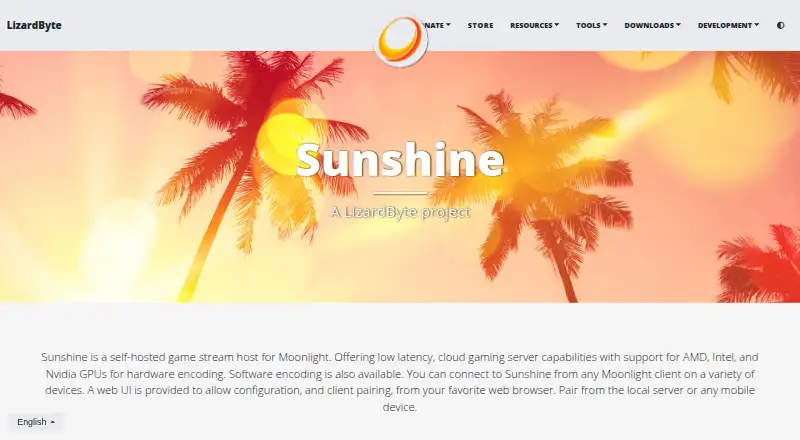
What Sunshine is
Sunshine is free, self-hosted game streaming software that runs on your own hardware and serves Moonlight clients. It supports Windows, macOS, and Linux hosts, with the project’s compatibility table also covering FreeBSD; features vary by operating system. Encoding can use AMD, Intel, or Nvidia GPUs, or run in software. A web interface lets you configure the host and pair clients from a browser, including a mobile device. Moonlight clients are listed for Windows, macOS, Linux, Android, iOS, Xbox, and other platforms. Sunshine emulates several controllers, including Xbox, PlayStation DualShock 4 and DualSense, and Nintendo Switch Pro models. Listed maximums are 4K resolution and 120 fps. Minimum requirements include 4 GB RAM, a supported GPU, and host and client networks using 5 GHz 802.11ac; the project says its requirements tables are still being developed. Sunshine is a LizardByte project under the GPL-3.0 license.
Who it suits
Sunshine suits people who want to host game streaming from their own hardware and connect through Moonlight. It is relevant to users with a supported host system and GPU who want browser-based configuration and client pairing.
What it does well
- Free plan; runs on your own hardware
- Supports AMD, Intel, and Nvidia hardware encoding
- Web interface supports mobile browser configuration
- Listed maximums: 4K and 120 fps
- Emulates multiple Xbox, PlayStation, and Nintendo controllers
What to know first
- Minimum listed memory is 4 GB RAM
- Requirements table is marked as a work in progress
- Host features vary by operating system
Limits
Sunshine is free and self-hosted, with no free trial. Listed minimum requirements include 4 GB RAM, a supported GPU, and host and client networks using 5 GHz 802.11ac; the project says its requirements tables are a work in progress.
Plans
| Plan | Billed and limits | Price |
|---|---|---|
| Sunshine | Self-hosted; runs on your own hardware | Free |
As app.lizardbyte.dev lists them, read 3 Oct 2026. The maker's own page has the final word.
Getting started
- Visit the Sunshine project website.
- Choose a download route such as Cloudsmith, Copr, Arch Linux, Docker, Flathub, or Homebrew.
- Run Sunshine on a supported host system with a supported GPU.
- Use the web UI to configure Sunshine and pair Moonlight clients.
Verdict
Sunshine combines self-hosted streaming, multiple encoding options, and a browser-based setup interface. Check its stated system and network requirements, and the operating-system compatibility details, against your setup.
Questions
How much does Sunshine cost?
The Sunshine plan is listed as free. It runs on your own hardware.
Which systems can host Sunshine?
The host platforms listed are Windows, macOS, and Linux. The repository compatibility table also covers FreeBSD, with features varying by operating system.
Which clients can connect to Sunshine?
Sunshine connects to Moonlight clients, listed for Windows, macOS, Linux, Android, iOS, Xbox, and more.
Is Sunshine open source?
Yes. The repository identifies its license as GPL-3.0.
Who makes Sunshine?
The project page identifies Sunshine as a LizardByte project.
What are the listed performance maximums?
Sunshine lists a maximum resolution of 4K and a maximum frame rate of 120 fps.
Facts from Sunshine's own pages
- Configuration
- A web UI lets users configure Sunshine and pair clients from a web browser, including on a mobile device. · app.lizardbyte.dev, 3 Oct 2026
- Controller emulation
- Sunshine emulates Xbox 360, Xbox One, Xbox Series, PlayStation DualShock 4, DualSense, and Nintendo Switch Pro controllers. · app.lizardbyte.dev, 3 Oct 2026
- Downloads
- The download links include Cloudsmith, Copr, Arch Linux, Docker, Flathub, and Homebrew. · app.lizardbyte.dev, 3 Oct 2026
- Hardware encoding
- Sunshine supports AMD, Intel, and Nvidia GPUs for hardware encoding, and software encoding is also available. · app.lizardbyte.dev, 3 Oct 2026
- Host operating systems
- The repository's compatibility table covers FreeBSD, Linux, macOS, and Windows, with features varying by operating system. · github.com, 3 Oct 2026
- Maker
- The project page identifies Sunshine as a LizardByte project. · app.lizardbyte.dev, 3 Oct 2026
- Moonlight clients
- Sunshine connects to Moonlight clients, which the project page lists for Windows, macOS, Linux, Android, iOS, Xbox, and more. · app.lizardbyte.dev, 3 Oct 2026
- Open source license
- The Sunshine repository identifies its license as GPL-3.0. · github.com, 3 Oct 2026
- Purpose
- Sunshine is a self-hosted game stream host for Moonlight with low-latency cloud gaming server capabilities. · app.lizardbyte.dev, 3 Oct 2026
- Security and privacy
- LizardByte's website privacy policy says it strives to use commercially acceptable means to protect personal information but cannot guarantee absolute security. · app.lizardbyte.dev, 3 Oct 2026
- Support
- LizardByte says Discord is its preferred support method and GitHub Discussions can be used for support, feature requests, and general discussion. · app.lizardbyte.dev, 3 Oct 2026
- System requirements
- The listed minimum requirements include 4 GB RAM, a supported GPU, and host and client networks using 5 GHz 802.11ac; the page says its requirements tables are a work in progress. · github.com, 3 Oct 2026
Where Sunshine stands on Freedom251
- Game Remote Play Software#16 of 27