Freedom251 › Game Remote Play Software
LibNXbox
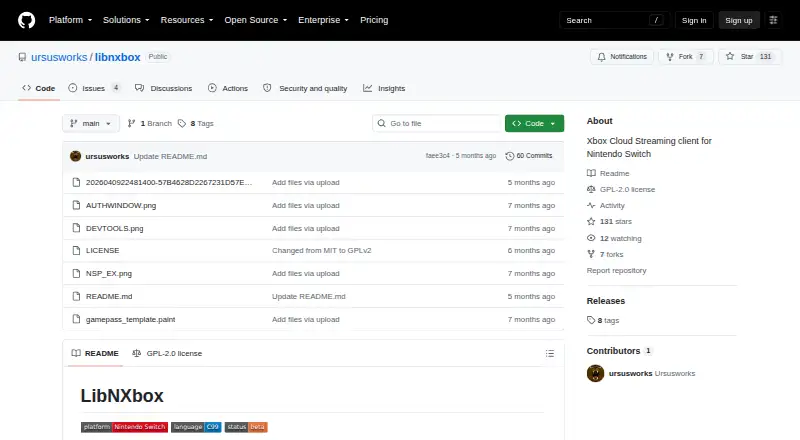
What LibNXbox is
LibNXbox is a Nintendo Switch homebrew client for streaming games from an Xbox console or Xbox Cloud Gaming. For home streaming, start its NRO in title mode and it discovers the console in the manner described for xbox.com/play. The NRO crashes in applet mode. For cloud titles, the documented route uses a Moonlight Switch NRO forwarder and the game’s AppID. LibNXboxNROHelper can search the Microsoft Store and create game-art thumbnails plus a titles.txt file containing game titles and xCloud AppIDs.
The listed stream configuration is 1280×720 H.264 video, decoded with Tegra X1 NVDEC hardware, and stereo Opus audio at 48 kHz in a WebM container, with an approximately 60 ms latency target. Switch face buttons map to Xbox buttons by physical position; analog stick ranges and deadzone are documented, while ZL and ZR operate as fully pressed or released digital triggers. Haptics are implemented, with rumble strength reduced by 50%.
Authentication uses Microsoft’s official servers, and a token is stored on the SD card at /switch/libnxbox/token.dat. The project is GPL-2.0 licensed and says the software will remain free, without donations or user fees. It is provided as-is without warranty.
Who it suits
LibNXbox suits Nintendo Switch users who want to stream from an Xbox console or access xCloud titles through the documented setup. It is intended for users who can run homebrew in title mode and whose Xbox services, subscription, network, and game ownership meet the applicable requirements.
What it does well
- Streams from an Xbox console or Xbox Cloud Gaming.
- Provides a helper to find Microsoft Store games and create title files.
- Uses Tegra X1 hardware decoding for H.264 video.
- Documents Switch-to-Xbox controls and rumble support.
- GPL-2.0 licensed and free.
What to know first
- Applet mode causes the NRO to crash.
- Queue status and waiting times are not shown.
- xCloud access and bitrate remain subject to service restrictions.
- Remote console connections may require UDP port 9002 forwarding.
Limits
The Free plan costs nothing. It requires Nintendo Switch title mode, and streaming access and bitrate remain subject to Xbox availability and subscription; xCloud country availability and game-ownership requirements also apply.
Plans
| Plan | Billed and limits | Price |
|---|---|---|
| Free | Unofficial Nintendo Switch homebrew · Requires title mode; applet mode crashes · xCloud access and bitrate depend on official availability and subscription | Free |
| LibNXbox | Free homebrew software · requires Nintendo Switch title mode · streaming access and bitrate remain subject to Xbox availability and subscription | Free |
As github.com lists them, read 9 Oct 2026. The maker's own page has the final word.
Getting started
- Download libnxbox.nro from the project’s GitHub releases.
- Run the NRO in title mode on Nintendo Switch.
- For home streaming, launch the client to discover your console.
- For xCloud titles, use a Moonlight Switch NRO forwarder and enter the game's AppID.
- Use LibNXboxNROHelper to search the Microsoft Store and generate title information if needed.
Verdict
Choose LibNXbox if you use a Nintendo Switch in title mode and want an Xbox console or xCloud streaming client. Look elsewhere if you need queue information or a way around xCloud availability, subscription, bitrate, or game-ownership rules.
Questions
How much does LibNXbox cost?
The listed plan is Free. The maker says no donation or user fee is requested.
Which devices and services does it support?
Nintendo Switch is the client platform. It streams from an Xbox console or Xbox Cloud Gaming.
How do I start a cloud game?
The documented approach uses a Moonlight Switch NRO forwarder and the game’s AppID.
Does it work in applet mode?
No. The NRO must run in title mode; it crashes in applet mode.
What license does it use?
The repository identifies the license as GPL-2.0.
Does it remove xCloud restrictions?
No. Country availability, subscription and bitrate limits, and game-ownership requirements continue to apply.
Facts from LibNXbox's own pages
- Audio
- The listed audio setup uses Opus in a WebM container at 48 kHz stereo, with an approximately 60 ms latency target. · github.com, 9 Oct 2026
- Authentication
- Authentication goes through Microsoft's official servers, and the app stores a token on the SD card at /switch/libnxbox/token.dat. · github.com, 9 Oct 2026
- Console streaming
- For home streaming, launch the NRO in title mode; it discovers the user's console in the same way as xbox.com/play. · github.com, 9 Oct 2026
- Controller support
- The README documents Switch-to-Xbox button mappings, analog stick ranges and deadzone, and digital ZL/ZR triggers mapped as fully pressed or released. · github.com, 9 Oct 2026
- Controls
- Switch face buttons map to Xbox buttons by physical position, while the digital ZL and ZR triggers map to fully pressed or released. · github.com, 9 Oct 2026
- Downloads
- The project says to download libnxbox.nro from its GitHub releases. · github.com, 9 Oct 2026
- Haptics
- The README says haptics were implemented in version 0.8.6 and rumble strength was reduced by 50%. · github.com, 9 Oct 2026
- Helper
- The LibNXboxNROHelper can search the Microsoft Store and generate game-art thumbnails and a titles.txt file with game titles and xCloud AppIDs. · github.com, 9 Oct 2026
- Launch requirement
- The NRO must run in title mode; it crashes in applet mode. · github.com, 9 Oct 2026
- License and cost
- The maker says the software will remain free, with no donations or user fee, and the repository lists a GPL-2.0 license. · github.com, 9 Oct 2026
- License and terms
- The repository identifies the license as GPL-2.0, and the README says the software will remain free with no donation or user fee requested. · github.com, 9 Oct 2026
- Limitations
- The app does not show queue status or wait times and does not bypass xCloud country, subscription, bitrate, or game-ownership restrictions. · github.com, 9 Oct 2026
- Network troubleshooting
- For console connections outside the local network, the README says UDP port 9002 may need to be accessible through port forwarding. · github.com, 9 Oct 2026
- Privacy claim
- The maker says the application stores only the token and that the maker cannot see or know users' information. · github.com, 9 Oct 2026
- Purpose
- LibNXbox is an Xbox Cloud Streaming client for Nintendo Switch that streams from an Xbox console or xCloud. · github.com, 9 Oct 2026
- Queue limitation
- The app does not show queue status or waiting times while a stream is starting. · github.com, 9 Oct 2026
- Rumble
- Haptics are implemented, and the maker says rumble strength was reduced by 50%. · github.com, 9 Oct 2026
- Service limitations
- The app does not bypass xCloud country availability, subscription bitrate limits, or game ownership requirements for Stream your own games. · github.com, 9 Oct 2026
- Streaming specs
- The README lists 720p H.264 video with Tegra X1 NVDEC hardware decoding and stereo Opus audio at 48 kHz. · github.com, 9 Oct 2026
- Support
- The README recommends checking the generated debug.log for clues and asks users with certain multi-console issues to file an issue with logs. · github.com, 9 Oct 2026
- Support and warranty
- The software is provided as-is without warranty, and the README invites users to open an issue with logs for certain problems. · github.com, 9 Oct 2026
- Video
- The listed video setup is 1280×720 at a Very High quality preset using H.264 and Tegra X1 NVDEC hardware decoding. · github.com, 9 Oct 2026
- xCloud titles
- To launch an xCloud title, the README describes using a Moonlight Switch NRO forwarder and entering the game's AppID. · github.com, 9 Oct 2026
Where LibNXbox stands on Freedom251
- Game Remote Play Software#12 of 27