Freedom251 › Game Remote Play Software
Artemis Android
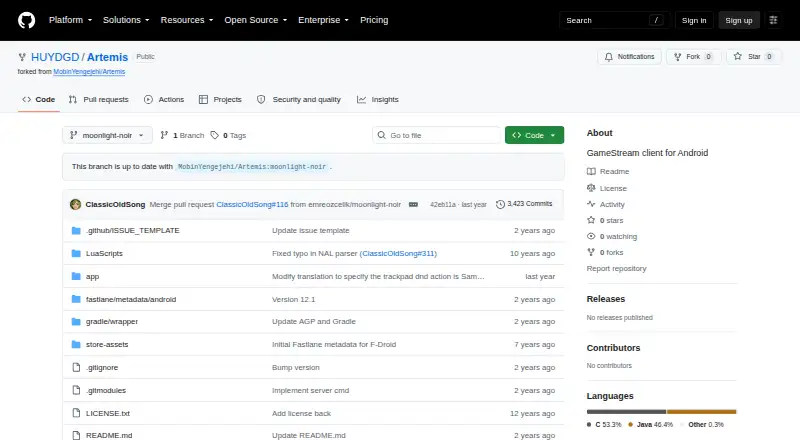
What Artemis Android is
Artemis Android streams games from a Windows PC to an Android device, either at home or over the internet. The project describes Artemis as a client for Apollo and Sunshine. Players can configure virtual buttons, use gamepad skins and a joystick, and adjust resolution, bitrate, and video scaling. Other controls include in-game pan and zoom, frame-rate locking fixes for some devices, mouse modes, non-QWERTY keyboard layouts, and trackpad gestures. Device options include portrait and external monitor modes, screen rotation, a display-on-top mode for foldable phones, and Samsung DeX scrolling support. Some integrations—including Virtual Display, Server Command, and clipboard sync—require Apollo. Artemis is free and open source, and the README offers a direct APK download and recommends Obtainium for installation. Apollo is a self-hosted desktop host with hardware encoding for AMD, Intel, and Nvidia GPUs, plus an optional software encoder. Apollo's Virtual Display support is Windows-only, with Linux support planned. Artemis and Apollo may eventually stop being compatible with original Sunshine and Moonlight.
Who it suits
Artemis suits Android users who want to stream games from a Windows PC using Apollo or Sunshine. Users who need Virtual Display, Server Command, or clipboard sync need Apollo for those integrations.
What it does well
- Customizable virtual buttons support import and export
- Resolution, bitrate, and video scaling controls
- Multiple mouse modes and keyboard layouts
- Portrait and external monitor options
- Free open-source Android client
What to know first
- Client platform is Android only
- Some integrations require Apollo
- Apollo Virtual Display is Windows-only
Limits
Virtual Display and Server Command integrations, along with clipboard sync, require Apollo. Apollo's Virtual Display support is Windows-only, with Linux support planned.
Plans
| Plan | Billed and limits | Price |
|---|---|---|
| Artemis Android | Open-source Android GameStream client | Free |
As github.com lists them, read 4 Oct 2026. The maker's own page has the final word.
Getting started
- Download the direct APK from the project README
- Use Obtainium, which the project recommends for installation
- Set up an Apollo or Sunshine host on a Windows PC
- Connect the Android client to the host
Verdict
Artemis offers a range of streaming and input controls for Android, with Apollo required for several integrations. Consider the stated compatibility caveat if relying on original Sunshine or Moonlight.
Questions
How much does Artemis Android cost?
It is listed as free and is open source. There is no free trial.
Which devices does Artemis support?
The client platform is Android. The listed host platform is Windows.
Does Artemis require Apollo?
Artemis is described as a client for Apollo and Sunshine. Virtual Display and Server Command integrations, plus clipboard sync, require Apollo.
How can I install Artemis?
The project README offers a direct APK download and recommends Obtainium for installation.
What does Apollo provide for streaming?
Apollo is described as a self-hosted desktop host with hardware encoding support for AMD, Intel, and Nvidia GPUs, plus an optional software encoder.
What license does Artemis use?
The repository lists an open-source client and includes a license file; the visible project description does not name the license.
Facts from Artemis Android's own pages
- Apollo integration
- Virtual Display and Server Command integrations, plus clipboard sync, require Apollo. · github.com, 4 Oct 2026
- Compatibility
- The Apollo README says Artemis and Apollo may eventually stop being compatible with original Sunshine and Moonlight. · github.com, 4 Oct 2026
- Device features
- The README lists external monitor mode, portrait mode, display-on-top mode for foldable phones, screen rotation, and Samsung DeX scrolling support. · github.com, 4 Oct 2026
- Download
- The README offers a direct APK download and recommends Obtainium for installation. · github.com, 4 Oct 2026
- Host platform limit
- Apollo's README says Virtual Display support is Windows-only and Linux support is planned. · github.com, 4 Oct 2026
- Host requirements
- Apollo is described as a self-hosted desktop stream host with hardware encoding support for AMD, Intel, and Nvidia GPUs, and an optional software encoder. · github.com, 4 Oct 2026
- Host software
- The project describes Artemis as a client for Apollo and Sunshine. · github.com, 4 Oct 2026
- Input options
- Mouse modes include normal mouse, multitouch, touchpad, disabled, and local cursor modes; the client also supports non-QWERTY keyboard layouts and trackpad gestures. · github.com, 4 Oct 2026
- License
- The Artemis repository lists an open-source client and includes a license file; its README does not specify a license name in the visible project description. · github.com, 4 Oct 2026
- Purpose
- Artemis streams games from a Windows PC to an Android device at home or over the internet. · github.com, 4 Oct 2026
- Streaming controls
- The client supports custom resolutions and bitrates, video scaling, frame-rate locking fixes for some devices, and in-game pan and zoom. · github.com, 4 Oct 2026
- Support
- The Apollo README says support is provided through GitHub Issues and Discussions, with no real-time chat support. · github.com, 4 Oct 2026
- Virtual controls
- Features include customizable virtual buttons with import and export support, gamepad skins, and a free joystick. · github.com, 4 Oct 2026
Where Artemis Android stands on Freedom251
- Game Remote Play Software#9 of 27