Freedom251 › Game Remote Play Software

LibreRemotePlay
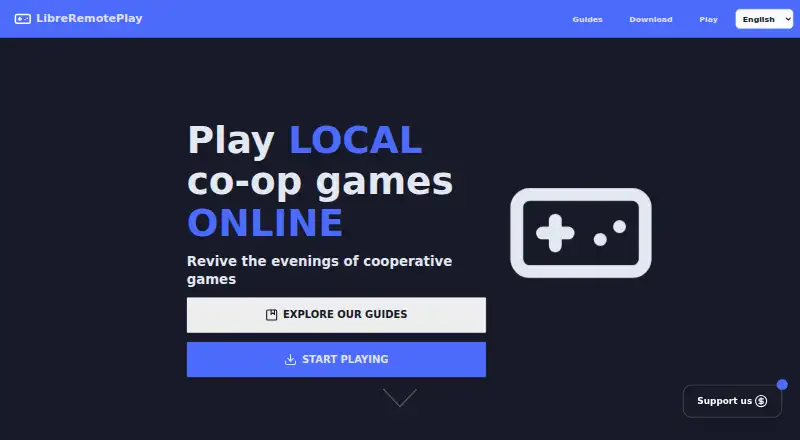
What LibreRemotePlay is
LibreRemotePlay lets friends play local co-op games online as though they were using the same computer. The maker says it works with any game that supports controllers, including DRM-free games. It connects players through peer-to-peer WebRTC and includes a LAN mode that does not need internet access. Remote video streaming offers configurable codecs, frame rate, and resolution, with WHIP compatibility for tools such as GStreamer and OBS. Gamepads are supported, while keyboard and mouse support is experimental. The browser version can act as a client; Windows and Linux are listed for desktop use, and macOS is unsupported. The homepage says no account is required for the app or browser client. The project describes itself as very experimental and warns it may not work on all systems; Safari has known browser-client issues. The app has no backend infrastructure to self-host, though users can configure TURN/STUN servers or an EasyConnectServer. It is free forever at no cost, with no account or credit card required.
Who it suits
LibreRemotePlay may suit friends who want to play controller-compatible local co-op games remotely, including through a browser client. It is aimed at people comfortable with experimental software on Windows or Linux.
What it does well
- Works with controller-compatible games, including DRM-free titles.
- LAN mode does not require internet access.
- Streams video with configurable codecs and resolution.
- No account is required for the app or browser client.
- Free forever at no cost.
What to know first
- The project is described as very experimental.
- Keyboard and mouse support is experimental.
- macOS is unsupported.
- Safari has known browser-client issues.
Plans
| Plan | Billed and limits | Price |
|---|---|---|
| Free | Free forever · no account · no credit card | Free |
As libreremoteplay.vercel.app lists them, read 8 Oct 2026. The maker's own page has the final word.
Getting started
- Visit https://libreremoteplay.vercel.app/.
- Choose the Windows or Linux app to host a game, or use the browser client.
- Use the Free plan; it is free forever and requires no account or credit card.
- Connect through peer-to-peer WebRTC, or use LAN mode when internet access is unavailable.
- Configure your own TURN/STUN server or EasyConnectServer if you want to use one.
Verdict
LibreRemotePlay offers remote and LAN play for local co-op games, with streaming options and browser clients. Its experimental status, limited desktop platform support, and input caveats are important to consider.
Questions
How much does LibreRemotePlay cost?
The Free plan costs nothing and is free forever.
Does it require an account or credit card?
No account or credit card is required.
Which platforms can host and join games?
Hosts can use Windows or Linux. Clients can use Windows, Linux, or a web browser; macOS is unsupported.
Does it work without internet access?
Yes. Its LAN mode does not require the internet.
What input devices does it support?
Gamepads are supported. Keyboard and mouse support is experimental.
Who makes LibreRemotePlay?
The project is mainly developed by PiterWeb from Spain.
Facts from LibreRemotePlay's own pages
- Account requirement
- The homepage says no account is required to use the app or browser client. · libreremoteplay.vercel.app, 8 Oct 2026
- Browser client
- The browser version works as a client, and the README notes known issues with Safari. · github.com, 8 Oct 2026
- Connection
- It uses peer-to-peer WebRTC connections and offers a LAN mode that does not require the internet. · github.com, 8 Oct 2026
- Desktop platforms
- The README lists Windows and Linux support and says macOS is unsupported because the maker has no Mac to test or develop on. · github.com, 8 Oct 2026
- Game compatibility
- The maker says it works with any game that supports controllers, including DRM-free games. · libreremoteplay.vercel.app, 8 Oct 2026
- Input support
- Gamepads are supported; keyboard and mouse support are experimental, and PlayStation controllers are not listed as supported. · github.com, 8 Oct 2026
- Maker
- The project is mainly developed by PiterWeb from Spain. · github.com, 8 Oct 2026
- Privacy
- The maker says the app and client website collect no data; the homepage says only the main website uses open-source, GDPR-compliant analytics without cookies or tracking across the internet. · github.com, 8 Oct 2026
- Project maturity
- The maker describes the software as very experimental and warns that it may not work on all systems. · github.com, 8 Oct 2026
- Purpose
- LibreRemotePlay lets friends play local co-op games online as if they were playing on the same computer. · libreremoteplay.vercel.app, 8 Oct 2026
- Self-hosting
- The app has no backend infrastructure to self-host, but users can host TURN/STUN servers or an EasyConnectServer and configure them. · github.com, 8 Oct 2026
- Streaming
- It supports remote video streaming with configurable codecs, frame rate, and resolution, plus WHIP compatibility for tools such as GStreamer and OBS. · github.com, 8 Oct 2026
- Support
- The maker directs users to report bugs through GitHub Issues or Discord and invites project feedback in the Discord community. · github.com, 8 Oct 2026
Where LibreRemotePlay stands on Freedom251
- Game Remote Play Software#7 of 27