Freedom251 › Game Remote Play Software
Greenlight
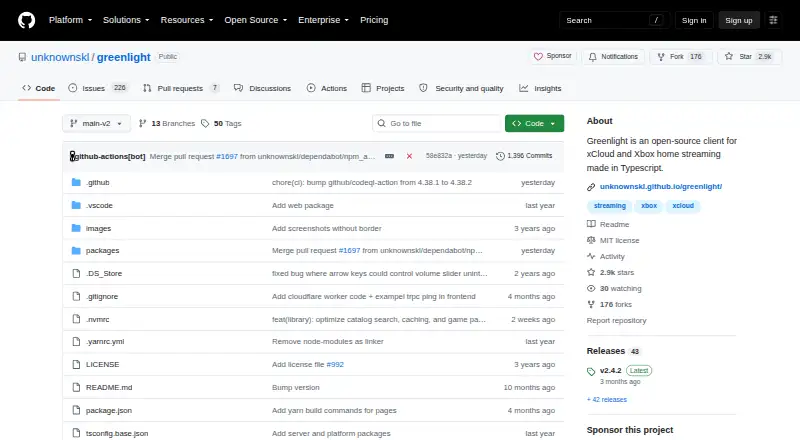
What Greenlight is
Greenlight is a free, open-source client for xCloud and Xbox home streaming. It streams video and audio from Xbox One and Xbox Series consoles, and supports gamepad and keyboard controls; rumble is supported on xCloud. An online friends list shows which friends are online. The client is available for Linux, macOS, and Windows, while its WebUI can make it available over a network to devices with Chromium-based browsers. Downloads are offered as Flathub installations and precompiled release binaries. Greenlight is made in JavaScript and TypeScript. The V2 release is in maintenance mode, with critical bug fixes only and no new features planned. Version 2.4.0 replaced XAL authentication with MSAL and added English, Russian, and Ukrainian localization; version 2.4.2 added German. The application is reported to work on Steam Deck, with some small bugs and side effects. Greenlight states that it is not affiliated with Microsoft, Xbox, or Moonlight.
Who it suits
It suits people seeking a free client for Xbox home or cloud streaming on Linux, macOS, or Windows. Steam Deck users should note the reported bugs and side effects.
What it does well
- Streams Xbox One and Xbox Series consoles.
- Supports gamepad and keyboard controls.
- Includes an online friends list.
- WebUI works over a network with Chromium browsers.
- Free under an MIT license.
What to know first
- V2 is in maintenance mode.
- No new V2 features are planned.
- Steam Deck use has reported bugs and side effects.
Limits
The free Open-source plan has no paid plans listed. Streaming is limited to a maximum resolution of 1080p, and the V2 release is in maintenance mode with critical bug fixes only and no new features planned.
Plans
| Plan | Billed and limits | Price |
|---|---|---|
| Open-source | MIT license · no paid plans listed | Free |
As github.com lists them, read 1 Oct 2026. The maker's own page has the final word.
Getting started
- Visit https://github.com/unknownskl/greenlight
- Download a precompiled release binary or install through Flathub
- Run Greenlight on Linux, macOS or Windows
- For network access, use the WebUI with a Chromium-based browser
Greenlight is a free, open-source client for Xbox Cloud Gaming and streaming from Xbox consoles. It best suits Xbox players who want to play on Linux, macOS, Windows, or a Chromium-based browser. Its main appeal is bringing cloud and home-console streaming together; its main caveat is that the V2 release is maintained only for critical fixes.
Overview
Greenlight handles both Xbox Cloud Gaming and streaming from Xbox One and Xbox Series consoles, with video and audio up to 1080p. That combination makes it a focused option for Xbox play across devices, including local co-op. It is not a general-purpose PC game-streaming client.
The client is built with JavaScript and TypeScript and is open source under the MIT license. V2 receives critical bug fixes, but no new features are planned. Choose it for what it does now; look elsewhere if an active feature roadmap is important to you.
Key features
- Cloud and console streaming: Play through Xbox Cloud Gaming or stream from Xbox One and Xbox Series consoles. The 1080p maximum suits standard HD play, but not anyone seeking a higher-resolution stream.
- Flexible controls: Greenlight supports gamepads and keyboards, with rumble on xCloud. That gives players a choice of input, though rumble support is specifically stated for cloud play.
- Friends list: The online list shows which friends are online, a useful social feature for Xbox players.
- Network WebUI: Greenlight can be made available over a network to devices using Chromium-based browsers. That extends access beyond its desktop clients, but browser support is tied to Chromium-based options.
- Localization: English, Russian, and Ukrainian were added in version 2.4.0, followed by German in 2.4.2.
Pricing
Greenlight's Open-source plan costs nothing. It is free under the MIT license, with no paid plans listed and no free trial. That makes it a straightforward choice for players who want Xbox streaming without a subscription; there are no cheaper tiers with reduced features to weigh.
Platforms
Greenlight's client platforms are Linux, macOS, Windows, Steam Deck, and Chromium-based web browsers. Downloads include Flathub installation and precompiled release binaries. Its streaming hosts are Xbox One, Xbox Series, and Xbox Cloud Gaming.
Steam Deck compatibility is reported, but with small bugs and side effects, so it is a less polished choice for Deck users than its desktop and browser options. The application states that it is not affiliated with Microsoft, Xbox, or Moonlight.
Who it's for
Greenlight is a good fit for Xbox owners who want to stream from their consoles or use Xbox Cloud Gaming on supported desktop systems and Chromium-based browsers. Its keyboard and gamepad controls, online friends list, and local co-op support serve players who want more than a single remote-play session. It is a weaker fit for Steam Deck users who need a trouble-free experience or anyone who prioritizes new features in future releases.
Pros and cons
- Pro — Cloud and home streaming in one client: It covers Xbox Cloud Gaming and Xbox One and Series consoles, with local co-op support.
- Pro — Free and open source: The MIT-licensed plan costs nothing, with no paid tier.
- Pro — Several ways to play: Gamepad and keyboard controls, plus Chromium-based browser access over a network, broaden the available setups.
- Con — 1080p maximum: Players seeking streams above that resolution need another option.
- Con — V2 is in maintenance mode: Only critical bug fixes are planned, not new features.
- Con — Steam Deck bugs and side effects: Reported issues make it a less dependable pick for Deck-first play.
Alternatives
If you want to compare more remote-play options, browse Game Remote Play Software.
- Moonlight Web is also free and open source, with browser and self-hosted platforms as well as Linux, macOS, Windows, Android, and iOS. Pick it instead if those platform options or its no-account approach suit your setup better.
- Moonlight Game Streaming is free, with no subscriptions or paid versions with extra features, and supports Android, iOS, Linux, macOS, and Windows. It is an alternative if you want a free streaming option on those platforms.
- Parsec has a free personal, non-commercial plan for desktop streaming and sharing, plus an Individuals (Warp) plan at $8.33 a month. Choose it if desktop streaming and sharing are your priority, or if you want a paid tier.
- Chiaki-ng is a free, open-source PlayStation Remote Play client for Android, Linux, macOS, and Windows. Pick it for PlayStation Remote Play rather than Xbox streaming.
- PeaSyo is a permanently free option for Android, iOS, Linux, macOS, and Windows. Consider it if those client platforms are the ones you need.
- Pulsar is a free and open-source remote-play option for Android, Linux, macOS, and Windows. Choose it if those platforms are a better fit.
- Steam is free to use across Android, iOS, Linux, macOS, and Windows, while game and content prices vary and some subscriptions may be free. It is an alternative if you want Steam's game and content platform.
- Artemis Qt is GPL v3 licensed and free, with downloads from GitHub Releases for Linux, macOS, and Windows. Pick it if those platforms and licensing terms suit you.
Verdict
Choose Greenlight if you want a free, MIT-licensed way to stream Xbox Cloud Gaming and Xbox consoles across desktop systems or Chromium-based browsers. Its combined cloud and home streaming support is the clearest reason to use it. Look elsewhere if you need more than 1080p, expect new V2 features, or want a more reliable Steam Deck experience.
Verdict
Greenlight provides Xbox streaming with desktop and Chromium-based web access options. Its V2 release receives critical fixes but is not planned for new features.
Questions
Is Greenlight free?
Yes. Its Open-source plan costs nothing and uses the MIT license; no paid plans are listed.
What does Greenlight stream?
It streams video and audio from Xbox One and Xbox Series consoles, and supports Xbox Cloud Gaming.
Which platforms can run Greenlight?
Client platforms include Linux, macOS, Windows, Steam Deck and Chromium-based web browsers. A WebUI option can make it available to Chromium-based browsers over a network.
Is Greenlight open source?
Yes. It is offered under the MIT license.
What is the maximum streaming resolution?
The maximum resolution is 1080p.
Who makes Greenlight, and is it affiliated with Microsoft?
The listed website is its GitHub project. Greenlight states that it is not affiliated with Microsoft, Xbox or Moonlight.
Facts from Greenlight's own pages
- Affiliation
- Greenlight states that it is not affiliated with Microsoft, Xbox, or Moonlight. · github.com, 1 Oct 2026
- Authentication
- Version 2.4.0 replaced the XAL authentication mechanism with MSAL. · unknownskl.github.io, 1 Oct 2026
- Controls
- It supports gamepad controls, keyboard controls, and rumble on xCloud. · github.com, 1 Oct 2026
- Distribution
- Downloads are provided as Flathub installation and precompiled release binaries. · github.com, 1 Oct 2026
- Friends
- It includes an online friends list showing which friends are online. · github.com, 1 Oct 2026
- Localization
- Version 2.4.2 added German language support, while version 2.4.0 added English, Russian, and Ukrainian localization. · unknownskl.github.io, 1 Oct 2026
- Maintenance
- The V2 release is in maintenance mode with only critical bug fixes and no new features planned for it. · github.com, 1 Oct 2026
- Purpose
- Greenlight is an open-source client for xCloud and Xbox home streaming. · github.com, 1 Oct 2026
- Steam Deck
- The application is reported to work on Steam Deck with some small bugs and side effects. · github.com, 1 Oct 2026
- Streaming
- It streams video and audio from Xbox One and Xbox Series consoles. · github.com, 1 Oct 2026
- Technology
- The client is made in JavaScript and TypeScript. · github.com, 1 Oct 2026
- Web access
- A WebUI option can make Greenlight available over a network to devices with Chromium-based browsers. · unknownskl.github.io, 1 Oct 2026
Where Greenlight stands on Freedom251
- Game Remote Play Software#4 of 27