Freedom251 › Game Remote Play Software

Chiaki-ng
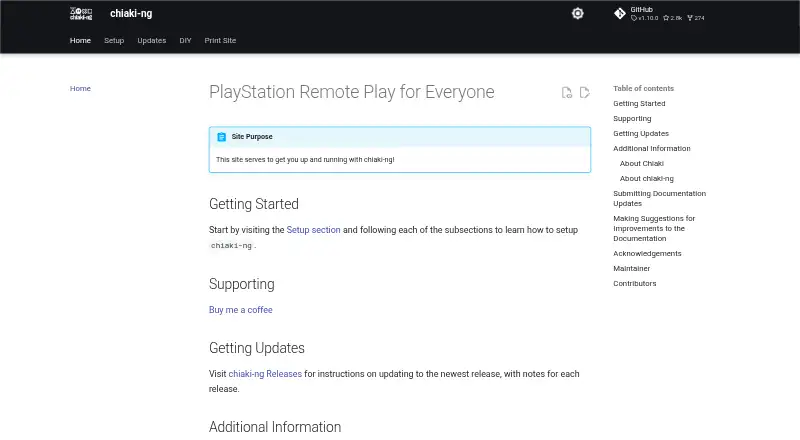
What Chiaki-ng is
Chiaki-ng is a free, open-source client for PlayStation Remote Play and a continuation of Chiaki. It connects with PlayStation 4 and PlayStation 5 consoles, with installation guidance and packages for Linux, Windows, and macOS, as well as Android support. Setup covers local console discovery and registration, then remote play through PSN or a manual connection. Streaming configuration includes video, audio, stream, and Wi-Fi settings, and the guide covers PS5 HDR streaming using an H265 HDR codec option. Controller documentation includes mapping, gyro controls, haptics, adaptive triggers, DualSense and DualShock 4 use, and Steam Deck layouts. Scripts can wake a PlayStation and start the client using local or external addresses. The project says the PSN authentication token is stored locally. PSN remote connections support IPv4 only, and UDP hole punching may fail on some network types, requiring manual connection with port forwarding. PS5 haptics and adaptive triggers are experimental and opt-in.
Who it suits
Chiaki-ng suits PlayStation 4 or 5 owners who want a remote-play client on a supported computer or Android device. It may also suit users who need controller configuration or manual remote connection options.
What it does well
- Free and open source.
- Supports PlayStation 4 and PlayStation 5.
- Offers configurable video, audio, stream, and Wi-Fi settings.
- Controller guides cover gyro, haptics, and mapping.
What to know first
- PSN remote connections support IPv4 only.
- Some network types require manual connection with port forwarding.
- PS5 haptics and adaptive triggers are experimental.
Limits
PSN remote connections support IPv4 only; UDP hole punching can fail on some network types, requiring manual connection with port forwarding. PS4 PSN remote play works only with the PSN account’s main registered console.
Plans
| Plan | Billed and limits | Price |
|---|---|---|
| Free | Free and open source PlayStation Remote Play client | Free |
As streetpea.github.io lists them, read 2 Oct 2026. The maker's own page has the final word.
Getting started
- Visit the Chiaki-ng website for project and setup guidance.
- Install a package for Linux, Windows, or macOS, or use the documented Flatpak or Homebrew route.
- Discover your console on the local network and register it.
- Choose PSN remote play or configure a manual remote connection.
- Adjust streaming and controller settings as needed.
Chiaki-ng is a free, open-source PlayStation Remote Play client for PS4 and PS5. It is best suited to players who want to stream to a computer or Android device and tune video and controller behavior; its chief compromise is that remote connections can depend on network conditions and manual setup.
Overview
As a continuation of Chiaki, Chiaki-ng brings console discovery, registration, and local streaming together with remote connection options through PSN or a manual connection. It is a strong fit for players who want more control than a basic streaming setup offers, without a subscription. The trade-off is practical: PSN remote connections work only over IPv4, and UDP hole punching can fail on some network types, where manual connection with port forwarding is required.
PSN authentication tokens are stored locally and are not used or stored elsewhere. Chiaki-ng is not endorsed or certified by Sony Interactive Entertainment LLC.
Key features
Streaming and connection options
The documented stream ceiling is 1080p at 60 fps, suitable for standard remote play but not higher-resolution or high-refresh streaming. Users can configure video, stream, audio, and Wi-Fi settings, and PS5 streaming includes an H265 HDR codec option. Local discovery offers the simpler route at home; remote play through PSN or a manual connection extends access beyond the local network, though the latter can require port forwarding.
Controller configuration
Chiaki-ng supports DualSense and DualShock 4 use, controller mapping, gyro controls, and Steam Deck layouts. Haptics and adaptive triggers broaden its input options, but PS5 support for both is experimental and opt-in, so players who need dependable access to those features should treat them as a bonus rather than a reason to choose the client.
Automation and setup
Installation routes include Flatpak through Flathub, Homebrew on macOS, and packages for Linux, Windows, and macOS. Scripts can wake a PlayStation and launch Chiaki using local or external address options, which may suit players building a repeatable remote-play routine. For help or documentation suggestions, the project points users to GitHub issues and page feedback; its site also links to release updates.
Pricing
Free — free. The free and open-source client includes PS4 and PS5 console support, with a maximum resolution of 1080p and maximum frame rate of 60 fps. There is no paid tier or trial to weigh against it, making Chiaki-ng an easy fit for players comfortable configuring their own remote-play setup. Its cost advantage does not remove the networking limits or the experimental status of PS5 haptics and adaptive triggers.
Platforms
The client platforms are Linux, Windows, and macOS, with Android also supported. The project additionally identifies FreeBSD, OpenBSD, and Nintendo Switch as supported or potential platforms. It targets PlayStation 4 and PlayStation 5 consoles.
Who it's for
Choose Chiaki-ng if you want a free PlayStation streaming client with configurable stream settings and detailed controller options, and are willing to handle remote-network setup when necessary. It is less suitable if you require PSN remote play over IPv6, cannot configure port forwarding when hole punching fails, or depend on fully established PS5 haptics and adaptive triggers.
Pros and cons
- Pros: Free and open source, with PS4 and PS5 support and streaming up to 1080p at 60 fps.
- Pros: Offers configurable video, stream, audio, and Wi-Fi settings, plus controller mapping, gyro controls, and Steam Deck layouts.
- Pros: Stores PSN authentication tokens locally and says they are not used or stored elsewhere.
- Cons: PSN remote connection is IPv4-only, and some networks may require manual connection with port forwarding.
- Cons: PS4 remote connection through PSN works only with the account's main registered console, a Sony-imposed limit.
- Cons: PS5 haptics and adaptive triggers are experimental and must be enabled as opt-in features.
Alternatives
For a broader comparison, browse Game Remote Play Software. Moonlight Web is another free, open-source option, with Android, iOS, Linux, macOS, Windows, web, and self-hosted platforms; consider it if you want those client choices rather than Chiaki-ng's PlayStation focus. Moonlight Game Streaming is also free, with no subscriptions or paid versions, and supports Android, iOS, Linux, macOS, and Windows.
Parsec offers a free personal-use plan for desktop streaming and sharing, plus an Individuals (Warp) plan at $8.33 a month; it is worth considering if desktop streaming and sharing are your priority. Greenlight is a free, MIT-licensed option for Linux, macOS, web, and Windows. PeaSyo is a permanently free option for Android, iOS, Linux, macOS, and Windows.
Pulsar is free and open source under GPLv3, with Android, Linux, macOS, and Windows support. Steam is free across Android, iOS, Linux, macOS, and Windows, though game and content prices vary and some subscriptions may be free. Artemis Qt is a free, GPL v3-licensed option for Linux, macOS, and Windows, with downloads from GitHub Releases.
Verdict
Chiaki-ng is a compelling free choice for PlayStation owners who want configurable remote play and controller options across computer and Android clients. Choose it for that combination and its 1080p/60 fps ceiling; look elsewhere if IPv4-only PSN access, network troubleshooting, or experimental PS5 controller features are deal-breakers.
Verdict
Chiaki-ng offers remote play with configuration and controller options across several client platforms. Be aware of the IPv4-only PSN connection and experimental PS5 controller features.
Questions
How much does Chiaki-ng cost?
It is free and open source.
Which consoles does it support?
The project describes Chiaki as a remote-play client for PlayStation 4 and PlayStation 5.
Which platforms can I use?
Client platforms listed include Linux, Windows, and macOS; the project also lists Android and other supported or potential platforms. Installation guidance includes packages for Linux, Windows, and macOS, a Flathub Flatpak, and macOS Homebrew.
Can I connect remotely through PSN?
Yes. The setup guide covers remote play through PSN or a manual remote connection. PSN remote connections support IPv4 only.
Does it support DualSense and DualShock 4 controllers?
The controller guide covers use of both DualSense and DualShock 4, along with mapping, gyro controls, haptics, and adaptive triggers.
Is Chiaki-ng affiliated with Sony?
The project says it is not endorsed or certified by Sony Interactive Entertainment LLC.
Facts from Chiaki-ng's own pages
- Automation
- The documentation describes scripts to wake a PlayStation and launch Chiaki, with local and external address options. · streetpea.github.io, 2 Oct 2026
- Available platforms
- The project lists Linux, FreeBSD, OpenBSD, Android, macOS, Windows, and Nintendo Switch as supported or potential platforms. · github.com, 2 Oct 2026
- Controller features
- The controller guide covers Steam Deck layouts, controller mapping, gyro controls, haptics, adaptive triggers, and DualSense or DualShock 4 use. · streetpea.github.io, 2 Oct 2026
- Experimental features
- The configuration guide marks PS5 haptics and adaptive-trigger support as experimental and opt-in. · streetpea.github.io, 2 Oct 2026
- Installation
- The documentation provides a Flathub Flatpak, macOS Homebrew installation, and packages for Linux, Windows, and macOS. · streetpea.github.io, 2 Oct 2026
- PS4 limit
- The guide says PS4 remote connection via PSN works only with the main registered console for the PSN account, a limitation imposed by Sony. · streetpea.github.io, 2 Oct 2026
- PSN token handling
- The remote-connection guide says the PSN authentication token is stored locally and is not used or stored elsewhere. · streetpea.github.io, 2 Oct 2026
- Remote connection limits
- PSN remote connection supports IPv4 only, and UDP hole punching may fail on some network types, which require manual connection with port forwarding. · streetpea.github.io, 2 Oct 2026
- Remote features
- The setup guide covers local console discovery, console registration, and remote play through PSN or manual remote connection. · streetpea.github.io, 2 Oct 2026
- Sony relationship
- The project states that it is not endorsed or certified by Sony Interactive Entertainment LLC. · github.com, 2 Oct 2026
- Streaming features
- The guide documents PS5 HDR streaming with the H265 HDR codec option and configurable video, stream, audio, and Wi-Fi settings. · streetpea.github.io, 2 Oct 2026
- Support and updates
- The project directs users to GitHub issues and page feedback for help or documentation suggestions, and its site links to release updates. · streetpea.github.io, 2 Oct 2026
- Supported consoles
- The project describes Chiaki as a remote-play client for PlayStation 4 and PlayStation 5. · github.com, 2 Oct 2026
- What it does
- Chiaki-ng is an open-source client for PlayStation Remote Play and a next-generation continuation of Chiaki. · github.com, 2 Oct 2026
Where Chiaki-ng stands on Freedom251
- Game Remote Play Software#2 of 27