
Winhanced
What Winhanced is
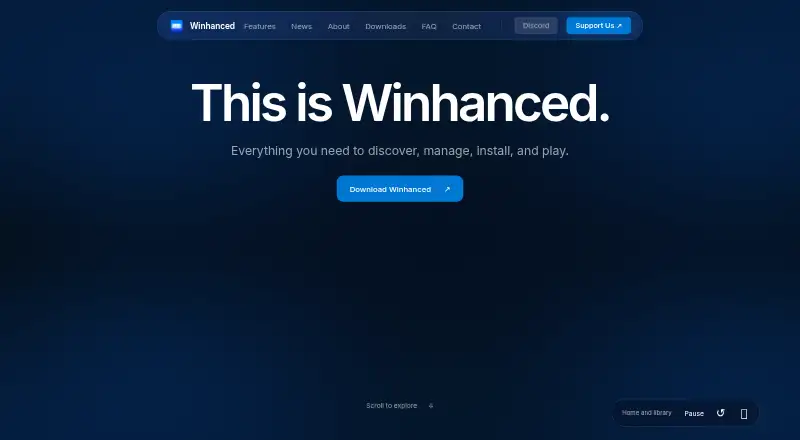
Winhanced is a free, controller-first gaming shell for Windows that brings game libraries, streaming services, and device controls into one interface. It supports storefronts and services including Steam, Xbox and Game Pass, Epic Games, GOG, PlayStation, EA, Ubisoft, Battle.net, and Amazon Games. Streaming options include Xbox Cloud Gaming, GeForce NOW, PlayStation Remote Play, and Moonlight from a gaming PC. Discovery tools can suggest games by interest, compare store prices, import a Steam wishlist, send price-drop notifications, and track releases in a calendar. Players can view friends across Steam, Discord, PlayStation, and Xbox, invite them through those platforms, and message through the services. The HUD includes DynamicTDP, display and frame-rate controls, Lossless Scaling access, and per-game profiles. Winhanced requires Windows 11 build 22000 or newer on x64 Intel or AMD hardware. Windows 10 and ARM64 are unsupported.
Who it suits
Winhanced is designed for Windows handheld gamers and is also described as working on gaming PCs, desktops, and living-room PCs. It suits players who want combined libraries, streaming access, discovery tools, and controller-oriented settings.
What it does well
- Free full app with no account required
- Combines many storefront libraries in one shell
- Supports cloud, remote, and Moonlight streaming
- Offers per-game hardware and display profiles
- Keeps library and diagnostic data on-device
What to know first
- Requires Windows 11 build 22000 or newer
- Windows 10 and ARM64 are unsupported
- Hardware controls vary by device
- OneXPlayer 3 generic TDP control is not working
Limits
The free Winhanced plan is the full app, while hardware controls vary by device and generic TDP control is unavailable on the OneXPlayer 3.
Plans
| Plan | Billed and limits | Price |
|---|---|---|
| Winhanced | Full app · no sign-in or account required | Free |
| Winhanced Early Access | Active Patreon or Discord supporter required; price not stated on the page · New features 30 days early · extra themes · direct input on roadmap | On request |
As winhanced.com lists them, read 8 Oct 2026. The maker's own page has the final word.
Getting started
- Open the Winhanced website
- Use Windows 11 build 22000 or newer on an x64 Intel or AMD system
- Install the app; grant administrator permission once to register its background service
- Launch the app without signing in or creating an account
- Connect supported storefronts and services for libraries or streaming
- Use the HUD for device controls and per-game profiles
Verdict
Winhanced brings broad library, streaming, social, and handheld-control features to supported Windows systems. Check the Windows and hardware requirements, especially for device-specific controls.
Questions
Is Winhanced free?
Yes. The Winhanced plan is listed as free and requires no sign-in or account.
Which Windows systems are supported?
It requires Windows 11 build 22000 or newer on an x64 Intel or AMD system. Windows 10 and ARM64 are unsupported.
Which game services can it combine?
Listed integrations include Steam, Xbox and Game Pass, Epic Games, GOG, PlayStation, EA, Ubisoft, Battle.net, and Amazon Games.
Does it support game streaming?
Yes. The FAQ lists Xbox Cloud Gaming, GeForce NOW, PlayStation Remote Play, and Moonlight streaming from a gaming PC.
How are messages and personal data handled?
Direct messages remain in memory while the app runs and are not stored on Winhanced servers or analyzed. Libraries, settings, hardware readings, and diagnostic logs stay on the device unless you choose to send a report.
Facts from Winhanced's own pages
- Company/team
- The About page says Winhanced is built by a small team and names Floop for design and product; it does not state a headquarters or founding date. · winhanced.com, 8 Oct 2026
- Device controls
- The homepage describes DynamicTDP power tuning, display and frame-rate controls, Lossless Scaling access, and per-game settings profiles in the HUD. · winhanced.com, 8 Oct 2026
- Discovery
- The homepage says users can discover games based on their interests, compare store prices, import a Steam wishlist, receive price-drop notifications, and track releases in a calendar. · winhanced.com, 8 Oct 2026
- Early Access
- Early Access uses the same installer, unlocks features 30 days ahead, and requires active supporter verification through Patreon or Discord. · winhanced.com, 8 Oct 2026
- Hardware support limit
- Hardware controls vary by device, and the maker notes a known gap where generic TDP control is not working on the OneXPlayer 3. · winhanced.com, 8 Oct 2026
- Library integrations
- The FAQ lists Steam, Xbox and Game Pass, Epic Games, GOG, PlayStation, EA, Ubisoft, Battle.net, and Amazon Games as supported storefronts or services. · winhanced.com, 8 Oct 2026
- Message handling
- The privacy policy says direct messages are kept in memory while the app runs and are not stored on Winhanced's servers or analyzed. · winhanced.com, 8 Oct 2026
- Privacy
- The privacy policy says game libraries, settings, hardware readings, and diagnostic logs stay on the device unless a user chooses to send a report; it says Winhanced does not sell data or run ads. · winhanced.com, 8 Oct 2026
- Product
- Winhanced is a controller-first gaming shell for Windows that unifies game libraries and adds sleep and resume, hardware controls, and per-game profiles. · winhanced.com, 8 Oct 2026
- Security and permissions
- The FAQ says the installer requires administrator permission once to register its background service, after which the app runs unelevated. · winhanced.com, 8 Oct 2026
- Social features
- The homepage says users can see friends' online status and games across Steam, Discord, PlayStation, and Xbox, invite friends through their platforms, and send direct messages through those services. · winhanced.com, 8 Oct 2026
- Streaming
- The FAQ lists Xbox Cloud Gaming, GeForce NOW, PlayStation Remote Play, and streaming from a user's gaming PC over Moonlight. · winhanced.com, 8 Oct 2026
- Support
- Users can submit diagnostic reports in the app and get help through Discord; the FAQ says the team checks Discord daily. · winhanced.com, 8 Oct 2026
- System requirements
- Winhanced requires Windows 11 build 22000 or newer and an x64 Intel or AMD system; Windows 10 and ARM64 are not supported. · winhanced.com, 8 Oct 2026
- Target users
- The maker describes it as designed for Windows handheld gamers and says it also works on gaming PCs, desktops, and living-room PCs. · winhanced.com, 8 Oct 2026
Where Winhanced stands on Freedom251
- Game launchers#33 of 68
- Game Library Managers#35 of 40