Freedom251 › Fuzz Testing Software
Wfuzz
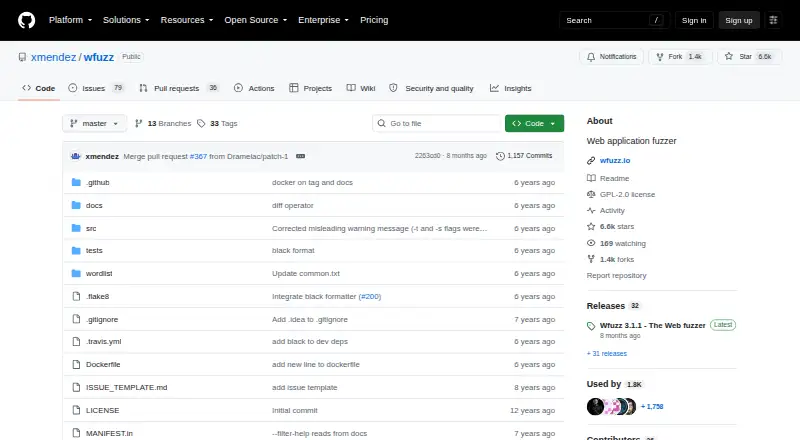
What Wfuzz is
Wfuzz is a framework for automating web application security assessments and finding and exploiting web application vulnerabilities. It works by replacing FUZZ markers in HTTP requests with values from payloads, so assessors can test request components such as parameters, authentication, forms, directories, files, and headers. Its documented coverage also includes paths, query parameters, POST data, cookies, custom headers, and HTTP verbs. Users can work with multiple payloads, combine payloads, apply encoders, and filter responses to select or hide results. A plugin-supported vulnerability scanner is part of the framework, and its modular structure allows users to build plugins. Wfuzz can expose a language interface to earlier requests and responses made with Wfuzz or tools such as Burp for manual and semi-automatic testing. It also includes wfpayload for generating payloads and wfencode for encoding and decoding. Wfuzz runs locally and supports Linux, macOS, Windows, and self-hosted use. Installation options include pip and a Docker image. The project is free and licensed under GPL-2.0. Documentation and GitHub issues and pull requests provide project resources and activity.
Who it suits
Wfuzz suits people performing web application assessments and penetration testing who need to generate inputs across HTTP request components. Its local execution and plugin framework may also suit users who want to extend their assessment tooling.
What it does well
- FUZZ markers can supply payload values across many HTTP request components.
- Payloads can be combined, encoded, and filtered against responses.
- A plugin-supported vulnerability scanner is included.
- The modular framework allows users to build plugins.
- Installation options include pip and a Docker image.
What to know first
- Wfuzz executes locally.
- The project is licensed under GPL-2.0.
Plans
| Plan | Billed and limits | Price |
|---|---|---|
| Free/open-source | GPL-2.0 licensed · available through pip, GitHub releases, or Docker | Free |
As github.com lists them, read 7 Oct 2026. The maker's own page has the final word.
Getting started
- Open the GitHub project at https://github.com/xmendez/wfuzz.
- Install Wfuzz with pip, or use the project's Docker image command.
- Place FUZZ markers in the HTTP request components you want to test.
- Use payloads and filters to generate and select responses.
Verdict
Choose Wfuzz if you need a free, locally run framework for generating inputs across HTTP requests and assessing web applications. Its broad request coverage, scanner plugins, and payload tools are useful reasons to consider it. Look elsewhere if you need a service that does not run locally or a license other than GPL-2.0.
Questions
Does Wfuzz cost anything?
The project is free, and its listed Free/open-source plan costs nothing.
Which platforms are supported?
The listed platforms are Linux, macOS, self-hosted, and Windows.
Is Wfuzz open source?
Yes. The project identifies its license as GPL-2.0.
What can Wfuzz test?
Its documented targets include paths, files, URL parameters, POST data, cookies, headers, HTTP verbs, and authentication.
How can I install it?
The project README gives pip installation and a Docker image command as options.
Where can I find help or project activity?
The project links to documentation and uses GitHub issues and pull requests for project activity.
Facts from Wfuzz's own pages
- Audience
- The README describes Wfuzz as a tool for people performing web application assessments and pentesting. · github.com, 7 Oct 2026
- Burp support
- Wfuzz can expose a language interface to prior requests and responses made with Wfuzz or tools such as Burp for manual and semi-automatic testing. · github.com, 7 Oct 2026
- Fuzzing
- It replaces FUZZ markers in HTTP requests with values from payloads, allowing inputs to be tested in request parameters, authentication, forms, directories, files, and headers. · github.com, 7 Oct 2026
- Installation
- The project README gives pip installation and a Docker image command as installation options. · github.com, 7 Oct 2026
- License
- The GitHub repository identifies the project as licensed under GPL-2.0. · github.com, 7 Oct 2026
- Other tools
- The framework includes wfpayload for generating payloads and wfencode for encoding and decoding. · wfuzz.readthedocs.io, 7 Oct 2026
- Payloads and filters
- The documentation describes multiple payloads, combining payloads, encoders, and filters for selecting or hiding responses. · wfuzz.readthedocs.io, 7 Oct 2026
- Plugins
- Its vulnerability scanner is supported by plugins, and the framework is modular so users can build plugins. · github.com, 7 Oct 2026
- Purpose
- Wfuzz is a framework for automating web application security assessments and finding and exploiting web application vulnerabilities. · wfuzz.readthedocs.io, 7 Oct 2026
- Release
- The GitHub releases page lists Wfuzz 3.1.1 as the latest release. · github.com, 7 Oct 2026
- Request coverage
- The documentation describes fuzzing paths and files, URL parameters, POST requests, cookies, custom headers, and HTTP verbs. · wfuzz.readthedocs.io, 7 Oct 2026
- Support
- The project links to documentation and uses GitHub issues and pull requests for project activity. · github.com, 7 Oct 2026
Where Wfuzz stands on Freedom251
- Fuzz Testing Software#13 of 26