Freedom251 › Disk Health Monitoring Software
Western Digital Kitfox
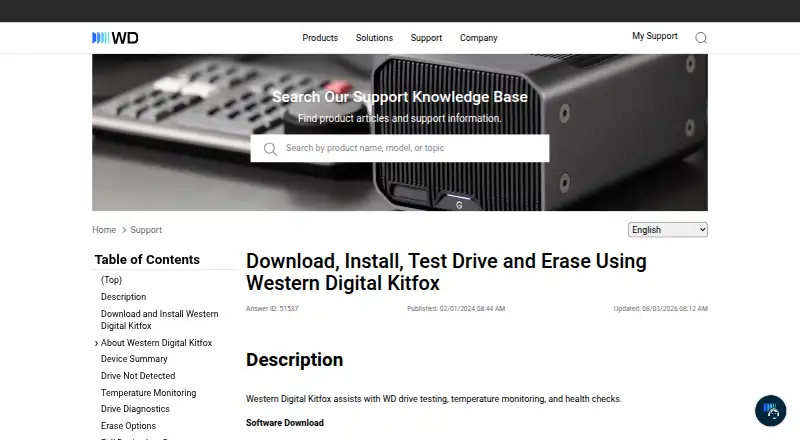
What Western Digital Kitfox is
Western Digital Kitfox is a free Windows utility for checking and managing compatible WD drives. Its Device Summary displays device information, speed and security details, and available and used disk space. The Device Health section monitors temperature on supported drives and provides SMART information. Users can run a Short Test for a quick check or an Extended Test for a more thorough diagnostic; Kitfox returns a PASS or FAIL result. Erase options include Write Quick Zeros and Write Full Zeros. Full Zeros overwrites drive media, makes data unrecoverable, and may take several hours. Device logs show configuration and SMART information, while Identify Device reports configuration details. Supported internal retail drives include WD_BLACK and WD HDD models in the Black, Blue, Green, Red, Purple, and Gold families; WD_BLACK P10 and D10 are listed external drives. Other drives may appear in the utility without being supported. The listed operating system is Windows 11, and Kitfox is not compatible with macOS. Western Digital says version 1.1.1.1 included a security improvement to KitfoxService registration on Windows.
Who it suits
Kitfox suits Windows 11 users checking compatible WD drives, including people who need drive health information, temperature monitoring, diagnostics, or erase options. It is limited to supported WD models and does not work with macOS.
What it does well
- Free utility for compatible WD drives.
- Monitors supported drive temperatures and provides SMART information.
- Offers short and extended tests with PASS or FAIL results.
- Shows drive space, configuration, speed, and security details.
What to know first
- The listed supported operating system is Windows 11.
- It is not compatible with macOS.
- Drives may appear without being supported.
- Full Zeros erasure makes data unrecoverable.
Limits
Kitfox supports Windows 11 only, and compatible-drive support is limited to the listed WD models. Full Zeros permanently overwrites media, makes data unrecoverable, and may take several hours.
Getting started
- Open the Western Digital Kitfox download page
- Download the Windows version
- Install Kitfox on a Windows 11 computer
- Connect a supported WD internal or external drive
- Open Device Summary or Device Health
- Run a Short Test or Extended Test
Verdict
Kitfox provides drive summaries, health checks, diagnostics, and erase options for supported WD drives on Windows 11. Check drive compatibility before relying on it, and note that Full Zeros erasure is irreversible.
Questions
Is Western Digital Kitfox free?
Yes. It has a free plan.
Which operating systems does Kitfox support?
The listed supported operating system is Windows 11. Kitfox is not compatible with macOS.
Which drives are supported?
Supported internal retail drives include WD_BLACK and WD HDD models in the Black, Blue, Green, Red, Purple, and Gold families. WD_BLACK P10 and D10 are listed external drives.
Can Kitfox erase a drive?
Yes. Write Quick Zeros and Write Full Zeros are available. Full Zeros overwrites media and makes data unrecoverable.
Does Kitfox provide SMART monitoring?
Yes. Device logs provide SMART information, and the utility monitors temperatures on supported drives.
Facts from Western Digital Kitfox's own pages
- Device logs
- Device logs provide configuration and SMART information, and the Identify Device option reports configuration information. · support-en.wd.com, 9 Oct 2026
- Device summary
- Device Summary provides device information, speed and security, and available and used disk space. · support-en.wd.com, 9 Oct 2026
- Diagnostics
- Kitfox offers a quick Short Test and a thorough Extended Test, then displays a PASS or FAIL result. · support-en.wd.com, 9 Oct 2026
- Drive diagnostics
- The utility offers short quick health tests and extended thorough health tests, then displays a PASS or FAIL result. · support-en.wd.com, 9 Oct 2026
- Drive limitation
- Other internal and external drives may appear in Kitfox but are not supported. · support-en.wd.com, 9 Oct 2026
- Drive summary
- Device Summary provides device information, device speed and security, and available and used disk space. · support-en.wd.com, 9 Oct 2026
- Erase
- It offers Quick Zeros and Full Zeros erase options; Full Zeros overwrites the drive media and makes data unrecoverable. · support-en.wd.com, 9 Oct 2026
- Erase options
- Kitfox offers Write Quick Zeros and Write Full Zeros; the page says Full Zeros makes data unrecoverable and may take several hours. · support-en.wd.com, 9 Oct 2026
- Founded
- A Western Digital sustainability report states that the company was founded in 1970 in Santa Ana, California. · documents.westerndigital.com, 9 Oct 2026
- Headquarters
- Western Digital lists its corporate headquarters at 5601 Great Oaks Parkway, San Jose, California 95119, USA. · westerndigital.com, 9 Oct 2026
- Intended users
- The listed supported drives and features describe Kitfox as a utility for Windows users checking and managing compatible WD drives. · support-en.wd.com, 9 Oct 2026
- Logs
- Device logs provide configuration and SMART information, including Identify Device and SMART Read Data/Feature D0H views. · support-en.wd.com, 9 Oct 2026
- macOS compatibility
- Western Digital Kitfox is not compatible with macOS. · support-en.wd.com, 9 Oct 2026
- Purpose
- Western Digital Kitfox assists with WD drive testing, temperature monitoring, and health checks. · support-en.wd.com, 9 Oct 2026
- Security update
- Western Digital says Kitfox for Windows version 1.1.1.1 included a security improvement fixing a vulnerability in how KitfoxService was registered on Windows. · westerndigital.com, 9 Oct 2026
- Support
- The page says Western Digital does not provide support for third-party software or hardware. · support-en.wd.com, 9 Oct 2026
- Supported drives
- Supported retail internal drives include WD_BLACK and WD HDD models in the Black, Blue, Green, Red, Purple, and Gold families. · support-en.wd.com, 9 Oct 2026
- Supported external drives
- The page lists WD_BLACK P10 and D10 as supported retail external drives. · support-en.wd.com, 9 Oct 2026
- Supported OS
- The listed supported operating system is Windows 11, and Kitfox is not compatible with macOS. · support-en.wd.com, 9 Oct 2026
- Temperature
- It monitors supported WD drive temperatures in the Device Health section. · support-en.wd.com, 9 Oct 2026
- Unsupported drives
- Internal and external drives may appear in Kitfox even when they are not supported. · support-en.wd.com, 9 Oct 2026
- Windows support
- The page lists Windows 11 as a supported operating system. · support-en.wd.com, 9 Oct 2026
Where Western Digital Kitfox stands on Freedom251
- Disk Health Monitoring Software#21 of 30