Freedom251 › Game Asset Extractors
w3m
What w3m is
w3m is a free, open-source pager and text-mode WWW browser for desktop use. It reads HTML documents and lets users follow links; images can be opened with an external image viewer. In internet message mode, w3m checks a document’s header and displays content identified as text/html as HTML. It can also turn URL descriptions in plain text into links, which gives it a role both for browsing and for reading text that contains web addresses.
Linux is listed among the platforms where w3m is known to work. The project also documents building on MS-Windows with Cygwin and development tools. Its installation process uses configure, make, and make install, and requires the GC library. The project permits use, modification, and redistribution when copyright notices are included in copies and derived works. The software is provided without express or implied warranty. The documentation identifies poor online manuals as a current problem, and the GitHub repository’s releases page has no releases. The listed free plan costs nothing; no paid plans or usage limits are stated.
Who it suits
w3m suits Linux desktop users who want a pager that can also browse web pages in text mode. It may also suit people who need to follow links in HTML or plain text and can build software using the documented tools and GC library.
What it does well
- Free and open source, with a listed price of $0.
- Reads HTML and lets users follow links.
- Can open images through an external image viewer.
- Turns URL descriptions in plain text into links.
- Permits use, modification, and redistribution with copyright notices included.
What to know first
- The documentation identifies poor online manuals as a current problem.
- Building on MS-Windows requires Cygwin and development tools.
- The installation process requires the GC library.
- The GitHub releases page has no releases.
Plans
| Plan | Billed and limits | Price |
|---|---|---|
| w3m | No paid plans or usage limits stated | Free |
As github.com lists them, read 9 Oct 2026. The maker's own page has the final word.
Getting started
- Open the w3m project website on GitHub.
- Use Linux, or build on MS-Windows with Cygwin and development tools.
- Install the GC library dependency.
- Run configure, make, and make install to build and install w3m.
w3m combines a pager with a text-mode web browser, for readers who want to move between documents and web pages in a text-first workflow. Its link handling gives it useful reach beyond plain paging, while the GC library dependency and weak online manuals add friction for new installations and users.
Overview
w3m can render HTML, follow links, and turn URLs found in plain text into clickable links. That makes it a practical choice for terminal-based reading where web content and documents sit side by side. Image viewing is possible through an external image viewer, but w3m remains a text-mode tool rather than a graphical browsing environment.
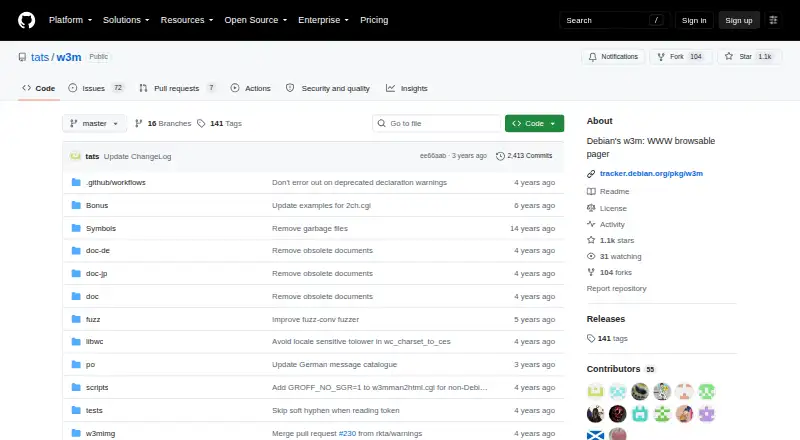
The project is maintained for Debian and forked from the original SourceForge version. Its GitHub releases page has no releases, so this repository does not offer a release history to track.
Key features
When reading HTML, users can follow links and open images with an external viewer. That keeps image display available without changing w3m's text-first design, though it depends on a separate viewer. Its internet message mode uses a document's header to detect its type and displays documents marked Content-Type: text/html as HTML.
In plain text, w3m can turn URL descriptions into links. This helps readers follow web references encountered in text, rather than copying addresses manually. Together, these features suit document-heavy workflows; readers who need a graphical browser should choose another tool.
Pricing
w3m is free and open source, with a free plan priced at $0. There are no paid plans or usage limits stated, and no trial is offered. The project permits use, modification, and redistribution when copyright notices are included in copies, applications, and derivative works. It comes without express or implied warranty.
Platforms
w3m is documented for Linux on desktop. Building it on Windows requires Cygwin with development tools. The documented installation process runs configure, make, and make install, and the build requires the GC library. Those requirements are manageable for users comfortable with compiling software, but the poor online manuals make setup less inviting for newcomers.
Who it's for
w3m suits Linux users who want a free pager that can also browse HTML and follow links in a text-mode workflow. It is a reasonable fit for readers already comfortable building software and arranging an external image viewer when needed. People who depend on clear online documentation, a graphical interface, or a straightforward Windows build should look elsewhere.
Pros and cons
- Pros: Free and open source, with no paid plans or stated usage limits.
- Pros: Combines paging, HTML rendering, link following, and plain-text URL linking in one text-mode tool.
- Pros: Can display images through an external viewer while keeping the browser itself text-based.
- Cons: Building requires the GC library and a configure, make, and make install workflow.
- Cons: Poor online manuals make installation and learning harder to navigate.
- Cons: Windows builds require Cygwin and development tools; image viewing also depends on separate software.
Alternatives
For another free, open-source tool, consider Source 2 Viewer; its project describes it as reverse-engineered and it supports Linux, macOS, web, and Windows. Choose SLADE3 if you need a free desktop editor for Linux, macOS, or Windows and can accept that beta builds may have bugs, crashes, or unfinished features. AssetRipper offers a free plan with stable and nightly builds for Windows, Mac, and Linux, plus a $10 a month Premium plan; it suits readers who want those builds and are willing to pay for Premium.
OpenKH is a free option for Linux, macOS, and Windows that uses the Apache-2.0 license and requires .NET 8.0 Runtime. QuickBMS is another free, open-source multiplatform tool with downloads listed for Win32, Linux, and macOS. Rusted PackFile Manager is free under the MIT License, with Linux, Windows, API, and self-hosted platform options. arcdEx is a free Linux alternative. Crowbar is free for Windows, with optional donations.
Verdict
Choose w3m if you want a free, open-source pager that can also browse HTML in text mode, especially on Linux. Its blend of document paging, HTML link-following, and plain-text URL links is the main reason to pick it. Look elsewhere if you need better online manuals, a graphical browser, or a build process without the GC library dependency.
Verdict
Choose w3m if you want a free, open-source pager that can also browse HTML in text mode, especially on Linux. Its documented build requires the GC library, and the project identifies poor online manuals as a current problem.
Questions
Is w3m free?
Yes. The listed plan costs nothing, and w3m is open source.
Which platform does w3m support?
Linux is listed as a platform where w3m is known to work. Building it on MS-Windows requires Cygwin and development tools.
Can w3m display HTML and images?
It displays documents identified as text/html as HTML and lets users follow links. Images can be viewed using an external image viewer.
What does w3m need to build?
The installation notes require the GC library and describe running configure, make, and make install.
What are the license terms?
The project permits use, modification, and redistribution when copyright notices are included in copies, applications, and derived works.
Facts from w3m's own pages
- Build dependency
- The installation notes say w3m requires the GC library. · github.com, 9 Oct 2026
- Document detection
- Its internet message mode determines document type from the header and displays documents with Content-Type text/html as HTML. · github.com, 9 Oct 2026
- HTML browsing
- When reading HTML, users can follow links and view images using an external image viewer. · github.com, 9 Oct 2026
- Installation
- The documented build process runs configure, make, and make install. · github.com, 9 Oct 2026
- Intended audience
- The project describes w3m as a text-mode WWW browser and pager. · github.com, 9 Oct 2026
- License terms
- The project permits use, modification, and redistribution provided the copyright notice is included in copies, applications, and derivations. · github.com, 9 Oct 2026
- Linux support
- The documentation lists Linux among the platforms w3m is known to work on. · github.com, 9 Oct 2026
- Maintained distribution
- The repository says this package is maintained for Debian and forked from the original SourceForge version. · github.com, 9 Oct 2026
- Open source
- Yes · github.com, 19 Sept 2026
- Plain text links
- It can turn URL descriptions in plain text into links. · github.com, 9 Oct 2026
- Supported platforms
- desktop · github.com, 19 Sept 2026
- Product type
- w3m is a pager that can also be used as a text-mode WWW browser. · github.com, 9 Oct 2026
- Release packaging
- The GitHub repository's releases page states that there are no releases there. · github.com, 9 Oct 2026
- Support limitation
- The documentation lists poor online manuals as a current problem. · github.com, 9 Oct 2026
- Warranty
- The documentation says the software is provided as is without express or implied warranty. · github.com, 9 Oct 2026
- Windows support
- The documentation says building w3m on MS-Windows requires Cygwin with development tools. · github.com, 9 Oct 2026
Where w3m stands on Freedom251
- Game Asset Extractors#2 of 24
- Web browsers#58 of 154